Higgsfield
  • Explore
  • Image
  • Video
  • Audio
  • SupercomputerNew
  • MCP & CLINew
  • Cinema Studio
  • Marketing Studio
  • Shorts StudioNew
  • ExplainerNew
  • Originals
  • Canvas
  • AI Influencer
  • Apps

THE ULTIMATE AI-POWERED CAMERA CONTROL FOR FILMMAKERS & CREATORS

Higgsfield AI

  • About
  • Trust
  • Careers
  • Contact
  • Pricing
  • Apps
  • Supercomputer
  • Cinema Studio
  • Marketing Studio
  • Higgsfield Canvas
  • Higgsfield Collab
  • Higgsfield MCP
  • Higgsfield Games
  • AI Influencer
  • Community
  • Enterprise
  • Team
  • Copilot
  • Reference Extension
  • Blog
  • Contests
  • Discord

Image

  • AI Image
  • Soul ID Character
  • Draw to Edit
  • Fashion Factory
  • Edit Image
  • Image Upscale
  • Photodump Studio
  • Higgsfield Popcorn
  • Nano Banana
  • Prompt Guide
  • Flux 2
  • Seedream 5
  • GPT Image 2
  • Inpaint
  • Soul 2.0
  • Soul Cinema
  • Soul Cast

Video

  • AI Video
  • Mixed media
  • Sora 2 Introduction
  • Veo 3.1 Introduction
  • Create Video
  • Lipsync Studio
  • Talking Avatar
  • Draw to Video
  • UGC Factory
  • Video Upscale
  • Kling 3.0
  • WAN 2.6
  • Seedance 2.0
  • Grok Imagine 1.5
  • Gemini Omni Flash

Edit

  • Banana Placement
  • Product Placement
  • Edit Image
  • Multi Reference
  • Upscale
  • Sora 2 Upscale
  • About
  • Trust
  • Careers
  • Contact
  • Pricing
  • Apps
  • Supercomputer
  • Cinema Studio
  • Marketing Studio
  • Higgsfield Canvas
  • Higgsfield Collab
  • Higgsfield MCP
  • Higgsfield Games
  • AI Influencer
  • Community
  • Enterprise
  • Team
  • Copilot
  • Reference Extension
  • Blog
  • Contests
  • Discord
  • X / Twitter
  • Youtube
  • Instagram
  • LinkedIn
  • Tiktok

535 Mission St, 14th floor, San Francisco, CA, 94105

  • X / Twitter
  • Youtube
  • Instagram
  • LinkedIn
  • Tiktok

© 2026 Higgsfield AI™. All rights reserved.

  • Press
  • Privacy
  • Terms
  • Cookie Notice
  1. Blog
  2. /
  3. Fresh Release
  4. /
  5. Turn Your Sketch Into a Cinema

The Future of Product Placement. Turn Your Sketch Into a Cinema with Higgsfield Product-to-Video

Mariam Barova

Mariam Barova

·

Aug 12, 2025

·

6 minutes

The Future of Product Placement. Turn Your Sketch Into a Cinema with Higgsfield Product-to-Video

Draw Your Vision – No Prompts Needed. UPD: Now With Product Placement.

For years, GenAI revolved around carefully crafted prompts. Today, Higgsfield ended them. Welcome to a world without prompts — where you direct your AI like a real film set, not a text box.

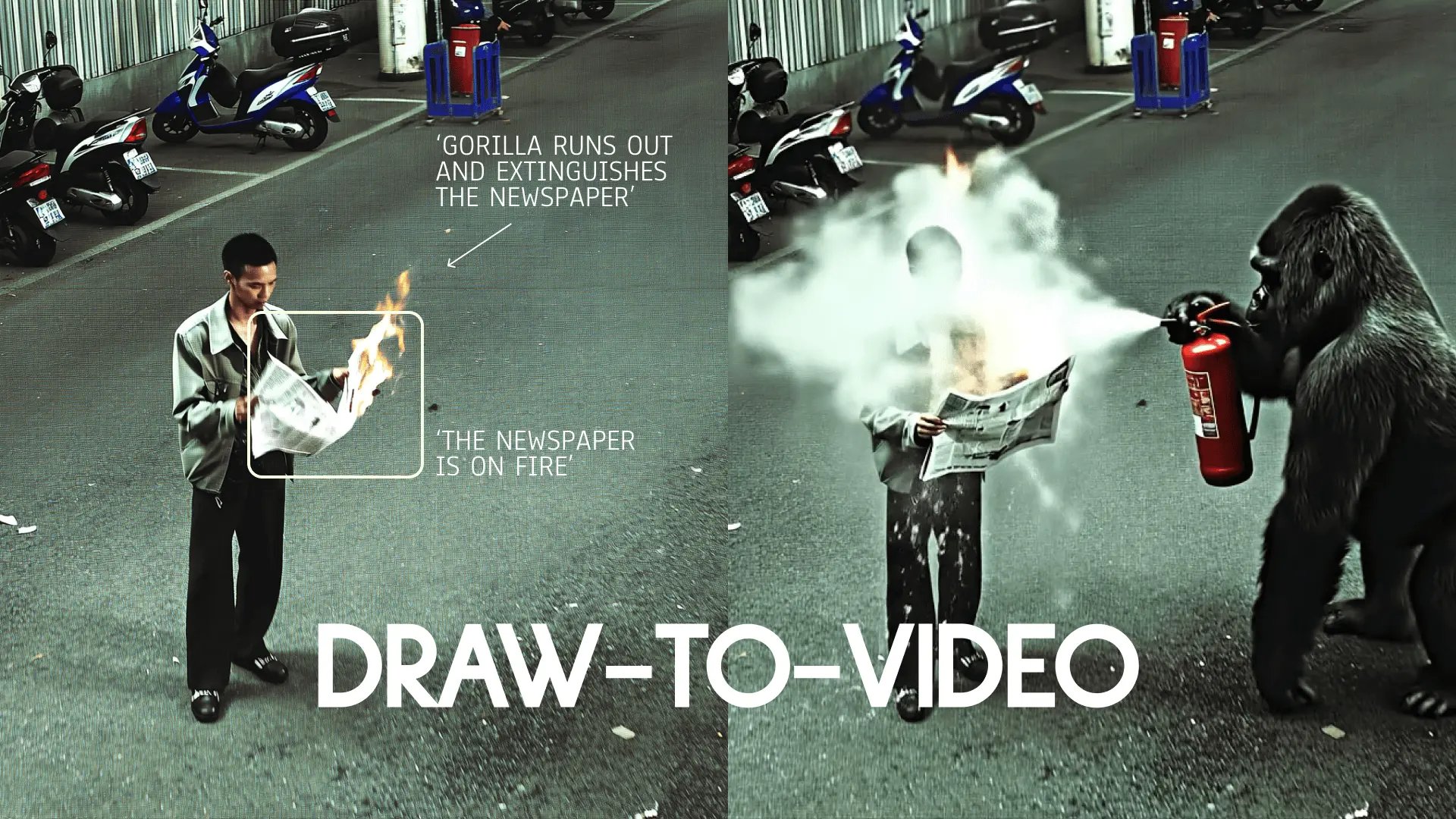
With the updated Draw-to-Video inside Higgsfield, you can now go beyond guiding motion — you can visually insert products, outfits, or extra objects right into the frame. Whether it’s a drink in your character’s hand, a wardrobe change, or combining multiple images into one scene, you now have full creative control without a single prompt.

This is a historic moment for creators: AI no longer needs instructions, it needs your direction.


Step-by-Step: How to Nail Your Draw-to-Video Creations

1. Go to: higgsfield.ai/create/draw-to-video

2. Upload or Generate Your Starting Image

  • Upload an image or generate one with Higgsfield Soul.

  • You can also use Soul ID to generate an image with your personal character.

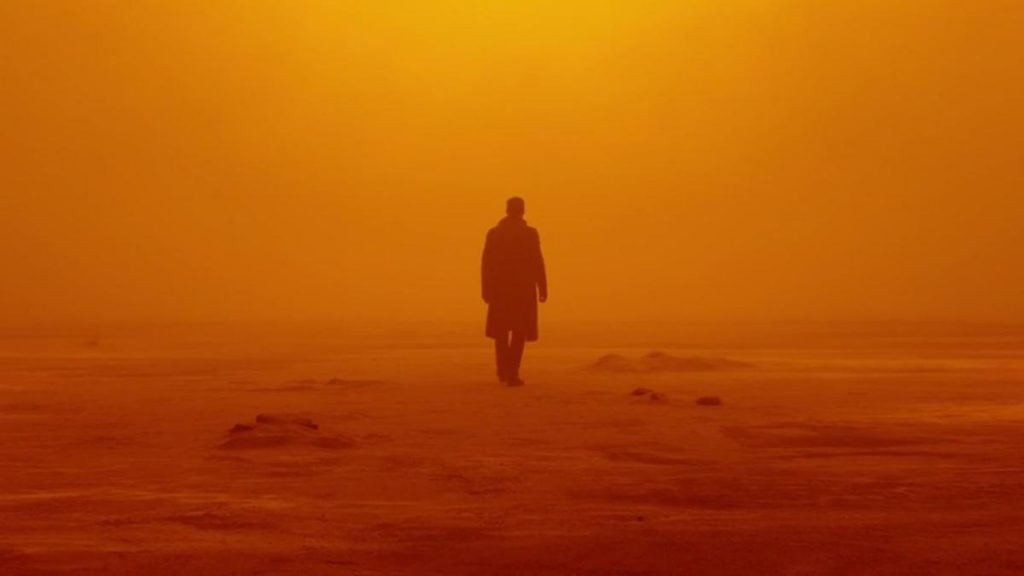
  • Example image:

2049
2049

3. Open the Editor & Add Your Instructions

  • Describe the action: Use the text tool to describe the main action, keep it short and clear — e.g., “Man walks”, “car passes by”, “giraffe appears”

  • Draw Arrows: Show the movement direction for the subject or object.

  • Sequence Actions (Optional): Label actions in numbers (1, 2, 3) to create an order of moves.

    • 1. Man walks

    • 2. Car passes by

    • 3. Girrafe appears

  • Limit Actions: Works best with 2-3 actions, adding more actions might create inconsistency.

  • Square Frame for Subjects (Optional): Add a square frame to specify the actionable area or item

  • Example instructions:

Your browser does not support the video.
2049 vid

4. Insert Images Directly Into Your Frame (NEW):

  • Press the "Add Image" Icon

  • Choose an Image

  • For Product Placement (Best)

    • Place an image of the product in the area it should be in (e.g., near the hand)

    • Resize the product so it matches how it would look in real life.

    • Use arrows and short text to show what happens (e.g., “Character picks up the drink and shows it to the camera”).

  • For Outfit Changes

    • Place an image of the clothing item next to the character.

    • Match its size roughly to the real proportions.

    • Add arrows and labels indicating the change (e.g., “Character changes into red jacket”).

  • Tips

    • Adjust the size of an image to match the real size you need

    • Always add text or arrows for instructions: “Person drives the car.”

    • Use high-quality images for high-quality output

    • Keep the style of an image consistent with the main frame (e.g., mixing cartoon style with realistic style is not recommended)

    • You can add up to 3–4 images in the frame, but 1-2 is recommended.

    • Works only with Veo 3 and MiniMax Hailuo 02.

  • Example instructions:

Your browser does not support the video.
WD
  • Link to Example Images Pack -> Here

5. Go Promptless

  • No typing walls of text. Your images and drawings are your creative brief.

6. Choose the Model

  • Veo 3 → Best for built-in audio and lip-sync on your videos.

  • MiniMax Hailuo 02 → Best for high-energy, dynamic shots.

  • Seedance → Best for high-resolution, crisp videos (does not support image insertion yet).

7. Generate

  • Hit generate and watch your directed scene unfold exactly how you envisioned.


Wrapping Up

The updated Draw-to-Video in Higgsfield puts you in complete control — not only can you direct motion, but you can also place products, outfits, and extra objects right into your storyboards. From high-end product placements to fashion transformations and cinematic collages, you can now build complex, realistic, and perfectly timed sequences without a single prompt.

The prompt era is over. The director’s era begins.

🎬 Start here: higgsfield.ai/create/draw-to-video


Tag us when you post. We love featuring your work 💚

@higgsfield.ai (IG) | @higgsfield_ai (TT) | @higgsfield_ai (X)

Stop prompting. Start placing.

Try Higgsfield Draw now
Mariam Barova

by Mariam Barova

Share article

Discover more

post preview

Become The Director of AI-Cinema with #1 Video Model

post preview

The Prompt Is Dead. Welcome to the Click-to-Video Era: Higgsfield + MiniMax

post preview

Higgsfield x Google: Bring Your AI Characters to Life with Veo 3 (NOW VERTICAL TOO)