Blog

How To Create a Talking AI Avatar in Claude with Higgsfield MCP (Full Workflow + Prompts)

HiggsfieldAug 12, 20269 min
How To Create a Talking AI Avatar in Claude with Higgsfield MCP (Full Workflow + Prompts)

To create a talking AI avatar in Claude with Higgsfield MCP, you need four parts: a character, a trained identity, a reusable voice, and a video model that syncs the performance to the audio. This walkthrough builds all four for one fictional presenter, then reuses the same identity and voice across four talking clips, prompts included.

What Is an AI Avatar?

An AI avatar is a digital presenter with a consistent face that reads any typed script in a synthetic voice, with mouth movement matched to the words. The format carries social clips, product explainers, training modules and localized versions of one message for a simple reason: the presenter is generated. A changed script means a new render, not a new shoot, and the same face can front any number of clips without a camera involved.

What Is Higgsfield MCP in Claude?

Higgsfield MCP is a connector that gives Claude direct access to Higgsfield's generation tools: image and video models, Soul characters, and audio. Setup takes a few minutes and needs no API key or code: you add the connector, sign in to your Higgsfield account, and from that point generations run from the conversation itself. Higgsfield is an AI-native creative suite, so the connector covers the whole toolset, the character system included. If you haven't connected it yet, the one-time setup is covered here. This breakdown picks up from the point where the connection already exists.

Can Claude Make a Talking AI Avatar?

Claude connected to Higgsfield through MCP can build a talking avatar end to end, in one conversation: the character, the voice, the speech and the finished clips. Claude itself has no generation engine, so the connection is what does the work here: it gives Claude direct access to the tools that render the face, the audio and the video, and the results stay in one account and one asset library. The whole pipeline below ran inside a single chat.

How Does the Avatar Pipeline Work on Higgsfield?

If you want a consistent talking persona without assembling it layer by layer, AI Influencer covers that as a single flow, and our guide to creating an AI influencer walks through it. This breakdown is the detailed path: building the avatar from individual layers, with control over each one, entirely from a Claude chat.

The workflow has four parts:

How Does the Avatar Pipeline Work on Higgsfield?

Layer

Product

What it does

Character

Soul 2.0

Generates a fictional person and their reference set

Identity

Soul ID

Trains once on the reference set, then holds the same face everywhere

Voice

Seed Audio

Preset voices or a clone of your own

Talking clip

Seedance 2.5

Renders the video with lip movement synced to the audio track

Soul ID is how Higgsfield handles identity: it trains once on the reference set, and from then on the character applies to any generation by name, with no reference image attached each time. The voice is a separate reusable asset: the preset or cloned voice you pick in Seed Audio stays available for every future script. The video itself comes from Seedance 2.5, which takes a start frame with the character, an audio track and a prompt, and returns a clip with the mouth following the track.

If your avatar is based on a real person, the character step gets shorter: you train directly on photos. If the character is invented, the face is generated first, on the Soul family as in this workflow, or through Nano Banana Pro if you prefer building the reference set on a general image model. Both live in the same suite, so the downstream steps don't change.

Step-by-Step: From a Fictional Character to a Series of Talking Clips

The full workflow in one line: create the character → train the identity → generate a start frame → choose a voice → generate the speech → render the talking clip → reuse the identity for more scenes.

Step 1: Create the character

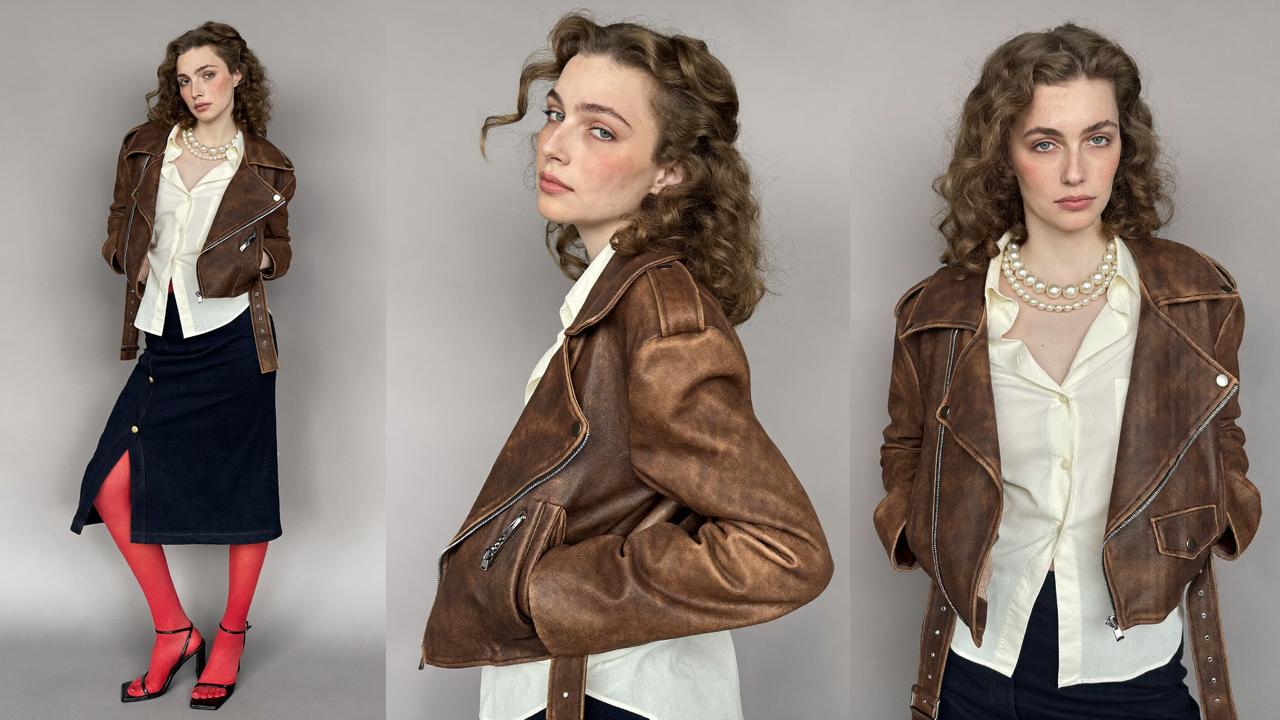
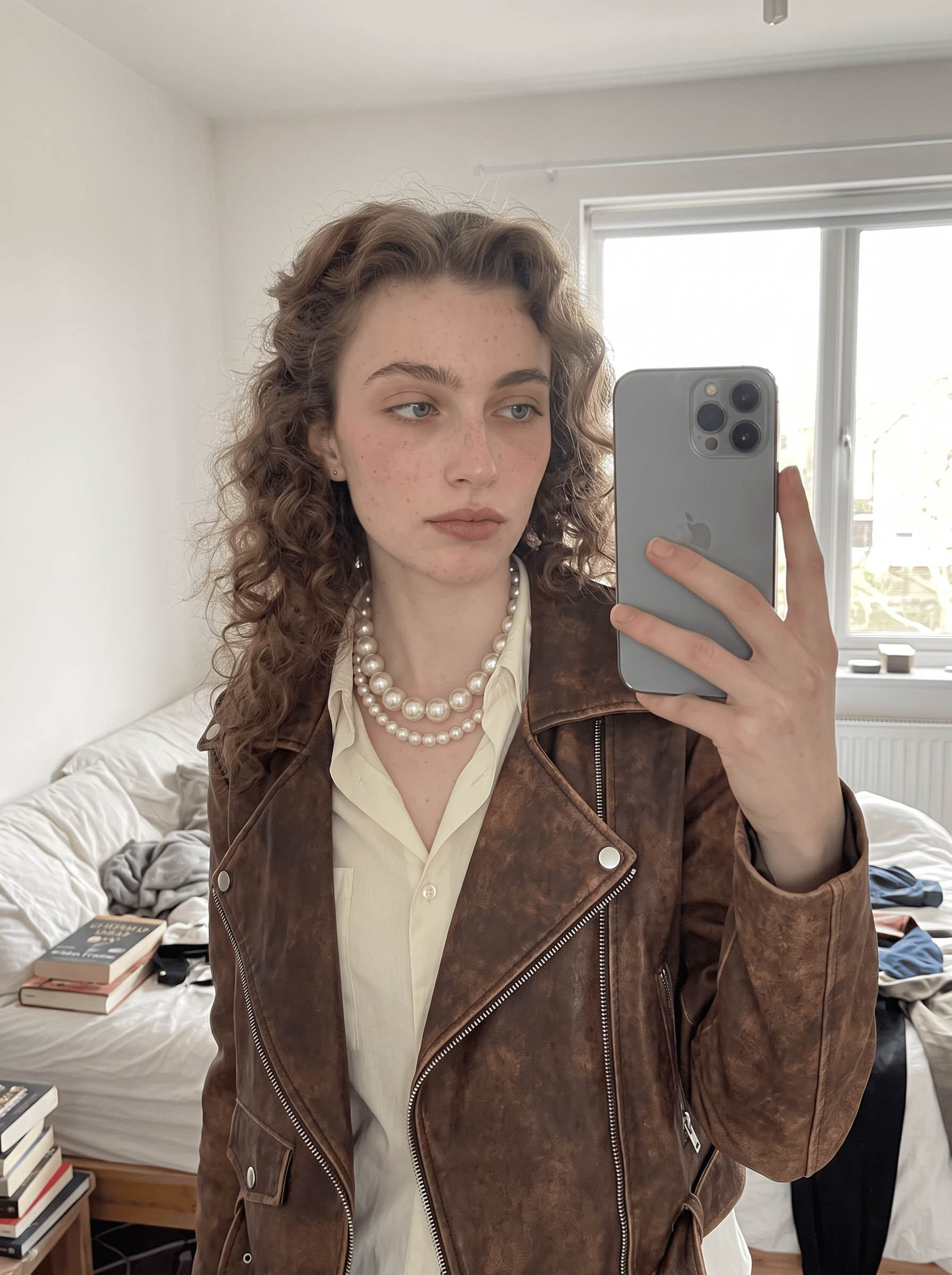
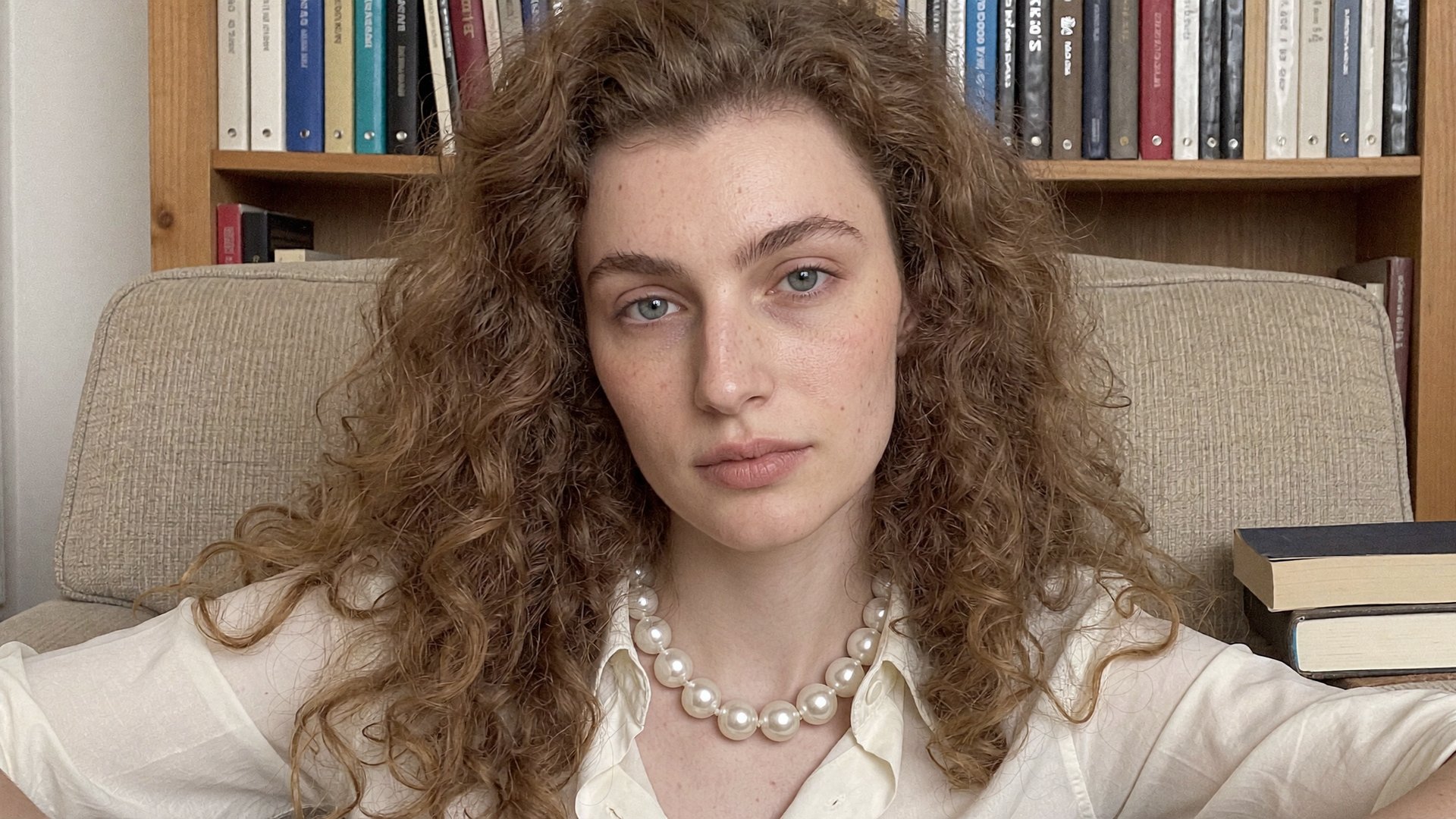
The presenter in this breakdown does not exist. She was generated as a fictional character: one base face, then a set of shots of the same person in different poses, angles and framings. That set is what the identity trains on, so it needs variety: front-facing portraits, a full-height shot, different expressions.
Step 2: Train the identity

Ask Claude to train a Soul ID and it opens the Higgsfield upload window right in the conversation. Upload the reference set: use from 20 to 80 photos for the best character consistency, with varied angles and expressions and at least one full-height shot. Training runs for about 10 minutes, the status is trackable in the chat, and no visit to higgsfield.ai is required. From this point the character is callable by name in any prompt, in this session or any future one.

Step 3: Generate the start frame

Each talking clip is built on one still: the start frame. It sets the scene, the outfit and the framing, and the video model keeps everything in it static except the performance. The first clip in this series is a bookshelf monologue, so the start frame puts the character in an armchair with a book:

Horizontal 16:9 talking-head portrait, chest-up framing, subject centered. Young woman in her mid-20s with long voluminous light-brown curls, fair freckled skin, light blue-grey eyes, strong straight eyebrows, seated in a worn fabric armchair, looking directly into the camera, calm soft expression, lips gently closed. Wearing a cream button-up shirt with a chunky pearl necklace, no jacket, a closed hardcover book resting on the armrest, hands relaxed. A filled wooden bookshelf behind her, soft even window daylight. Authentic phone-camera photo: true-to-life pore-level skin with natural texture and fine vellus hair, no beauty-filter smoothing, no retouching, faint true sensor noise, deep focus. Single frame, one person only, no text, no watermark.

Lips gently closed is not a style choice: the video model animates speech more cleanly from a neutral mouth than from a caught expression.

Step 4: Choose a voice for your AI avatar

Ask for voice options and Claude returns the preset library into the chat, 20 voices with previews. This workflow uses Delia. The alternative is cloning your own voice from a recording of 10 seconds to 3 minutes; clone only a voice that is yours or that you have permission to use.

Step 5: Generate the avatar's speech

Seed Audio prices speech by script length, and Claude shows the estimated cost before anything is generated: a script around 10 seconds runs about 1 credit, around 20 seconds about 2.3, around 26 seconds about 3.8. The first clip's script, written for roughly 14 seconds of speech:

I finished four books this month and remember maybe ten pages total. And that's fine. Reading isn't a memory test — it's just a nicer place to put your attention than a feed.

The finished audio lands as a file in your Higgsfield uploads, which is exactly the form the video step needs.

Step 6: Render the talking clip

Three elements go into the generation: the start frame, the audio file, and a video prompt. The prompt is where the clip stops being generic: it is written against the script, beat by beat, so the performance lands on specific lines rather than looping stock gestures. Seedance 2.5 renders the clip with lip movement synced to the track:

Static locked-off horizontal talking-head video, camera fixed on a tripod, framing identical to the start frame from first to last frame. The exact woman from the start frame — mid-20s, long light-brown curls, cream shirt, pearl necklace, seated in an armchair with a bookshelf behind her, closed book on the armrest — speaks directly into the lens for the entire clip, lips in precise sync with the spoken words. Performance: on the confession about forgetting pages a self-deprecating half-smile with a light eye-roll upward and back to the lens; on "and that's fine" a calm reassuring micro head-shake, shoulders relaxing; on the closing thought she leans in a few centimeters, voice-matched softening of the eyes, thoughtful warm expression. Hands stay resting, only fingers shifting slightly on the armrest. Natural blinks, gentle breathing. In the final second she settles into a quiet content smile. Background completely static, soft window daylight, authentic phone-video look, true-to-life skin texture, faint sensor noise, deep focus.

One clean clip confirms the whole setup: the face matches the reference set, the voice matches the preset, the mouth matches the words. Fix anything here, before the series, not after.

Step 7: Reuse the same avatar across multiple videos

Once the first clip works, you do not repeat the setup. The identity and the voice are reused as they are, and each new clip needs only three new inputs: a script, a start frame for its scene, and a performance prompt written against that script. The face carries across all of them without a single reference image re-attached. Three more clips complete the series.

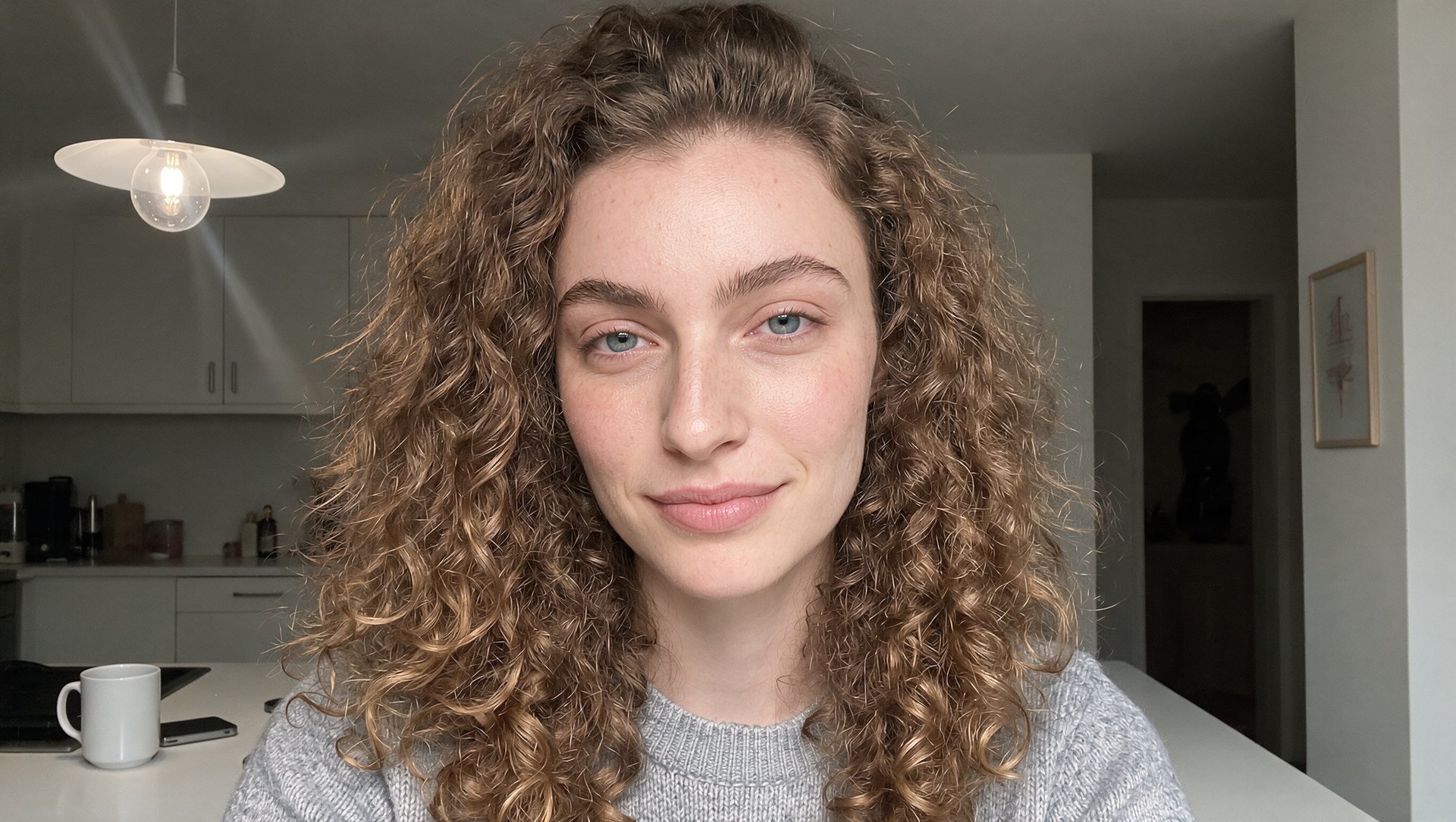
A kitchen clip about a phone-free evening.

Audio:

New rule at my place: the phone sleeps in the kitchen. First week was rough, not gonna lie. Now my evenings are about forty percent longer. Turns out boredom was the feature, not the bug.

Portrait:

Horizontal 16:9 talking-head portrait, chest-up framing, subject centered. Young woman in her mid-20s with long voluminous light-brown curls, fair freckled skin, light blue-grey eyes, strong straight eyebrows, standing at a kitchen counter in the evening, looking directly into the camera, cozy calm expression with a hint of a smile, lips gently closed. Wearing a plain grey knit sweater, a ceramic mug on the counter beside her, no phone anywhere. Warm dim tungsten pendant light from above, quiet muted kitchen behind her. Authentic phone-camera photo: true-to-life pore-level skin with natural texture and fine vellus hair, no beauty-filter smoothing, no retouching, faint true sensor noise, deep focus. Single frame, one person only, no text, no watermark.

Video:

Static locked-off horizontal talking-head video, camera fixed on a tripod, framing identical to the start frame from first to last frame. The exact woman from the start frame — mid-20s, long light-brown curls, grey knit sweater, evening kitchen with warm pendant light and a ceramic mug on the counter — speaks directly into the lens for the entire clip, lips in precise sync with the spoken words. Performance: on the "new rule" opening a slight conspiratorial lean toward the camera, eyebrows raised; on "rough, not gonna lie" an honest short laugh-exhale with eyes briefly closing; on the closing line a satisfied slow nod and a relaxed settled smile, one hand briefly wrapping the mug on the counter and releasing it. Natural blinks, gentle breathing, cozy unhurried energy throughout. In the final second she settles into a calm closed-mouth smile. Background completely static, warm dim tungsten light, authentic phone-video look, true-to-life skin texture, faint sensor noise, deep focus.

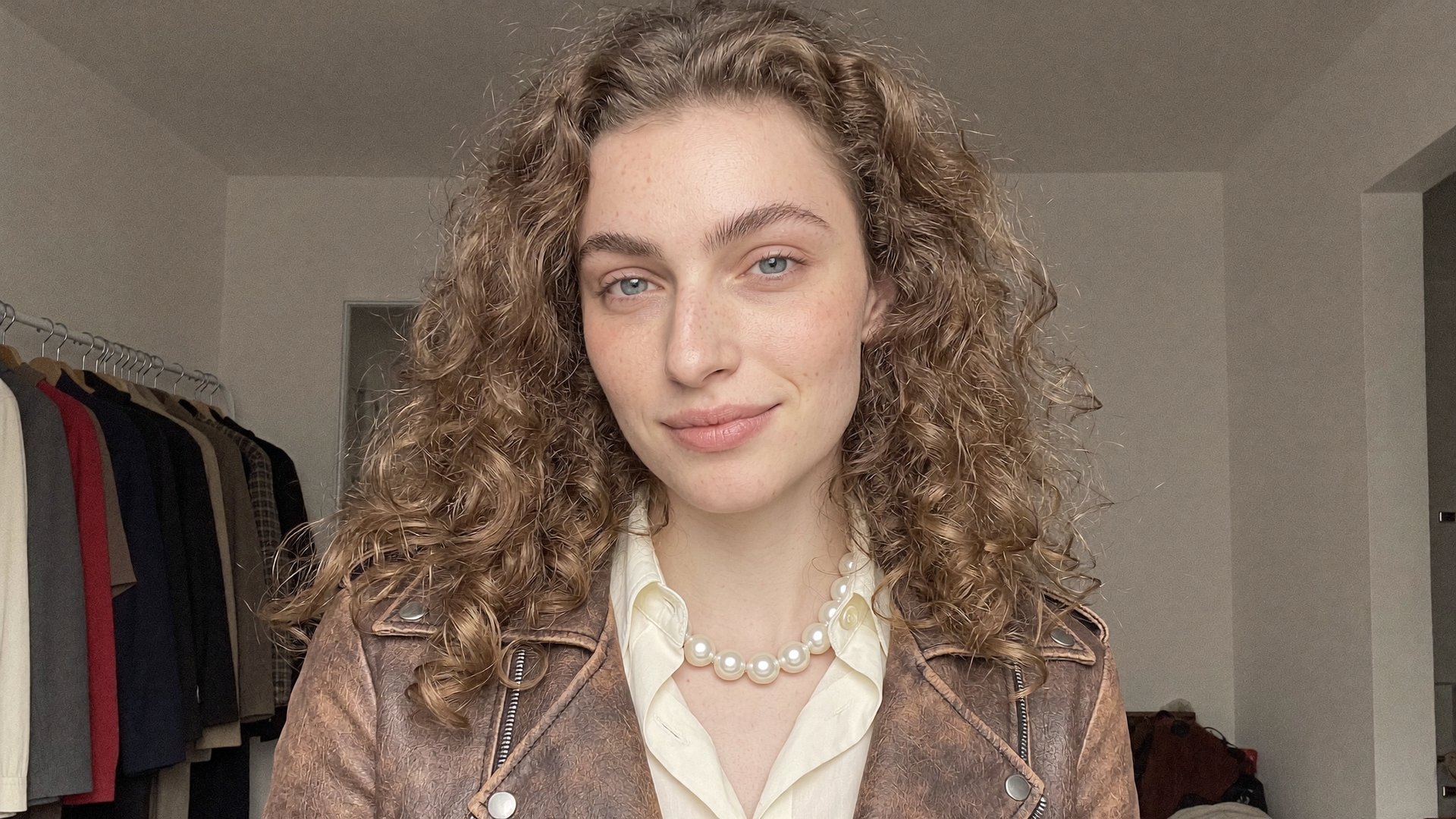
A thrift-find clip by the clothing rack.

Audio:

This jacket? Twelve dollars, flea market, smelled like someone's garage. Three years later it's the most complimented thing I own. Moral of the story: the best pieces are the ones nobody else wanted.

Portrait:

Horizontal 16:9 talking-head portrait, chest-up framing, subject centered with the room visible on both sides. Young woman in her mid-20s with long voluminous light-brown curls, fair freckled skin, light blue-grey eyes, strong straight eyebrows, looking directly into the camera, relaxed friendly expression, lips gently closed. Wearing a distressed brown leather biker jacket over a cream button-up shirt with a chunky pearl necklace. Behind her a home clothing rack with a few muted vintage pieces on wooden hangers, soft even window daylight from the left. Authentic phone-camera photo: true-to-life pore-level skin with natural texture and fine vellus hair, no beauty-filter smoothing, no retouching, faint true sensor noise, deep focus. Single frame, one person only, no text, no watermark.

Video:

Static locked-off horizontal talking-head video, camera fixed on a tripod, framing identical to the start frame from first to last frame. The exact woman from the start frame — mid-20s, long light-brown curls, distressed brown leather biker jacket, cream shirt, pearl necklace, home clothing rack behind her — speaks directly into the lens for the entire clip, lips in precise sync with the spoken words. Performance: on the opening line she glances down at her jacket lapel and gives it a light one-hand tug, playful proud look; mid-clip a quick amused nose-wrinkle grimace at the memory of the smell, eyebrows up; on the closing moral a warm easy smile with a small one-shoulder shrug, hand already out of frame. Natural blinks, gentle breathing motion, small head tilts on emphasis. In the final second she settles into a soft closed-mouth smile. Background completely static, soft even daylight, authentic phone-video look, true-to-life skin texture, faint sensor noise, deep focus.

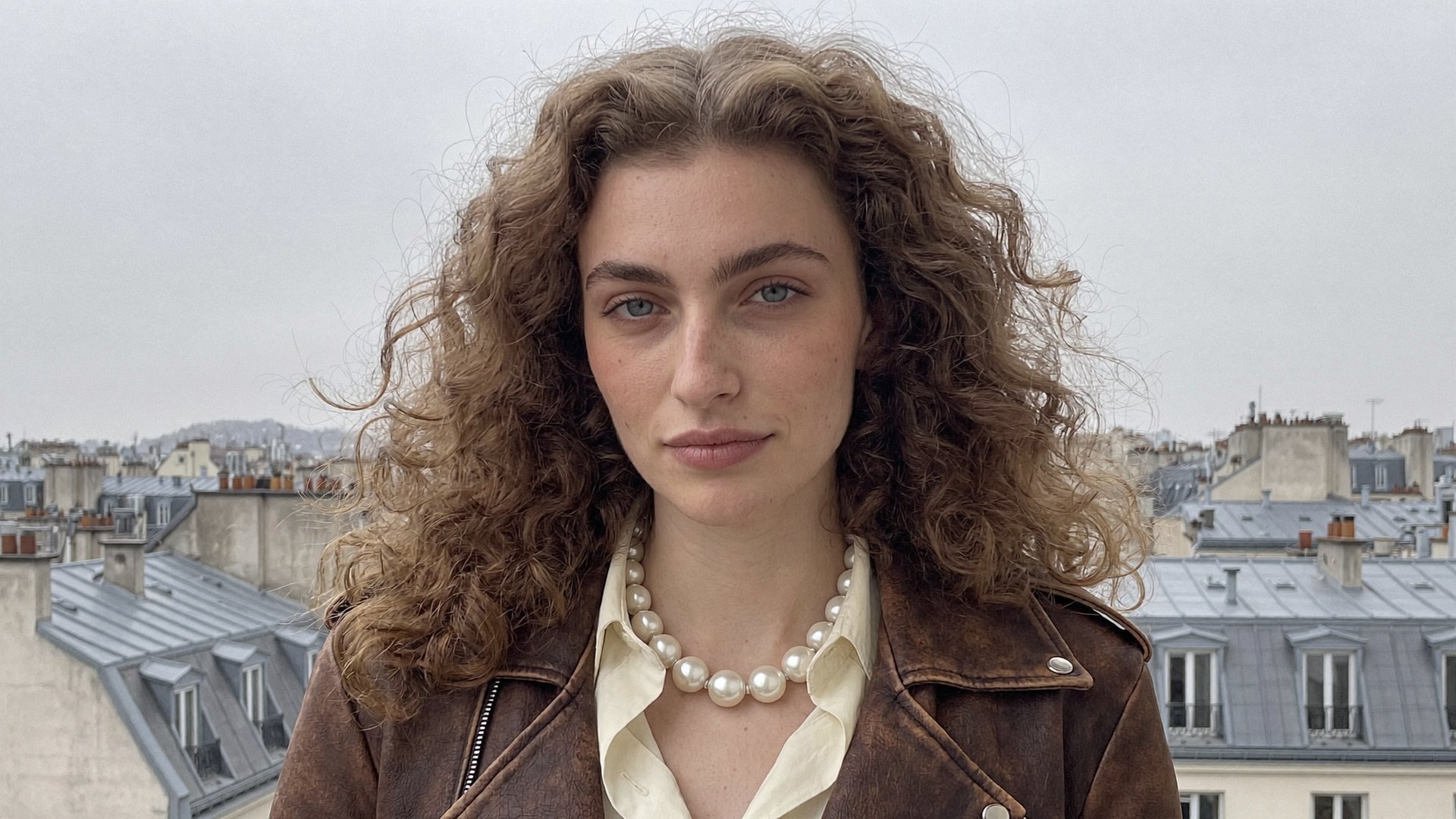
A balcony clip in defense of cloudy days.

Audio:

Everyone's chasing golden hour. Give me a grey, overcast Tuesday instead — soft light, empty streets, coffee that stays warm in your hands. Cloudy cities are criminally underrated, and I will die on this hill.

Portrait:

Horizontal 16:9 talking-head portrait, chest-up framing, subject centered with the city visible on both sides. Young woman in her mid-20s with long voluminous light-brown curls, fair freckled skin, light blue-grey eyes, strong straight eyebrows, standing on an apartment balcony, looking directly into the camera, calm confident expression, lips gently closed, a few curls lifted by light wind. Wearing a distressed brown leather biker jacket over a cream button-up shirt with a chunky pearl necklace. Flat grey overcast sky, muted city rooftops behind her, even shadowless daylight. Authentic phone-camera photo: true-to-life pore-level skin with natural texture and fine vellus hair, no beauty-filter smoothing, no retouching, faint true sensor noise, deep focus. Single frame, one person only, no text, no watermark.

Video:

Static locked-off horizontal talking-head video, camera fixed on a tripod, framing identical to the start frame from first to last frame. The exact woman from the start frame — mid-20s, long light-brown curls, brown leather biker jacket, cream shirt, pearl necklace, balcony with flat grey sky and muted rooftops behind her — speaks directly into the lens for the entire clip, lips in precise sync with the spoken words. Performance: on the golden-hour line a light dismissive flick of one hand rising briefly into frame and dropping out; mid-clip her gaze drifts contentedly a touch off-lens toward the sky while listing the small pleasures, then returns to the lens; on the closing declaration a mock-serious firm slow nod that breaks into a small grin. A few curls move in light wind, everything else static. Natural blinks, gentle breathing, small head tilts on emphasis. In the final second she settles into a soft closed-mouth smile. Even shadowless daylight, authentic phone-video look, true-to-life skin texture, faint sensor noise, deep focus.

Four scenes, four scripts, one face and one voice. Adding a fifth clip would take one more script, one more start frame and one more render: the character and the voice are already there.

What Does This Cost in Credits?

Everything generated through MCP deducts credits at standard rates, regardless of your plan. Worth saying plainly, since Higgsfield has also run limited-time unlimited access through MCP before, and it's easy to assume that's always on. It isn't: Unlimited access and free generations apply only on higgsfield.ai, and anything generated through MCP spends plan credits.

What Does This Cost in Credits?

Step

What it covers

Credits

Character generations (Soul 2.0)

The fictional person and poses

0.125 per image

Soul ID training

One-time, on the reference set

25

Start frames (Soul 2.0, 2K)

One still per scene

0.125 per image

Speech (Seed Audio)

Per script in this series

1.3 to 2.3

Talking clip (Seedance 2.5, 14 sec, 720p)

Per clip

~91

Total for this four-clip series

Identity, voices, frames, and four clips

~400

Almost all of the cost sits in two places: the talking clips and the one-time identity training. The images and the speech are close to free by comparison. The four-clip series in this breakdown came to about 400 credits, and the number that grows from there is the per-clip one, since the character and the voice never need to be rebuilt. A useful standing instruction at the top of a session: "Before generating anything, tell me the credit cost and wait for my confirmation."

A Few Things Worth Knowing Before You Run This

  • Train the identity once and call the character by name afterward. Re-attaching reference images per generation is where face drift comes from.

  • Generate the speech before the video, since the audio file is an input to the clip. The reverse order doesn't exist in this pipeline.

  • Write the video prompt against the script, beat by beat. Naming the exact lines where a gesture should land is what separates a performance from a loop.

  • Each scene needs its own start frame, but the character carries between scenes on the identity alone. Keep the framing consistent across frames if the clips will live in one feed.

  • Claude shows confirmations, not files. The finished clips live in your Assets on higgsfield.ai, tagged with the MCP source.

Most of the time in a project like this used to go into moving files between tools: a character from one, a voice from a second, lip sync in a third, an export after every step. Through MCP the whole series happened in one conversation: the identity was trained once, the voice was picked once, and every clip after that needed a script, a frame and a prompt.

How To Create a Talking AI Avatar in Claude with Higgsfield MCP (Full Workflow + Prompts)

Connect Higgsfield MCP

Got any questions left?

No. Claude has no video generation of its own, and the MCP connector is what gives it access to the character system, the audio tools, and the video models.

Train a Soul ID once on the character's reference set. After that the identity applies to any generation by name, so the face stays the same across scenes, outfits and clips, and the voice you picked is reused per clip.

No. The presenter in this workflow is a fictional character, generated in different poses to form the training set. If the avatar is based on a real person, train directly on their photos, with permission.

Use from 20 to 80 photos for the best consistency, with varied angles and expressions and at least one full-height shot. Training runs once per character, in about 10 minutes.

Yes. Higgsfield Audio includes translation and dubbing through MCP, and the same identity keeps the presenter's face across every language version.

No. Unlimited access applies only on higgsfield.ai; every generation through MCP deducts credits at standard rates.

by Higgsfield

Share article

Discover more

View all