The generative AI landscape is evolving faster than ever, but truly high-speed and minimally filtered image models remain surprisingly rare. The arrival of Z-Image - Alibaba’s newest open-source diffusion model - on Higgsfield marks an important milestone for creators who want more freedom, faster results, and fewer restrictions compared to highly-protected commercial models.
Z-Image's generations are lightweight, extremely fast, and largely unrestricted, giving creators a broader range of experimentation while maintaining high visual quality. When integrated with Higgsfield’s workflow - which already includes leading models like Nano Banana Pro, Flux.2, Seedream, and Popcorn - Z-Image becomes a compelling choice for users who value speed, flexibility, and control above everything else.
This overview guide breaks down the full capabilities of Z-Image, why creators are excited about it, and how to amplify its strengths into a smooth, production-ready experience on Higgsfield.

Short Intro: What Is Z-Image?
Z-Image is a text-to-image model developed by Alibaba, designed as a lightweight and flexible alternative to large, heavily-regulated image systems. It prioritizes:
Speed
Open-source access
Minimal restrictions
High prompt responsiveness
Z-Image excels in cases where creators need quick, iterative generations without friction. Its design philosophy is simple: keep things fast, flexible, and open.
In a landscape dominated by rule-dense models, Z-Image stands out because it provides agency back to the user - which is precisely why it fits so naturally into Higgsfield’s creator-first ecosystem.

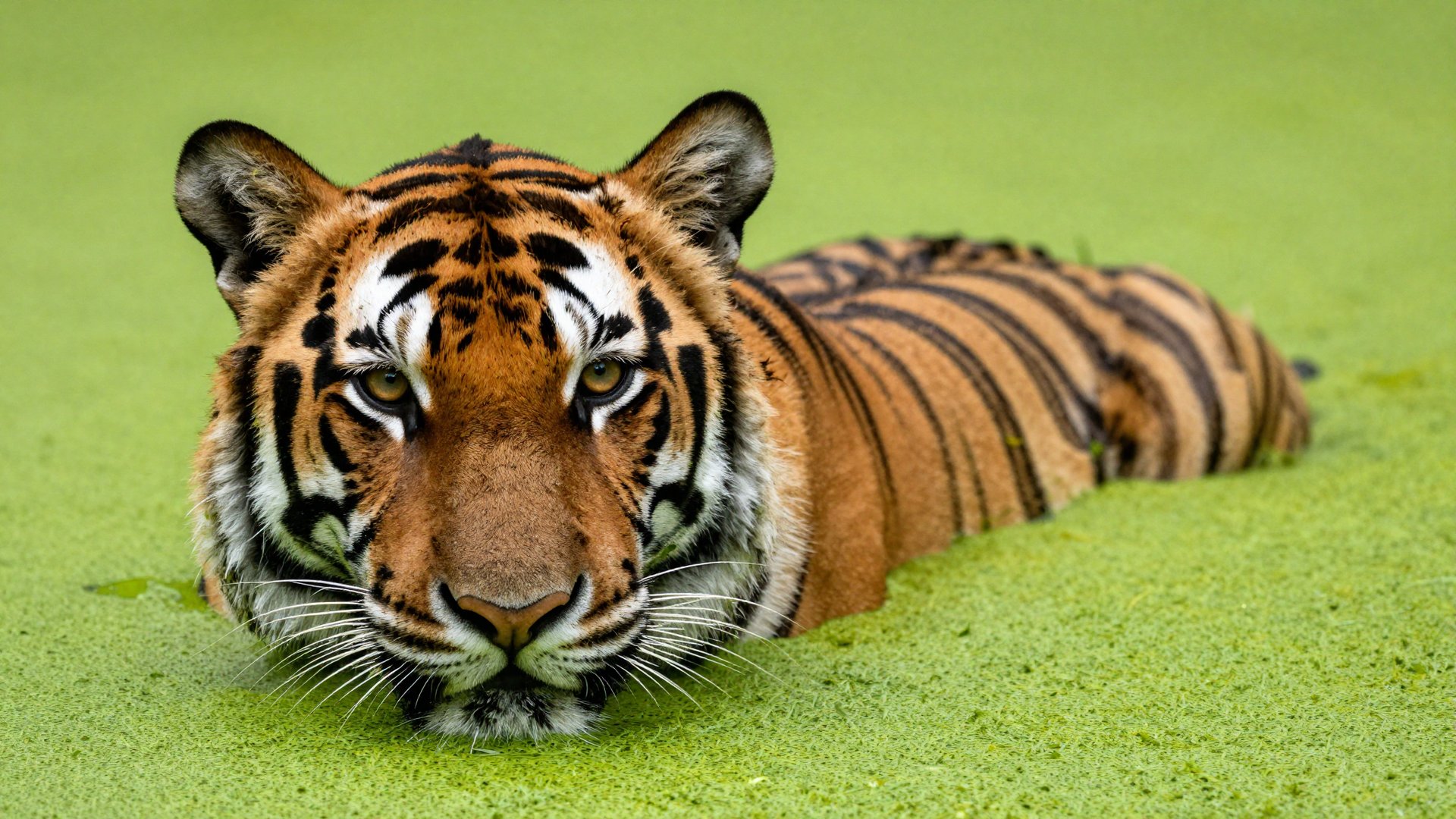
"Hyper-realistic wildlife close-up: Tiger head emerging from bright green duckweed. Wet fur, intense amber eyes focused on the camera. Smooth vibrant green water background contrast. Sharp details, soft natural light."
1. Key Advantages of Z-Image
Z-Image brings three defining strengths to Higgsfield:
A. It’s Extremely Fast
Z-Image is engineered for lightweight inference. On Higgsfield, generations often complete in 1–3 seconds, making it one of the fastest models on the platform. This speed enables:
Rapid ideation
High-volume experimentation
Multi-prompt exploration
Variants and batch outputs
Quick iteration loops
Users who want to test style, composition, outfits, characters, or branding quickly will feel the difference immediately.
B. It’s Open-Source
As an open-source model, Z-Image is part of a growing movement inside AI toward transparent, modifiable, community-driven models.
For researchers, developers, and prompt engineers, open-source access means greater trust and more opportunities for experimentation.
C. It’s Uncensored
Z-Image is significantly less filtered than other commercial models, which makes it ideal for:
Creative freedom
Complex character work
Artistic stylization
Cultural and historical references
Edge-case experimentation
Niche aesthetic communities
Higgsfield still enforces platform-level safety rules, but Z-Image itself does not impose the same level of model-side censorship found in other models.
For many creators, this “uncensored but responsible” balance is exactly what they’ve been waiting for.
2. What Z-Image Is Good At
Here’s where it shines most:
A. Fast Character Concepts
Need quick drafts of:
Game characters
Fashion figures
Stylized portraits
Personas for storyboards
Z-Image delivers crisp, usable concepts in seconds.
B. Stylized Art (Anime, Illustration, Line Art)
The model performs well in:
Anime
Cyberpunk
Fantasy
Ink line art
Cartoon / cel shading
Flat color design
Painting-style illustrations
Because it’s uncensored, it can capture stylistically bold, niche, and experimental aesthetics without interference.
C. Product Mockups & Branding Drafts
You can quickly create:
Packaging ideas
Posters
Social layouts
Merch concepts
Logo explorations
While Nano Banana Pro remains the king of typography, Z-Image’s speed makes it perfect for rapid concept exploration.
D. Concept Art & Worldbuilding Seeds
Environment concepts come out fast and varied:
Forests
Castles
Sci-fi worlds
Cities
Interiors
Mood boards
Users can generate dozens of worldbuilding ideas in minutes.

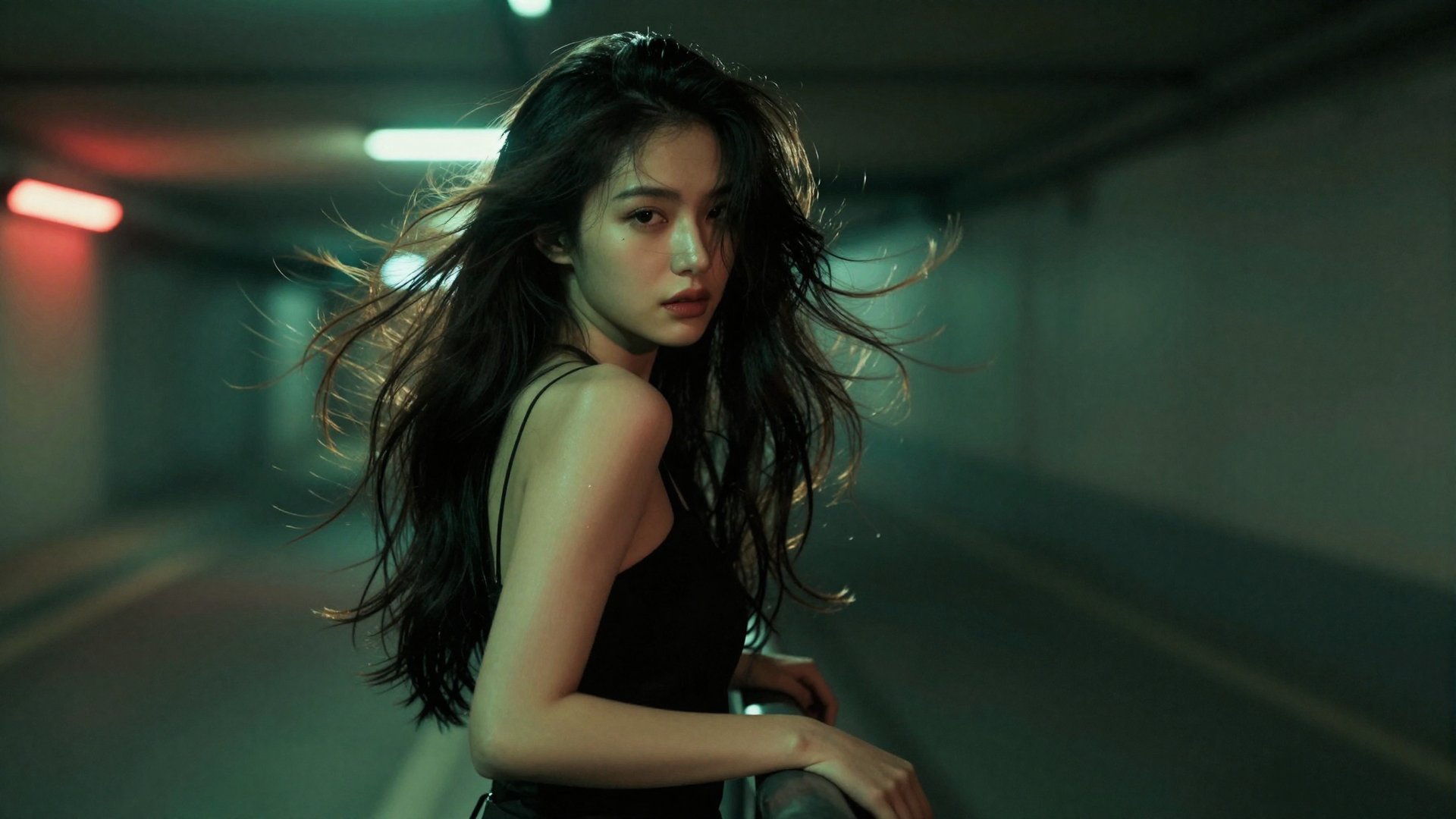
"Cinematic portrait: Young woman (windswept dark hair) leans on a railing in a dim underground space. Lit by moody green and red neon backlighting, creating dynamic motion. Confident, mysterious expression. High realism, shallow depth of field, futuristic urban photography."
E. Creative Experiments
Because there are few restrictions, artists can try unusual:
Compositions
Camera angles
Color systems
Character mashups
Scene blends
Aesthetic hybrids
Z-Image rarely blocks or reinterprets prompts due to safety filters - meaning your instructions stay your instructions.
3. Why Z-Image on Higgsfield Expands Its Abilities
Higgsfield already offers the best ecosystem for creators - but Z-Image becomes even more powerful within this ecosystem because you can immediately use your Z-Image outputs as inputs for:
Popcorn (storyboards)
Turn your Z-Image scenes into multi-frame storyboards.
Sora 2, Kling, Minimax, WAN, and other video models
Convert quick concepts into full cinematic clips.
Face Swap & Soul ID
Blend identities into your stylized characters.
Enhancer & Pixel Improve
Turn rough drafts into refined visuals.
Instadump / Lookbook workflows
Use Z-Image sketches as character seeds.
Z-Image becomes a speed engine for your entire Higgsfield workflow.
Generate fast drafts → refine with other tools → turn into video → repeat.
Best Use Cases for Z-Image
Z-Image is perfect for:
Artists
Illustrators
UX/UI designers
Fashion creators
Game devs
Comic creators
Concept artists
Advertisers
UGC creators
Prompt engineers
Indie developers
Students & researchers
If you value speed + freedom, Z-Image is one of the most enjoyable models currently available.
How to Use Z-Image on Higgsfield Step-by-Step
1. Go to: Create Image
Choose Z-Image in the model selector.
2. Enter your prompt
Keep it direct - Z-Image responds well to descriptive but concise instructions.
3. Add images (optional)
Use face references, outfits, objects, or mood boards for tighter style control.
4. Choose output format
Square for concept art, portrait for characters, landscape for environments.
5. Generate & Get Your Instant Results
Iterate immediately. Try variants, style shifts, new angles.
6. Send directly into video or enhancement tools
Turn your Z-Image output into:
A cinematic clip
A storyboard
A fashion video
A product concept
A stylized animation
Conclusion: Z-Image Expands What Higgsfield Can Do
Z-Image's value lies in speed, freedom, open-source transparency, and creative flexibility.
Combined with the rest of Higgsfield’s ecosystem, Z-Image becomes the perfect idea generator, rapid prototyping tool, and unrestricted playground for experimentation.
For artists and creators who want fast, uncensored visual exploration, Z-Image is one of the most exciting additions to Higgsfield.
Try Z-Image to Instantly Generate Concepts
Experience Z-Image’s speed and creative freedom. Get high-volume, uncensored concept art, stylized illustration, and rapid product mockups in 1–3 seconds.