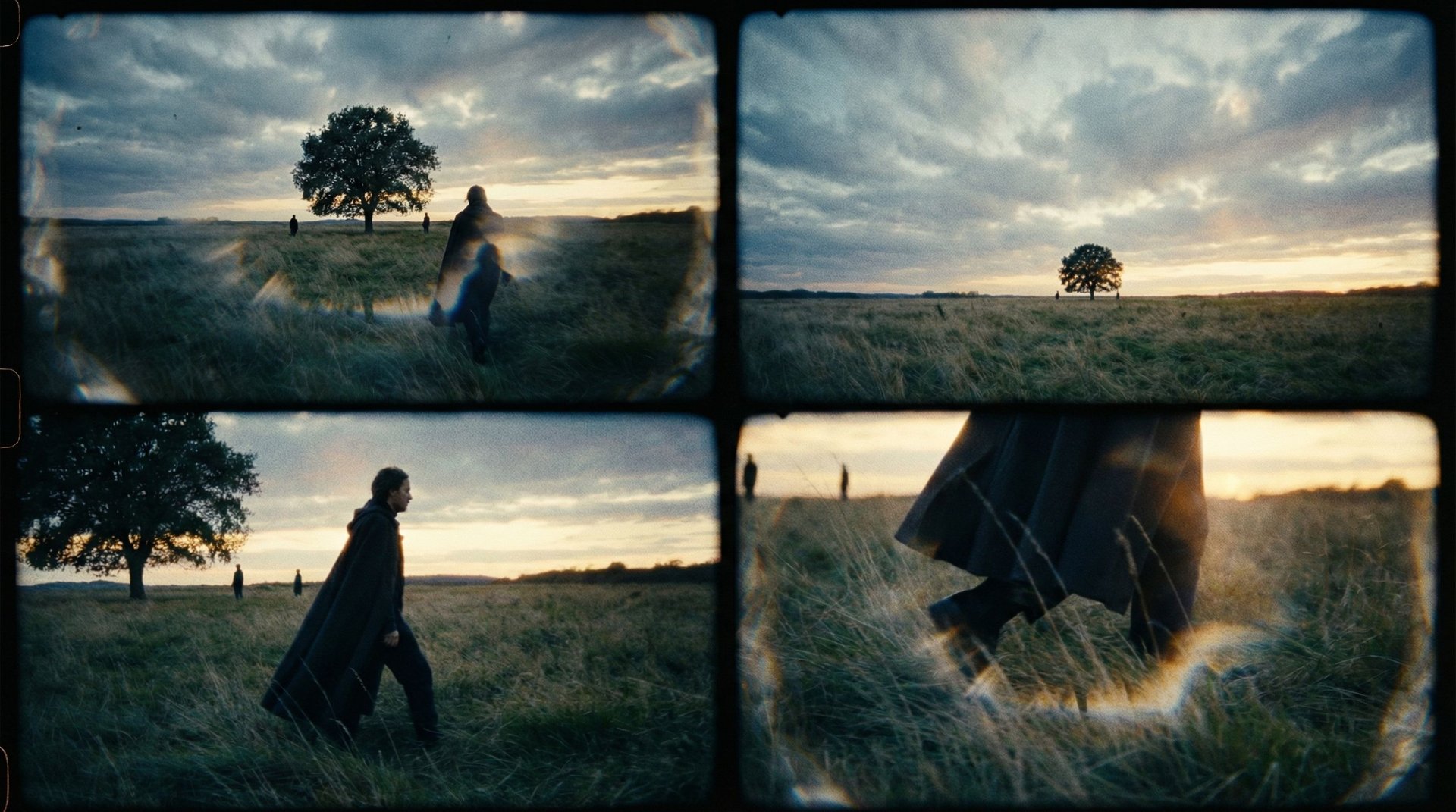
Introducing Cinema Studio 2.0
We built Cinema Studio to introduce deterministic control into AI video workflows, transforming a simple generation into a structured cinematic process. It is a standalone professional environment that simulates a physical film studio, giving you control over optics, physics, and motion.
Now, AI filmmakers' favorite tool became even more unbeatable - a professional filmmaking has never been this powerful and accessible with Cinema Studio 2.0.
Why Cinema Studio 2.0 is the most professional AI video generator in 2026?

Cinema Studio is designed with a "Hero Frame First" philosophy: by perfecting your still image before you animate, you ensure that lighting, composition, and character details are locked in.
Key Capabilities:
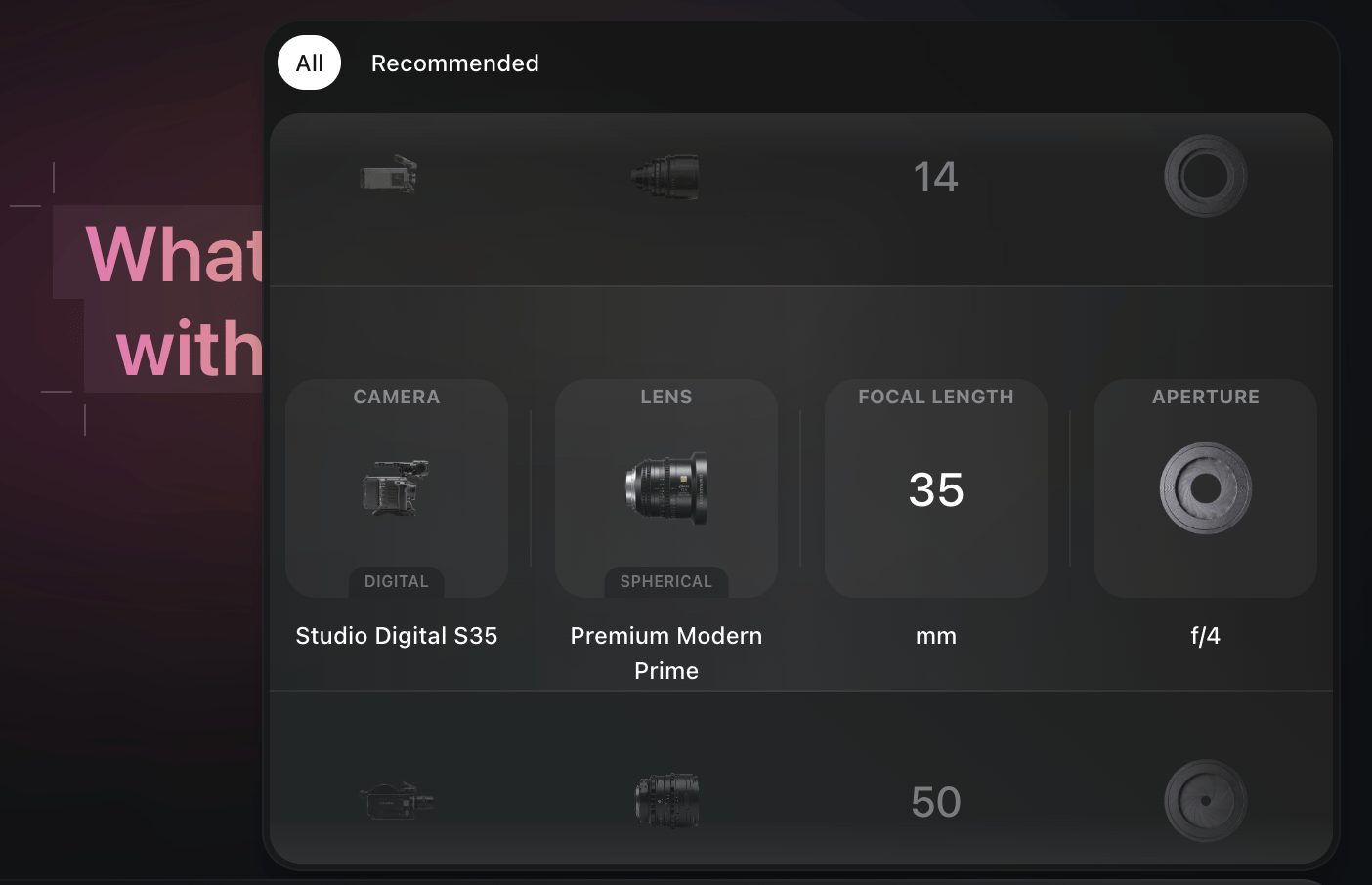
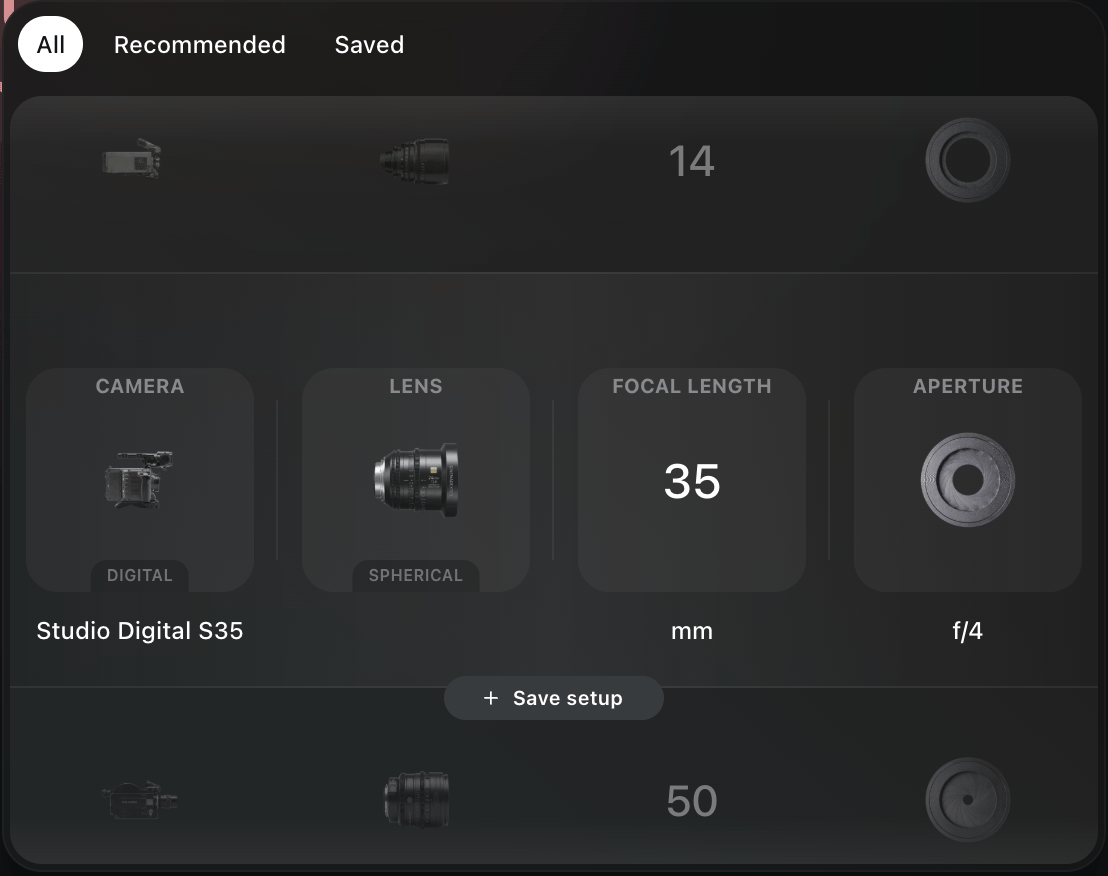
True Optical Simulation: Full control over the rig build (camera settings). Select specific camera sensors, choose your lens glass (e.g. Cooke), and set your focal length (8mm to 50mm).
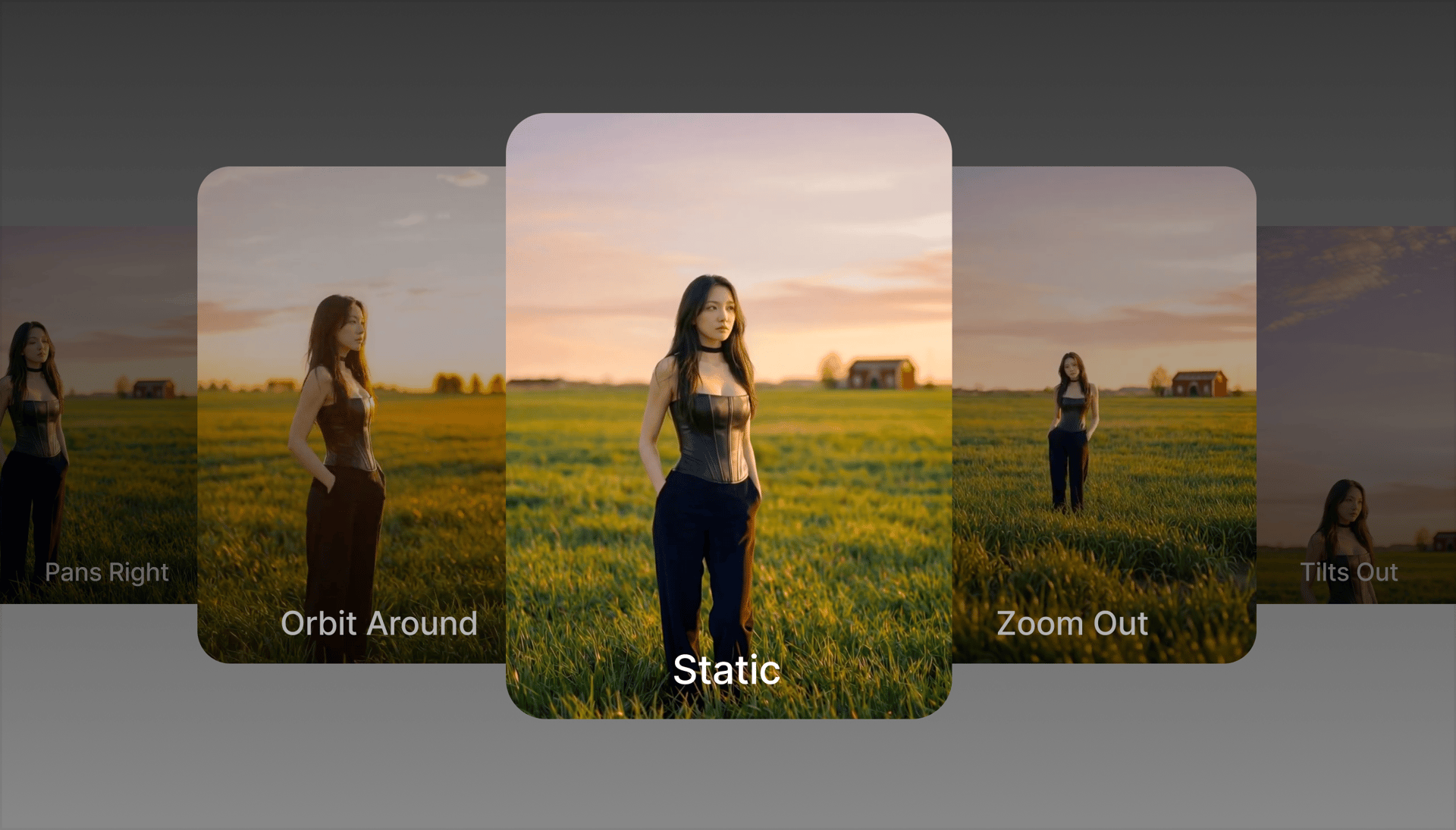
Deterministic Motion Control: Select specific camera movements (Pan Right, Tilt Up, Zoom In) to choreograph exactly how the shot evolves.
Start & End Frame Precision: Need a shot to start on a face and end on a landscape? You can upload specific Start and End frames, and Cinema studio will handle the "tweens" (intermediate frames) for a perfect transition.
Automated and manual Multishot sequences.
Camera Presets (Recommended & Saved): Team-curated cinematic looks, plus the ability to save your own signature setups.
Aperture Control: Real depth of field, shallow or deep focus, and cinematic bokeh.

Better than ever with new updates
Cinema Studio 2.0 expands creative control beyond optics and motion, introducing scene interaction, structured storytelling, and character-level direction.

What’s new
For Image Generation?
1. 3D Scene Access (Enter the Set)
You can now enter your image as a 3D Scene and explore it spatially: move within the environment, adjust perspective, and refine composition directly without leaving the scene.
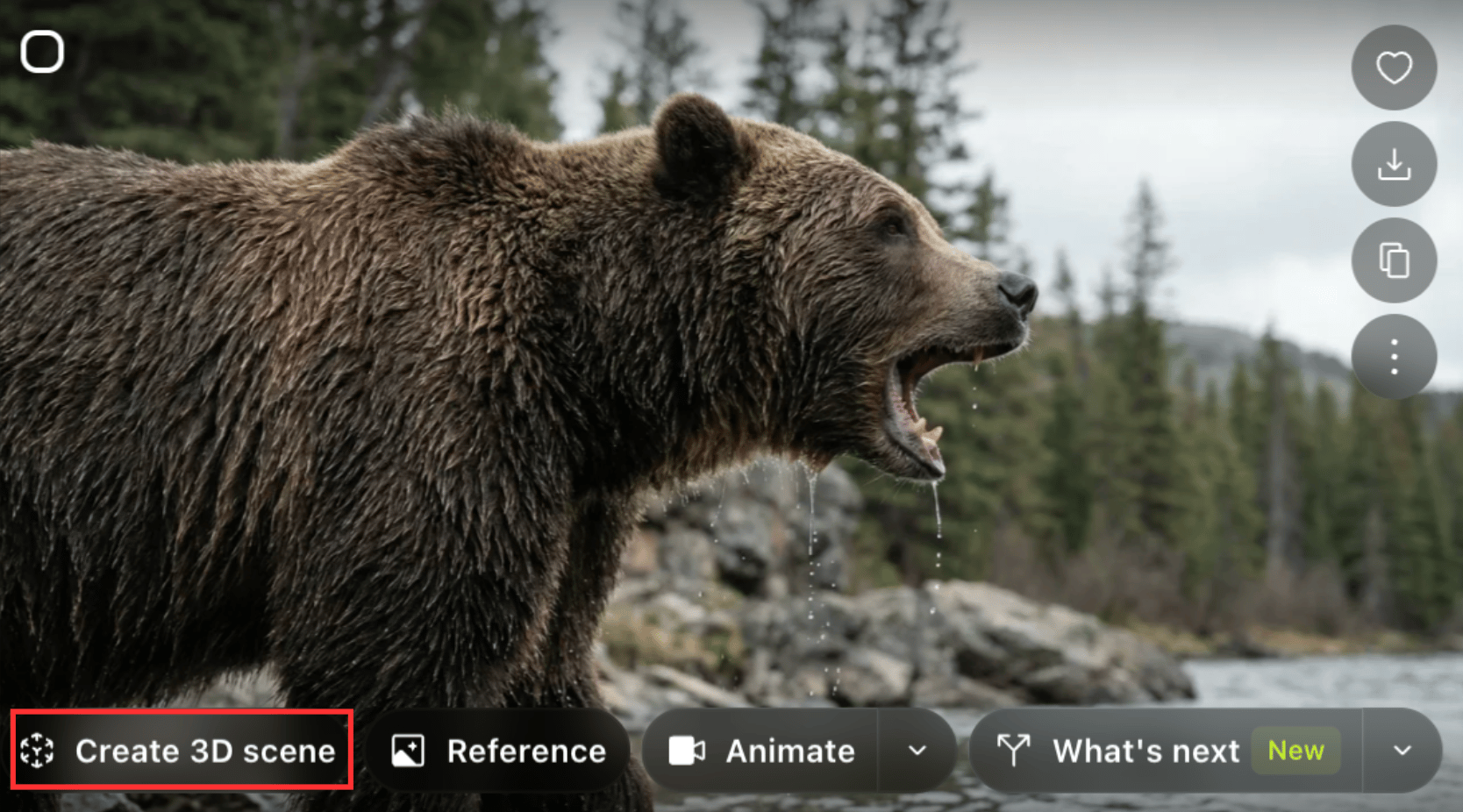
After inserting your key frame (input image), type your prompt (optional), click "generate", and click on the "Create 3D scene" button.

You will enter the 3D scene space, where you can move the image across the three axes and choose the key frame you want.
2. Grid Exploration (2x2, 3x3, 4x4)
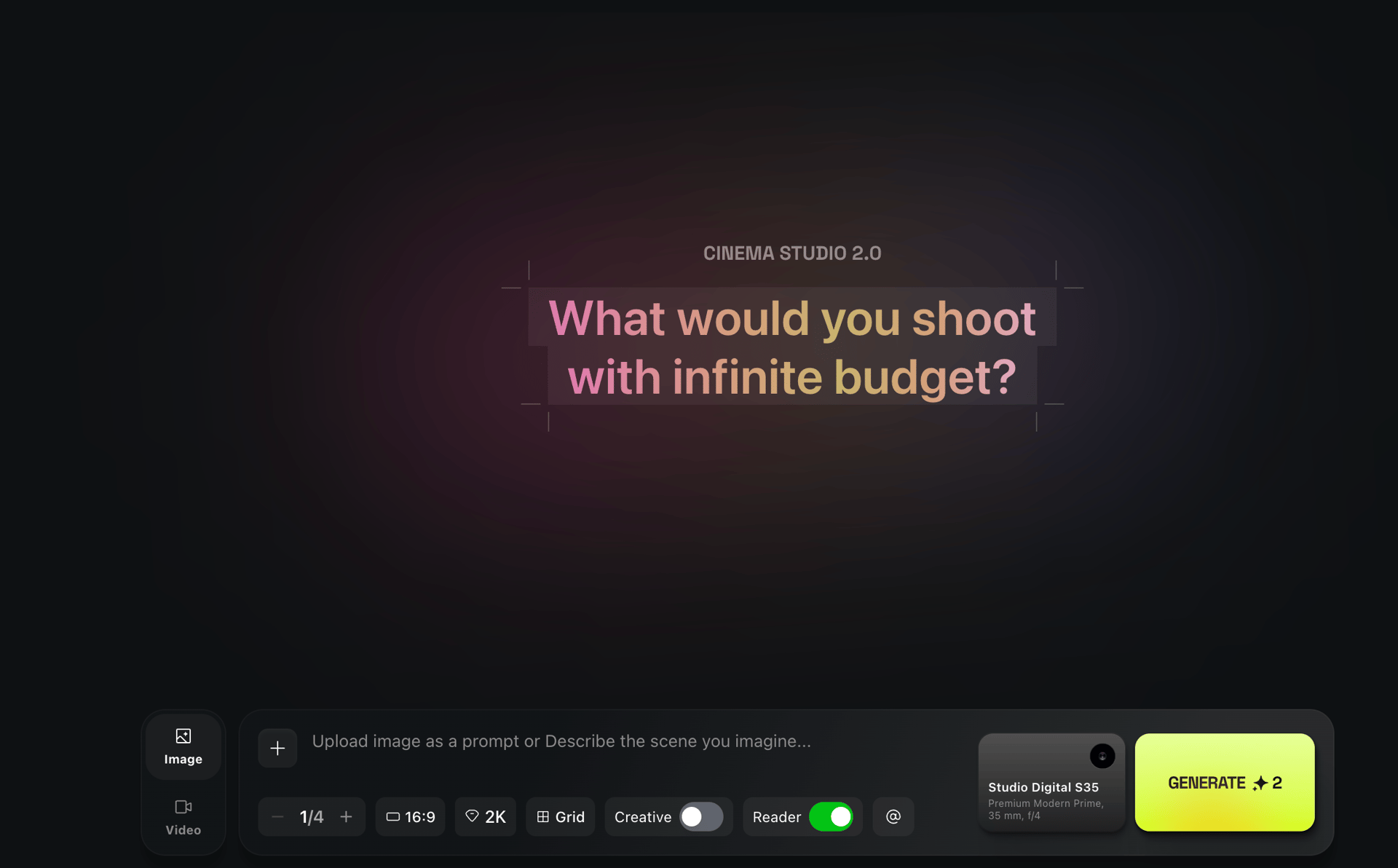
Preview variations in 2x2, 3 x3 or 4x4 grid layouts.
This allows faster iteration and creative comparison before committing to animation. Grid allows to create a storyboard for your future story.

What’s new
For Video Generation?
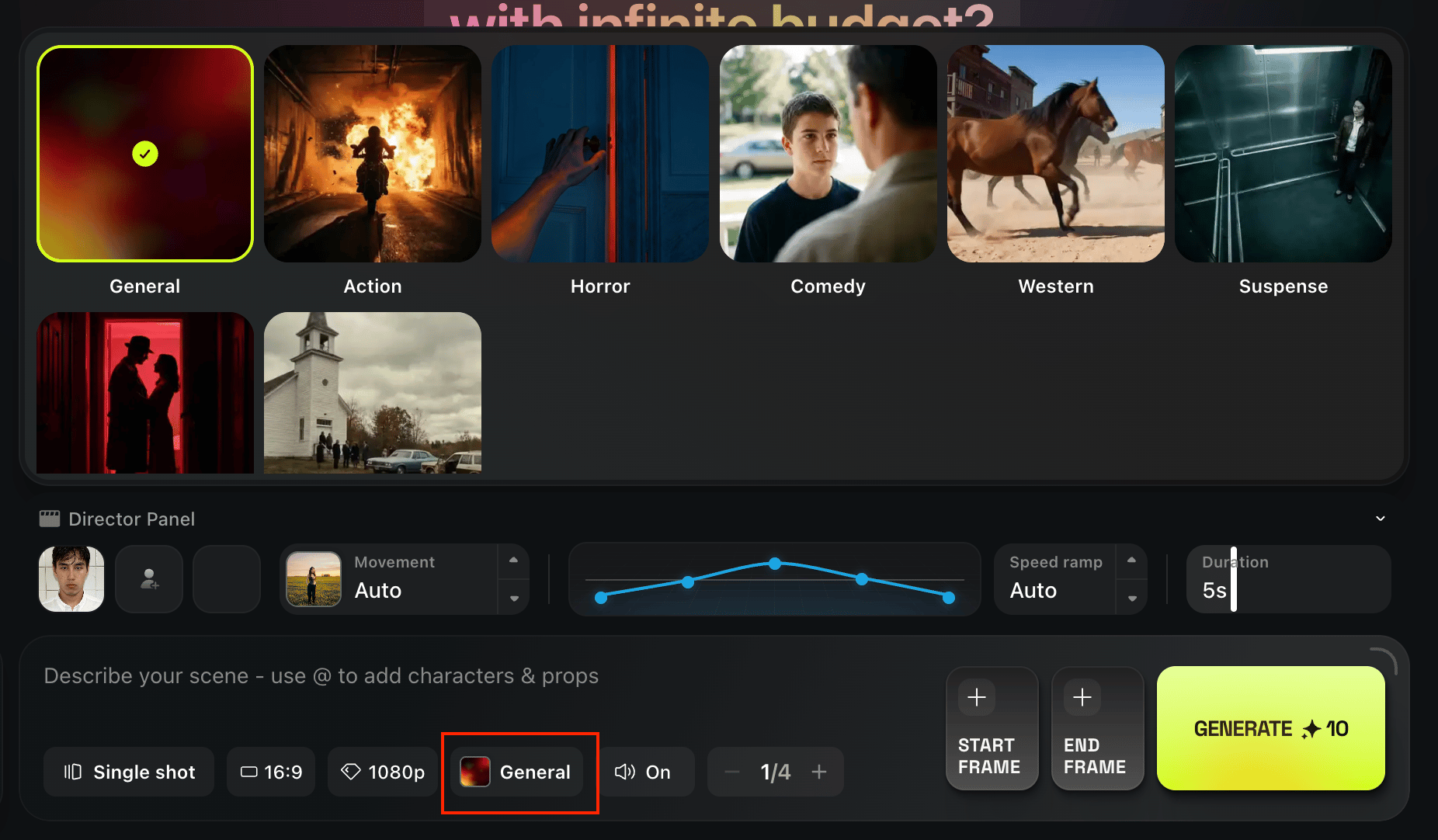
1. Genre-Based Motion Logic
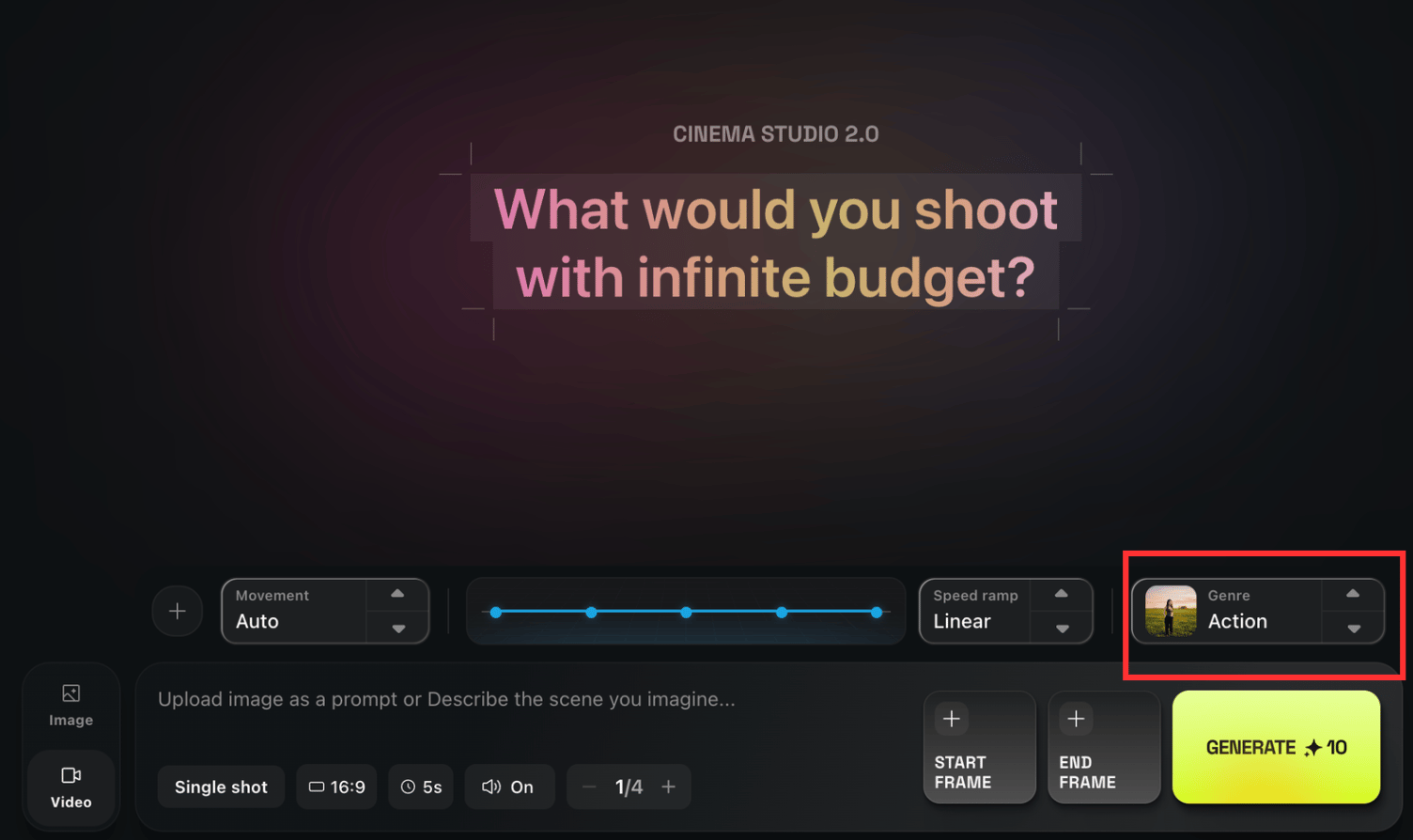
Video generation now includes selectable cinematic genres:
Action;
Horror;
Comedy;
Western;
Suspense;
Intimate;
Spectacle (Musical);
Auto.
Genre selection influences pacing, motion energy, and camera behavior.

2. Multi-Shot Storytelling (Up to 6 Shots)
Cinema Studio 2.0 now supports structured sequencing:
Up to 6 shots;
1–12 seconds per shot;
Maximum total duration: 12 seconds;
1080p output.
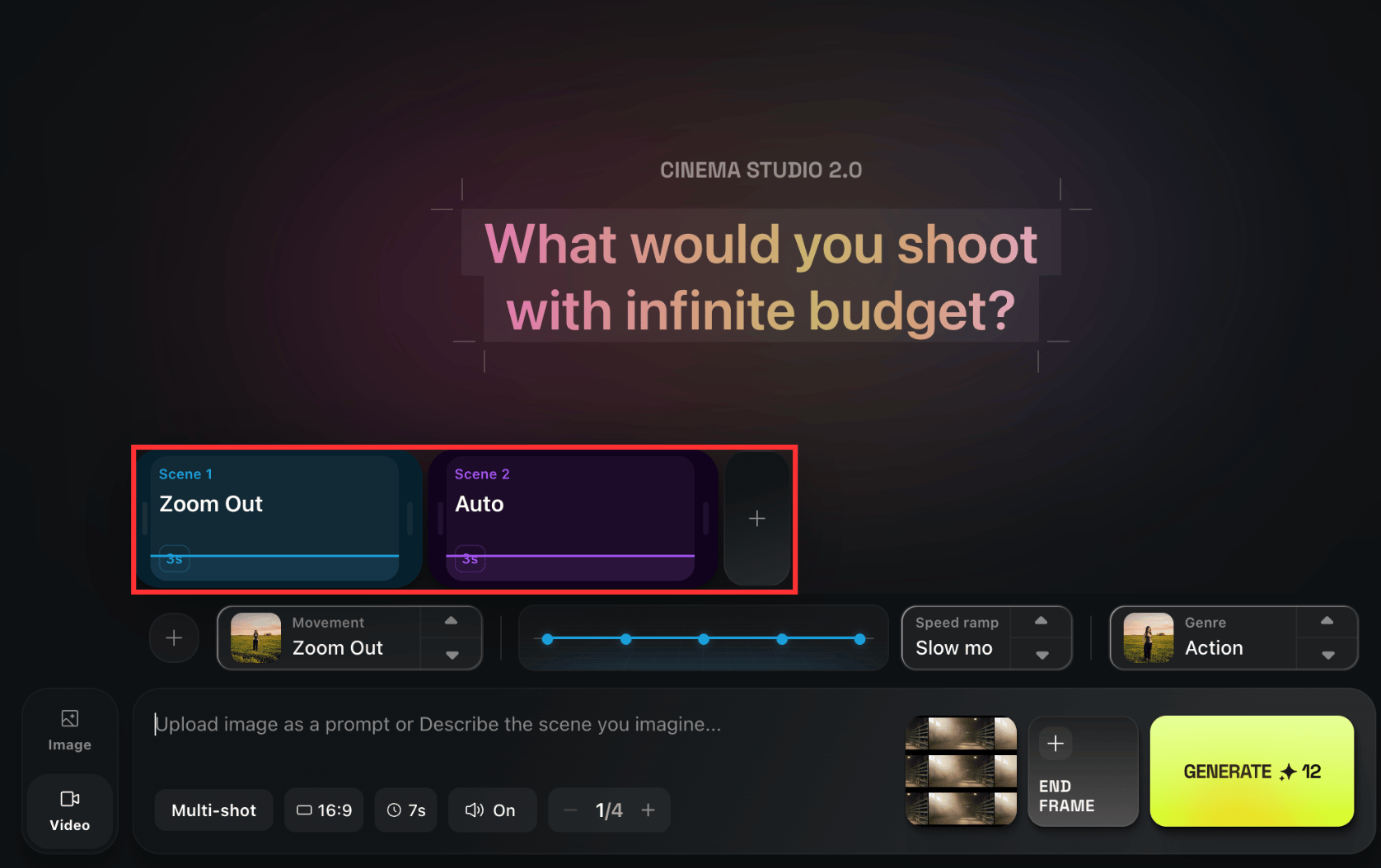
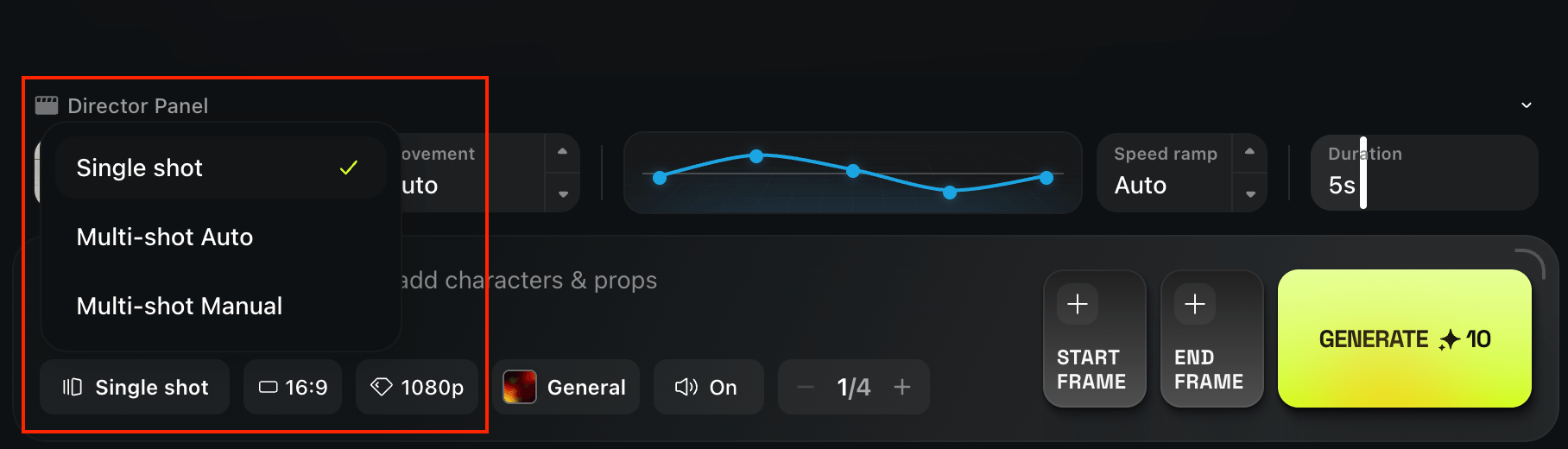
Multi-shot works in both automatic and manual modes.
In manual mode, you define:
Shot duration;
Camera movement per shot;
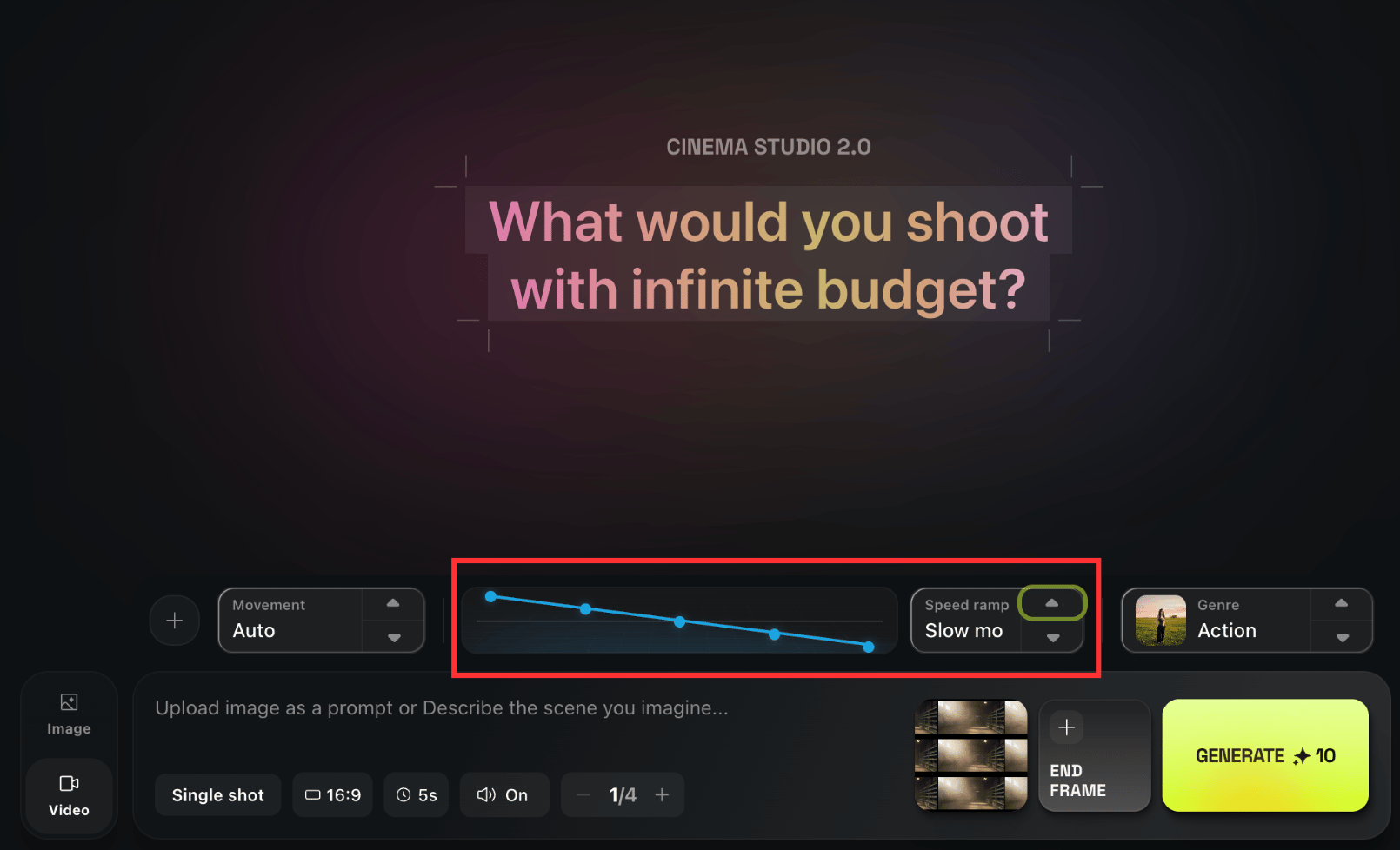
Slow motion or speed ramp effects
Speed ramp can be applied and controlled, giving you timing control inside the generation.

Within manual multi-shot control, each scene can be regulated in terms of camera movement and duration.
3. Character System with Emotion Control
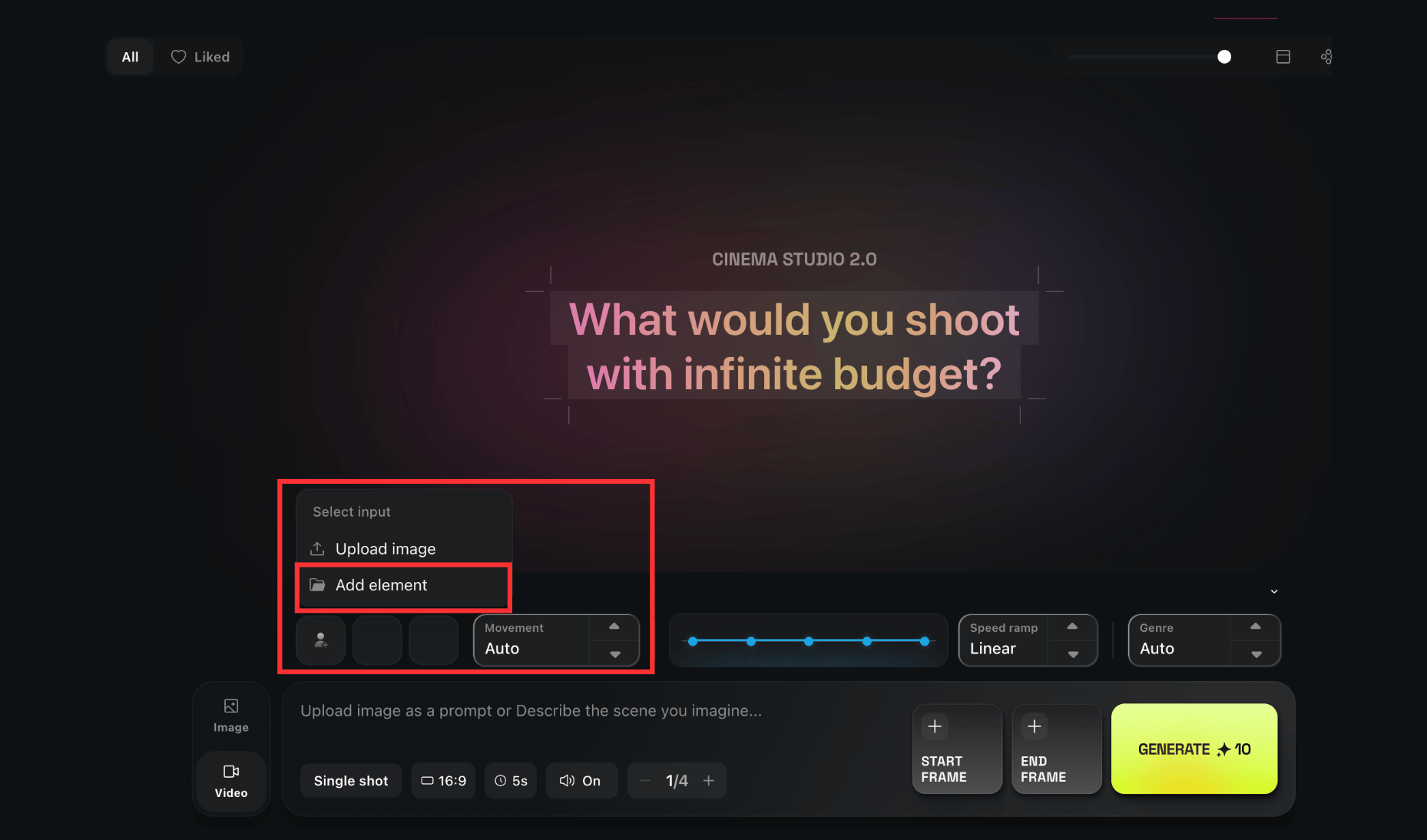
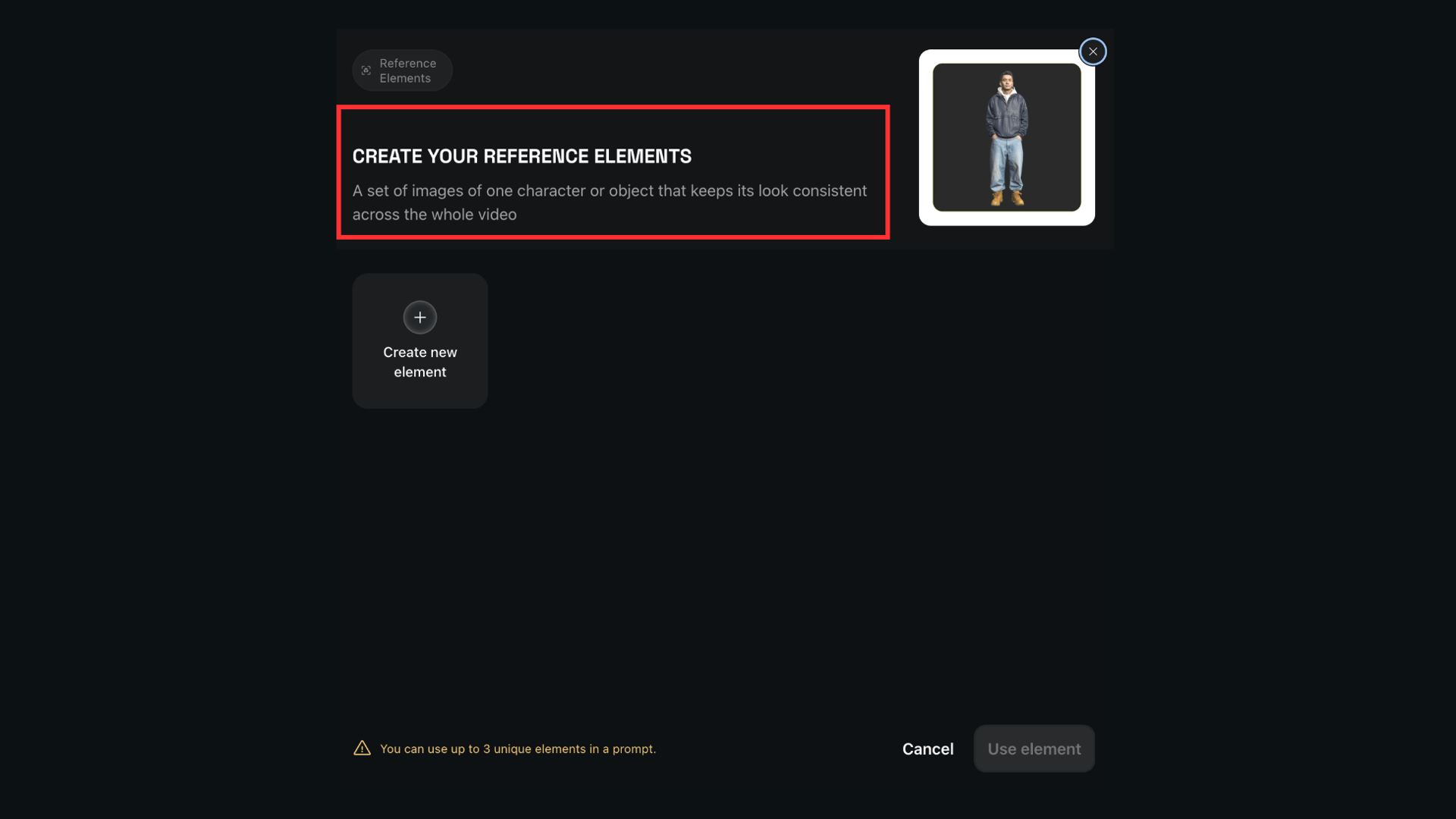
You can now add up to 3 characters into a scene.
This enables:
Character consistency;
Bringing characters into frame;
Directing who appears in each shot;
Assigning emotional states to each character;

If a character needs to speak, the dialogue must be written explicitly. Otherwise, the reasoning engine will generate speech automatically.
4. Updated Start & End Frame Logic
Start & End frame controls are available in:
Single-shot mode
Automatic multi-shot mode
End frame becomes unavailable when characters are used in:
Auto multi-shot mode
Manual multi-shot mode
Technical Notes
6-shot maximum;
1–12 seconds per shot;
1080p resolution;
Final size depends on start frame input.
How to Use Cinema Studio: A Step-by-Step Workflow
Phase 1: Build the Rig (Camera Set-Up) & Shoot Your Image
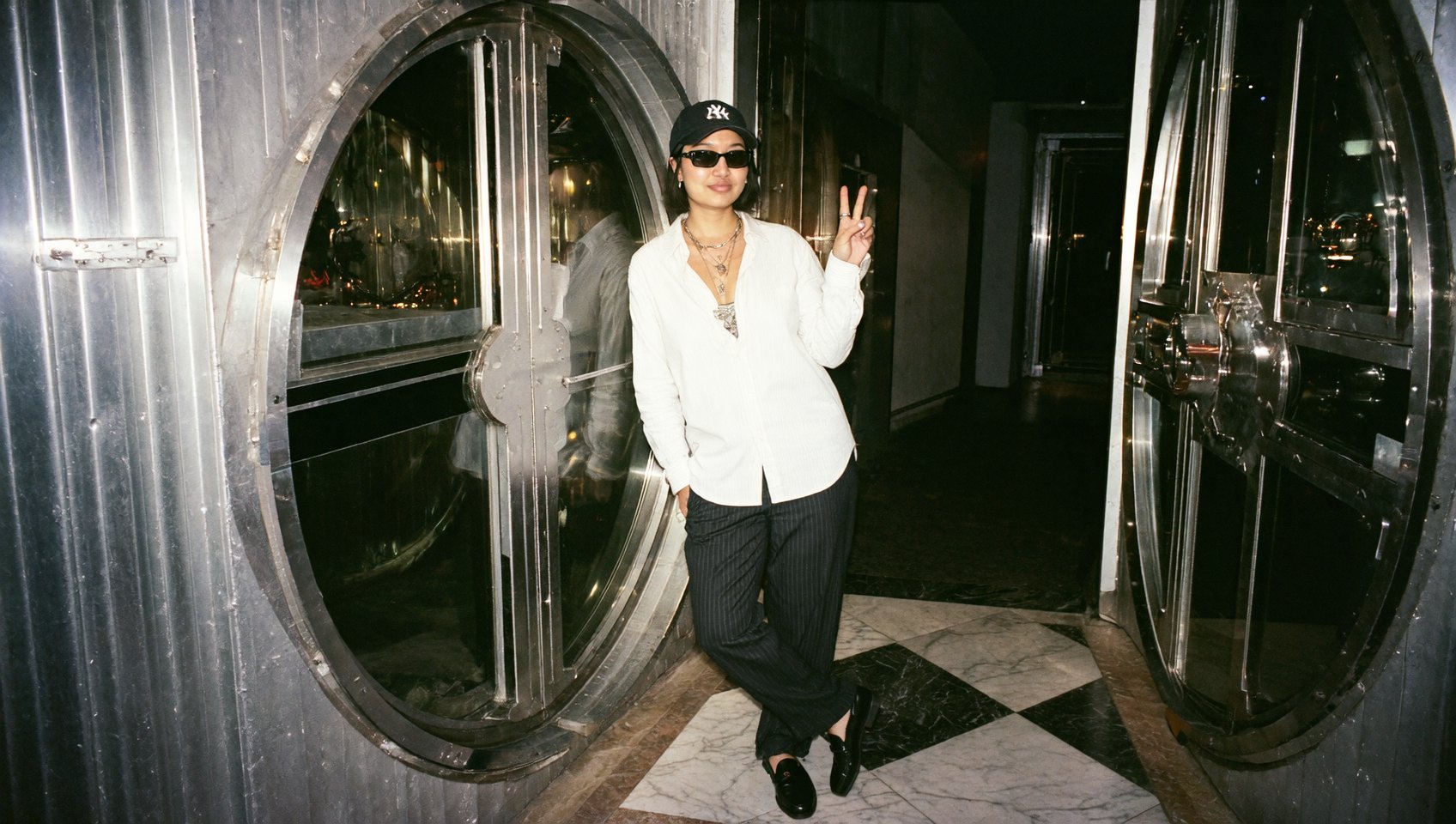
The goal here is to create your "Hero Frame" - the perfect image that defines your video.

Enter the Studio: Click "Cinema Studio 2.0" in the top navigation bar.
Select Your Gear:
Camera: Choose a sensor profile.
Lens: Pick a lens character (e.g., Cooke for a unique bokeh effect).
Focal Length: Decide your perspective.
8mm – ultra-wide perspective.
50mm – natural human perspective.
Aperture Control: Adjust the camera aperture to set the exposure and the depth of field of your shot. Use a wide aperture for portraits or macro shots to create brighter images with a sharp subject in focus and a blurry background. Use a narrow aperture for wide landscape shots with the horizon in focus.
Write Your Script: Enter your prompt to describe the scene, lighting, and subject.
Optional:
- Enter the 3D scene of your shot to choose the right setting and angle;
- Create a grid to generate a storyboard.
Generate & Select: Hit generate and review the batch.
Phase 2: Direct the Motion
Now that you have your Hero Frame, it's time to make it move.
Set Camera Moves: Select camera movements. Example: Truck Left, Pan Right.

2. Adjust Timing: Set your duration by toggling the Speed Ramp to Slow mo, linear, or Speed Up.

3. Select Your Method of Control: Generate within a single shot, use auto multi-shot, or direct with the highest precision using manual multi-shot control.

4. Add Genre: Rely on the reasoning machine with auto mode or select the genre you prefer the most for your generation.

5. Add Characters: Add elements to direct the scene according to your scenario. Adjust dialogues within prompt by referencing to your characters.

6. Generate: The model will animate your scene while strictly adhering to the visual style of your Hero Frame.
Conclusion: The Major Shift is Already Here
Cinema Studio 2.0 was built to make AI video generation feel structured and controllable, because the fastest way to reach a cinematic result is to treat the process like a real shoot, where you first establish a strong Hero Frame that secures lighting, composition, and character details, and only then move into animation with a clear plan for optics, motion, and plot.
With gear-style controls for camera profiles, lens behavior, character references as elements, and genre selection, Cinema Studio V2 turns the workflow into the professional workspace for AI filmmaking.
Enter Cinema Studio 2 on Higgsfield and direct your next AI film with PRO Tools
Build your Hero Frame, enter the 3D scene, design multi-shot sequences, control camera movement and speed ramp per shot, add characters with emotional states, and generate cinematic AI video in 1080p – all inside one professional workspace.