Blog

How to Make Documentary Videos with AI in 2026

HiggsfieldAug 12, 202610 min
How to Make Documentary Videos with AI in 2026

Any scene from a book or a historical event can be recreated as a short AI documentary. You need the right tools and settings, reliable source material, consistent character or location references, and a clear prompt for each shot. A strong prompt for each shot pulls it all together. This guide covers what a short documentary is, how to make one on Higgsfield, and what it costs.

What Is a Short Documentary, and What Can AI Create

A documentary shows something real, an event, a person, a place, that most people wouldn't otherwise see or understand firsthand. The point of making one is access: giving an audience a window into a life or a moment they couldn't reach on their own. A short documentary does this in a compressed runtime, usually under 10 minutes.

That access has always depended on footage existing, someone had to be there with a camera, or a crew had to get in after the fact. AI generation changes that. A scene can now be built from photographs, written accounts, floor plans, or court records, even when no footage was ever recorded. A writer with a manuscript, a researcher with case files, or a family with old photos and a story passed down through generations can all build that same kind of access into a short film.

What Is a Short Documentary, and What Can AI Create

Type

What It Covers

Historical reenactment

A specific past event, rebuilt scene by scene from written accounts or court records

Biographical short

A person's life or a defining moment in it, told through their perspective

True crime segment

A case, an investigation, or a courtroom moment, based on public record

Nature and science

A process, an environment, or a phenomenon most cameras never capture directly

Social issue short

A real, ongoing situation, told through composite or representative scenes

Archival recreation

A moment where no footage exists, rebuilt from photographs, testimony, or description

Each of these categories leans on the same underlying capability, taking a written or verbal account and turning it into a visual reconstruction based on the available source material.

How to Make It on Higgsfield AI

Higgsfield's creative suite gives access to 30+ models, covering photo, audio, and video generation in one place. A documentary can be built entirely from scratch inside it, with Cinema Studio 4.0 handling the film-specific settings: genre, era, tempo, camera, lens, aperture, color, and lighting, all set manually before a single frame generates. This is where a scene gets built, with the visual approach chosen directly. Cinema Studio 4.0 generates up to 30 seconds per clip, long enough to hold a character or a moment through a complete beat. Up to 50 reference images can go into a single generation as well, keeping a face, a location, or a specific period detail consistent across every shot.

Five of the core settings that shape the look and feel of a scene:

How to Make It on Higgsfield AI

Setting

Options

Genre

General, Action, Epic, Drama, Comedy, Horror, Noir

Lighting

Auto, Silhouette, Practicals, Window, Overhead Fall, Contre-jour, Soft Cross, or manual

Camera Movement

30+ presets, including POV, Robot Arm, Pan Left, and Helicopter Shot

Lens

Auto, Clean Sharp, Anamorphic, Vintage Anamorphic, Warm Vintage, Halation Vintage

Colour Palette

30+ templates, including Film Colors, Black Gloss, Candy Pink, and Crimson Vigi, plus Auto

Full Workflow: Step by Step

For this workflow, the scene is a courtroom moment from a book based on a real case. The entire build happens on Higgsfield models, from reference to finished clip, and the same five steps apply to almost any documentary scene regardless of category.

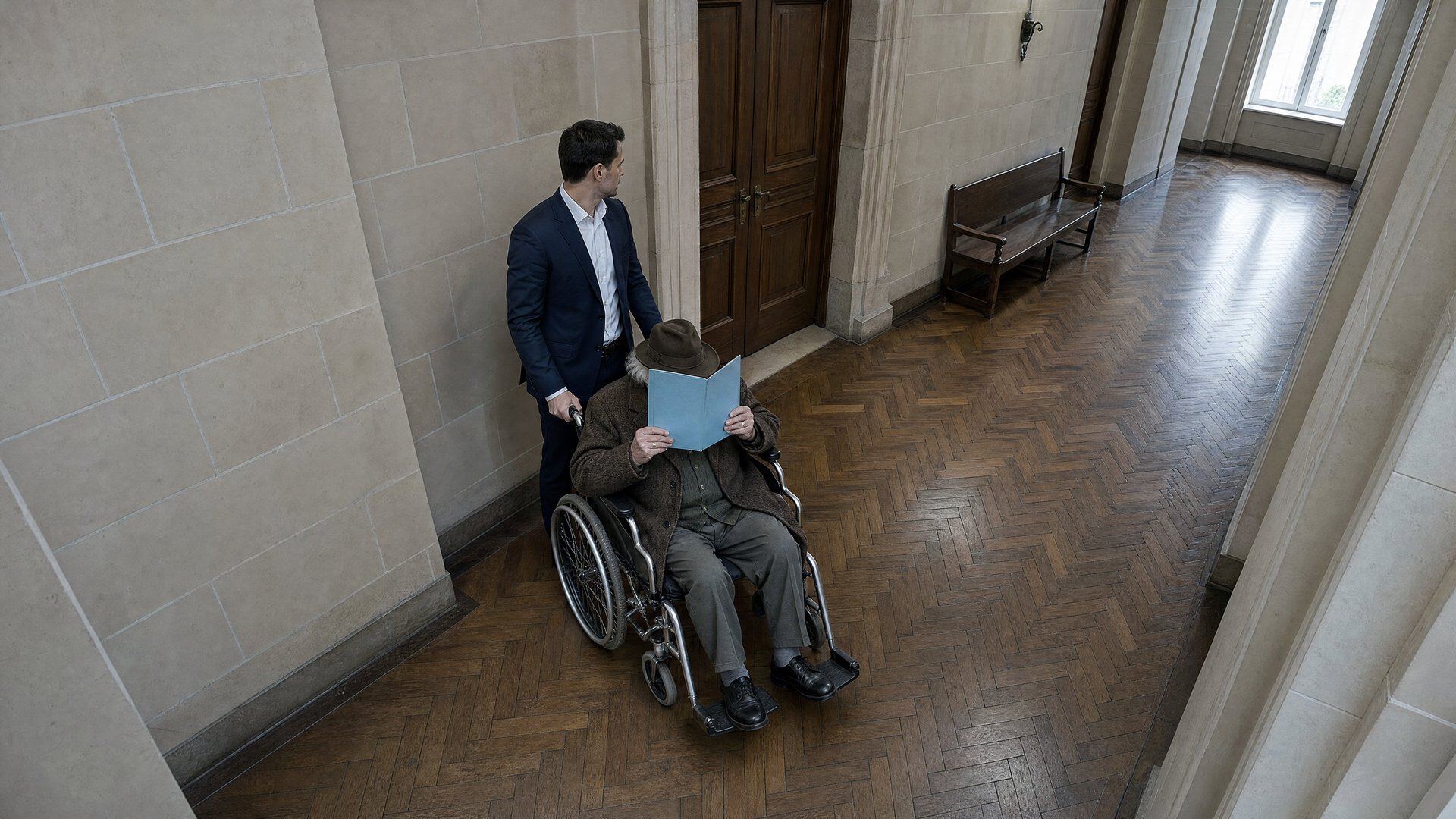
Step 1: Add reference images. References can be generated in any Higgsfield image model. For a person, Soul 2.0 builds a consistent reference face, trained once from a handful of photos or a detailed written description, and reusable across every scene that person appears in. For a location, Soul Cinema can create the courtroom reference image, which can then be reused across scenes to help keep the location consistent.
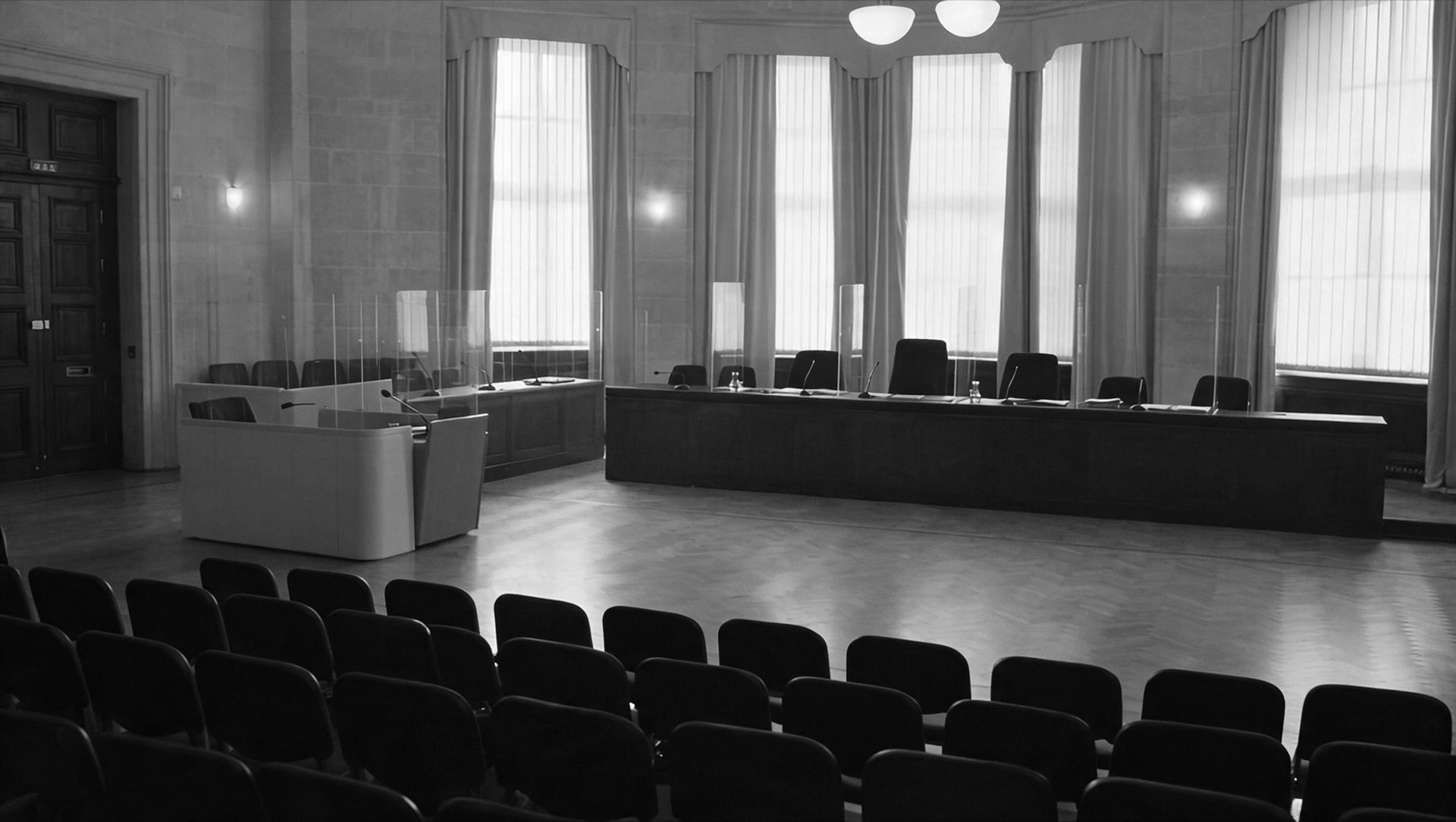
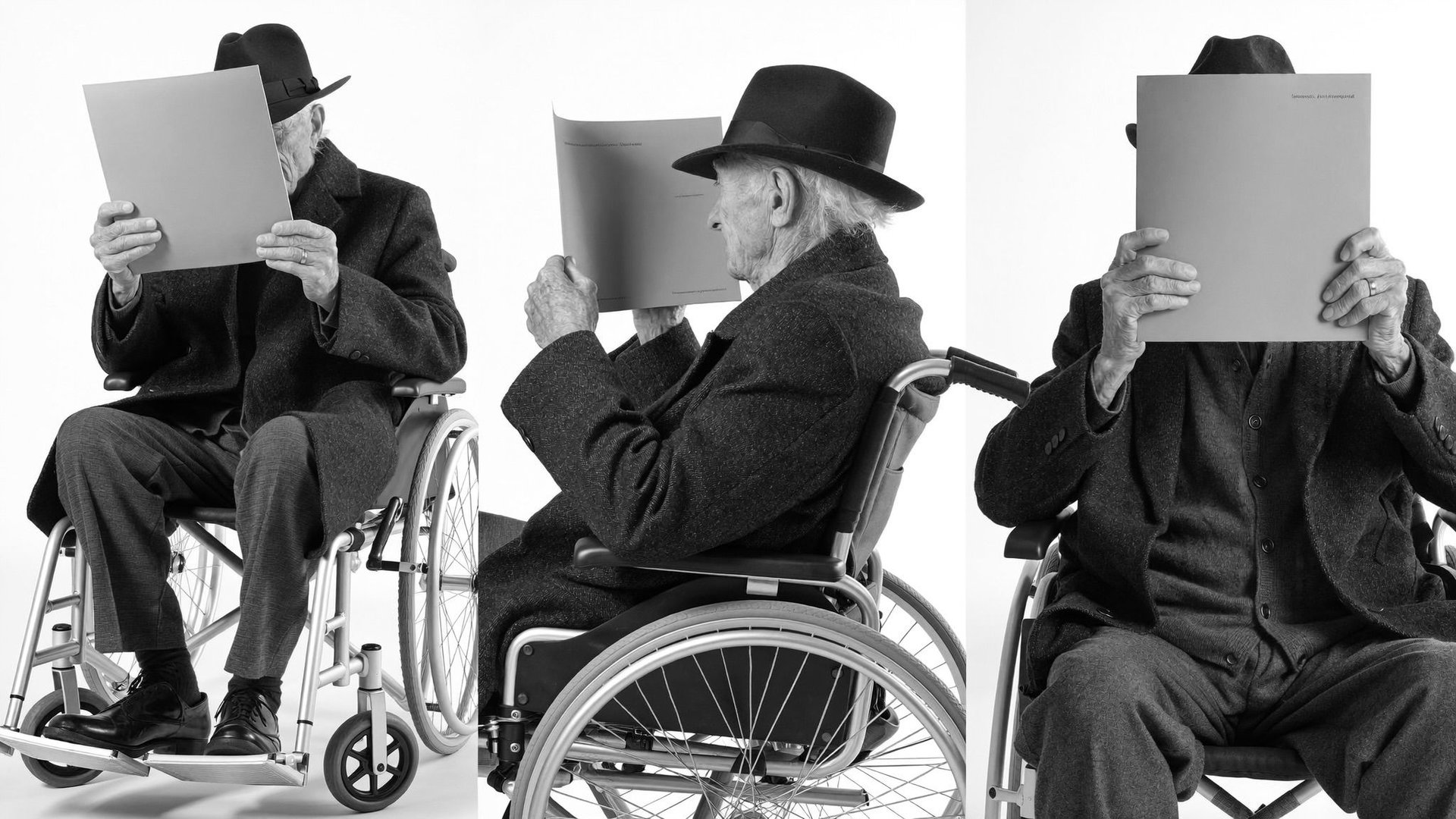
Step 2: Write a strong prompt. A prompt for a scene like this can be generated directly inside Supercomputer, Higgsfield's AI agent, which takes a rough description of what needs to happen in the scene and turns it into the kind of detailed, technical prompt that produces a consistent result. For this scene, the prompt used was:

SCENE CONTEXT A 30-second observational documentary courtroom sequence, 16:9, six shots. An elderly defendant in a wheelchair is brought slowly into a courtroom hiding his face behind a raised blue folder; masked officials position him at the dock, the robed judges enter, and the presiding judge asks a single question by microphone. Every face in the video stays hidden — behind the folder, behind blue medical masks, or too far away to read. Shot like a patient vérité documentary: long takes, honest handheld, available light, no graphics, no music. CHARACTERS DEFENDANT: a very elderly man in a wheelchair — dark wool overcoat over a grey cardigan, a dark felt brimmed hat, thin liver-spotted trembling hands. His face is NEVER visible: for the entire video he holds a blue cardboard folder raised in front of his face, only the hat brim showing above it. Voice: very old, thin, quiet, slightly hoarse. ESCORT LAWYER: a man around 40 in a navy suit, white shirt, blue medical mask covering nose and mouth; he pushes the wheelchair slowly and stays beside the dock. COURT OFFICER: a woman in a dark uniform, blue medical mask, holding the courtroom door. JUDGES: three judges in plain black robes, entering in file and sitting at the bench. They wear NO masks — and for that reason they exist only in wide shots, always at a distance where their features stay soft and unreadable. PRESIDING JUDGE: the center figure, grey-blonde hair tied back, black robe. Voice: a measured, even female voice carried through the courtroom microphones. GALLERY: a sparse public and press gallery at the rear seen only as the backs of heads and shoulders, blue medical masks visible on every partial profile; one press photographer near the door appears only as a silhouette with a camera. No face of any person is ever readable anywhere in the video. LOCATION MAP A generic modern European courtroom, no identifying features: tall dark wooden double doors in the left wall; a parquet floor; cream-plastered walls with beige curtains and tall windows giving soft daylight along the far side; a low white partition and clear plexiglass dividers separating the dock area center-left — a wooden desk with a gooseneck microphone and a small water cup; the long dark wooden judges' bench across the far end with document folders, microphones and plexiglass panels between seats, and a private door in the wall behind it; rows of public benches at the rear. No flags, no coats of arms, no emblems, no name plates, no readable documents or signs anywhere. FORMAT MODE Six shots, five HARD CUTS at 3.5s, 7.0s, 15.0s, 18.5s and 23.5s. Observational documentary grammar: unhurried takes, every cut changes camera position, geography stays constant; no dissolves, no transitions, no speed changes. OPTICS S1 = detail lens on the door hardware, shallow focus, corridor melting soft beyond. S2 = detail at floor level on the wheels, shallow focus, parquet grain sharp. S3 = wide standard lens, deep focus across the room. S4 = wide from the rear gallery, deep focus over the backs of heads. S5 = true wide holding the entire judges' bench small in frame. S6 = full-room wide from the rear corner holding both the dock and the distant bench in one composition, deep focus. Natural spherical perspective throughout. CAMERA Patient observational handheld in every shot — a documentary operator breathing with the room: soft sway, slow honest reframes, no hurry, no artificial jitter, subjects never lost. S1 and S2 hold close and almost still. S3 pans slowly right with the wheelchair at its own unhurried pace. S4, S5 and S6 hold their wide compositions with living stillness. ACTION TIMING 0.0s–3.5s — S1, DETAIL, the door. Close on the dark wooden door's brass handle and hinge line: the latch turns softly, and the tall heavy door swings open with a long, low creak — the masked COURT OFFICER's uniformed shoulder and hand guide it; beyond the opening, the soft unfocused shape of the wheelchair waits in the corridor light. CUT as the door reaches open. 3.5s–7.0s — S2, DETAIL, the wheels. Floor-level shot on the parquet: the wheelchair's grey rubber wheels roll slowly over the threshold into the room, spokes turning without hurry, a faint squeak on the seam, the escort's polished shoes stepping patiently beside; the boards carry soft reflections of the window light. 7.0s–15.0s — S3, WIDE, the crossing. From inside the room the whole entrance breathes: the officer at the door, the DEFENDANT rolled in slowly behind his raised blue folder, hat brim above it, the masked ESCORT LAWYER pushing at a walking pace with no haste at all; a photographer's silhouette lingers by the door with two soft shutter clicks; the camera pans gently right with them as the wheelchair crosses the parquet, rounds the low partition and eases behind the plexiglass toward the dock desk. The roll takes the full eight seconds. 15.0s–18.5s — S4, WIDE from the rear gallery over the backs of masked spectators' heads. The lawyer swings the wheelchair into place at the dock desk, sets the brake with a click, bends the gooseneck microphone toward the folder and settles onto the chair beside; the folder stays perfectly raised; the room murmurs faintly and quiets. 18.5s–23.5s — S5, WIDE on the judges' bench, the whole bench small in frame. The private door behind it opens; the three robed JUDGES file in one after another — unmasked, their faces soft and unreadable at this distance — take their places, set down papers, and at 22.3s sit almost together, robes settling; the PRESIDING JUDGE at the center draws her microphone closer. 23.5s–30.0s — S6, FULL-ROOM WIDE from the rear corner of the gallery: the dock with the raised blue folder mid-left, the judges' bench small across the far end, the plexiglass and daylight holding the whole room in one still composition. At 24.3s the presiding judge leans to her microphone and asks, even and clear through the speakers: "Can you hear me?" A long documentary pause — the room utterly still — then at 26.6s the DEFENDANT's thin, aged voice answers through the desk microphone: "Yes." — and the blue folder dips a single centimeter with the word. The wide room holds in silence; one distant camera shutter clicks at 28.5s; room tone breathes to 30.0s. End. PHYSICS The heavy door swings with real mass and a genuine slow hinge creak. The wheelchair rolls with true rolling resistance on parquet — soft rubber murmur, spokes turning at believable slow speed, one small squeak, a firm brake click. The blue folder is held by genuinely old hands: a constant faint tremor, never perfect stillness, but it never lowers. Robes, coats and masks move as real cloth; the plexiglass catches faint natural reflections; chairs and benches take weight with quiet creaks. LIGHTING Available-light realism, constant across all shots: soft daylight from the tall curtained windows mixing with warm ceiling fixtures; gentle natural falloff, mild practical hotspots on the wooden bench; no cinematic shaping, no dramatic contrast, no glow or bloom. The plexiglass panels pick up faint window reflections. The honest, unshaped light of a real room. IMAGE LOOK Observational documentary cinematography on a modern digital cinema camera: neutral true-to-life color, ordinary honest contrast, crisp but unstylized detail, natural motion blur, the faintest sensor noise in the shadows. No film grain, no stylized grade, no vignettes, no chyrons, no graphics, no watermarks. AUDIO One continuous diegetic soundscape, no music anywhere. Courtroom room tone — ventilation hum, distant shuffles, a sparse cough. 0.3s–3.0s: the latch and the long low door creak, featured close and dry; 3.5s–7.0s: the wheels rolling on parquet, featured — soft rubber, a faint squeak on the seam, patient footsteps; 7.0s–15.0s: the slow crossing — wheels, steps, cloth, two soft camera shutters, the room's quiet attention; 15.5s: the brake click and the gooseneck adjusting with a low thump through the PA; 19.0s–23.0s: the bench door, robes, papers, chairs taking weight; 24.3s: the presiding judge through the speakers, even and clear: "Can you hear me?"; 26.6s: the thin aged voice on the desk microphone: "Yes."; then held room silence, one distant shutter click at 28.5s, room tone to the end. These two lines are the only spoken words in the entire video. POSITIVE LOCKS No human face is ever visible or readable at any moment of the video: the DEFENDANT's face stays fully behind the raised blue folder in every frame — the folder never lowers below his eye line and no blur effect is used or needed; every other person near the camera wears a blue medical mask or is framed from behind; the unmasked JUDGES appear only in wide shots at a distance where their features never resolve, and are never framed in a medium, close or detail shot. Exactly one blue folder, one wheelchair and one defendant exist throughout. The two scripted lines are the only dialogue, spoken exactly as written. The courtroom stays generic: no flags, coats of arms, emblems, name plates, chyrons, captions, watermarks or readable text anywhere. Geography, wardrobe and light never change; the camera stays patient observational handheld from the gallery side of the room.

Step 3: Set the configuration. A full breakdown of each setting on Cinema Studio 4.0 is available here. For this scene, the following configuration was used:

Film Setup:

  • Genre: Drama

  • Era: 2020s

  • Tempo: Calm

Camera:

  • Camera: Modern

  • Lens: Clean Sharp

  • Aperture: f/1.4 Wide Open

Color Palette: Static Noon

Lighting: Soft Cross

Each of these settings does real work on the final look. Drama as a genre setting holds the camera closer and favors held moments over quick cuts, which suits a courtroom scene built around tension, not movement. Calm tempo avoids fast cuts that would undercut the gravity of the moment. Soft Cross lighting reduces harsh shadow across the face, which matters in a scene where a witness or a defendant's expression carries most of the emotional weight. None of these choices are arbitrary, they're picked to match what the scene needs to communicate.

Step 4: Generate.

Step 5: Extend and assemble. A full documentary gets built scene by scene, generating each one as its own clip and then assembling them into a complete film with any standard editing program.

A 3-minute short documentary typically breaks down into five to seven distinct scenes, each generated separately and then ordered into a sequence. Planning that sequence before generating the first clip helps keep the reference images and settings consistent across the whole project, since a courtroom scene early in the film and a courtroom scene near the end should use the exact same location reference, not two separately generated versions of the same room.

What It Costs to Make a Short Documentary

What It Costs to Make a Short Documentary

Item

Cost

2 reference images

0.25 credits ($0.0125)

Prompt generation

8 credits ($0.40)

720p video, 30-second clip

195 credits ($9.75)

A full 3-minute short documentary, built from six 30-second clips, costs around $60 in total generation credits. That figure covers generation only, references, prompts, and video, and doesn't include the time spent on research or on the editing pass where the individual clips get assembled into a final cut.

What Keeps a Documentary Consistent

  • Reference images carry consistency across clips better than the prompt does, a face or a location holds steady when it's built into the reference.

  • A location only needs to be generated once as a reference, then reused for every scene set there, which is where most of the cost efficiency in a documentary project comes from.

  • Period detail, clothing, and props read as more convincing when they're baked into the reference image.

  • Keeping lighting and color settings the same across scenes in the same location and time period is what makes a documentary feel like one continuous film.

  • Narration, ambient sound, and score can all be generated in the same suite, which makes it easier to test how audio sits against a scene before committing to it.

Bringing It All Together

A short AI documentary starts with the same question a traditional one does: what happened, and how much of it can be shown accurately. The tools covered here handle the production side of that question. References built in Soul 2.0 and Soul Cinema carry a face or a location across every scene it appears in. Cinema Studio 4.0 turns genre, era, tempo, camera, and lighting into direct settings. Supercomputer writes the prompt itself when the language needs tightening.

A documentary is only as strong as the account it's built from, whether that's a book or a firsthand testimony. What changes is the cost of testing a scene before committing to it. At roughly $60 for a full 3-minute film, a scene that doesn't land can be rebuilt and regenerated without the budget of a traditional shoot standing in the way.

AI lowers the production barrier for stories that have strong source material but little or no surviving footage. The quality still depends on the research, references, and scene planning behind the generated visuals.

How to Make Documentary Videos with AI in 2026

Try Cinema Studio

Got any questions left?

No. Soul 2.0 builds a consistent reference face from photos or a written description, and Soul Cinema builds the location, so nothing needs to be filmed in person.
Up to 30 seconds per clip in Cinema Studio 4.0. Longer films get built by generating multiple clips and assembling them afterward.
Soul 2.0 generates consistent people, faces that hold steady across multiple scenes. Soul Cinema generates consistent locations and environments.
Yes. Supercomputer, Higgsfield's AI agent, can generate a strong prompt directly for a specific scene.
Around $60 in generation credits for a 3-minute film, based on reference images, prompt generation, and 720p video across six 30-second clips.
Anything with a documented account to build from, historical events, court records, biographical detail, or firsthand testimony, since the reference images and prompt both depend on having real detail to draw from.
Ground every visual choice in real source material and reuse the same reference across scenes so nothing drifts. Mark where the record ends and reconstruction begins.

by Higgsfield

Share article