Blog

How to Start a Faceless Channel with AI: Tools, Workflow, and Automation

HiggsfieldAug 3, 202610 min
How to Start a Faceless Channel with AI: Tools, Workflow, and Automation

Building a faceless channel used to mean stitching together separate tools by hand, one for scripts, one for voice, one for editing, one for scheduling. Now AI can handle that whole process in one place. Pick a niche, write the script, generate the video and voice, and get it posted automatically. It all happens across YouTube, Shorts, and TikTok on a set schedule. No juggling four different subscriptions to get there.

TL;DR

Supercomputer plans the niche and drafts scripts. Cinema Studio, Seedance 2.0, or Kling 3.0 generate the video. Seed Audio 1.0, VibeVoice, or Seed Speech generate the voice. Soul ID and Popcorn keep everything consistent across episodes. Supercomputer then posts the result to YouTube, Shorts, and TikTok on a schedule. Read on for the full breakdown of each tool and the step-by-step workflow.

What Kind of AI Faceless Videos You Can Create

The format covers more ground than most people assume before they've tried building one:

  • Explainer channels break down a single topic repeatedly, science, history, finance, in a consistent visual style episode after episode.

  • Documentary-style channels cover real events, places, or historical moments using narration and observational camera work rather than a studio setup.

  • Narrative retelling channels turn a genre, horror, mythology, true crime, into serialized stories with a consistent voice and visual identity.

  • List and comparison formats work through a recurring structure, "top 5" or "versus" videos, where the format itself is the hook rather than any single episode's content.

  • Mascot or character-driven channels build a recurring animated or stylized figure that appears across every video, giving the channel a face without ever putting an actual person on camera.

What ties all of these together isn't genre, it's repeatability. A viewer who watches one episode should recognize the next one as part of the same channel, which is what separates a real channel from a series of disconnected AI-generated clips.

How Higgsfield Covers Every Stage

Rather than one do-everything generator, building a faceless channel runs through a sequence of tools, each handling a distinct part of the pipeline.

How Higgsfield Covers Every Stage

Stage

Tool

What it does

Niche and concept

Supercomputer

Plans the channel concept and content direction in a guided conversation

Script

Supercomputer / Claude

Drafts the script and structure for each video

Video generation

Cinema Studio, Seedance 2.0, Kling 3.0

Generates the actual footage from the script

Voice

Seed Audio 1.0, VibeVoice, Seed Speech

Generates narration, matched to tone and, if needed, multiple languages

Consistency

Soul ID, Popcorn

Keeps a recurring visual style, character, or setting consistent across episodes

Publishing

Supercomputer, Scheduled Tasks

Posts to YouTube, TikTok, and Shorts on a set schedule automatically

What Each Tool Actually Does, and Its Key Settings

Supercomputer is where the channel concept gets planned and where scripts get drafted, in a guided conversation rather than a blank text field. It holds context across a whole project, so the channel's tone and format stay consistent across many separate script-writing sessions rather than resetting each time.

Key settings: Parallel Chats for running multiple episodes' worth of work simultaneously, Scheduled Tasks for recurring automated jobs.

Cinema Studio handles video generation for any format that needs directorial control, genre, lighting, color palette, camera movement, lens, focal length, and aperture all apply as explicit settings rather than being inferred from a text prompt. This is the right tool when the channel's visual identity depends on a consistent look, a horror retelling channel needs different lighting logic than an explainer channel, and Cinema Studio is what lets that logic stay fixed across every episode.

Seedance 2.0 and Kling 3.0 cover more straightforward video generation when a format doesn't need that level of directorial control, a list-format channel or a simple explainer with less emphasis on cinematic look and more on getting clear visuals out quickly. Key settings: reference inputs for consistency, resolution and duration per plan.

Seed Audio 1.0 generates narration with ambience built in when a scene calls for it, useful for anything beyond a flat voiceover, a narrative channel with atmosphere behind the narration rather than silence.

VibeVoice is built specifically for long-form narration, holding a natural, consistent voice over several minutes rather than just a short clip, which matters for any channel format running longer than a minute or two per episode.

Seed Speech covers the same narration across 30+ languages, relevant the moment a channel is aiming at more than one audience or market. Key settings across all three: voice selection from 50+ presets or a custom voice, language selection where relevant, pacing controls.

Soul ID trains a persistent identity, a recurring mascot, character, or figure, from reference images once, and that identity then carries across every episode without re-uploading a reference each time.

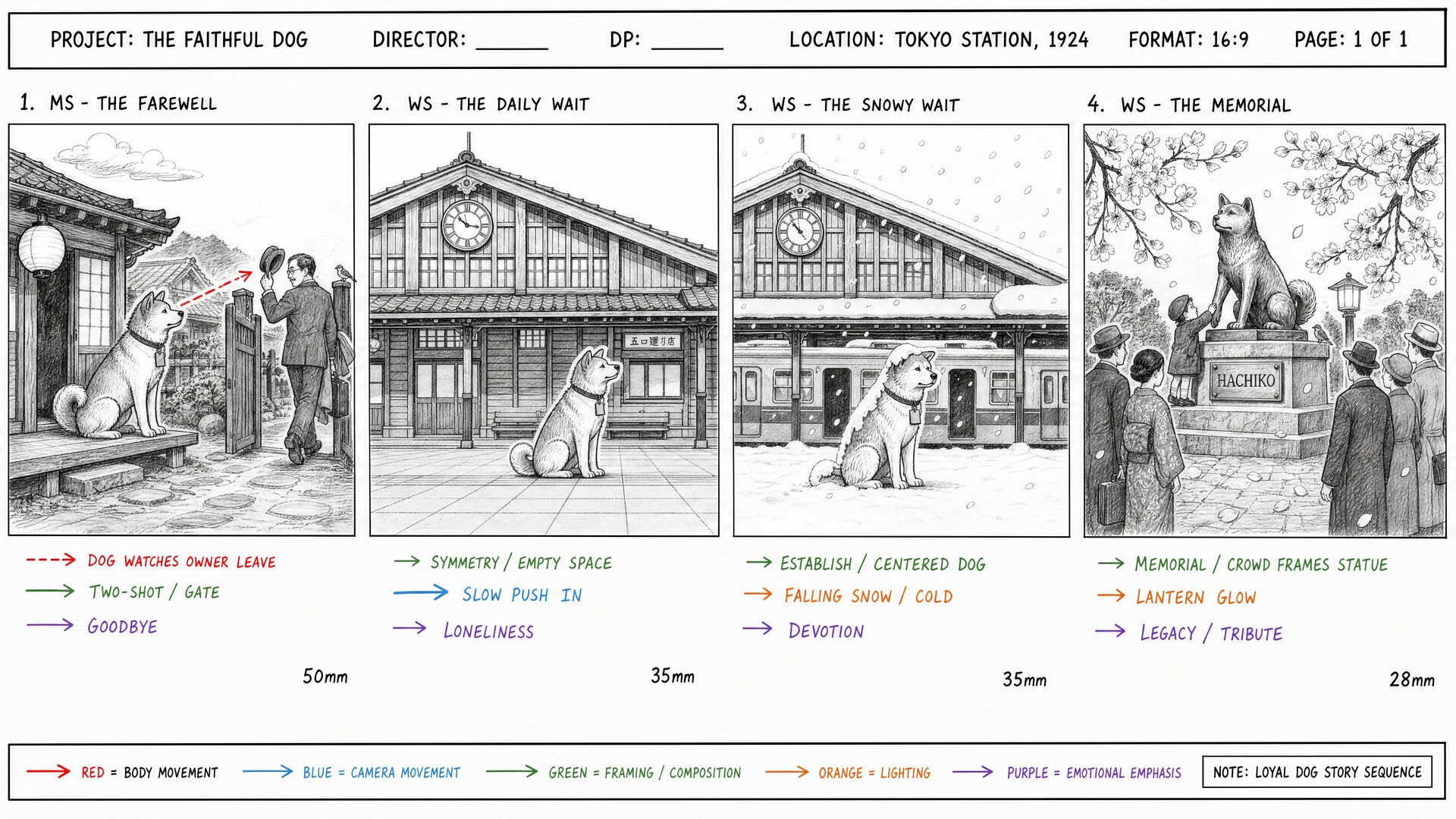
Popcorn storyboards a multi-shot sequence before video generation happens, locking the visual logic, blocking, and spatial consistency for a single episode across up to 8 frames, so a video doesn't drift shot to shot within itself. Key settings: Soul ID trains from 20+ reference photos; Popcorn accepts up to 4 image references and outputs 4, 6, or 8 frames in Auto or Manual mode.

The Full Workflow: Niche to Script to Video and Voice

Step 1: Define the niche. A faceless channel works best with a narrow, repeatable format rather than a broad, unfocused concept. Describe the idea to Supercomputer directly, an explainer format, a retelling genre, a recurring list structure, and shape it into something specific enough to repeat episode after episode.

Step 2: Generate the script. Once the niche is set, draft scripts either directly in Supercomputer or by working with Claude first to flesh out structure and concept before moving into production. A consistent script format, the same intro style, the same pacing, the same sign-off, is what makes a channel feel like a channel rather than a series of unrelated videos that happen to share a topic.

Step 3: Generate the video. Pick the video tool based on how much directorial control the format actually needs. Cinema Studio for anything narrative or cinematic where genre and lighting matter to the channel's identity. Seedance 2.0 or Kling 3.0 for formats that prioritize speed and clarity over cinematic look. If the channel has a recurring character or visual identity, train that identity in Soul ID before generating a single episode, and use Popcorn to storyboard any episode with multiple shots that need to hold together spatially.

Step 4: Generate the voice. Match the voice tool to the format's actual length and reach. Seed Audio 1.0 for narration with ambience included. VibeVoice for any episode running several minutes rather than a quick clip. Seed Speech if the channel needs to reach more than one language market from the same script.

Step 5: Assemble and review. With video and voice both generated, review the finished episode as a whole before it goes near a publishing schedule. Check pacing, whether the voice actually matches the visual tone, and whether the episode reads as one coherent piece rather than separately generated components stitched together without agreeing on rhythm.

Automating the Posting Schedule

This is the part that usually breaks a faceless channel operation before it gets any real traction: producing content faster than a person can manually upload and schedule it across multiple platforms. Supercomputer's Scheduled Tasks handle that specifically, running a recurring job, generate this week's episode, format it for each platform, publish on a set schedule, without a person manually uploading to YouTube, separately cutting a vertical version for Shorts and TikTok, and scheduling each one by hand across three different platform dashboards.

The Shorts and TikTok side deserves real attention here, since a faceless channel rarely lives on just one platform anymore. A long-form YouTube episode and a 60-second vertical cut for Shorts or TikTok aren't the same asset wearing different dimensions .They need different pacing, different framing, and often a completely different hook in the first three seconds to actually stop a scroll. Building both formats into the same automated pipeline from the start, rather than treating vertical clips as an afterthought exported and cropped from the long-form video after the fact, is what actually lets one channel concept scale across all three platforms without tripling the manual workload every single week.

A Few Things Worth Keeping in Mind

  • Lock the niche down before generating a single episode. A channel that pivots format every few videos never builds the recognizability that makes someone subscribe.

  • Train Soul ID for any recurring character before production starts, not partway through, retrofitting consistency onto episodes already published costs more time than setting it up first.

  • Build the vertical cut into the same pipeline as the long-form version from day one, rather than treating Shorts and TikTok as an export step tacked onto the end.

  • Test the voice and video pairing on one full episode before scheduling a batch, a mismatch between narration tone and visual style is easier to catch and fix before ten episodes are already queued up.

  • Review Scheduled Tasks output periodically rather than assuming automation runs perfectly forever, a schedule that's been running smoothly for months is still worth spot-checking.

How It All Fits Together

A faceless channel built this way is fewer separate tools stitched together by hand and more one pipeline that happens to touch several distinct stages. The niche gets defined once and stays fixed. The script gets drafted with a consistent format that repeats episode after episode. The video and voice get generated with consistency tools, Soul ID and Popcorn, holding the visual identity together across every episode rather than letting it drift. And Supercomputer posts the finished result on schedule across YouTube, Shorts, and TikTok, formatted correctly for each rather than treating one platform as the real output and the others as an afterthought.

None of this replaces having an actual concept worth watching in the first place, a channel built around a weak premise fails regardless of how automated the production behind it is. What this pipeline removes is nearly everything that used to sit between having that concept and consistently publishing it: the separate subscriptions, the manual handoffs between tools, the exporting and re-cropping for each platform, and the manual scheduling that made consistency the hardest part of running a channel long before content quality ever became the bottleneck.

How to Start a Faceless Channel with AI: Tools, Workflow, and Automation

Open Supercomputer

Got any questions left?

No, that's the entire premise, video, voice, and visual identity are all generated, with no on-camera presenter required at any stage of production.
Yes, through Supercomputer's Scheduled Tasks, formatted appropriately for each platform rather than posting the same long-form cut everywhere and hoping it works.
Soul ID locks a recurring character or visual identity across generations, and Popcorn storyboards multi-shot sequences so the visual logic holds within a single episode too, not just between episodes.
Seed Speech covers narration across 30+ languages, letting the same script scale to more than one audience without a separate production pass per language.
Cinema Studio, since it applies genre, lighting, lens, and camera movement as explicit settings rather than something inferred from a prompt, which matters most for formats where visual tone is part of the identity.
Yes, on Higgsfield. VibeVoice is built for long-form narration that holds up over several minutes, where Seed Audio 1.0 fits shorter-format narration with ambience included as part of the same generation.

by Higgsfield

Share article

Discover more

View all