Higgsfield
  • Explore
  • Image
  • Video
  • Audio
  • Cinema Studio
  • MCP & CLINew
  • AcademyNew
  • Supercomputer
  • PluginsNew
  • Marketing Studio
  • Canvas
  • Originals
  • Shorts Studio
  • Explainer

THE ULTIMATE AI-POWERED CAMERA CONTROL FOR FILMMAKERS & CREATORS

Higgsfield AI

  • About
  • Trust
  • Careers
  • Contact
  • Pricing
  • Apps
  • Supercomputer
  • Cinema Studio
  • Marketing Studio
  • Higgsfield Canvas
  • Higgsfield Collab
  • Higgsfield MCP
  • Higgsfield Games
  • AI Influencer
  • Community
  • Enterprise
  • Team
  • Copilot
  • Reference Extension
  • Blog
  • Contests
  • Discord

Image

  • AI Image
  • Soul ID Character
  • Draw to Edit
  • Fashion Factory
  • Edit Image
  • Image Upscale
  • Photodump Studio
  • Higgsfield Popcorn
  • Nano Banana
  • Prompt Guide
  • Flux 2
  • Seedream 5
  • GPT Image 2
  • Inpaint
  • Soul 2.0
  • Soul Cinema
  • Soul Cast

Video

  • AI Video
  • Mixed media
  • Sora 2 Introduction
  • Veo 3.1 Introduction
  • Create Video
  • Lipsync Studio
  • Talking Avatar
  • Draw to Video
  • UGC Factory
  • Video Upscale
  • Kling 3.0
  • WAN 2.6
  • Seedance 2.0
  • Grok Imagine 1.5
  • Gemini Omni Flash

Edit

  • Banana Placement
  • Product Placement
  • Edit Image
  • Multi Reference
  • Upscale
  • Sora 2 Upscale
  • About
  • Trust
  • Careers
  • Contact
  • Pricing
  • Apps
  • Supercomputer
  • Cinema Studio
  • Marketing Studio
  • Higgsfield Canvas
  • Higgsfield Collab
  • Higgsfield MCP
  • Higgsfield Games
  • AI Influencer
  • Community
  • Enterprise
  • Team
  • Copilot
  • Reference Extension
  • Blog
  • Contests
  • Discord
  • X / Twitter
  • Youtube
  • Instagram
  • LinkedIn
  • Tiktok

535 Mission St, 14th floor, San Francisco, CA, 94105

  • X / Twitter
  • Youtube
  • Instagram
  • LinkedIn
  • Tiktok

© 2026 Higgsfield, Inc. All rights reserved.

  • Cookie Notice
  • Terms
  • Privacy
  1. Blog
  2. /
  3. How To Guides
  4. /
  5. 100+ Ads Without a Team

How to Produce 100+ Creative Ads Without a Team in 2026

Higgsfield

·

Jul 17, 2026

·

10 min

How to Produce 100+ Creative Ads Without a Team in 2026

Most brands generate one or two ads a week. The brands that dominate paid social generate dozens. The difference is not budget. It is production speed. A single ad that has to go through a scriptwriter, a videographer, a voice actor, and an editor takes days and costs real money before you know whether it works. In 2026, Higgsfield Marketing Studio collapses that entire workflow into one tool. This guide walks through exactly how to go from a product URL to 100+ finished ad creatives a month, alone, without a production team.


Why Volume Matters in Ad Creative

The math on paid social creative is straightforward. Most ads do not work. The ones that do tend to work for a limited window before performance drops. The brands that consistently win are the ones constantly testing new angles, new formats, and new hooks at a pace that keeps ahead of creative fatigue.

A team producing two or three ads a week tops out around 12 per month. A solo operator using the right tools can produce 100+ per month at a fraction of the cost, test every angle simultaneously, and scale the winners. The bottleneck is not the idea. It is production.

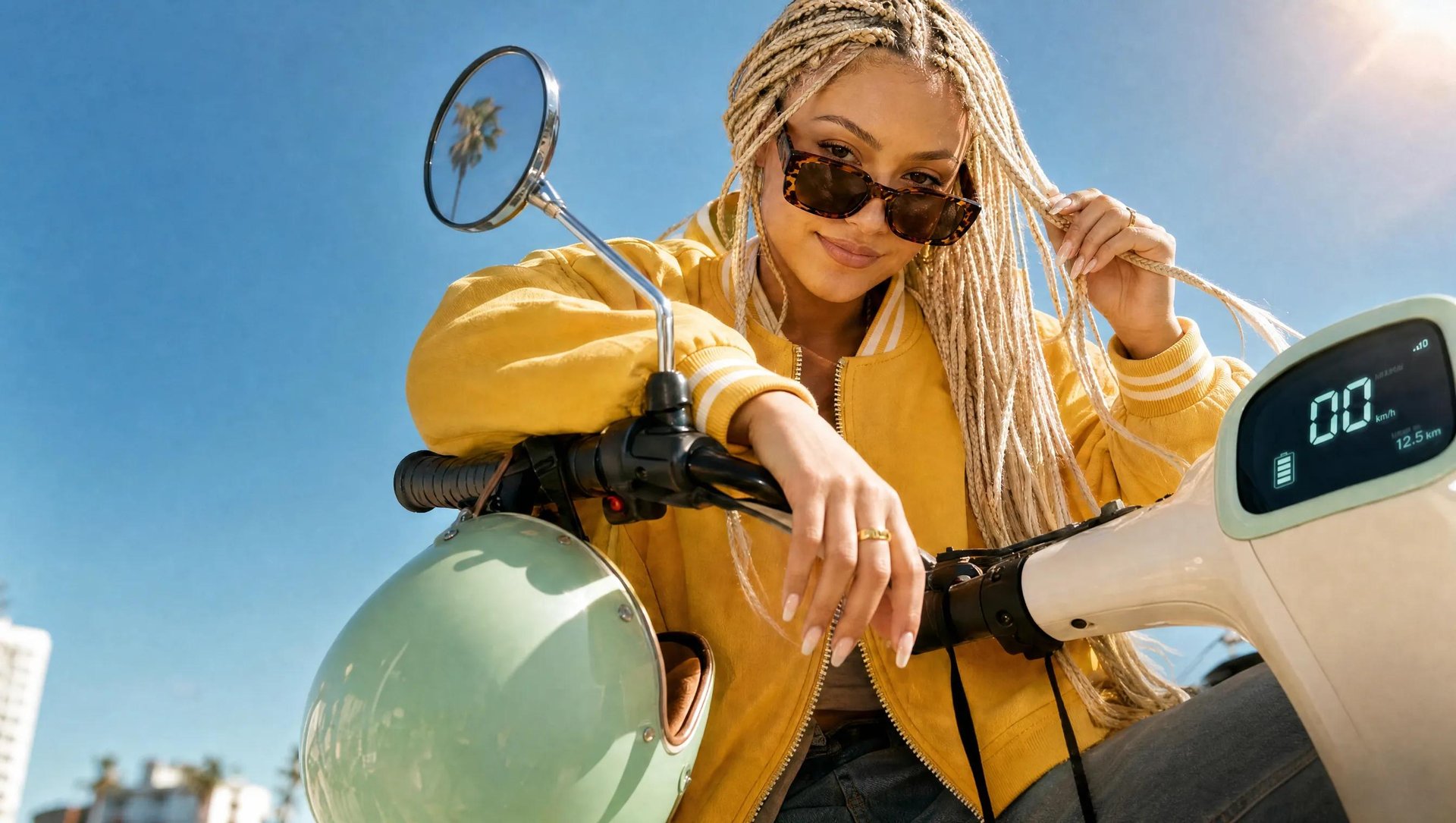
Your browser does not support the video.

What Marketing Studio Actually Does

Marketing Studio is Higgsfield's ad production tool. It starts the same place most ad workflows start: a product URL. Paste it in and the platform reads your product page, extracts images, the product name, key features, and pricing information, and generates a script. From the script, it generates a video with a spokesperson, adds native audio and lip sync in the same pass, and exports the result ready to upload to Meta, TikTok, or wherever the ad will run.

The piece that makes volume production possible is the consistency layer. Higgsfield uses Soul ID to maintain the same face across every ad variation automatically. You upload 20 or more reference photos of the spokesperson once, the platform builds a trained identity model, and from that point every ad uses the same face without any additional steps. Ad 1 and ad 47 have the same bone structure, same skin tone, same features. For a brand running the same spokesperson across weeks of creative, this is the capability that makes volume sustainable.

The video generation runs on Seedance 2.0, which accepts up to 9 reference inputs in a single generation call: product images, a spokesperson face, a voiceover clip, and a camera style reference all at once. The output reflects all of those inputs rather than approximating from a text description alone.


Supported ad formats in Marketing Studio:

What Marketing Studio Actually Does

Format

Best for

UGC

Authentic-looking creator-style ads for TikTok and Meta

Tutorial

Step-by-step product demonstration

Unboxing

Product reveal and first-impression format

Product Review

Review-style ad with a spokesperson

TV Spot

Polished, broadcast-style format

Hyper Motion

High-energy, fast-cut format

Wild Card

Experimental, unconventional creative

UGC Virtual Try On

Creator-style try-on for apparel and accessories

Pro Virtual Try On

Polished try-on format

Maximum clip length: 15 seconds. Cost per clip: approximately $2 at 8 seconds, 720p.


The Full Workflow: From Product to 100 Ads

There is no single workflow that fits every ad strategy. How you use Marketing Studio depends on what kind of creatives you are producing. Here are three distinct approaches.

Workflow A: Spokesperson-Led Video Ads With a Consistent Face

The right workflow for brands built around a real person, a founder, or a recurring character who appears in every ad. Soul ID is the core of this approach.

Step 1: Train Soul ID once. Go to higgsfield.ai, navigate to Soul, and select Train new character. Upload 20 or more reference photos of the person who will appear in your ads. The platform builds a trained identity model in a few minutes. This step happens once. Every ad after this uses the same face automatically without re-uploading.

Step 2: Open Marketing Studio and paste your product URL. The platform reads your product page and extracts images, the product name, key features, and pricing information automatically. Edit the fields manually if needed.

Step 3: Review and edit the script. The generated script is a starting point. For volume production, create variation here: the same product with five different scripts covering different angles (problem-solution, social proof, feature highlight, lifestyle, price-value) gives you five creative directions to test.

Step 4: Choose the ad format. For most DTC products with a spokesperson, UGC and Product Review perform strongest on TikTok and Meta. If you are testing angles, try the same script in multiple formats.

Step 5: Attach the Soul ID. The trained identity applies automatically to every generation.

Step 6: Set aspect ratio and generate. 9:16 for TikTok and Reels, 16:9 for YouTube, 1:1 for feed ads. Marketing Studio produces the video with native audio and lip sync in one pass. No separate voiceover step. At 8 seconds and 720p, expect approximately $2 per clip. 100 clips costs approximately $200 in generation credits.

Step 7: Review and scale winners. The ones that perform go into rotation. Use Ad Reference to upload a high-performing ad and recreate its concept, scene composition, pacing, and hook with your own product. Use Virality Predictor to forecast performance before the ad goes live.

Your browser does not support the video.

Workflow B: Product-Only Ads From a URL

The right workflow for brands that do not need a spokesperson: product shots, reveal formats, and visual-first creatives where the product is the hero.

Step 1: Open Marketing Studio and paste your product URL. The platform extracts product images, the product name, key features, and pricing automatically. No Soul ID setup needed.

Step 2: Review and edit the script. For product-only formats, focus the script on the product benefit rather than a personal story. Keep it short and direct.

Step 3: Choose the format. Unboxing, Product Review, Hyper Motion, and TV Spot all work well for product-only creatives. Tutorial works for anything with a learning curve.

Step 4: Skip the spokesperson step. Set aspect ratio based on placement and generate. The output is a product-focused video with native audio and no human character.

Step 5: Test and iterate. At $2 per clip, testing 10 different format and script combinations costs $20. Run the test before committing to volume.


Workflow C: High-Volume Static and UGC Aesthetics

The right workflow for brands producing aesthetic image assets, banner creatives, or UGC-style content at scale without video production overhead.

Step 1: Prepare your visual inputs. Product photos, brand color references, lifestyle imagery. Marketing Studio accepts multiple reference inputs simultaneously.

Step 2: Choose UGC or Wild Card format. UGC produces authentic-looking creator-style content for TikTok and Meta. Wild Card is the format for experimental, unconventional creative that does not follow a standard formula.

Step 3: Set the hook and setting. For UGC, Tutorial, Unboxing, Product Review, and UGC Virtual Try On formats, you can set a Hook (the attention-grabbing mechanic) and a Setting (the location and vibe) separately. These are two alternative approaches to Ad Reference: use one or the other for a given ad, not both.

Step 4: Generate at volume. Use DTC Ads for static image formats alongside video. Generate multiple variations and use Virality Predictor to prioritize before spending on distribution.

Your browser does not support the video.

Building a Production System

Running 100+ ads a month is not about generating 100 ads at once. It is about building a repeatable weekly rhythm.

Week structure for 25 ads per week:

Monday: generate 5 variations of a new angle (same product, different script focus). Tuesday: generate 5 variations in a different format (same script, UGC vs. TV Spot). Wednesday: review performance from the previous week, identify what is working. Thursday: generate 5 variations based on the week's winner (same angle, different hooks). Friday: generate 10 variations of the top-performing format with Ad Reference.

This structure produces 25 ads per week, 100 per month, with a built-in feedback loop that compounds over time. The ads get better each week because each week's generation is informed by the previous week's performance data.


What Marketing Studio Cannot Do

Marketing Studio generates 15-second maximum clips. For longer-form video ads, you need a different workflow or post-production assembly of multiple clips.

The platform is web interface only, with no public API for fully automated pipelines. If you want programmatic ad generation at scale, Higgsfield MCP connects Marketing Studio to Claude and other agents for workflow automation without opening the web interface.

There is no static ad output in Marketing Studio. For static image ads, use Higgsfield's image generation tools separately.


How This Compares to Other Ad Tools

The six tools covered in the Best AI Ad Generators in 2026 guide each cover a different part of the production problem. Creatify is the fastest path from URL to video when testing quickly, but the spokesperson face drifts between generations. Arcads produces realistic UGC talking-head output but actors cannot physically interact with products. HeyGen handles consistent avatar video but requires you to bring your own script and the credit cost at volume is high. Pika Art is the right tool when the visual effect is the ad rather than a presenter. Canva covers teams already in the Canva ecosystem who need template-based video.

Marketing Studio is the tool for teams that need the full workflow (URL to finished video, consistent spokesperson, native audio, character consistency across every variation) in one place. It does not do everything every tool on that list does. It does the complete production cycle without requiring you to stitch multiple tools together.

How to Produce 100+ Creative Ads Without a Team in 2026

Open Marketing Studio

Got any questions left?

At approximately $2 per clip at 8 seconds and 720p, 100 clips costs approximately $200 in generation credits. The exact cost depends on clip length and resolution settings.
Yes. Soul ID is trained from photos of a real person. It maintains that person's face across every generation automatically.
You generate the same ad in different aspect ratios: 9:16 for TikTok and Reels, 16:9 for YouTube, 1:1 for feed placements. Each ratio is a separate generation.
Upload a video and Marketing Studio recreates its concept, pacing, and hook with your own product. Ad Reference and Hooks/Settings are alternative approaches: use one or the other for a given ad, not both.
15 seconds.
Yes. It accepts a product URL or product images as the starting point. It works for physical products, apps, and services. If the product URL does not extract correctly, edit the fields manually or upload product images directly.

by Higgsfield

Share article

Discover more

post preview

Best AI Ad Generators in 2026: 6 Platforms for Video Ads Without a Production Team

post preview

10 Best AI Video Generators for Marketing Ads in 2026

post preview

8 Best AI Platforms to Create Ads from URL in 2026