The Prompts Below
1. Bringing a Character Off the Screen
How to Edit Real Footage with Gemini Omni Flash
 Mariam Barova5 min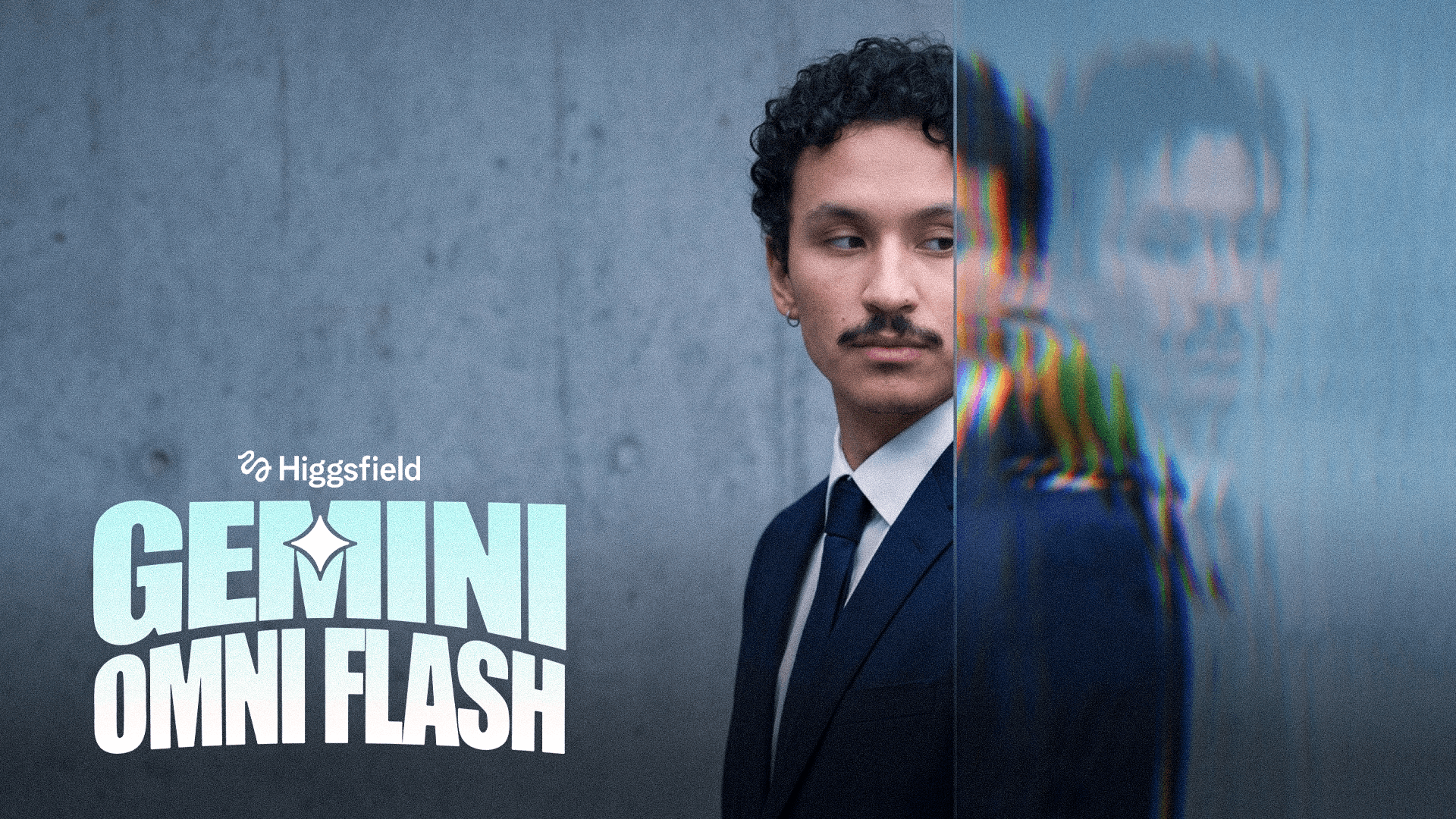
=== MONITOR SHOWS SMALL LOVEBIRD IMAGE FROM 0.5s ONWARD (STAYS, EMPTY OF THE BIRD AFTER IT LEAPS OUT) — TINY BIRD LEAPS OUT, PERCHES, THEN SHOOTS UP OUT OF FRAME AT 7.8–8.2s — V2V on <<<video_1>>> (~10s) === ⚠️ SOURCE LOCK: this is an added-creature event layered onto <<<video_1>>>, NOT a new generation. KEEP 1:1 the man's identity/face, his exact performance and hand movement, and the exact CAMERA (the pull-back move revealing his face) and EDIT/cuts, retimed to fit 10s. Do NOT re-frame/re-angle/re-cut. Do not alter the room, shelf, lamp, or mannequin figure in the background.LOCATION <<<video_1>>>: concrete-walled room; a monitor on a shelf unit, initially close-up then revealed as the camera pulls back; the man extends his open hand, palm up, toward the monitor, smiling at camera; camera continues pulling back to reveal his face and the shelf (wooden mannequin figure, warm lamp glow) in the soft-focus background. Locked geometry — only the monitor's screen content from 0.5s onward and the added bird change; everything else stays exactly as filmed in <<<video_1>>>.FORMAT/CUTS: 16:9, 30fps, ~10s total, one continuous shot, camera never cuts, matches <<<video_1>>>'s pull-back move, retimed to fit 10s.OPTICS: as in source plate — no change to focal length or the existing camera move.BIRD DESIGN (SMALL SCALE — CRITICAL): a lovebird — a genuinely tiny parrot species, roughly 13cm/5in from head to tail, body only about the size of the man's thumb-to-palm width, small enough that it occupies only a small fraction of his open palm, with room to spare around it. Vivid orange-red face and forehead blending into a yellow-orange throat, a rounded head, a short, strongly hooked bright red-orange beak, dark round eyes each ringed with a thin white eye-ring, a yellow-green nape blending into vivid grass-green plumage across the back, chest, and wings, a compact rounded body, short tail. 100% consistent with this small scale and design in every frame, on-screen and in 3D.SCREEN CONTENT (important sequence — no revert to original): 0–0.5s: the monitor shows exactly whatever is already on screen in the original source footage of <<<video_1>>> — unchanged, untouched. ~0.5s: the screen content switches to a static, beautifully lit photographic image of the small lovebird (as designed above) perched on the edge of a branch/surface, in sharp focus, medium/wider framing with the full small bird visible and clear margin around it, filling the monitor edge-to-edge at its correct aspect ratio. 0.5–3.3s: lovebird image holds fully static on screen (bird included), at this medium, small-scale framing. ~3.3s: the bird leaps out of the screen and into the room (see ACTION TIMING). The instant it leaves, the on-screen image updates to show that exact same photographed scene — same branch, same background, same lighting — but now WITHOUT the bird in it, as if the bird had simply stepped out of frame from that photo. This bird-less version of the image then remains on the monitor screen, static and unchanged, for the entire rest of the shot, all the way to the final frame. The screen does NOT revert to the original pre-0.5s source content at any point — that original content is gone for good once the parrot photo appears at 0.5s.ACTION TIMING (by seconds): 0–0.5s: plate begins exactly as filmed, monitor showing its original content, man's hand starting to extend toward the monitor. ~0.5s: screen content switches to the static, medium-framed small lovebird photo. 0.5–3.3s: lovebird image holds static (with bird) while the man's hand finishes extending toward the monitor exactly as in the plate. ~3.3s (sync to the man's hand being extended toward the screen): the tiny lovebird breaks the picture plane — real physical launch off the flat image at its true small scale, gaining volume and depth as it crosses into 3D space, a quick light leg-push at the moment of separation, wings snapping open and flaring hard once for balance and lift. In this same instant, the on-screen photo updates to its bird-less version (same branch/background, no bird) and holds that way, unchanged, for the rest of the shot. 3.3–4.0s: the small lovebird closes the short distance to the hand on a real, gravity-affected, quick darting arc and lands with a light but visible impact — tiny feet hit, flex, and grip a small portion of his fingers/palm, a slight subtle give in the hand, one or two quick wing-flaps to stabilize, small feathers puffing then resettling. 4.0–7.8s: the lovebird perches on a small area of his hand with continuous, real, fast micro-adjustments scaled to its tiny size — quick grip shifts, fast head-bob-and-lock movements, rapid blinking, quick tail-pumping, fast shallow breathing. Monitor in background shows the static bird-less photo throughout. ~7.8s (sync to the man's existing slight upward jerk/flick of his hand): the sudden hand motion instantly displaces the light bird — an instant startle-crouch, wings opening reflexively, immediately converting into an explosive but light-and-fast vertical launch straight upward off the hand. 7.8–8.2s (fast, ~0.4s): the small lovebird rockets straight up and out of frame at real high-speed escape velocity — rapid, high-frequency wingbeats, body angled steeply upward, motion-blur on the wingtips, exiting completely past the top edge of the frame within this short window; by 8.2s the bird is fully gone from view. 8.2–10s: no bird visible anywhere; the man's hand and performance continue exactly as in the plate to the end of the shot; monitor continues showing the same static bird-less photo (branch/background only) established at 3.3s, unchanged through the final frame.PHYSICS — HARD REALISM AT SMALL SCALE (mandatory, top priority): a small ~13cm bird has low mass and high wingbeat frequency — quick, light, darting movements rather than slower, heavier flaps; minimal hand displacement on landing/takeoff; fast, jerky micro-movements while perched; a fast, agile flight path. No floaty, slow-motion, or artificially smoothed movement anywhere.LIGHT-MATCH / INTEGRATION: while still near the screen, the lovebird picks up the monitor's glow on its underside; once on the hand and in the room, it's lit by the same practical lamp/ambient light as the man and the shelf, with a small, real soft contact shadow on his fingers; during the fast vertical exit it stays correctly lit by the room's practical sources.ANTI-SLOP: real feather texture, natural sheen, not glossy/plastic/CGI-clean; eyes alive with a wet catchlight, blinking fast, never a dead glass-bead stare; proportion lock — consistent, genuinely small lovebird proportions throughout, never scaling up; no flat 2D cutout look once in 3D space; reject any weightless/looped/uniformly-paced motion; reject a slow or gentle exit; reject the screen ever reverting back to its pre-0.5s original content — once changed at 0.5s, the screen only ever shows the lovebird photo (with, then without, the bird) for the rest of the clip; reject any flicker/transition back to the original logo/content.POSITIVE LOCKS: man's face, performance, and camera pull-back identical to <<<video_1>>> throughout; monitor shows its original content only during 0–0.5s; from 0.5s onward it shows the lovebird photo (bird present 0.5–3.3s, bird absent from 3.3s to the end) and never reverts to the pre-0.5s content; bird stays visibly small throughout; bird launches only at 3.3s; final takeoff happens at 7.8s and the bird is fully out of frame by 8.2s; no bird visible anywhere from 8.2s onward, only the static bird-less photo remains on screen.FORBIDDEN: changing the man's performance or the camera framing/move; the screen reverting to its original pre-0.5s content at any point after 0.5s; the photo being oversized/cropped or making the bird look large; the bird appearing in 3D before 3.3s or taking off before 7.8s; any floaty, slow-motion, or too-slow/heavy movement for its small size; a static/frozen bird with no blinking or balance-adjusting motion; the bird exiting sideways/downward instead of straight up; the bird still being visible anywhere after 8.2s; glossy/CGI-clean feathers; changing the bird's species/coloring/size away from the small lovebird design specified above; the on-screen background photo changing after 3.3s (it must stay static/bird-less through the end).~10s, 16:9 (match <<<video_1>>>, retimed). Diegetic SFX only: a soft screen-transition tick as the image switches at 0.5s, a light quick whoosh as the small bird launches off-screen at 3.3s, a soft light patter/flutter on landing, small quick foot-shifting sounds during the perch, a fast, high-pitched wingbeat whoosh rocketing upward and out of frame between 7.8–8.2s, then ambient room tone only for the rest of the shot. No music. No on-screen text.
2. Object Swap
Edit this video, source-locked. Keep EVERYTHING exactly as filmed — the man (black t-shirt, curly hair, mustache, real skin), his exact movement and performance, the room, the black cart/shelf, the "PUSH" door, the camera, framing, timing, lighting, grain and handheld jitter. Add only the object-swap below.SWAP AT THE RAISE-AND-STOP: at the exact moment the man raises the pink glass vase and his hand STOPS/holds it up, replace the pink vase with a small fluffy GINGER KITTEN held in that same hand — from that instant on there is no vase, only the kitten. His hand and fingers cradle the kitten naturally (gently supporting a small animal, not gripping a rigid vase). The kitten is alive and reactive: soft orange fur, fluffy tail, ears twitching, blinking, looking around, moving slightly with his hand. AS IT APPEARS, the kitten gives a short MEOW — mouth opening with the meow, in sync with the moment of the swap.CARRY: as he lowers his hand and carries it toward the cart, it stays a kitten in his hand the whole time.PLACE & STAY: when he sets the object down on the cart (where he would place the vase), he gently puts the KITTEN down onto that surface, and the kitten STAYS there — sitting on the cart, alive (looking around, tail moving) — and REMAINS sitting there after he stands back up and steps away. No pink vase anywhere after the swap; the kitten stays where he placed it through to the end.SCALE: the kitten is a small real kitten, roughly the size of the vase it replaced. Photoreal fur, correct weight and contact, real contact shadows on his hand and on the cart. Match scene lighting, white balance, grain, 4K sharpness and handheld jitter on every frame. Photorealistic, no flicker, no morphing of surroundings, no artifacts at the hand and cart contact points.
3. Material Swap
=== THE EXISTING CONCRETE PILLAR TURNS TO GLASS (SAME SINGLE OBJECT, NO DUPLICATE) — V2V on <<<video_1>>> (~10s) === ⚠️ SOURCE LOCK: this is a MATERIAL SWAP on ONE existing object in <<<video_1>>>, NOT a new generation and NOT an added object. KEEP 1:1 the subject's identity/face, his exact performance, movement, and timing, and the exact CAMERA (framing, angle, lens, any move) and EDIT/cuts. Do NOT re-frame/re-time/re-angle/re-cut. Do not alter the room, the shelf unit, the monitor, the plant, or the doorway.⚠️ CRITICAL — SINGLE OBJECT ONLY: there is exactly ONE pillar in this scene, in the near foreground, left of frame. Take that exact existing concrete pillar and change ONLY its surface material to clear transparent glass — same object, same position, same size, same shape, same silhouette, same footprint on the floor and ceiling. Do NOT add a second pillar, a duplicate column, or any new architectural object anywhere in the frame. Do NOT place a glass pillar next to or overlapping the original — there must be a total of ONE pillar visible in every frame, and it is the original one, now made of glass instead of concrete.LOCATION <<<video_1>>>: loft-style room with exposed concrete walls; the one foreground pillar; subject in a black t-shirt talks and gestures, at one point moving behind that same pillar (~2.8–4.5s) before continuing near a shelf unit with a monitor, lamp, and bonsai. Everything else in the room is unchanged concrete/normal material — only this one pillar's material changes.FORMAT/CUTS: 16:9, 30fps, ~10s, one continuous shot, camera never cuts, matches <<<video_1>>> exactly.OPTICS: as in source plate — no change to framing or focal length.MATERIAL CHANGE: from frame 1 to the last frame, the pillar's concrete texture is replaced by clear transparent glass — still one solid architectural column occupying the identical space the concrete one occupied, just see-through now. The subject is visible through it at all times, including 2.8–4.5s when he passes behind it.ACTION TIMING (by seconds): 0–2.8s: subject performs exactly as in the plate; the one pillar already reads as clear glass in its original position. 2.8–4.5s: subject moves behind the same glass pillar exactly as in the original performance/timing, remaining continuously visible through it — no blacked-out or hidden moment. 4.5–10s: subject continues to the shelf-unit position and finishes his performance exactly as in the plate; still only the one glass pillar in frame.PHYSICS / GLASS REALISM: real thick glass/acrylic behavior on this one column — faint edge highlight, slight refraction right at its edges, subtle reflection of room light, visible rim where it meets floor/ceiling so it still reads as one solid column, just transparent.LIGHT-MATCH / INTEGRATION: lit by the same practical room light as everything else, same color temperature/exposure/grade/grain as the plate; no added glow beyond natural glass properties.ANTI-SLOP / FORBIDDEN (strict): exactly one pillar total, in the original position — a second pillar, an extra column, a duplicated object, or any new architectural element appearing anywhere in the frame is a failed generation; the pillar must never look like two overlapping objects; it must never appear as an added prop beside the original wall; no flickering between one and two pillars across frames; no change to the subject's performance or the camera framing/cuts; no moment where the subject is hidden/occluded.~10s, 16:9 (match <<<video_1>>>). Diegetic SFX only: his voice and room tone continuous. No music. No on-screen text.
4. When Props Come to Life
=== SHELF FIGURE COMES ALIVE VS. ROOT-CREATURE PLANT — BRUTAL FIGHT, THEN BOTH RESET TO ORIGINAL POSE — V2V on <<<video_1>>> (~10s) === ⚠️ SOURCE LOCK: this is an added-animation event layered onto <<<video_1>>>, NOT a new generation. KEEP 1:1 the foreground man's identity/face, his exact performance/gesture/timing, and the exact CAMERA (the push-in/tilt move onto the shelf) and EDIT/cuts. Do NOT re-frame/re-time/re-angle/re-cut. Do not alter the room, the lamp, the books, the monitor, or any other prop — only the wooden mannequin figure and the potted plant animate.LOCATION <<<video_1>>>: concrete-walled room; foreground man gestures toward a dark shelf unit holding a jointed wooden artist's mannequin figure, a lit cylindrical lamp, books, and a small potted plant (bonsai-style, gnarled woody stem and root base visible above the soil, leafy canopy) in a dark bowl-shaped pot; camera slowly pushes in and tilts down toward the shelf, ending on a monitor showing a spiral logo. Locked geometry — only the mannequin figure and the plant are affected.FORMAT/CUTS: 16:9, 30fps, ~10s, one continuous shot, camera never cuts, matches <<<video_1>>>'s push-in/tilt exactly.OPTICS: as in source plate — no change to focal length or the existing camera move.ACTION TIMING (by seconds): 0–1.02s: man performs exactly as in the plate, pointing/gesturing toward the shelf; mannequin and plant sit motionless in their original poses. ~1.02s (sync to the man's existing pointing gesture): both objects on the shelf jolt to life simultaneously — the wooden mannequin's jointed limbs snap into a fighting stance with small stop-motion-style pivots at each wooden joint; the plant's root base tears free of the soil, its thick gnarled roots reshaping into two sturdy root-legs and thinner root-tendrils as arms, its woody stem twisting upright into a torso, its knotted root-base forming a crude face-like knot with a natural mouth-like split — no screaming, just an aggressive hiss/rustle — soil crumbling and scattering off it as it rises. 1.02–3.5s: the two creatures square off and clash — the mannequin throws quick, snappy wooden-limbed jabs (each strike accompanied by an audible wood-on-wood clack at the joints), the root-creature retaliates with whipping tendril-arm strikes and root-leg kicks, leaves rustling and a few small leaves shaking loose with each impact, dirt and soil crumbs scattering across the shelf. 3.5–6s: the fight intensifies — the mannequin gets grabbed and yanked off-balance by a root-tendril wrapping its wrist, it counters by wedging a wooden foot against the pot's rim for leverage and wrenching free; both grapple and shove, rocking the lamp and books slightly with the impact but not knocking them over. 6–8.5s: a final exchange — the mannequin lands a hard two-armed shove that topples the root-creature backward into its pot, dirt scattering, while the mannequin staggers back a step, both battered and slowing down. ~8.5–9.3s: as the fight winds down, both combatants' motions slow and stiffen, and they settle back — the root-creature's limbs retract and reshape back into its original still root/stem form, resettling into its pot with the soil resettling around its base; the mannequin's joints pivot back into its exact original standing pose. 9.3–10s: both objects are completely static again in their exact original positions/poses, exactly as they appeared at 0s, camera arriving on the monitor with the spiral logo per the plate's ending.PHYSICS (real-world accurate): the mannequin moves like a real jointed wooden artist's figure — rigid limb segments pivoting only at their actual joint points, light dry wood-clack sounds on impact, no bending mid-limb; the plant-creature moves with real organic plant mechanics — fibrous, slightly springy root-tendrils, soil and dirt crumbling and falling realistically with each sudden movement, leaves swaying and occasionally tearing free from real inertia, root-legs planting and gripping the shelf surface for leverage rather than floating; both have real weight — the shelf/lamp/books show tiny sy
5. Lighting FX
=== SNAP → HORROR FLICKER → BACK TO NORMAL (garage) — V2V on <<<video_1>>> (gemini_part2) (~8s, match source) ===⚠️ SOURCE LOCK: build on <<<video_1>>> — keep the REAL plate: Adil's identity/face, his exact gestures/performance/timing, the underground parking garage (pillars, cars, "226" markings), the handheld CAMERA move and framing 1:1. Do NOT change his motion, camera or timing. Only the LIGHTING behavior changes (relight), driven by his snap.LOOK — PHOTOREAL CINEMA, HARD ANTI-SLOP: a real photographed film frame, real practical lighting, real shadows and grain, cinematic horror mood. NOT a render/videogame/cartoon/plastic/over-saturated look.⚡ THE SNAP → HORROR FLICKER (the key event), then RESOLVE:On the EXACT frame of his hand SNAP, the whole garage's lighting bursts into a HORROR-movie flicker/strobe: the fluorescent ceiling lights STUTTER, strobe, buzz, dim and surge, some blow out and re-ignite, with beats of near-total darkness and sudden bright flares.AT THE SAME TIME the CARS' HEADLIGHTS and taillights FLICKER and PULSE on and off in sync — beams sweeping hard shadows across the pillars.CRITICAL — HIS SIDE FLICKERS TOO: the light ON ADIL himself strobes hard — his face and body plunge into darkness and flare back with each pulse, hard jumping shadows raking across him (he is NOT kept evenly lit while only the background flickers — the strobe hits the foreground and him directly).Escalating, rhythmic, dramatic performance with blackouts and flares.THEN IT RETURNS TO NORMAL: near the end the flicker settles and the lighting RESTORES to the original steady garage look from the start of the plate — clean, calm, as if nothing happened.INTEGRATION (top priority): all real practical light behavior — true fluorescent flicker (warm-up stutter, buzz, blackout, surge), real headlight beams and flare, real hard moving shadows on Adil, the cars and pillars, everything lit ONLY by these flickering sources during blackouts, then a smooth return to the original exposure/white balance. Never pasted, never a flat fake overlay — real light in a real space.TIMING (~8s): 0s→snap: normal light; on the snap the flicker erupts (garage + headlights + on him); ~mid: peak horror strobe with blackouts/flares hitting him; final ~1.5s: settles back to the original steady lighting.FORBIDDEN: changing his movement/face or the camera/framing/timing; keeping him evenly lit while only the background flickers; the light NOT returning to normal at the end; cartoon/CG/over-saturated look; fake flat strobe overlays; readable car brand badges/logos; on-screen text/watermark.~8s. Match <<<video_1>>> aspect/resolution (16:9). Diegetic SFX only: garage room tone; a crisp finger SNAP; electrical buzz and crackle, fluorescent tubes stuttering and popping, a deep ominous low hum under the blackouts, headlight relay clicks; then quiet steady room tone as the light restores. No music. No on-screen text.
6. Mini city on the desk
=== MINI CITY ON THE DESK — SUBJECT, CAMERA & TIMING LOCKED — REALISTIC MODERN NEW YORK, DAYTIME (NO SKY), FILLS WHOLE DESK + HELICOPTER — V2V on @Video 1 (Omni_2) === 🔒🔒 ABSOLUTE SUBJECT, CAMERA & TIMING LOCK — READ FIRST (overrides everything): This is NOT a new generation and NOT a re-performance. Take the SOURCE video and change ONLY the rectangular DESKTOP area.THE MAN is COPIED FROM THE SOURCE, pixel-for-pixel, frame-for-frame — his face, body, posture, arms, hands, fingers, head turns, mouth and expression IDENTICAL to the source at every single frame. Do NOT redraw, re-render, re-pose, re-animate, re-drive, interpolate or "improve" him in any way.THE CAMERA is the source camera exactly — same framing, lens, and the same crane/tilt move, same speed and timing. Do NOT re-frame, push in, stabilize, add or change any camera motion.TIMING: output MUST have the EXACT same length, frame count and fps as the source (~6.93s). Do NOT extend, trim, slow, speed up, retime or reinterpolate. If his motion or the camera does not line up frame-for-frame with the source, it is WRONG.Only pixels ON THE DESK SURFACE may differ from the source. Everything above/around the desk = source, untouched. ⚠️ WHY THE CITY MUST STAY TINY: the city is a small tabletop MODEL that sits low on the desk only. It must NEVER grow up into the frame, never add a sky/clouds/horizon/water beyond the desk, never cover the man or replace the room. Keeping it a tiny desktop model is what keeps the man and camera locked to the source. DESK AS-IS AT FIRST: keep the desk exactly as in the source with ALL its objects — the black pen organizer, sticky notes, green cutting mat, tan notebook, triangle ruler and pencils, the "Le Corbusier" book and the water bottle — untouched, in place. PROPS SLIDE OFF (as he opens his hands over the desk, driven by his existing source motion): ALL the desk objects SLIDE across the tabletop and over the front/near edge, dropping out of frame — like a cutting mat sliding off the edge. Smooth, quick, one flowing motion — NOT a bounce/fade/melt. Then the tabletop is BARE. CITY APPEARS WITH A BOUNCE (on the bare desk): the miniature ASSEMBLES like a building-block / constructor set — segments and street tiles fly in and snap together, each BUILDING popping up with a quick BOUNCE (springs up, overshoots, settles), fast and snappy — NOT a smooth scale-up, NOT a fade. THE CITY — REALISTIC MODERN NEW YORK, DAYTIME: a photoreal miniature of REAL-LIFE modern NYC / Manhattan in bright DAYTIME — iconic towers (Empire State, One World Trade Center, Chrysler, glass supertalls, dense Midtown/Downtown), sunlit glass facades, avenues in a grid, yellow cabs and traffic streaming, a small harbor edge with tiny bridges. Photoreal, a DESKTOP MODEL with NO background sky. Only the mini city has this daytime grade; the room keeps its own warm lighting. COVERAGE — FILLS THE ENTIRE DESK: the dense city COVERS THE WHOLE DESK SURFACE, edge to edge and corner to corner — no bare wood, no gaps, no empty margins — reaching every edge of the desk but NOT spilling beyond it into the room. HAZE — LIGHT: only a faint soft haze in the far blocks for a touch of aerial depth; city stays crisp; not foggy. Haze stays low within the model, never a sky/background layer. REALISTIC HELICOPTER: one small but PHOTOREAL, fully 3D VOLUMETRIC helicopter flies slowly RIGHT-TO-LEFT, low over the rooftops, banking gently — spinning main + tail rotor (motion-blurred), glass cockpit, skids, real volume/weight, casting a moving shadow over the buildings. Stays low within the room space just above the tiny skyline (NOT in an added sky). Tiny in scale. A HELICOPTER — not a plane/UFO/airship. STATUE OF LIBERTY: on her little island at the harbor edge of the model — correct green-copper statue on her star pedestal, recognizable, tiny, on the desk (not against a sky).
7. Floor collapses
=== DOOR OPENS → FLOOR COLLAPSES INTO EARTH/BASEMENT (realism) — V2V on <<<video_1>>> (gemini_part1) (~6.6s, match source) ===⚠️ SOURCE LOCK: build on <<<video_1>>> — keep the REAL plate: Adil's identity/face, his exact movement/performance (his early forward move, walking to the door, pushing it open, presenting), the handheld CAMERA move/framing and the timing 1:1. Do NOT change his motion, camera or timing. Only ADD the floor collapse and the real pit it forms.LOOK — PHOTOREAL DOCUMENTARY REALISM, HARD ANTI-SLOP: a real photographed film frame, warm corridor light, real shadows, depth and grain. NOT a render/videogame/cartoon/plastic/over-saturated look. Everything grounded and believable.⚡ THE EVENT — DOOR OPENS, FLOOR COLLAPSES (the key beat): at the exact moment he PUSHES THE DOOR OPEN, the corridor FLOOR caves in — cracks race across, then chunks of the floor break apart and DROP AWAY, forming a big gaping PIT. Real structural collapse: slabs tilting and falling, sub-floor and rebar exposed, a burst of dust and debris tumbling down. Triggered by and synced to the door opening.⚡ LOCATION MATCH (top priority): the collapsing floor is the REAL corridor floor from <<<video_1>>> — same material, texture, color, pattern and thickness; the broken edges and pit walls reveal a believable cross-section: surface floor → concrete sub-floor → then real DIRT / CLAY / packed EARTH. Correct corridor perspective/vanishing point, edges aligned to the floor plane, real occlusion. Reads as THIS floor genuinely collapsing. Match exposure, white balance, grain, lens, light direction 1:1.⚡ WHAT'S BELOW — REAL EARTH & BASEMENT (realism, no lava/glow): the pit drops into a real, dim underground space — exposed damp clay and earth walls, a dark BASEMENT / cellar below with a concrete foundation, old pipes, rebar, rubble, dirt and cobwebs, dust hanging in the air. Natural darkness with only faint corridor light spilling down from above; cold, deep, believable. NO red glow, NO lava, NO fire, NO magic — just a real deep hole into the ground/basement.⚡ DANGER (grounded): the collapse feels real and dangerous — falling slabs and clumps of earth tumble down into the dark, dust billows up, the edge crumbles; a real, deep, could-break-your-legs drop. Tension and weight, documentary-real, not spectacle.INTEGRATION (top priority): the collapse and pit are lit only by the real corridor light from above, falling off into natural darkness below; real depth/perspective; real contact shadows; real dust. Never pasted, never flat.PHYSICS: preserve his motion 1:1; the floor collapses with real structural mass — slabs tip, crack and fall with gravity, dirt and debris tumble and bounce, dust rises and settles naturally.FORBIDDEN: any lava/red glow/fire/magic (fully realistic earth & basement only); creatures/bats (NONE); the collapse not matching the real floor (no generic/pasted hole, wrong material or perspective); changing his movement/face or the camera/framing/timing; a shallow/flat hole; cartoon/CG look or floaty debris; over-saturated look; plastic skin; on-screen text/logos.~6.6s. Match <<<video_1>>> aspect/resolution (16:9). Diegetic SFX only: warm room tone; the door pushing open; a deep CRACK and rumble as the floor caves in, concrete slabs breaking and tumbling, clumps of earth and debris falling into the dark, dust settling; a hollow echo from the basement below. No music. No on-screen text.
A Few Tips Before You Start
- Be specific about what stays the same.
- Omni Flash works best when you explicitly lock down everything you don't want changed - the character's face, the camera move, the timing.
- Iterate fast.
- Since generations are quick and cheap, don't aim for a perfect prompt on the first try - run a few variations and refine based on what comes back.
- No need to write prompts from scratch.
- Just tell Claude what you want to change, drop in your footage, and go.