Higgsfield
  • Explore
  • Image
  • Video
  • Audio
  • SupercomputerNew
  • MCP & CLINew
  • Cinema Studio
  • Marketing Studio
  • Shorts StudioNew
  • ExplainerNew
  • Originals
  • Canvas
  • AI Influencer
  • Apps

THE ULTIMATE AI-POWERED CAMERA CONTROL FOR FILMMAKERS & CREATORS

Higgsfield AI

  • About
  • Trust
  • Careers
  • Contact
  • Pricing
  • Apps
  • Supercomputer
  • Cinema Studio
  • Marketing Studio
  • Higgsfield Canvas
  • Higgsfield Collab
  • Higgsfield MCP
  • Higgsfield Games
  • AI Influencer
  • Community
  • Enterprise
  • Team
  • Copilot
  • Reference Extension
  • Blog
  • Contests
  • Discord

Image

  • AI Image
  • Soul ID Character
  • Draw to Edit
  • Fashion Factory
  • Edit Image
  • Image Upscale
  • Photodump Studio
  • Higgsfield Popcorn
  • Nano Banana
  • Prompt Guide
  • Flux 2
  • Seedream 5
  • GPT Image 2
  • Inpaint
  • Soul 2.0
  • Soul Cinema
  • Soul Cast

Video

  • AI Video
  • Mixed media
  • Sora 2 Introduction
  • Veo 3.1 Introduction
  • Create Video
  • Lipsync Studio
  • Talking Avatar
  • Draw to Video
  • UGC Factory
  • Video Upscale
  • Kling 3.0
  • WAN 2.6
  • Seedance 2.0
  • Grok Imagine 1.5
  • Gemini Omni Flash

Edit

  • Banana Placement
  • Product Placement
  • Edit Image
  • Multi Reference
  • Upscale
  • Sora 2 Upscale
  • About
  • Trust
  • Careers
  • Contact
  • Pricing
  • Apps
  • Supercomputer
  • Cinema Studio
  • Marketing Studio
  • Higgsfield Canvas
  • Higgsfield Collab
  • Higgsfield MCP
  • Higgsfield Games
  • AI Influencer
  • Community
  • Enterprise
  • Team
  • Copilot
  • Reference Extension
  • Blog
  • Contests
  • Discord
  • X / Twitter
  • Youtube
  • Instagram
  • LinkedIn
  • Tiktok

535 Mission St, 14th floor, San Francisco, CA, 94105

  • X / Twitter
  • Youtube
  • Instagram
  • LinkedIn
  • Tiktok

© 2026 Higgsfield AI™. All rights reserved.

  • Press
  • Privacy
  • Terms
  • Cookie Notice
  1. Blog
  2. /
  3. How To Guides
  4. /
  5. Higgsfield Apps Guide

Introducing Higgsfield Apps: Your Way to AI-Powered Apps with No Code

Higgsfield

·

Jul 9, 2026

·

9 min

Introducing Higgsfield Apps: Your Way to AI-Powered Apps with No Code

Building apps from scratch has always meant writing code, managing a stack, and wiring in AI models through API keys and integration layers. Higgsfield AI just shipped something that skips all of that. Apps, a new product inside Supercomputer, lets you describe what you want in chat and get a working generative application back: design, code, database, and Higgsfield models connected automatically. Users generate on their own credits, so the creator pays nothing when others use it.


What Are Higgsfield Apps?

Higgsfield Apps is a new product inside Supercomputer, the builder platform that also includes Websites and Games.

The core idea is straightforward: you describe an app in plain language, an agent plans and builds it, design, code, database, and generative model integration included, and you publish it to a live URL. Users who open the app sign in with their own Higgsfield account and generate on their own credits, so the creator's cost is zero no matter how many people use it.

What makes Apps different from other no-code builders is the generative-by-default architecture. The agent connects to Higgsfield's 15+ generation models, image, video, 3D, automatically. An AI photobooth, an anime filter, a music video generator, an ad factory: any app where the core experience is AI-generated output gets built without writing a single line of integration code. The agent wires the models in on its own.

There are four app types: Custom, Simple App, Studio, and Preset App. Four style options: Custom, Higgsfield, Y2K, and Modern. Two generation modes: Efficient for faster builds, Smart for more complex logic.


Settings at a Glance

Settings at a Glance

Setting

Options

App Type

Custom, Simple App, Studio, Preset App

Style

Custom, Higgsfield, Y2K, Modern

Mode

Efficient, Smart

Models

15+ generation models

URL

name.higgsfield.app

Build limit

Up to 20 apps per day


How to Build Your First App: Step by Step

Step 1. Open Supercomputer and go to Products.

Navigate to higgsfield.ai/supercomputer/apps. You will see the Apps section under Products in the left sidebar, alongside Websites and Games.

Step 2. Start a new chat and describe your app.

Type what you want to build in plain language in the chat field. One sentence is enough to get started. Example: "Build an AI ad generator where users upload a product photo and get 20 different ad styles." The agent reads the description and starts planning.

Step 3. Choose your app type, style, and mode.

Select from Custom, Simple App, Studio, or Preset App depending on your structure. Pick a style: Custom, Higgsfield, Y2K, or Modern. Choose Efficient mode for a faster lighter build or Smart mode for more complex logic and deeper reasoning.

Step 4. Answer the agent's follow-up questions.

The agent asks about specific details: who the app is for, what inputs users need to provide, which generation models should power it, what the output format should be. Answer in chat. The agent fills in the rest.

Step 5. Watch the build come together.

The agent handles design, code, database, sign-in, and generative model integration simultaneously. You do not touch the stack. Every change the agent makes is readable in the chat.

Step 6. Ask for changes in the same chat.

"Make it dark." "Add a gallery view." "Change the button copy to Generate." The agent updates the app and returns a fresh preview link in minutes.

Step 7. Publish.

Hit Publish. Before the app goes live, an LLM runs an automated check for malicious intent, NSFW content, and IP issues. If it passes, SEO optimization and a security check run automatically. The app's cover image, icon, and description are generated automatically, all editable before the final publish. You can also publish directly through the agent in chat. The app goes live at name.higgsfield.app.
Your browser does not support the video.

Explore 500+ Apps in the Apps Contest Section

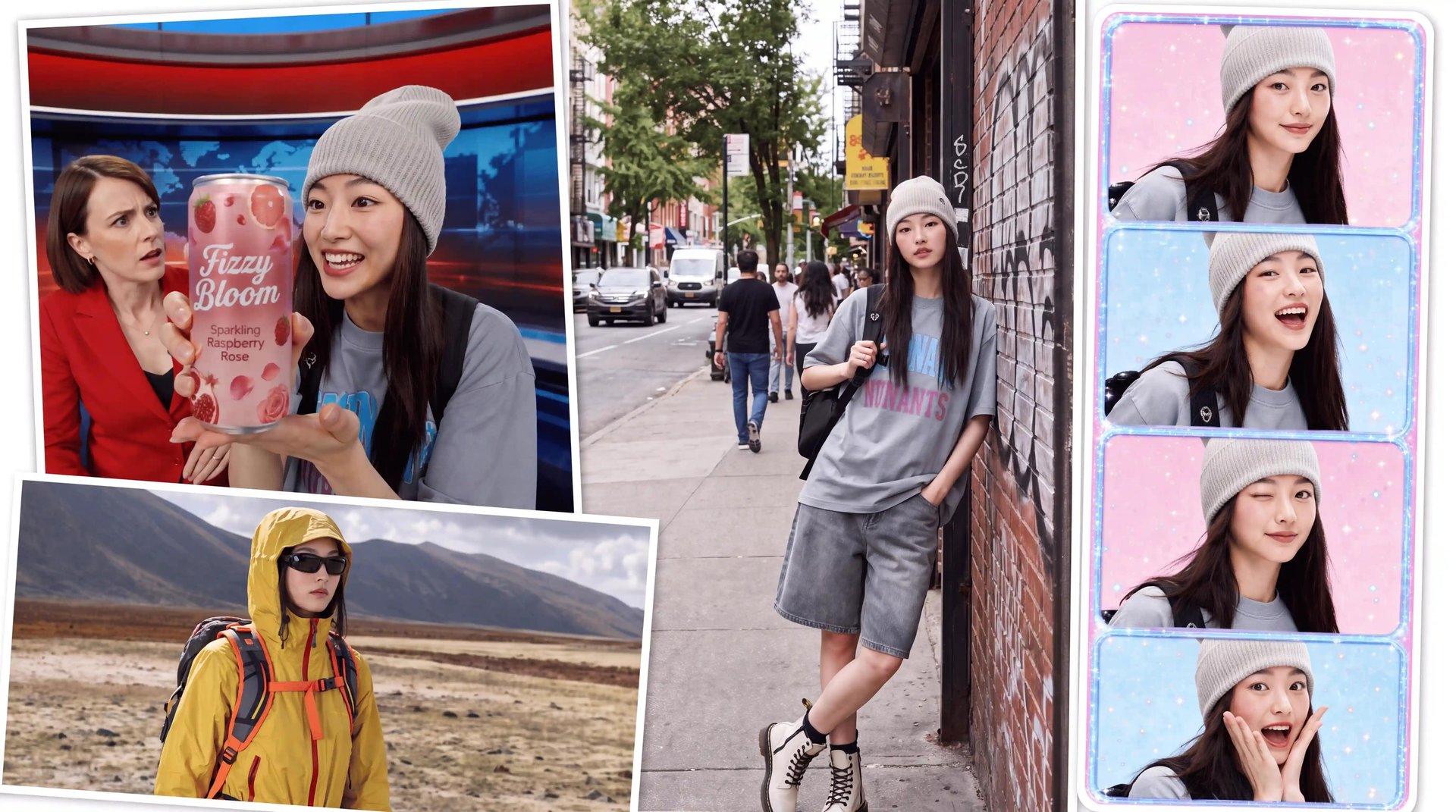
All apps built by the Higgsfield team and the community are available to browse in the Apps Contest section at higgsfield.ai/supercomputer/apps. There are already 500+ apps to explore and use. Each one runs on Higgsfield's generation models, so you are generating real photos, videos, and 3D content, not previews.

Many apps require no prompting at all. Take FaceSplainer: upload your face once, type a topic, and get back a documentary short where you host on camera.

Your browser does not support the video.

Or try Plushies: upload your photo, hit generate, and get back a plushie-style image or video of yourself in two clicks. For $1 you can generate 20 photos or two videos.

There are also apps for outfit swapping with AI Stylist, skin tone enhancement, color correction, motion graphics, music video generation, and much more. Browse by All Apps, Community, or Made by Higgsfield tabs to find what fits your use case. Generation costs vary depending on the complexity of the output and the settings each app uses.


The App Contest: $100,000 Prize Pool

Higgsfield is currently running an App Contest with a $100,000 prize pool to celebrate the launch. It is open now and runs until July 21. First place takes $25,000, second $15,000, third $10,000, and ten honorable mentions get $5,000 each. Build any generative app using Higgsfield's own models, publish it, post it with #HiggsfieldApp, and you are in. Winners are announced July 28.

Free to enter. Prizes & Terms


What Happens After You Publish

Publishing is not the end of the workflow. A few things happen automatically.

The app runs itself. App users sign in with their own Higgsfield accounts and generate on their own credits. A thousand users cost the creator zero. The creator builds and publishes. Users bring their own credits.

It lives on the marketplace. Published apps appear in the community Explore feed under All Apps, Community, and Made by Higgsfield tabs. Other users find the app, use it, and remix it. You submit to the marketplace directly from the Apps page with the Submit an App button.

My Apps section. A dedicated section shows all your apps with hover-to-edit controls, clear visibility into what is published and what is not, like/dislike, report options, and Credit Spend tracking per app.

Build limits. Builds spend regular credits covering text and any image or video generations the app includes. Up to 20 apps per day.


What Higgsfield Apps Opens Up

Most no-code tools give you a template and a drag-and-drop interface. App Builder gives you a conversation. Describe what you want, and the agent builds it: the frontend, the backend, the database, the sign-in, and the generative models, all wired together and deployed to a live URL. Users generate on their own credits, so the creator never pays for usage.

The 500+ apps already on the marketplace show what this looks like in practice.

If you want to build something and compete for the $100,000 prize pool at the same time, the window is open until July 21. Build a generative app using Higgsfield's own models, publish it, post it with #HiggsfieldApp, and submit it at higgsfield.ai/supercomputer/apps.

Introducing Higgsfield Apps: Your Way to AI-Powered Apps with No Code

Build Your First App

Got any questions left?

A new product inside Supercomputer that lets you build and publish full generative applications from a chat description. Design, code, database, and Higgsfield's generation models are all wired in automatically by the agent.
No. The agent handles everything. You describe what you want, answer follow-up questions, and review the result.
Yes. The agent connects to 15+ Higgsfield generation models, image, video, and 3D, automatically. No API keys or integration code required.
App users sign in with their own Higgsfield accounts and generate on their own credits. Usage costs the creator nothing.
Custom, Simple App, Studio, and Preset App. Each gives the agent a different structural foundation depending on your app's purpose.
Custom, Higgsfield, Y2K, and Modern.
Yes. You can build apps directly from Claude or Cursor via Higgsfield MCP.
A contest with a $100,000 prize pool running until July 21. Build a generative app usinHiggsfield's own models, publish it, post with #HiggsfieldApp, and submit at higgsfield.ai/supercomputer/apps.

by Higgsfield

Share article

Discover more

post preview

How to Make YouTube Shorts with AI in 2026 (Using Higgsfield Shorts Studio)

post preview

How to Build an AI-Powered TikTok Content Pipeline in 2026 (Step by Step)

post preview

How to Use Gemini Omni Flash for Multi-Shot AI Video Production