Faceless Studio is Higgsfield's guided workspace for animated faceless YouTube videos up to 5 minutes. Describe a channel, pick a style and a narrator, and a finished episode comes back with script, narration, animation, music, and subtitles. It is part of Higgsfield's AI-native creative suite. Channels save their style, voice, and characters, so new episodes match the old.
What Is Faceless Studio?
Faceless Studio started as a skill inside Supercomputer and is now a standalone tool on Higgsfield. It is how Higgsfield handles faceless YouTube production: work that usually splits across a scriptwriter, a voice tool, an animator, and an editor runs as one guided flow in three steps: select a script, select a video style, select a narrator voice.
Feature | Details |
|---|---|
Episode length | 1 to 5 minutes |
Formats | 16:9 horizontal, 9:16 vertical |
Visual styles | 12 presets |
Animation modes | Fully animated (seamless motion), Frame by Frame (scene by scene) |
Output | AI script, narration, 2D/3D animation, music, subtitles in one file |
Price | 246 credits per 1 minute |
Channel storage | My Channels tab; style, voice, and characters saved per channel |
What Kind of Channels You Can Create
Faceless Studio organizes channels into four categories: Education, History, Kids, and Storytelling. The category shapes the channel's pacing and narration and is saved on the channel page along with the style and voice.
- Education: explainers, how-something-works breakdowns, and fact-driven formats.
- History: narrator-driven documentaries and event retellings, from single episodes to series built around one era.
- Kids: colorful visuals, slower speech, and direct address to the viewer.
- Storytelling: myths, legends, original stories, and continuing series.
The same topic can live in different categories. A channel about ancient Greece works as a History documentary series, a Kids introduction to mythology, or a Storytelling retelling of the myths themselves. The category changes the episode's tone and structure.
From there, creating the first episode takes three steps: set up the channel and topic, choose a visual style, then select a narrator and generate.
Step 1: Create a Channel and Select a Script
Open Faceless Studio and describe your channel in one line. A short prompt is enough, something like "channel for ancient myths" or "POV: 17th Century Factory Worker". Faceless Studio names the channel and generates four episode topics with full titles, each written to fit the channel's theme. A Generate new button refreshes the list if none of them land, and you can always type your own topic in the field above.
Topic ideas also come from outside your own channel. The Faceless Studio main page includes a Hot Right Now feed of faceless formats currently gaining views on YouTube, useful when you are deciding what kind of channel to start or what the next episode should cover.
Two optional attachments sit under the topic field. Reference takes a link to an existing YouTube video. Upload script takes a ready script as a file, so a writer who already has the words can skip straight to production.
The selected topic card also holds the episode parameters: aspect ratio, 16:9 for standard YouTube or 9:16 for vertical, length from 1 to 5 minutes, and animation style. Fully animated produces seamless motion video, Frame by Frame builds the episode scene by scene.
Step 2: Select a Video Style
The style you pick here becomes the visual identity of the whole channel, not just one video. Faceless Studio currently offers 12 presets in a single grid: Editorial Motion Graphics, Stickman Cartoon, Fairy Tale & Myth, Paper Diorama, Hand Drawn, Mannequin, Poster Vector, Colorful 3D, Watercolor Chronicle, Paper Collage, Studio 3D, and Pastel Flat 2D.
Each preset carries its own pacing and mood, so pick the one that matches how the channel should feel across dozens of episodes.
Style | Best for |
|---|---|
Editorial Motion Graphics | News breakdowns, analysis, current events |
Stickman Cartoon | Light explainers, humor, quick concepts |
Fairy Tale & Myth | Legends, folklore, fantasy storytelling |
Paper Diorama | Historical scenes, layered visual storytelling |
Hand Drawn | Sketch-style explainers, personal narratives |
Mannequin | Minimalist scenes, conceptual topics |
Poster Vector | Facts, science, and geography for younger viewers |
Colorful 3D | Kids content, playful tutorials |
Watercolor Chronicle | Quiet historical and biographical storytelling |
Paper Collage | Mood-driven stories, editorial topics |
Studio 3D | Bright kids shows, character-led episodes |
Pastel Flat 2D | Calm educational and kids content |
Step 3: Select a Narrator Voice and Generate
The final step is the narrator. Faceless Studio opens a library of voices, each with an audio preview, so you can hear the delivery before committing. The voice you choose here becomes the channel's voice going forward.
The Generate button at the bottom shows the exact price in credits before you start, so the cost of the episode is visible up front. Generation takes longer than a single clip, which is expected: the studio is producing a full multi-minute episode with script, narration, animation, music, and subtitles in one run. The result is a complete episode: AI-written script, narration in the selected voice, 2D or 3D animation in the selected style, music, and subtitles, all assembled into one video.
How Episodes Stay Consistent
Consistency is the core of Faceless Studio. The style, narrator voice, and characters from your first episode are saved inside the channel, and every new episode generated from that channel uses the same set. Episode two looks and sounds like episode one without any settings to re-enter.
Consistency applies to the look and voice, not the content itself. Episodes still need original scripts and meaningful educational or entertainment value, with enough variation that the channel does not read as mass-produced.
Each channel has its own page showing the saved style, narrator, category, and all generated episodes, with a Create new episode button for the next one. All channels are collected in the My Channels tab on the Faceless Studio main page, so separate projects, a history channel and a kids channel, for example, keep separate identities.
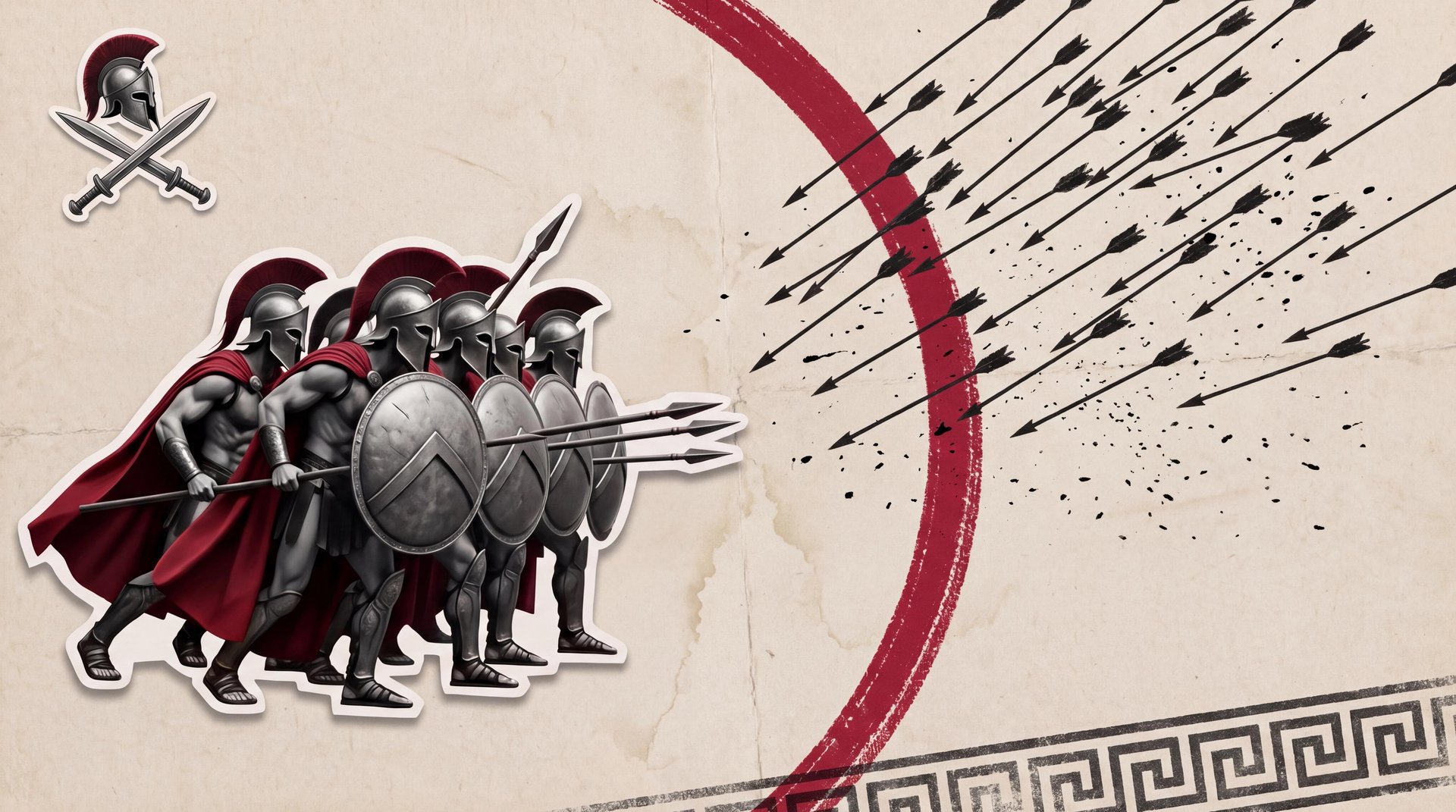
he demo below shows two episodes from one channel about the Battle of Thermopylae, generated in the same paper-collage style with the same narrator. The first runs 1 minute, the second 2 minutes: the length changes, the look and voice do not.