Higgsfield
  • Explore
  • Image
  • Video
  • Audio
  • SupercomputerNew
  • MCP & CLINew
  • Cinema Studio
  • Marketing Studio
  • Shorts StudioNew
  • ExplainerNew
  • Originals
  • Canvas
  • AI Influencer
  • Apps

THE ULTIMATE AI-POWERED CAMERA CONTROL FOR FILMMAKERS & CREATORS

Higgsfield AI

  • About
  • Trust
  • Careers
  • Contact
  • Pricing
  • Apps
  • Supercomputer
  • Cinema Studio
  • Marketing Studio
  • Higgsfield Canvas
  • Higgsfield Collab
  • Higgsfield MCP
  • Higgsfield Games
  • AI Influencer
  • Community
  • Enterprise
  • Team
  • Copilot
  • Reference Extension
  • Blog
  • Contests
  • Discord

Image

  • AI Image
  • Soul ID Character
  • Draw to Edit
  • Fashion Factory
  • Edit Image
  • Image Upscale
  • Photodump Studio
  • Higgsfield Popcorn
  • Nano Banana
  • Prompt Guide
  • Flux 2
  • Seedream 5
  • GPT Image 2
  • Inpaint
  • Soul 2.0
  • Soul Cinema
  • Soul Cast

Video

  • AI Video
  • Mixed media
  • Sora 2 Introduction
  • Veo 3.1 Introduction
  • Create Video
  • Lipsync Studio
  • Talking Avatar
  • Draw to Video
  • UGC Factory
  • Video Upscale
  • Kling 3.0
  • WAN 2.6
  • Seedance 2.0
  • Grok Imagine 1.5
  • Gemini Omni Flash

Edit

  • Banana Placement
  • Product Placement
  • Edit Image
  • Multi Reference
  • Upscale
  • Sora 2 Upscale
  • About
  • Trust
  • Careers
  • Contact
  • Pricing
  • Apps
  • Supercomputer
  • Cinema Studio
  • Marketing Studio
  • Higgsfield Canvas
  • Higgsfield Collab
  • Higgsfield MCP
  • Higgsfield Games
  • AI Influencer
  • Community
  • Enterprise
  • Team
  • Copilot
  • Reference Extension
  • Blog
  • Contests
  • Discord
  • X / Twitter
  • Youtube
  • Instagram
  • LinkedIn
  • Tiktok

535 Mission St, 14th floor, San Francisco, CA, 94105

  • X / Twitter
  • Youtube
  • Instagram
  • LinkedIn
  • Tiktok

© 2026 Higgsfield AI™. All rights reserved.

  • Press
  • Privacy
  • Terms
  • Cookie Notice
  1. Blog
  2. /
  3. Fresh Release
  4. /
  5. The Complete Guide to Viral Higgsfield Apps

The Complete Guide to Viral Higgsfield Apps

Mariam Barova

Mariam Barova

·

Nov 21, 2025

·

14 minutes

The Complete Guide to Viral Higgsfield Apps

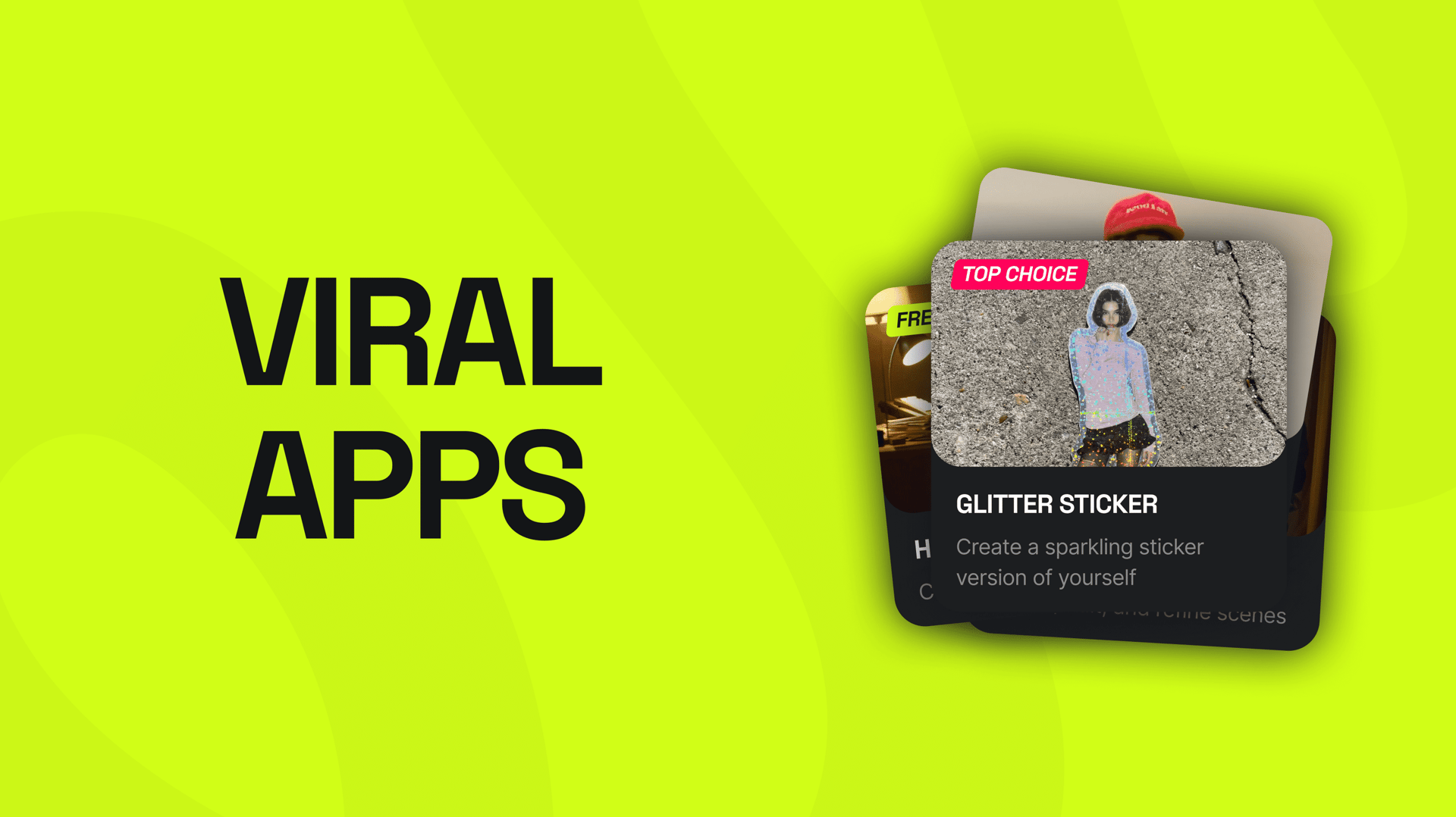
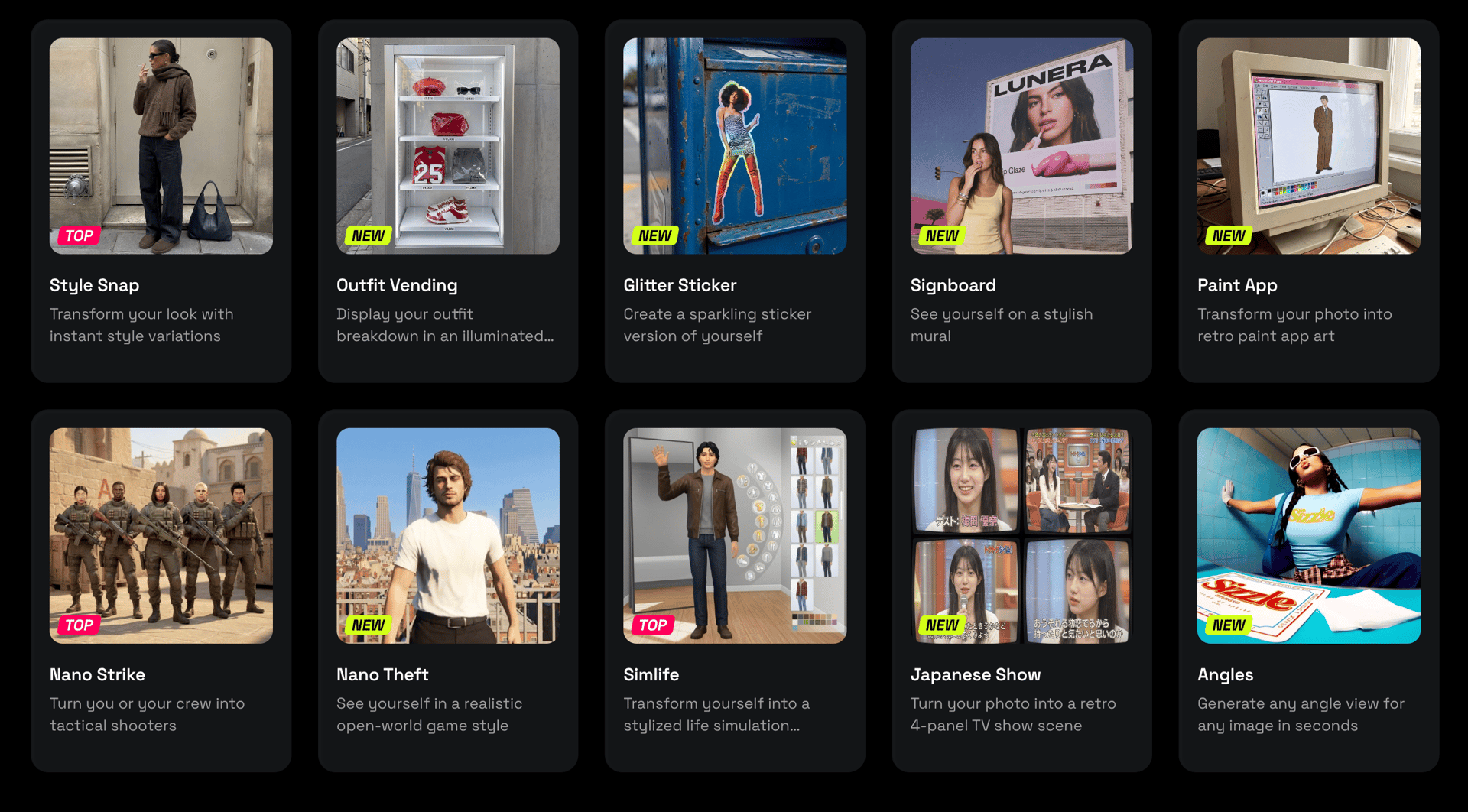
The latest wave of Higgsfield Apps pushes the viral category much further. Instead of simple filters or image models, these apps behave like self-contained creative engines - quickly transforming a single photo into video game characters, anime personalities, cinematic stickers, virtual outfits, or even billboard ads in seconds.

In this guide, we break down the full ecosystem of Higgsfield’s newest viral apps, explain how each one works, show ideal use cases, and help creators understand how to integrate these tools into fast, modern workflows. This guide covers:

  • Style Snap

  • Outfit Vending

  • Glitter Sticker

  • Signboard

  • Paint App

  • Nano Strike

  • Nano Theft

  • Simlife

  • Japanese Show

Each app serves a different creative purpose - fashion visualization, character creation, gaming aesthetics, promotional visuals, or viral content - but all are built around the same idea: upload one photo, instantly generate a world around yourself.
nano banana pro
nano banana pro

Why These Apps Are Viral

In Higgsfield’s ecosystem each app is a turnkey format. You don’t need to prompt, set up lighting, or configure styles. You only upload your photo, choose a preset, and the model does the rest.

Creators love these apps because they are:

  • Instant

  • Consistent

  • Accessible for non-technical users

  • Optimized for short-form viral content

And the viral nature is no accident - each app mimics a popular visual trend: retro Japanese TV aesthetics, SIMS-style life simulation, CS/GTA character posters, billboard mockups, and anime-inspired sticker sheets.

Let’s break each one down.


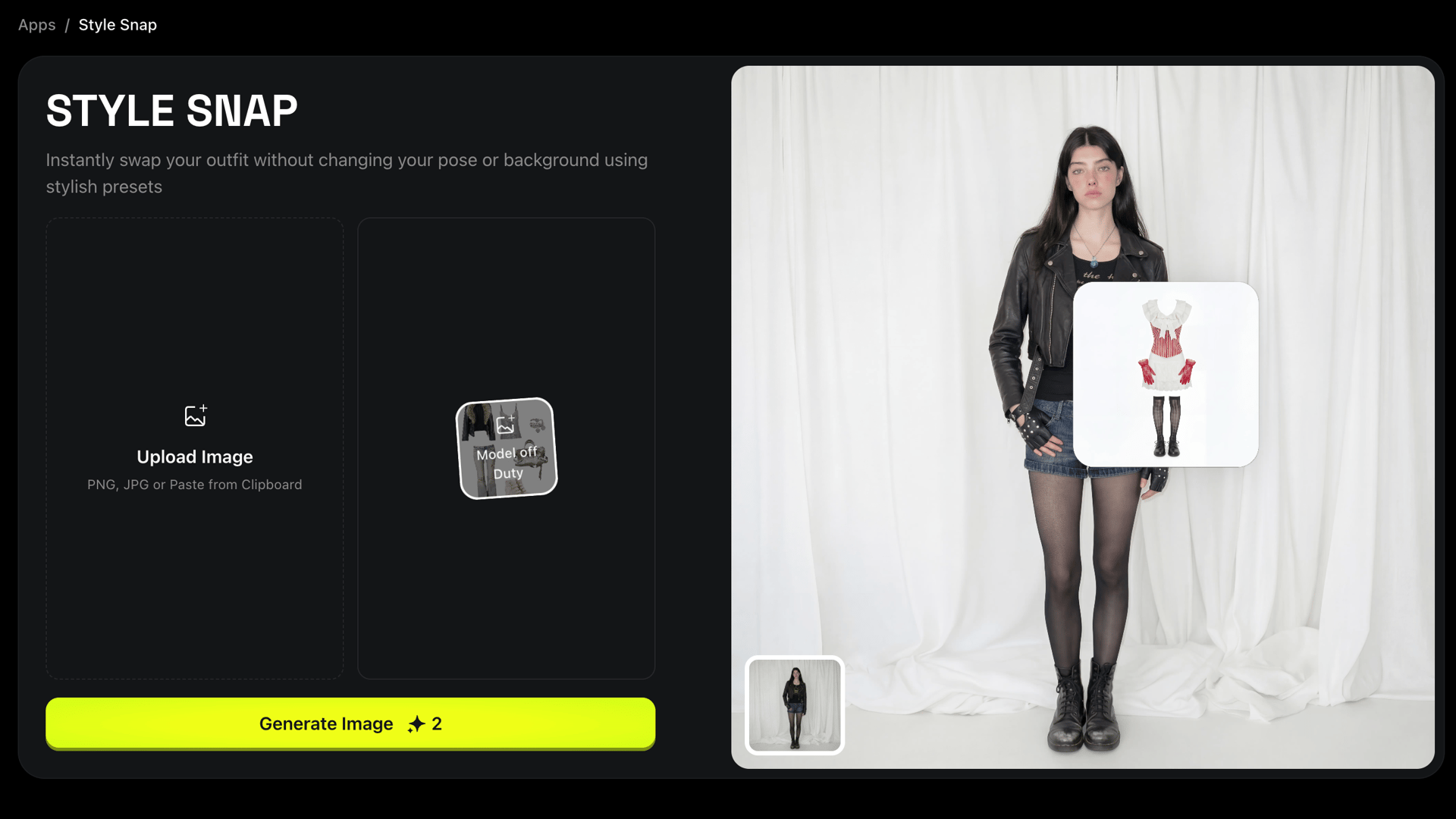
1. Style Snap

Category: AI Outfit Try-On / Style Transformation Format: Image → Image Best for: Fashion creators, stylists, ecommerce, influencers

Style Snap takes any photo and applies one of 14 professional style presets to transform the user’s clothing. You upload your image and select a style - streetwear, vintage, minimal, fashion editorial, techwear, Y2K, or more - and the model replaces your outfit while preserving your face, pose, and lighting.

Key Features

  • Works best with mid-shot photos

  • Close-ups will output close-ups

  • Preserves identity extremely well

  • Clothing adapts to body shape

  • Useful for catalog shoots and influencers

This is one of Higgsfield’s most commercial apps because it produces clean, realistic try-on images that brands and stylists can use for mood boards, lookbooks, and social content.

nano banana pro
nano banana pro

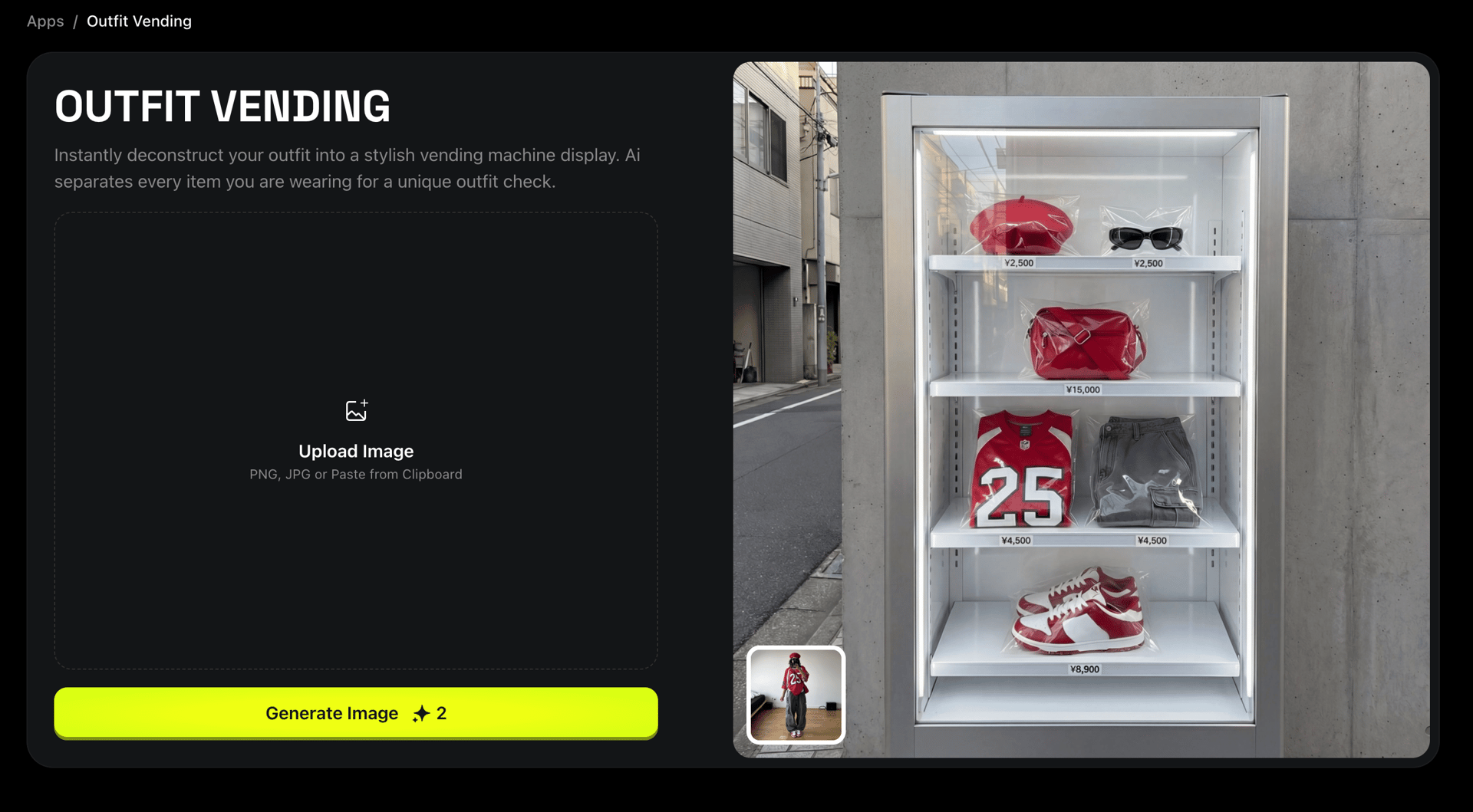
2. Outfit Vending

Category: Fashion / Accessories Generator Format: Image → Image Best for: Virtual styling, product visualization, content creators

Think of Outfit Vending as a “fashion vending machine.” You upload your photo and the outfit pieces or accessories are placed into a vending machine. The AI overlays them realistically, adjusting fabric, lighting, and shadow.

nano banana pro
nano banana pro

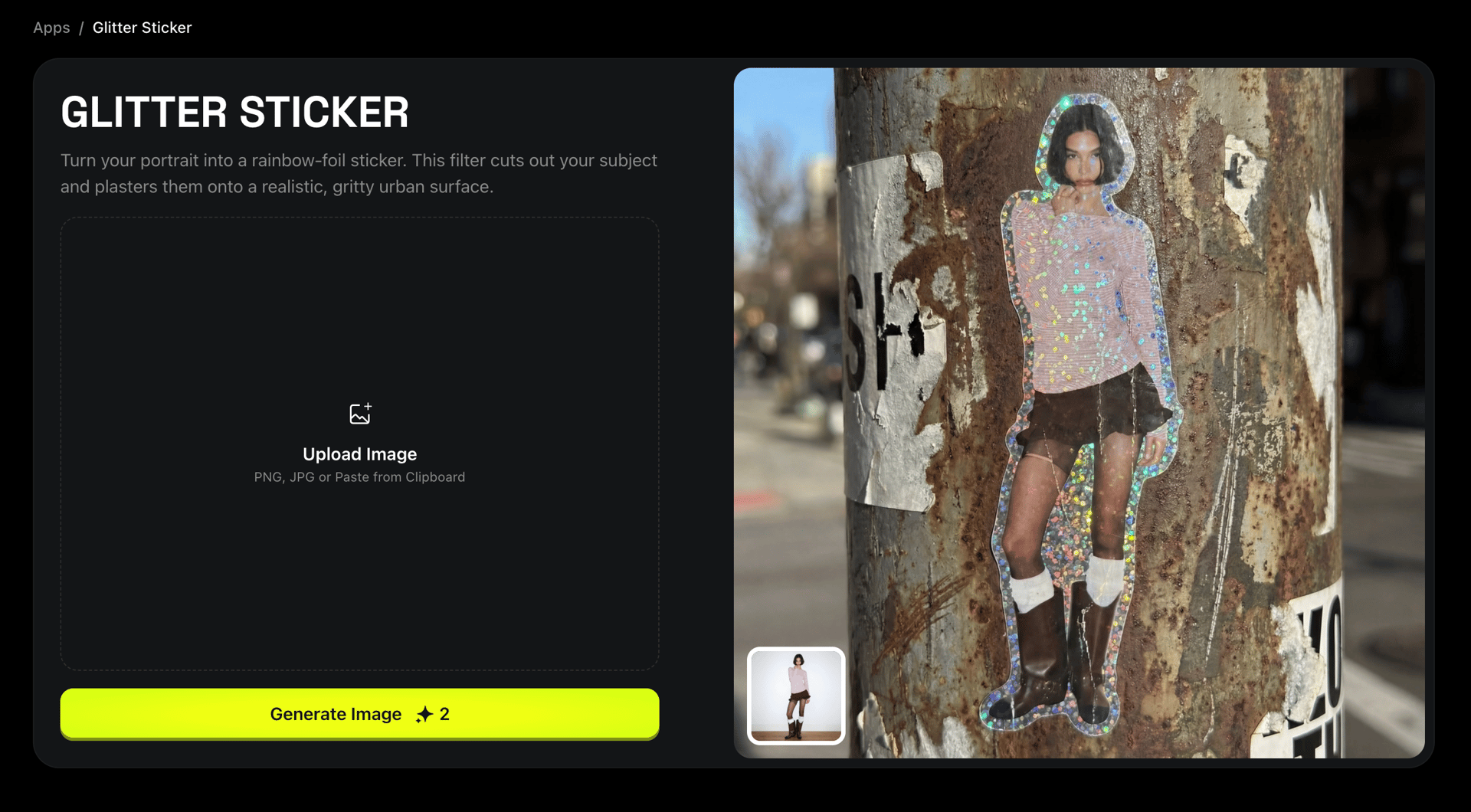
3. Glitter Sticker

Category: Viral Sticker Sheet Generator Format: Image → Image Best for: Cute aesthetic content, K-pop, anime audiences

Glitter Sticker transforms your picture into a kawaii-style glitter sticker sheet commonly seen on Korean and Japanese social media. It surrounds the character with sparkles, pastel effects, and sticker icons.

Features

  • Automatically detects the person

  • Adds decorative elements

  • Viral “sticker pack” look

  • Perfect for short-form content

nano banana pro
nano banana pro

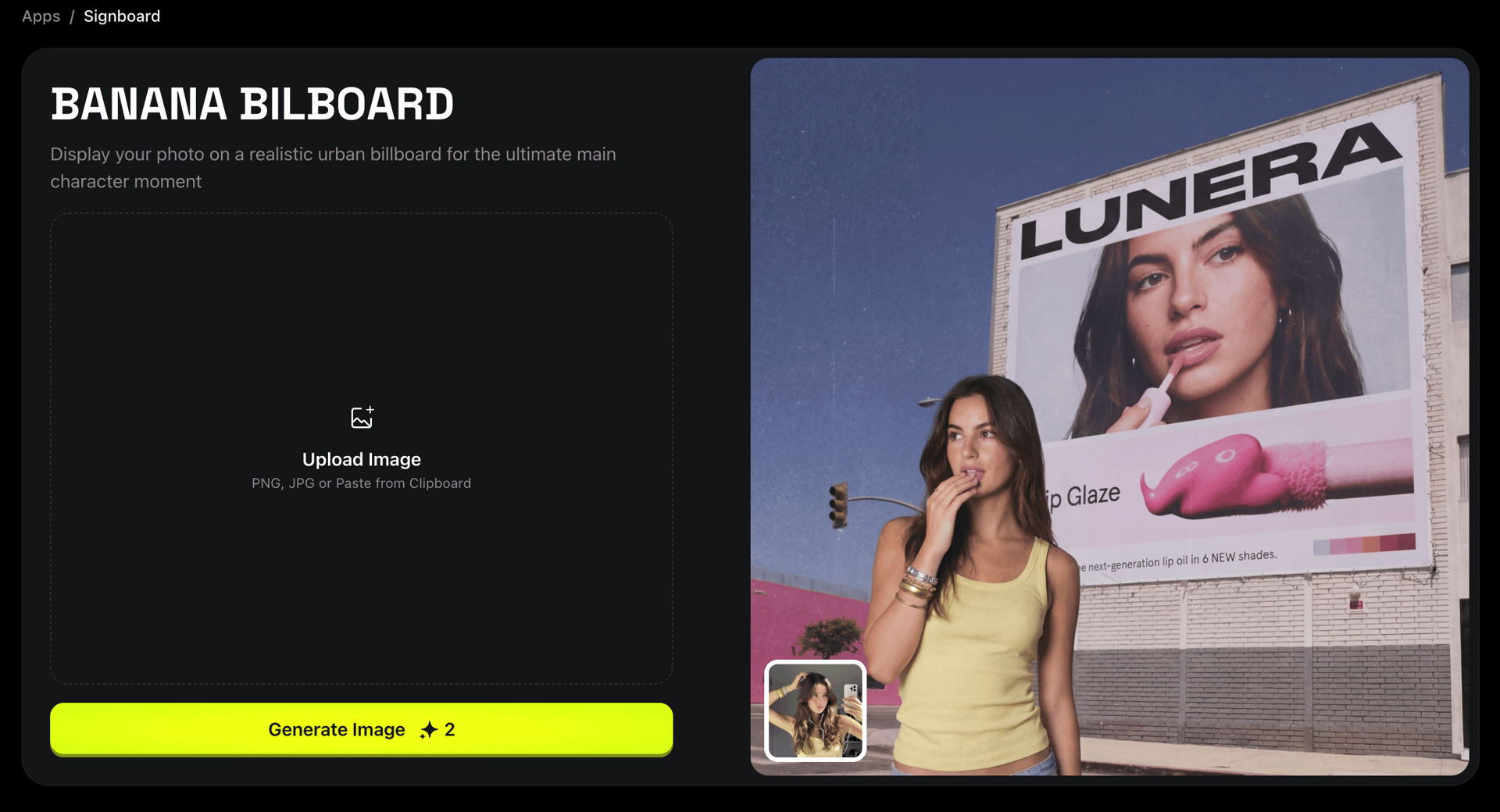
4. Signboard

Category: Outdoor Billboard Mockup Format: Image → Image Best for: Creators, photographers, small businesses, ads

Signboard takes your photo and places it onto a realistic billboard or shop sign. This is ideal for viral marketing visuals or stylized promotional content.

Features

  • Upload one image → instant billboard

  • Photorealistic placement

  • Works well with portraits, album covers, and posters

  • Useful for musicians and brands testing outdoor visuals

nano banana pro
nano banana pro

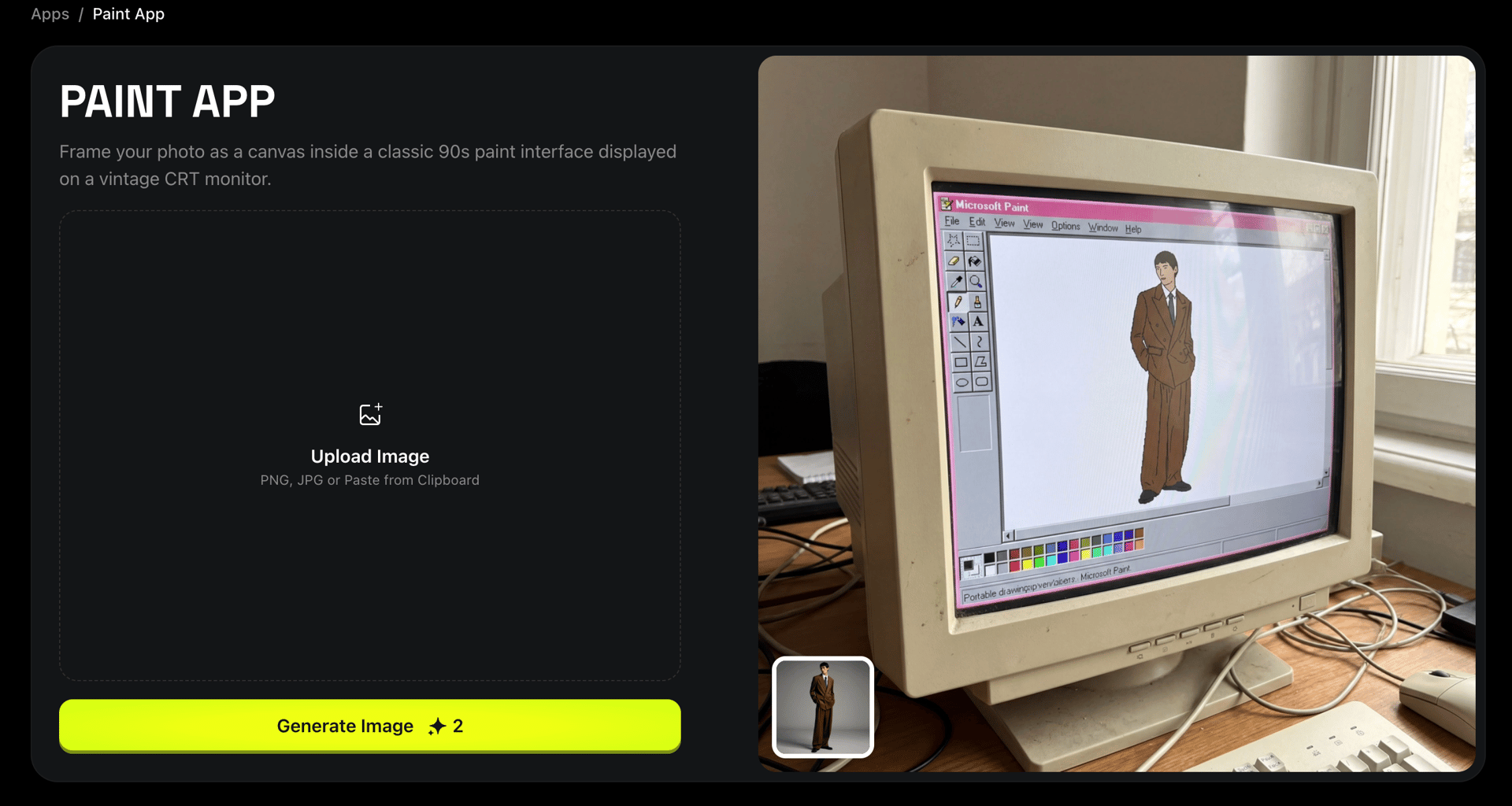
5. Paint App

Category: Artistic Redraw / Stylization Format: Image → Image Best for: Artists, illustrators, concept designers

Paint App turns your uploaded photo into a computer's Paint App. It supports not only realistic characters, but also other styles as an input image.

nano banana pro
nano banana pro

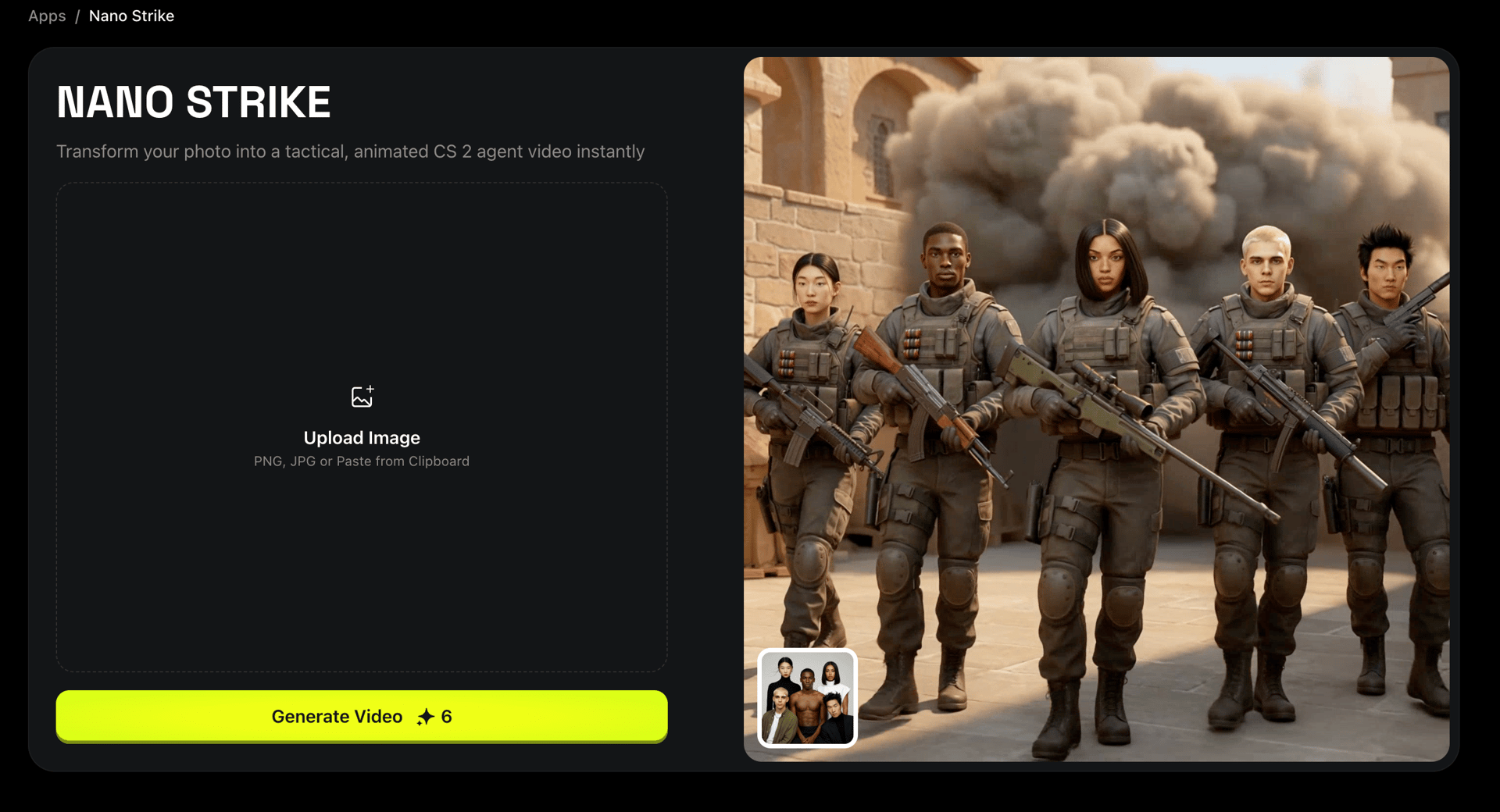
6. Nano Strike

Category: Video Game Character Generator (FPS / Action) Format: Image → Image & Video Best for: Gaming creators, FPS aesthetics

Nano Strike transforms your photo into a Counter-Strike-inspired character, including armor, weapons, tactical gear, and gritty environments. Up to 5 characters can appear in a single image, making it perfect for group memes. Moreover, you can turn a static image into a video.

Features

  • Tactical armor aesthetics

  • Strong identity preservation

  • Action-focused composition

  • Great for gamers and esports content

nano banana pro
nano banana pro

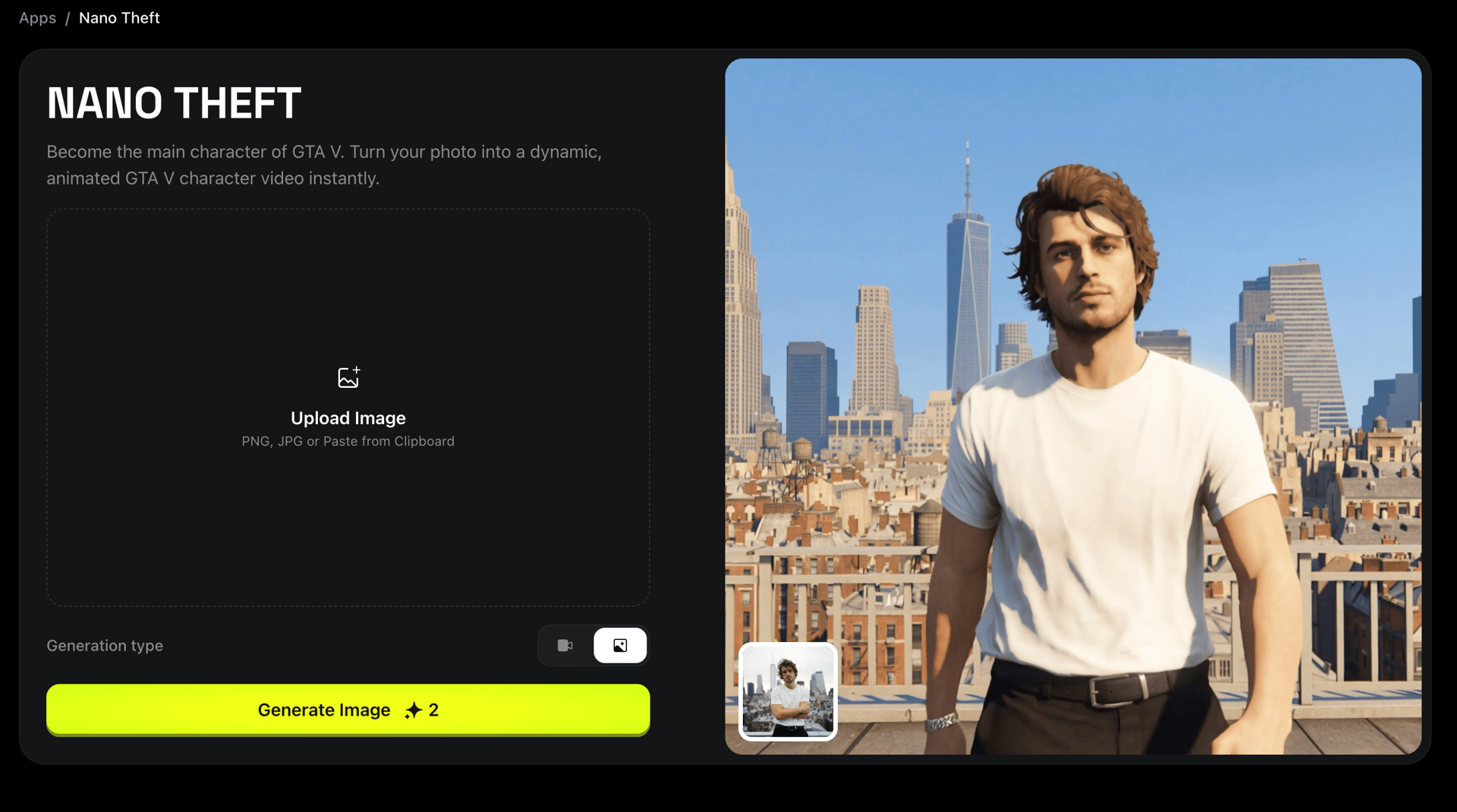
7. Nano Theft

Category: GTA-Style Poster Art Format: Image → Image & Video Best for: Memes, gaming posters, stylized branding

Nano Theft converts your image into a GTA-style inspired character illustration. The signature sharp outlines, bold color blocks, and poster-like composition immediately grab attention.

Features

  • GTA style

  • Perfect for viral thumbnails

  • Processes several people in one shot

  • Meme-ready output

Both Nano Strike and Nano Theft can create video animations, where the character walks confidently forward while an explosion or dramatic motion happens behind them.

nano banana pro
nano banana pro

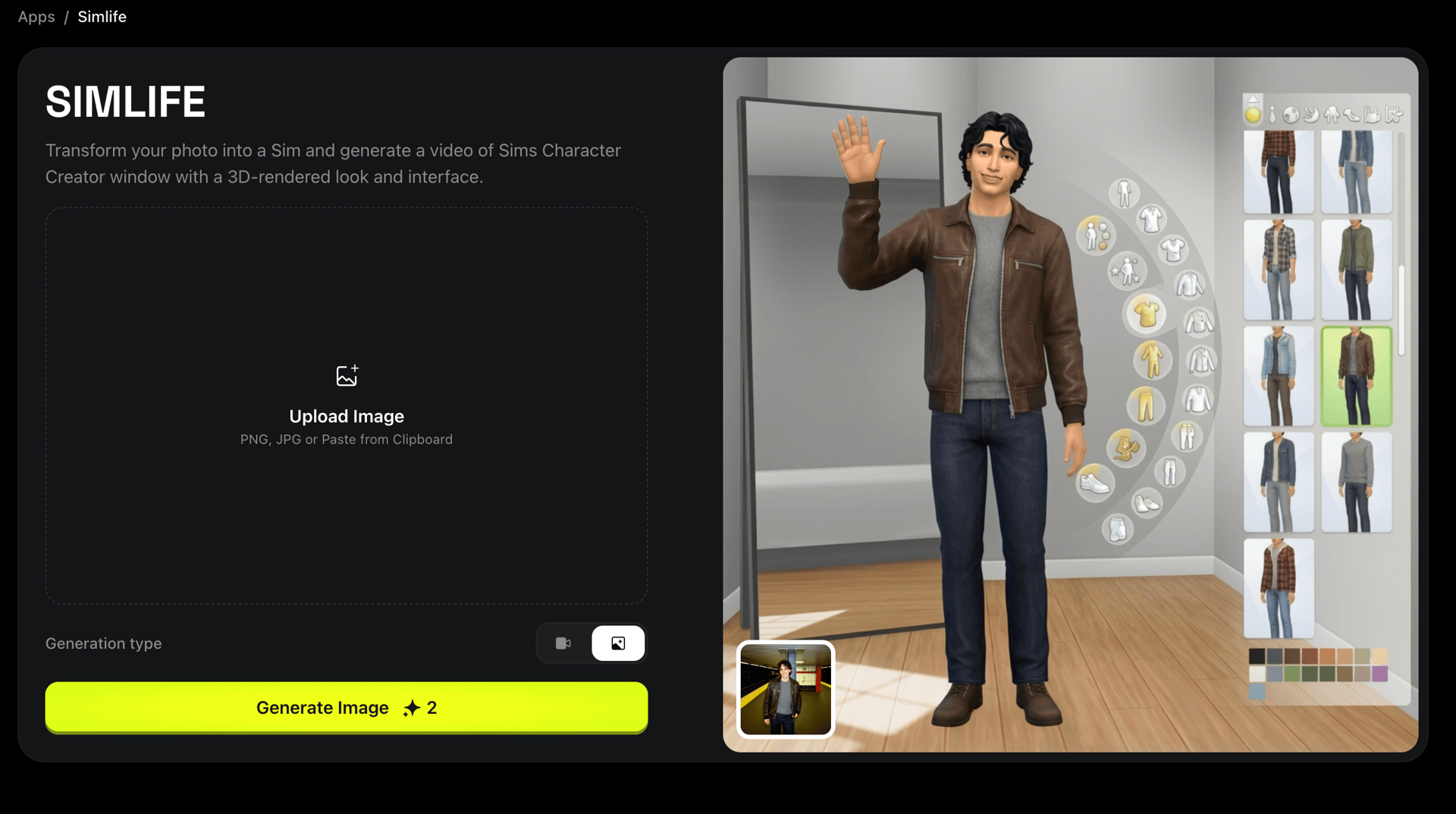
8. Simlife

Category: SIMS-Style Life Simulation Character Format: Image → Image & Video Best for: Lifestyle content, narrative creators, gamers

Simlife brings you into a SIMS-like environment. Upload your picture - preferably on a white background for best results - and the app generates a character version of you.

It can also:

  • Add clothing based on your reference outfit images

  • Generate videos of your SIMS character waving

  • Support up to two clothing input photos

This app is popular for personality-driven creators who want a stylized character version of themselves.

nano banana pro
nano banana pro

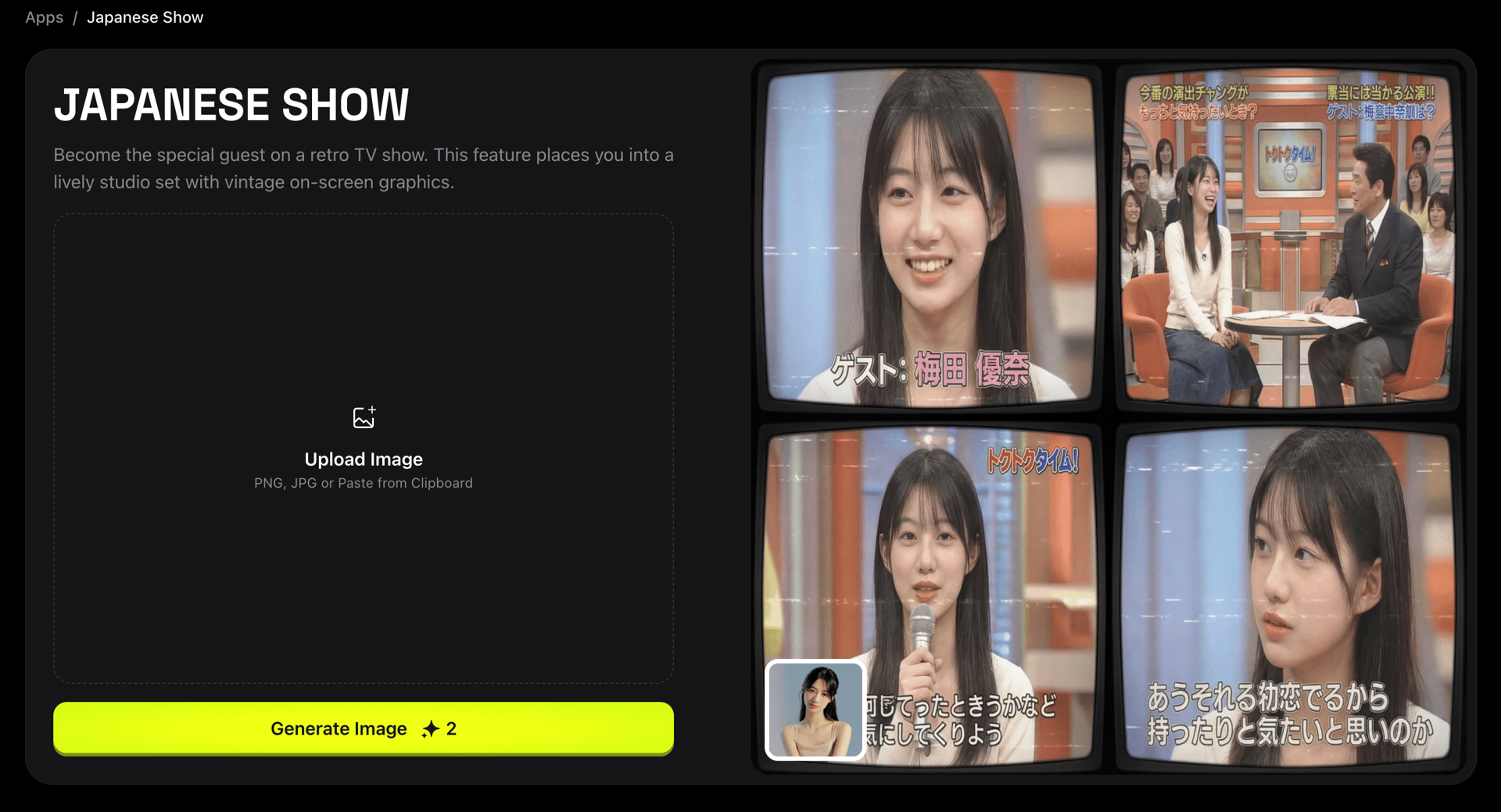
9. Japanese Show

Category: Retro Japanese TV / Variety Show Style Format: Image → Image Best for: Viral memes, J-culture fans, humor content

Japanese Show recreates the aesthetic of 90s–2000s Japanese TV - neon frames, bold typography, noisy transitions, and chaotic color palettes.

Features

  • Retro fonts and banners

  • Dramatic outlines

  • Game-show style overlays

  • Extremely viral visual look

nano banana pro
nano banana pro

How to Use Any Higgsfield App (Step-by-Step)

This workflow applies to all apps:

  1. Open Higgsfield → Apps

  2. Choose the app you want (Style Snap, Nano Theft, Simlife, etc.)

  3. Upload your image

  4. (Optional) Upload outfit references

  5. Choose preset

  6. Click Generate

For video-capable apps (Simlife, Nano Strike, Nano Theft): → After generating your character, choose Generate Video, select animation style, and create motion.

Explore Yourself in Any Universe

Generate!
Mariam Barova

by Mariam Barova

Share article

Discover more

post preview

Nano Banana Pro Has Arrived. How Google's Latest Image Model Will Change The Game?

post preview

Nano Banana 2 vs. Nano Banana 1: What Improvements to Expect?

post preview

Prompt Guide to Cinematic AI Videos with Higgsfield Popcorn & Recast