An AI influencer is a generated character that posts as a consistent persona across social platforms. People running these accounts keep the face consistent one of five ways: a reference image, a LoRA, a face swap, a trained identity layer, or a hybrid. The real difference isn't percentage match, it's whether that face survives past a still photo into motion. This guide covers all five methods, what each one actually holds up under, and where the face still breaks.
How to Create a Consistent AI Influencer in 2026: Full Guide
13 minutes

Five Ways to Keep One Face
Every AI influencer that posts consistently relies on one of five underlying methods to hold the same face across content. They differ in setup effort, cost, and how far that consistency actually reaches, some hold up fine in a still image but fall apart the moment the character needs to move or speak. Here's how the five compare side by side.
Method | Difficulty | Cost | Consistency | Setup Time | Works Across Photo/Video/ Speech | Best For |
|---|---|---|---|---|---|---|
Reference image | Low | Low | Weak, drifts over many generations | None | Photos: yes. Video: drifts. Speech: no | Quick, one-off content |
LoRA | High | Moderate to high (compute) | Strong once trained | Hours, needs a dataset | Photos, video, speech: yes, once trained | Technical users who want local control |
Face swap | Low | Low | Moderate, depends on source footage | Near-instant | Photos and video: yes. Speech: separate step | Reusing existing footage or actors |
Trained identity layer | Low | Moderate (subscription) | Strong | 3 to 5 minutes | Photos, video, speech: yes, with lipsync added | Non-technical creators posting ongoing content |
Hybrid | Moderate to high | Variable | Strongest, combines methods | Longest, stacks setup from each method | Photos, video, speech: yes, most reliably | Teams or agencies needing maximum reliability |
Quick Reference: The AI Influencer Pipeline
Stage | Tool | What it does |
|---|---|---|
Create the character | AI Influencer Studio | Visual builder: identity, face, body, skin, style, no prompts |
Lock the identity | Soul ID | Trained identity layer; keeps the same face across all content |
Generate content | AI Video + presets | Turns the character into clips with directed camera moves |
Make it talk | Lipsync Studio | Speech and performance for UGC-style and character-led content |
How Do You Create an AI Influencer Without Writing Prompts?
AI Influencer Studio replaces prompt-writing with a visual character builder, closer to a video-game character creator than a text box. Instead of describing "a 30-year-old with long brown hair, green eyes, athletic build" and regenerating until the model guesses right, you select every attribute directly and the result matches what you configured.
This matters because prompting is where most AI influencer projects stall. A text prompt is a negotiation: miss a detail and you regenerate, want the same character tomorrow and you are copy-pasting paragraphs and hoping. A builder removes the negotiation. The skill barrier drops from "prompt engineering" to making choices from menus, which puts the workflow within reach of social media managers and brand teams with zero AI background.
Prompting still exists as an optional final step for details outside the menus ("add bioluminescent patterns along the arms"), but most characters never need it.
Does an AI Influencer Have to Be Human?
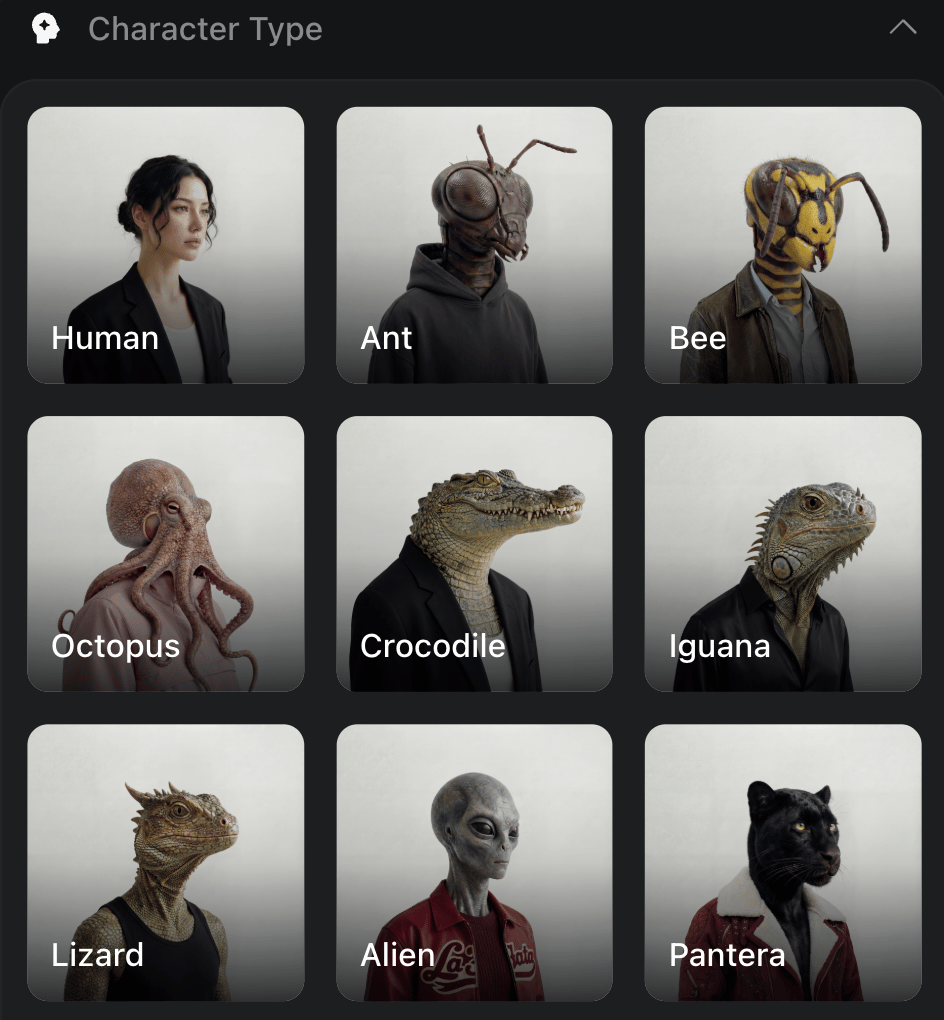
No, and the non-human ones are often the point. The studio's character types span humans, mammals, reptiles, fish, hybrids, and aliens, and the categories mix: an "Asian + Alien" blend is a valid configuration, not a hack. Distinctive beats polished in the feed. An unusual character is recognizable in half a second of scroll, and recognition is what turns one viral clip into a recurring audience.
For brand work the same flexibility runs the other direction: a photorealistic human ambassador with exact, repeatable features that match brand guidelines, down to eye color picked from a palette rather than approximated by a prompt.
Which Details Can You Control?
Every attribute adjusts independently. The level of control is the difference between "close enough" and a character that is actually yours:
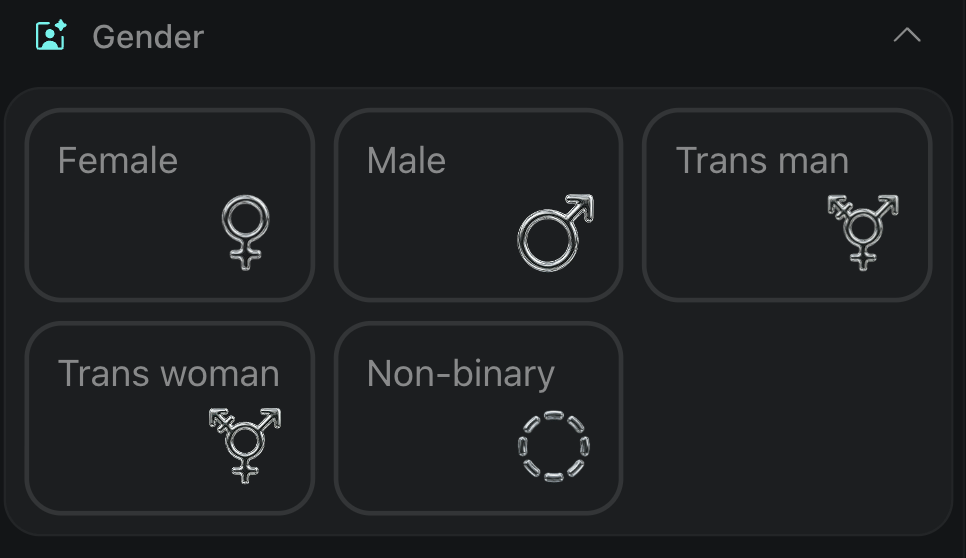
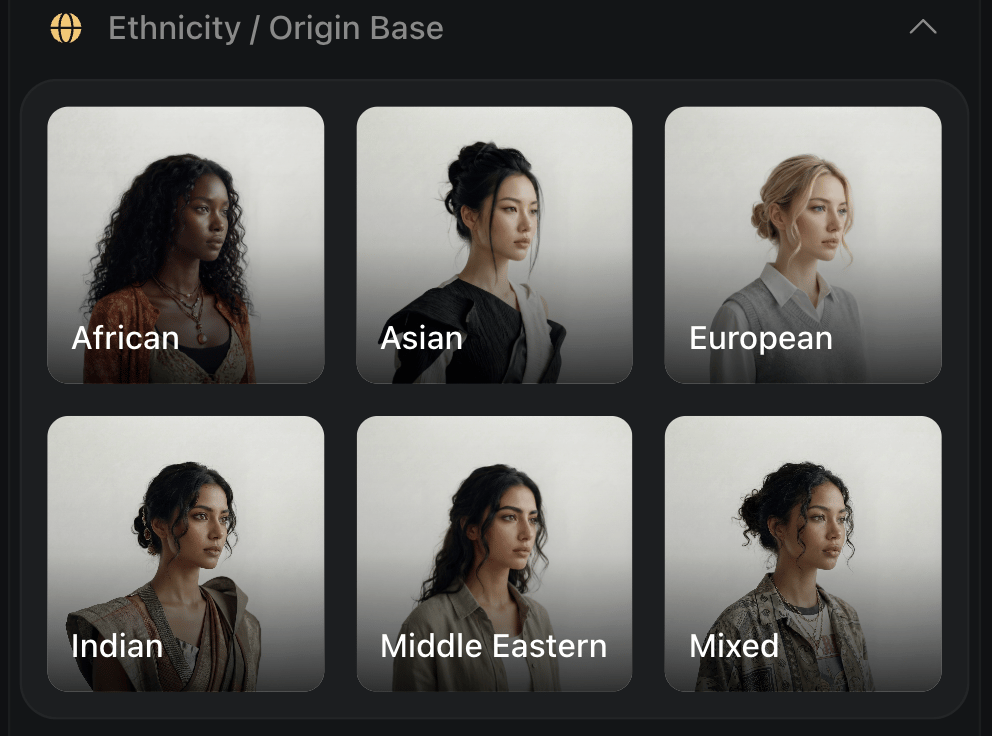
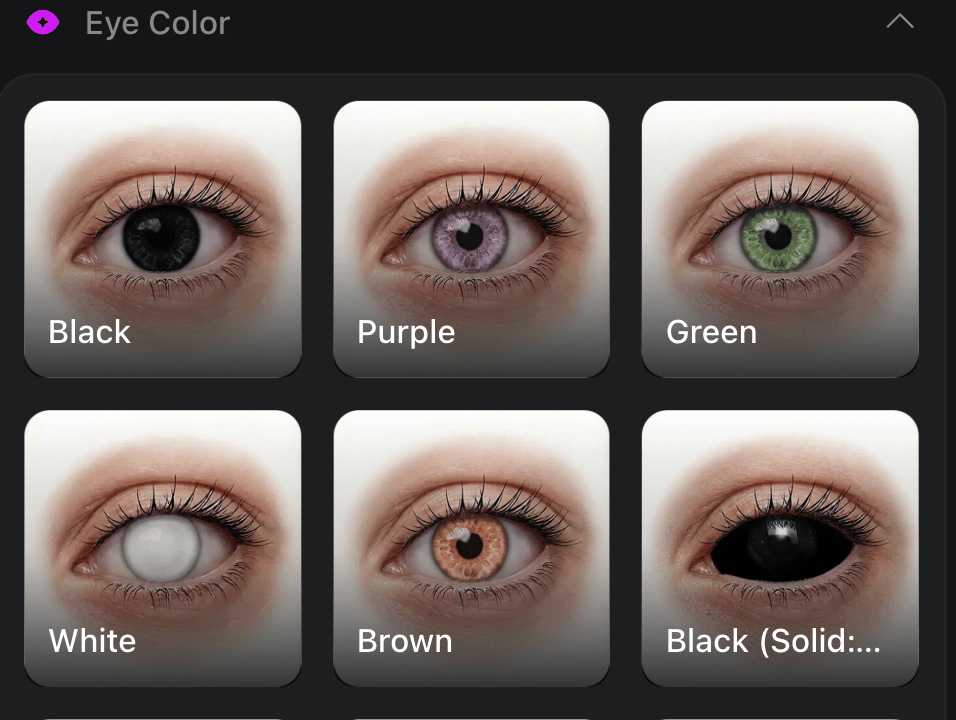
- Identity: gender across the full spectrum, ethnicity or origin (single or blended), age by preset (Adult, Mature, Ageless) or manual control, eye color from presets or a custom palette.
- Face: face shape, eyes (color and count, heterochromia included: left eye blue, right eye green, or one human and one reptilian), nose, mouth and teeth, ears and horns.
- Body: body type, height, proportions, customizable limbs, including extra ones for non-human builds.
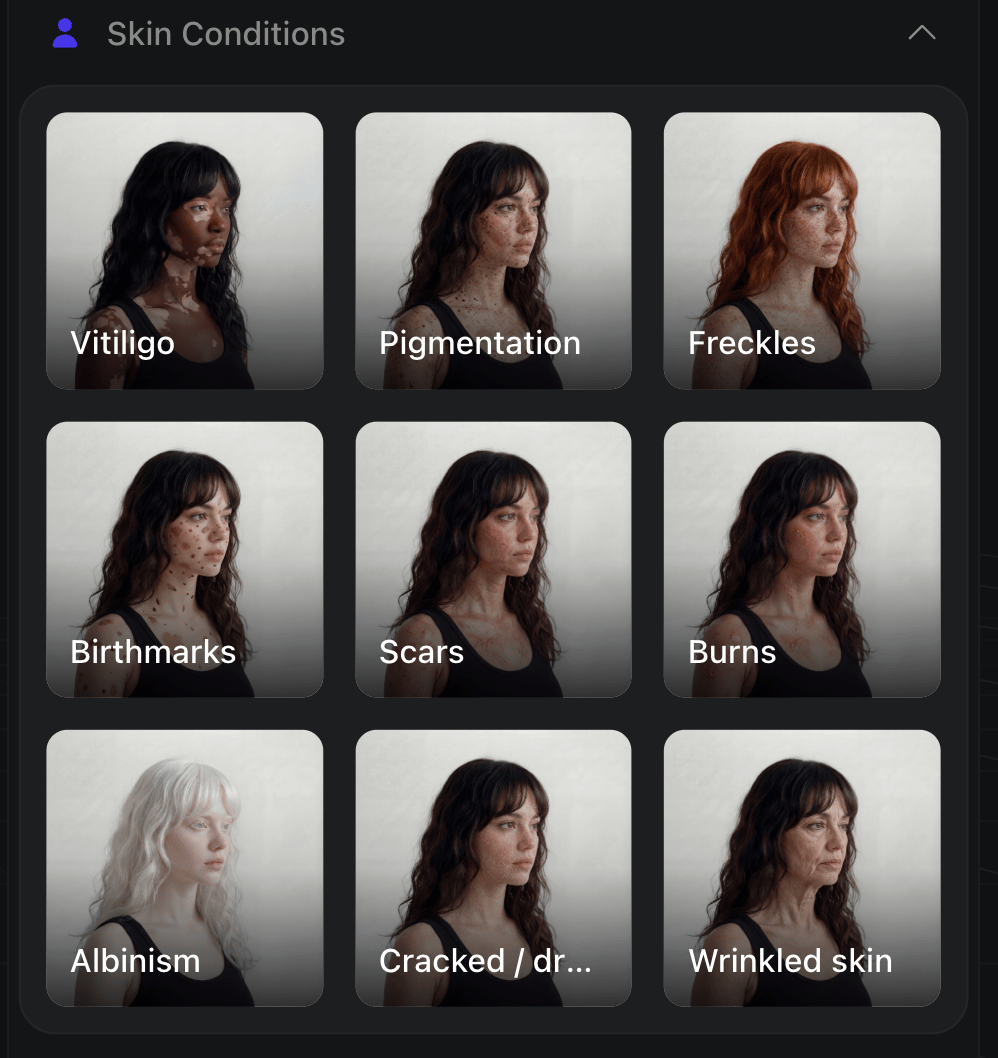
- Skin: material, color, surface pattern, special effects, and conditions: vitiligo, albinism, pigmentation, scars with placement and healing stage, freckles with density and location, birthmarks, realistic blemishes.
- Style: hair, accessories, rendering style.
The imperfections deserve a sentence of their own: a too-perfect face reads as AI instantly, and a character with a specific scar, asymmetric freckles, or visible skin texture reads as someone. Imperfection is the authenticity layer, and it makes the character harder to confuse with anyone else's.
Building the Character Before You Lock It
Step 1: Choose the character type. Human, animal, hybrid, or something invented entirely, non-human characters often read as more recognizable in a feed than a photorealistic human does, distinctive beats polished when someone's scrolling fast.
Step 2: Set the core identity. Gender, origin, age, eye color, the foundational choices everything else builds on.
Step 3: Fine-tune the details. Face, body, skin, style, this is where a generic build becomes a specific one. A too-perfect face reads as AI instantly. A visible scar, asymmetric freckles, or real skin texture is what makes a character read as someone rather than something, imperfection is the authenticity layer here.
Step 4: Add a prompt only if something isn't covered. Most finished characters skip this step entirely.
Step 5: Generate. Pick the aspect ratio for the platform, choose resolution, and render.
You can run your first builds on Higgsfield's free daily-credit tier before committing to a plan.
How Do You Keep the Character Consistent After the First Post?
This is the step that separates an AI influencer from a one-off AI image, and the step most workflows get wrong. An influencer only works if post #40 shows the same person as post #1. Faces that drift between generations kill the persona.
The fix is an identity layer, not better prompting. On Higgsfield, Soul ID trains on 20+ photos of your character in about 3 to 5 minutes and then holds that identity across every future generation: new outfits, new scenes, new camera angles, same face. The practical workflow: generate a batch of portraits of your finished character in Influencer Studio, train a Soul ID on them, and use that Soul ID for all ongoing content.
From there the content pipeline is the standard one: animate with the video models (a clip runs from about 6 to 7 credits with Kling 3.0), add speech in Lipsync Studio for talking-head and UGC-style formats, and batch-produce variations with Supercomputer when one post a day stops being enough.
How Does This Compare to Prompt-Only Tools?
Most image generators build characters through prompts alone. Midjourney's Omni Reference and Flux Kontext anchor a face to a reference image, which is fast to start but drifts across many separate generations, and a Stable Diffusion LoRA trains a reusable identity but needs a dataset and technical setup. A visual builder plus a trained identity layer sits between those: more control than a prompt, less overhead than a LoRA. The trade-off is that builder-based studios tie you to one platform's credit system, where a self-trained LoRA runs locally. Pick by how much you value setup-free consistency over local control.
How Do the Methods Actually Compare?
Reference Image
- How it works: Anchor a face to one reference image, then generate from that anchor.
- Steps: Upload a reference photo, prompt around it, generate.
- What holds: The face reads correctly in a single image, close to the source.
- What drifts: Outfit, background, and pose consistency vary between generations. Video is a separate, harder problem this method wasn't built for.
- Best for: A handful of one-off images, not an ongoing series.
LoRA
- How it works: Train a small model on a set of images so the identity becomes something the model has learned, not just referenced.
- Steps: Assemble a dataset, train the LoRA, load it into a generation pipeline.
- What holds: Strong, reliable identity once trained, the standard approach for photo-based consistency, and for good reason.
- What drifts: Little, once properly trained. The cost is entirely upfront, in the dataset and training process.
- Best for: Technical users who want a reusable identity they control locally.
Face Swap
- How it works: Replace a face in existing footage or images with a different one, frame by frame.
- Steps: Provide source footage, provide the target face, run the swap.
- What holds: The face itself, mapped onto real motion and lighting from actual footage.
- What drifts: Speech needs a separate lip-sync step, a face swap alone doesn't generate new performance or dialogue.
- Best for: Reusing real footage or an existing performance with a different face on top.
Soul ID
- How it works: Trains an identity layer on a batch of reference photos, then applies that identity across every future generation instead of referencing one image each time.
- Steps: Gather 20+ photos of the character, train Soul ID (about 3 to 5 minutes), use that identity across images, video, and speech going forward.
- What holds: The same face across any scene or style in images, the same character carried into image-to-video, the same character speaking through Lipsync Studio.
- What drifts: Very little, built specifically to solve the drift problem the reference-based methods run into.
- Best for: Non-technical creators who need one consistent character across ongoing content, without managing a dataset or local training pipeline.
- Where it doesn't fit: A project needing one specific style-LoRA for a particular aesthetic, a face swap onto real existing footage, or a workflow outside Higgsfield, Soul ID only runs on higgsfield.ai.
What Does It Cost?
Building and testing a character costs little: you can do it on the Starter plan ($15/mo, 200 credits). Starter runs a limited model set; the full model lineup unlocks on Plus ($49/mo, 1,000 credits). The real budget question is content volume, not character creation: video clips consume credits at about 6 to 58 per clip depending on the model, so a daily-posting influencer needs Plus-level credits in practice, not just its wider model access. Full numbers on the pricing page.
Credit costs and tiers verified June 2026; check the live pricing page before budgeting.
Where Does This Approach Fall Short?
A builder-plus-identity-layer workflow is powerful, but it is not free of trade-offs:
- It automates the face, not the content. The studio gives you a consistent character; ideas, scripts, hooks, and a posting calendar are still on you. A distinctive avatar with weak content does not grow.
- Daily posting is a paid-tier workload. Creation is nearly free, but video volume consumes credits at about 6 to 58 per clip, so consistent output realistically needs the Plus tier, not the entry plan.
- It rewards setup. The best results need a clean portrait batch and a trained Soul ID (20+ photos, about 3 to 5 min) before you scale. For a single one-off image, that overhead is more than a simple prompt.
- It ties you to one platform's credits. Unlike a self-trained LoRA you can run locally, a builder-based identity lives inside the subscription. Heavy users should price that against a local pipeline.
- Platform disclosure rules apply. TikTok and Instagram both require labeling realistic synthetic media, so an AI persona needs disclosure built in from day one, not retrofitted once it grows.
The Bottom Line
An AI influencer is a pipeline, not a picture:
- Build the character in AI Influencer Studio: visually, no prompts, with the detail controls (heterochromia, scars, skin texture) doing the differentiation work.
- Lock the identity with Soul ID (20+ photos, about 3 to 5 min training) so the face survives past the first post.
- Produce content with the video models, Lipsync Studio for speech, and Supercomputer for batch volume.
- Budget for content, not creation: building is nearly free, daily posting is a paid-tier workload.
- Disclose: label synthetic media per platform rules from the start.
Create Viral AI influencers
Create Your Influencer!Got any questions left?
by Higgsfield