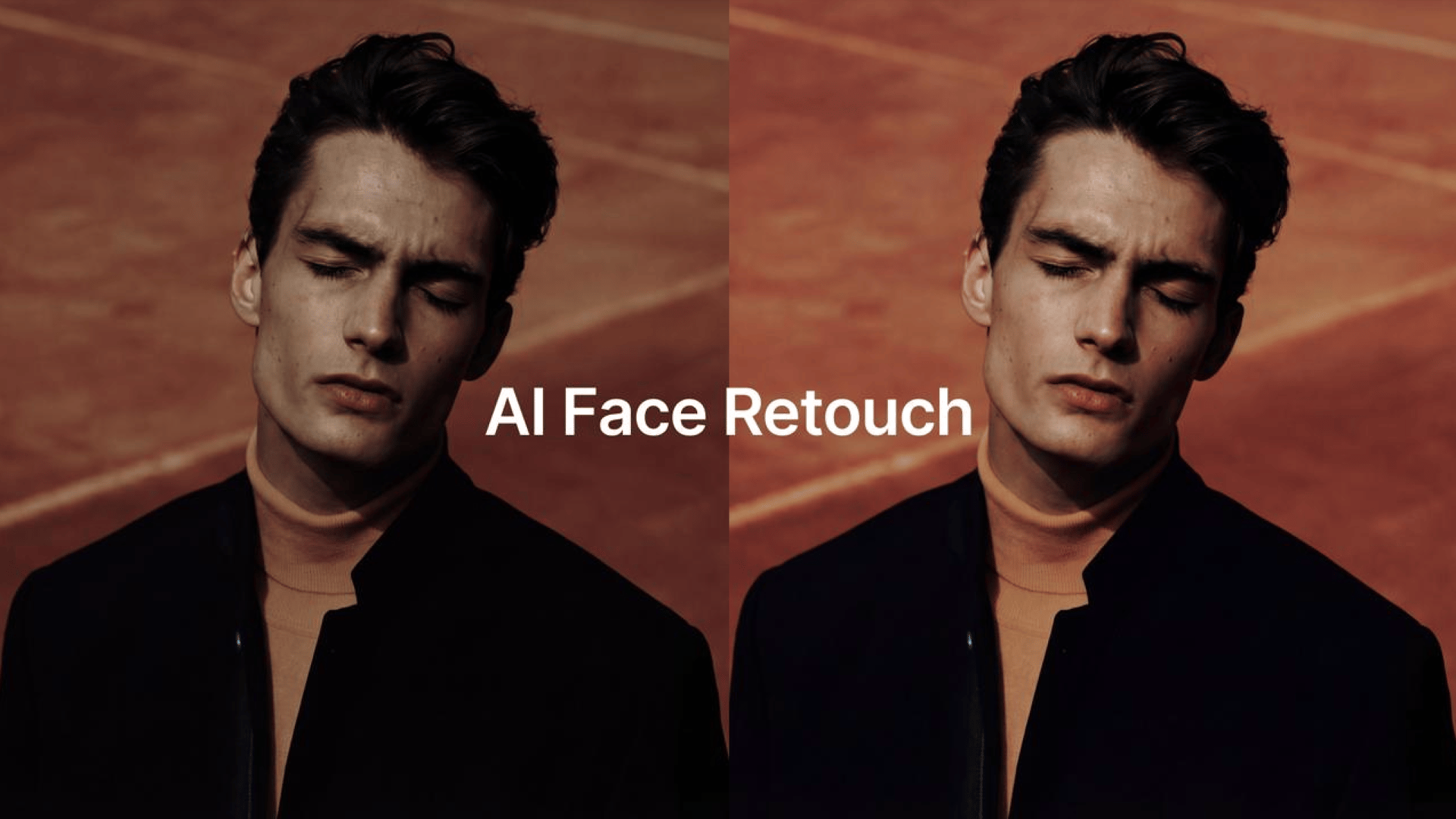
In 2025, the demand for flawless digital portraits has never been higher as creators, photographers, brands, and everyday users rely on images to communicate identity - but low-quality photos remain one of the biggest frustrations. Blurry faces, noise, low light, compression artifacts, and washed-out skin tones can ruin otherwise meaningful shots.
Enter the new generation of AI skin enhancers: intelligent tools capable of reconstructing missing detail, fixing uneven skin texture, restoring clarity, and producing natural, soft-looking retouches without destroying realism. Unlike traditional beauty filters that blur imperfections into plastic smoothness, modern AI skin retouching understands the structure of the human face at a semantic level.
Today’s best-in-class systems - including the Higgsfield AI Skin Enhancer - use advanced diffusion models, facial geometry mapping, and pixel-level restoration to rebuild images with studio-quality detail. Whether the photo is pixelated, poorly lit, or captured on an older smartphone, an AI face enhancer can now transform it into a clean, crisp portrait that still looks authentically human.
This article breaks down how AI skin enhancers retouch low-quality photos, why they work so well, and how creators can use them for top-tier results.
Why Low-Quality Photos Are So Difficult to Fix Manually
Before AI, retouching a low-quality portrait was nearly impossible without sacrificing realism. Problems included:
• Noise and grain in low-light shots
Traditional denoising removes detail along with noise.
• Blurry facial features
You can’t sharpen something that isn’t there.
• Harsh shadows or uneven lighting
Manual correction often causes unnatural banding.
• Compression artifacts
Once detail is lost, Photoshop tools can't recreate it.
• Blotchy or uneven skin texture
Smoothing tools turn skin into plastic.
These limitations created massive demand for a skin enhancer tool that doesn’t merely blur imperfections - but instead reconstructs skin texture, pores, tone, and lighting realistically.
How AI Skin Enhancers Restore Damaged or Low-Quality Images
To understand why AI works so well, it’s important to know what happens under the hood. Modern AI photo enhancers use three critical components:
1. AI Face Detail Restoration (Rebuilds Lost Geometry)
This is where the model performs its magic. When a face is blurry or low-resolution, an AI face detail restoration engine identifies:
- the true position of eyes, nose, and lips
- underlying bone structure
- expected texture patterns
- natural skin tone gradients
It then reconstructs missing pixels, rather than trying to sharpen the original. This produces realistic faces without uncanny distortions - a major upgrade compared to older face filters.
2. AI Skin Smoothing That Preserves Texture
Unlike typical beauty filters, AI skin smoothing now:
- removes noise
- corrects lighting
- fixes harsh shadows
- evens out tone
…while keeping pores, micro-texture, and fine lines intact.
This balance between flaw correction and realism is what creators mean when they search for terms like:
- realistic AI retouching
- natural AI face enhancer
- AI skin fix for portraits
AI models trained on millions of high-quality images can distinguish between “good texture” and “bad noise,” producing beautiful results.
3. Semantic Understanding of Skin, Light & Expression
Modern AI skin retouching models know:
- how soft light behaves on human skin
- how to keep eyes sharp
- how to maintain emotional expression
- how to reconstruct color accurately
That’s why AI portrait retouching in 2025 looks dramatically better than early algorithms - it treats the face as a coherent 3D object, not a flat photo.
What AI Skin Enhancers Can Fix in Low-Quality Photos
Here’s what the best AI photo enhancer tools do exceptionally well:
Fix Blurry Faces
The AI model rebuilds detail from scratch using learned patterns. No more ghosting, double edges, or over-sharpening halos.
Remove Noise Without Plastic Smoothing
Noise removal is paired with texture reconstruction - the secret to maintaining realism.
Restore Natural Skin Tone
AI can identify lighting errors and correct color shifts caused by low-quality sensors.
Enhance Eyes, Brows, and Lashes
Eyes are the focal point of any portrait. AI retouching sharpens them without looking artificial.
Fix Compression Artifacts (Social Media Upload Damage)
Instagram, WhatsApp, and Messenger destroy photo quality.
An AI skin enhancer can reverse most of that damage.
Rebuild Structure in Old or Damaged Photos
Whether it's a childhood photo or a scanned print, AI can reconstruct missing facial detail incredibly well.
Why This Matters for Creators, Photographers & Businesses
High-quality images define brand identity, trustworthiness, and engagement.
For influencers:
AI retouching delivers clean, consistent portrait quality even from mediocre camera sources.
For photographers:
It reduces editing hours dramatically. Instead of fixing flaws manually, they stabilize the shot with a single AI pass.
For e-commerce:
Product and model images require clarity - poor photos kill conversions.
For beauty and fashion brands:
AI helps maintain a natural aesthetic without over-editing.
For everyday users:
You don’t need Photoshop knowledge to improve old or low-quality images.
One click = professional retouch.
Why the Higgsfield AI Enhancer Leads in 2025
Among all tools available, the Higgsfield AI Enhancer stands out for several reasons:
• Uncanny realism in facial reconstruction
Perfect for AI photo editing in 2025.
• Best-in-class AI skin enhancer smoothing engine
Removes flaws while keeping natural texture.
• Superior AI face detail restoration
Rebuilds eyes, lips, and structure with cinematic clarity.
• Handles extreme low-quality sources
Even pixelated photos come back to life.
• No censorship or restricted outputs
Great for global creators.
• Fast cloud processing and unlimited use
Creators can enhance entire galleries in minutes.
How to Get the Best Results: Expert Tips
If you want the most natural output from an AI skin enhancer, follow these guidelines:
1. Use the highest-resolution input you have
Even slightly better source images lead to dramatically better restoration.
2. Avoid overly edited or filtered photos
AI models work best with natural input.
3. Keep the face clearly visible
Obstructions like sunglasses, hair, or extreme shadows can reduce accuracy.
4. Apply enhancements in moderation
Most tools let you adjust intensity.
Use 70–85% for professional balance.
5. For portraits with multiple faces, run individual crops
This ensures every face gets optimal enhancement.
The Future of AI Skin Enhancement (2026 and Beyond)
By late 2025, we’re already seeing breakthroughs that suggest:
- real-time AI skin enhancers in video
- per-frame consistency for cinematic retouching
- identity-preserving skin modification
- AI photo editing pipelines integrated into cameras
Eventually, this technology will run directly on smartphones, meaning every photo and video will be retouched intelligently before you even look at it.
The days of pixelated selfies and noisy portraits are ending.
Conclusion: AI Skin Enhancers Are Reshaping Digital Portraits
Low-quality photos are no longer a barrier to beautiful images.
With modern AI skin enhancers, anyone can:
- fix poor lighting
- restore facial detail
- smooth skin naturally
- correct tone
- rebuild clarity
- enhance portraits instantly
As AI continues evolving, tools like the Higgsfield AI Skin Enhancer will define the future of AI photo editing 2025 and beyond, making professional retouching accessible to everyone.