Blog

MCP for Marketers: Creatives Without Leaving the Chat

HiggsfieldAug 17, 20267 min
MCP for Marketers: Creatives Without Leaving the Chat

Marketers can generate ad creatives directly from a Claude or ChatGPT chat through Higgsfield MCP. The connection gives the agent access to Higgsfield's image and video models, plus ready-made skills for UGC videos, faceless content, localization, and landing pages. You describe the result, the agent writes the script, picks the model, and generates. Finished files land in your Higgsfield account.

What is Higgsfield MCP?

Higgsfield MCP connects Higgsfield's image, video, and audio models to the AI chat you already work in. MCP (Model Context Protocol) is an open standard that lets an AI agent call external tools. Once Higgsfield is connected, the agent can draft a script, pick a model, run the generation, and return a finished file, all inside one conversation. Higgsfield is an AI-native creative suite, and MCP is how it plugs into your AI workflow.

Claude (claude.ai and Claude Desktop), Cursor, and CLI-based agents such as Claude Code, OpenClaw, and Hermes connect through the Higgsfield MCP server. ChatGPT connects through the official Higgsfield plugin from the Plugins Directory. Both routes use the same account and the same credits.

The model catalog covers 30+ options, including Seedance, Kling, and Soul. The agent selects a model that fits the task, or you can name one yourself in the prompt.

Setup takes a few minutes: in Claude, add a custom connector with the Higgsfield MCP server URL; in ChatGPT, add the Higgsfield plugin. An active subscription is required. Step-by-step instructions for every agent are in the help center guide: How do I connect Higgsfield to Claude, ChatGPT, or another AI agent?

We covered the motion design side of this series in MCP for Motion Designers.

Can I make ad creatives from Claude or ChatGPT?

With Higgsfield connected, both Claude and ChatGPT generate ad creatives directly in the conversation: UGC-style product videos, static visuals, talking avatars, and voiceovers.

Through Claude or ChatGPT, Higgsfield MCP supports:

  • Video generation across all Higgsfield models

  • Image generation up to 4K resolution

  • Soul characters for a consistent face across a series of ads

  • Audio: voiceovers, voice cloning, and video dubbing

  • Background removal, upscaling, outpainting, and reframing for existing assets

We showed a complete campaign built this way in Full Ad Campaign Inside Claude and a presenter-style creative in Talking AI Avatar Inside Claude.

Two things to know before you start. Every generation through a connected agent deducts credits at standard rates, regardless of your plan: unlimited model access applies only on higgsfield.ai. And the Website Building skill is available in Claude, Cursor, and CLI agents but not in the ChatGPT plugin.

What are Higgsfield skills?

Higgsfield offers ready-made skills for common creative tasks, with availability depending on the connected agent. You describe the result you want, and the skill runs the intermediate steps on its own: it builds the concept, writes the script, and handles the individual generations, so you don't prompt each stage separately. One request like "create a UGC ad video for this product" is enough to get from brief to finished clip.

Higgsfield groups skills into six categories:

What are Higgsfield skills?

Skill category

Marketing task it covers

Marketing

Ad creatives and campaign content

UGC Factory

Creator-led product videos from a photo or store page

Faceless Content Factory

Stylized brand videos without a presenter

Utility

Localization, subtitles, clipping for other markets and formats

Motion & Design

Brand kits, animated infographics, motion visuals

Website Building

Campaign landing pages (not available in ChatGPT)

The full catalog with ready-to-run prompts for every skill is on the Higgsfield MCP page.

How do marketers use MCP?

Here is one example of a Higgsfield MCP workflow for a marketer: create a recurring campaign character, then put that character into a marketing video with one of the skills. Below is this workflow step by step, with prompts you can run as they are and the credit cost of each step.

First, connect Higgsfield to your agent. In Claude, go to Settings, open Connectors, and add a custom connector with the Higgsfield MCP server URL. In ChatGPT, add the official Higgsfield plugin from the Plugins Directory.

Step 1: Create the character

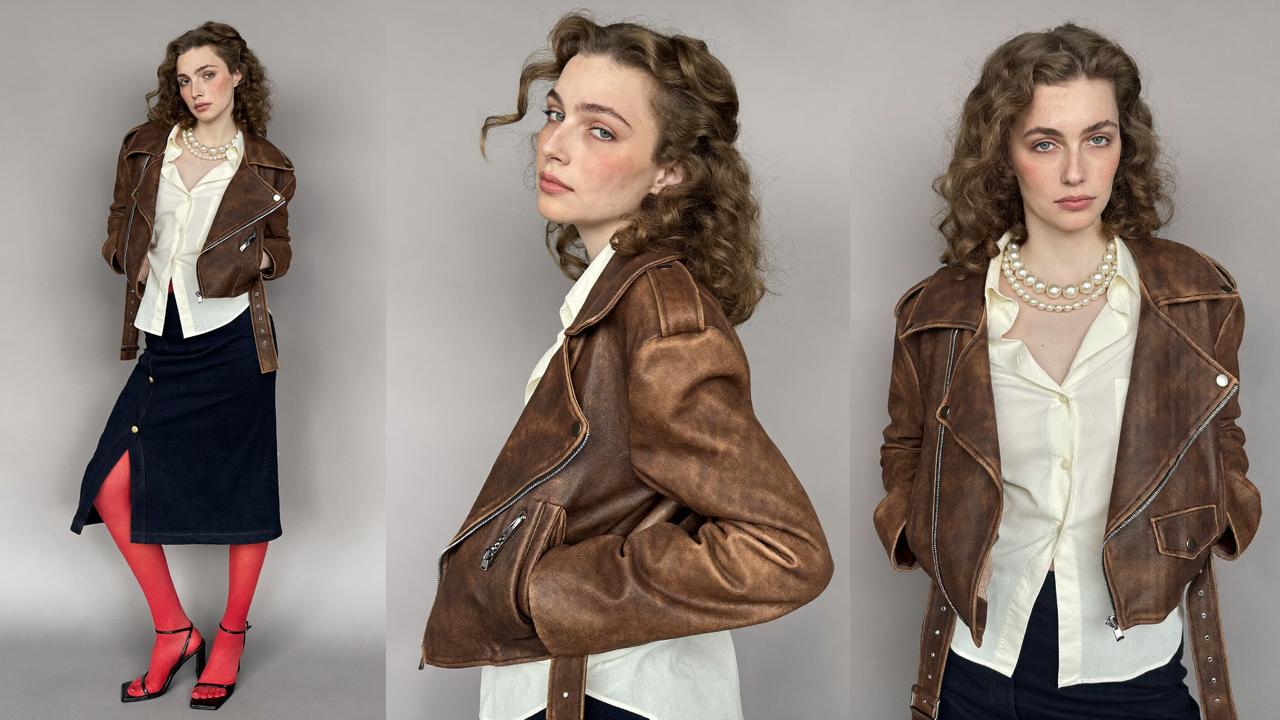
Start with the face of your campaign. Describe the character, iterate until the face is right, and the agent saves a reusable asset you can carry through every creative that follows.
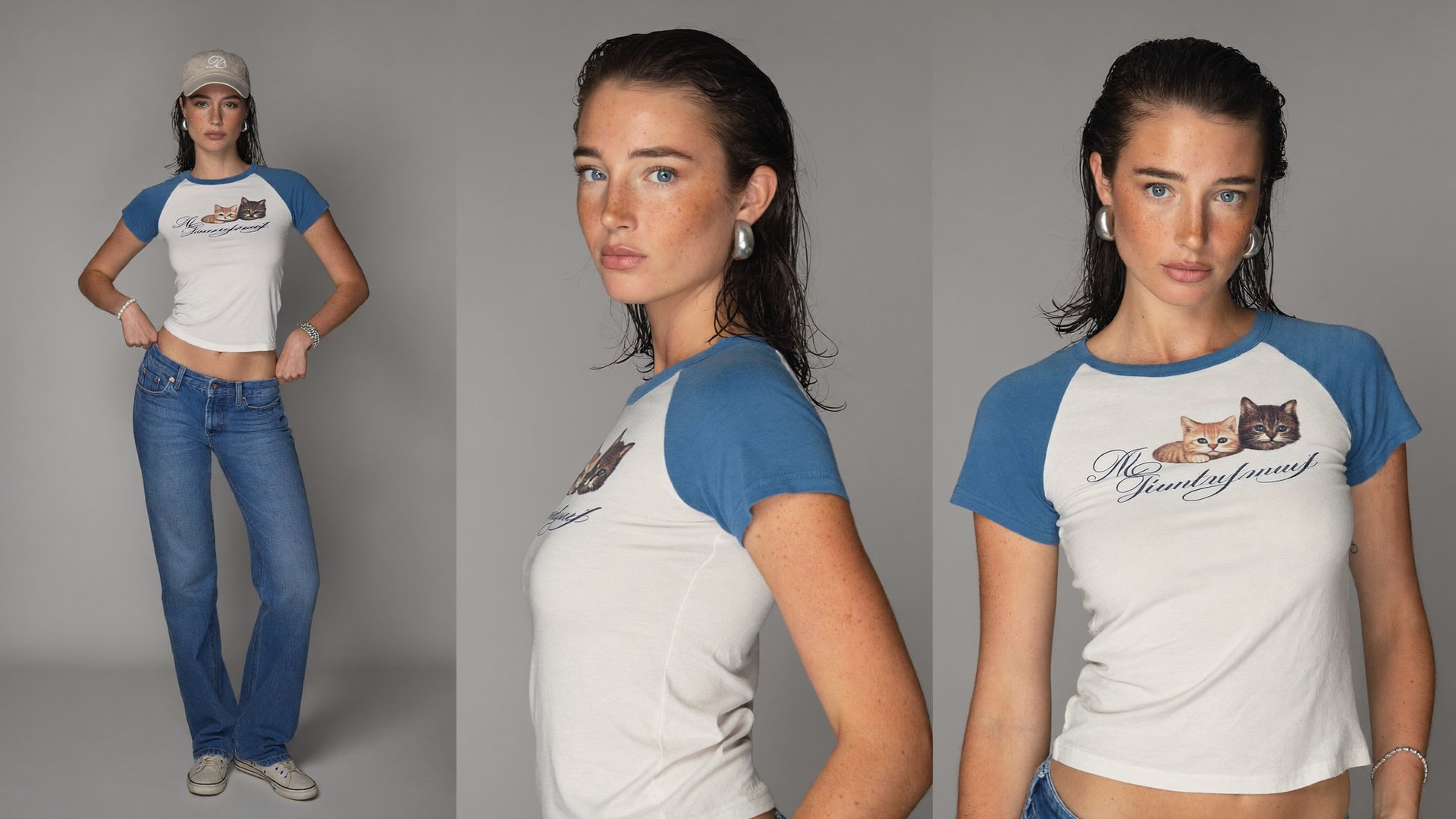
A wide three-panel studio character reference sheet, captured at a straight-on eye-level camera angle with a balanced 16:9 composition, showcases a slender Northern-European woman, 21 years old, with a calm expression, delicate oval face, and natural freckled skin featuring visible pores and realistic low-contrast peach fuzz. The entire sheet uses a perfectly uniform, mid-grey seamless paper backdrop with seamless flooring and no gradient, vignette, or texture, employing soft diffuse studio lighting that evenly illuminates her face and torso in every panel, eliminating harsh shadows and specular highlights. Her hair is styled slicked back, appearing damp and straight, with ends tucked behind her ears for a mature, contemporary Y2K streetwear aesthetic. Each panel presents the same woman with an identical face, signature traits including dense natural freckles across the cheekbones and nose, lively pale blue-grey eyes with visible undertones and authentic catchlights, and wide brushed-silver hoop earrings. Her outfit in all three panels: a fitted cream-and-dusty-blue raglan baby tee featuring an original graphic of two kittens and a made-up cursive wordmark across the chest, in thick opaque cotton composition; blue low-slung straight-leg jeans in a relaxed fit, a simple beige cotton baseball cap (worn only in panel 1), a pearl-bead bracelet on the left wrist, a slim silver chain bracelet on the right, and scuffed off-white generic low-top sneakers, all rendered in natural muted tones. Panel 1 (left): full body standing Y2K pose with both thumbs in the waistband, cap on, relaxed editorial posture, head-to-toe in frame with both feet on the grey floor, no cropping. Panel 2 (center): side-profile medium bust portrait with cap removed, showing natural profile, with upper body and hair fully visible in gentle soft lighting. Panel 3 (right): medium bust frontal portrait, cap removed, gaze into the camera, no tight cropping, again identical face and styling. The overall mood is cool, composed, and effortlessly editorial, with a completely matte finish, no airbrushing or cgi, natural coloring, authentic mature adult facial proportions, and soft, neutral lighting for a real photo-documentary result.

Step 2: Generate the marketing video

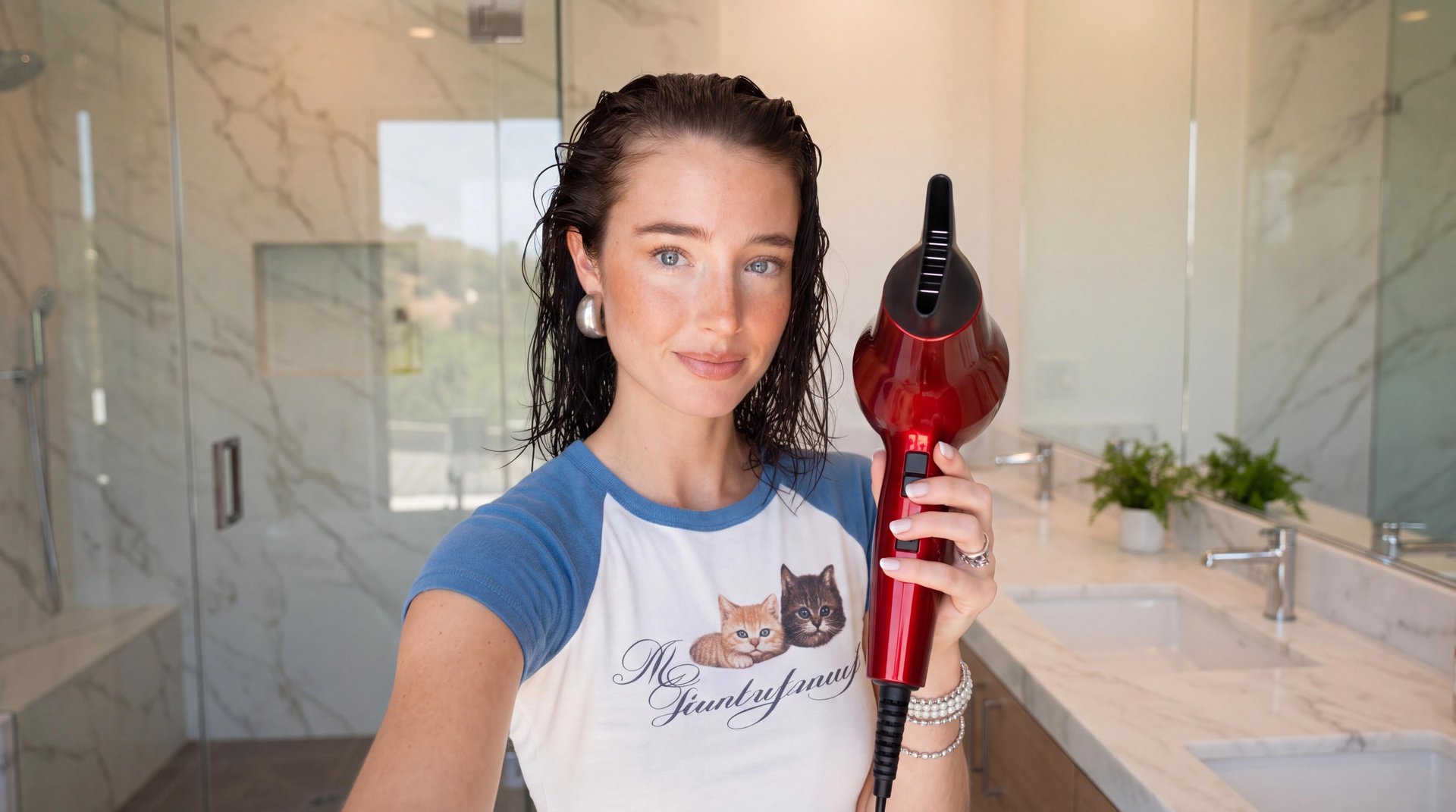
With the character ready, ask for the video and name the skill. The skill builds the concept, writes the script, and generates the clip with the same character from Step 1: no re-uploading, no re-describing.

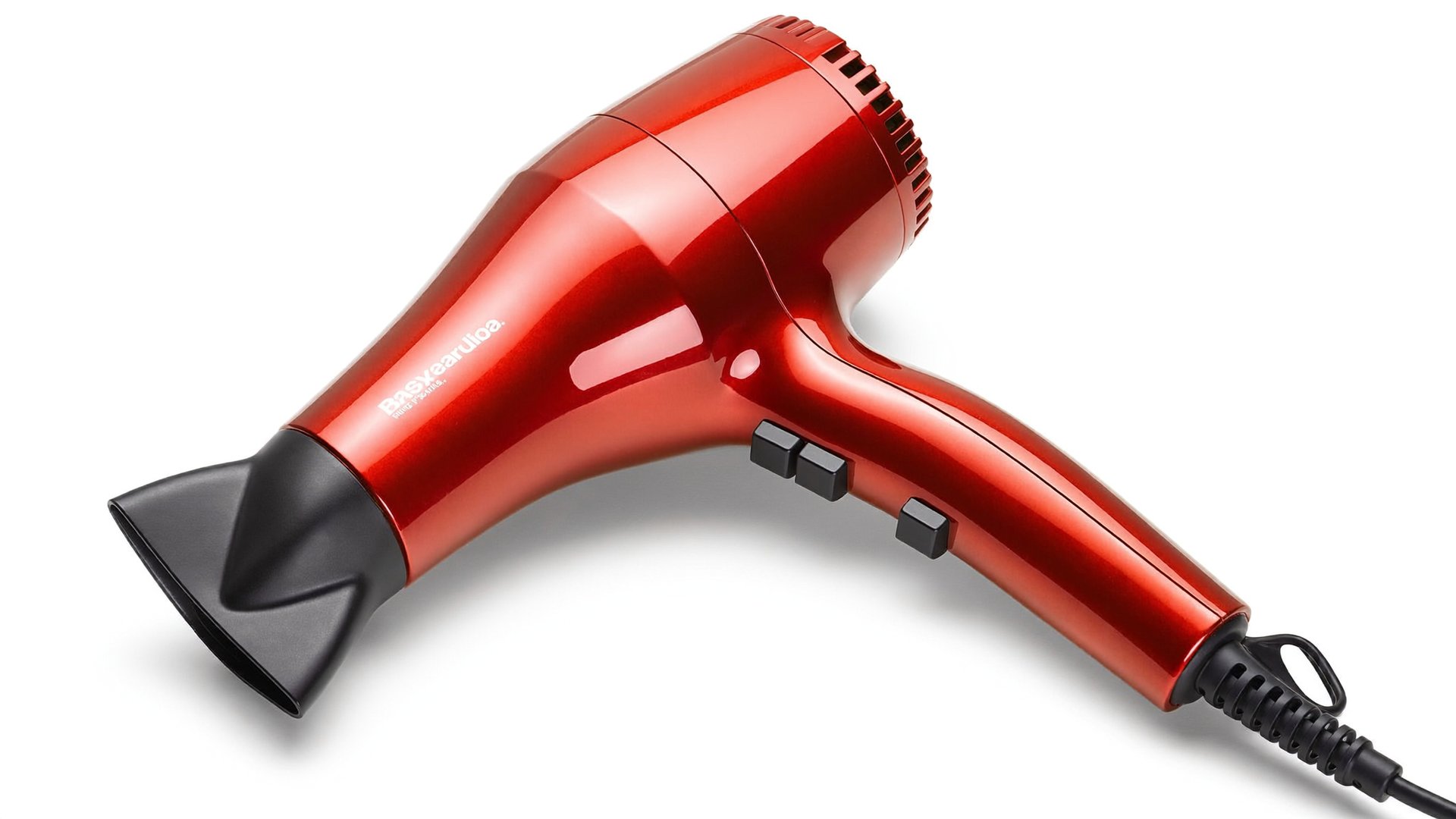
One note on the product: in this demo, the red hair dryer is an AI-generated reference too. For a real campaign, you skip that step: tell the agent you have a product photo, it opens the Higgsfield upload window, and the skill uses your file as the reference.

Using the Product Review UGC skill, create a vertical UGC video: shot like a casual selfie video at home in a bright bathroom. The young woman from the reference image, dark slicked-back wet hair, blue eyes, freckles, silver ball earrings, wearing her white baby tee with blue raglan sleeves, talks directly to the camera with friendly energy, like a beauty influencer filming a hair tutorial. She delivers a complete short monologue that fits fully within the video and finishes naturally before the video ends: she greets viewers, holds up the glossy red hair dryer with black concentrator nozzle from the reference image so the product is clearly visible, briefly explains its speed and heat buttons while pointing at them, then turns it on and demonstrates blow-drying a section of her damp hair, lifting the strands with her free hand while warm air flows and her hair visibly moves in the airflow. She wraps up with a closing line and a smile at the camera, ending on a finished, conclusive note, her sentence is fully spoken, not cut off. Realistic handheld camera micro-shake, soft natural daylight, authentic UGC content creator aesthetic, crisp product detail, no on-screen text.

What you end up with

One chat session gives you a consistent character and a finished marketing video built around it. The character stays in your account as a reusable asset: the same face works across UGC ads, product reviews, faceless explainers with a voiceover, and cinematic short-form videos through Cinema Studio models. Both results land in your Assets on higgsfield.ai, ready to download or reuse in the next generation.

Which other skills can marketers use?

Marketers use Higgsfield skills for more than character-led video, and the starting point changes with the task.

  1. UGC and product videos. UGC Factory covers creator-led formats: Product Review, Unboxing, Try-on, Tutorial, and SaaS UGC for software products. Each one takes a product photo or a store page and returns a vertical video with a presenter, a script, and captions.

  2. Faceless brand content. Faceless Content Factory generates stylized videos in formats like Stickman Cartoon, Editorial Motion Graphics, Whiteboard Doodle, Watercolor Chronicle, Pixel Art, and Claymotion. No filming, no face on camera.

  3. Localization and repurposing. Utility skills adapt what you already have: Localization translates a finished video for another market, Subtitles and Voiceover add text and speech layers, Personal Clipper turns YouTube videos into short clips, and Shorts Maker cuts footage for social feeds.

  4. Brand assets and design. Motion & Design covers Brandkit for a consistent visual identity, Animated Infographics for data-driven content, and Motion Design for animated visuals.

  5. Campaign landing pages. Website Building designs and ships a website from a single prompt, including product pages built from a photo. This is the one skill category not available in ChatGPT: use Claude, Cursor, or a CLI-based agent for it.

Ready-to-run prompts for every skill are collected at the bottom of the Higgsfield MCP page, each with a Recreate button that opens the prompt directly in your agent.

What does it cost?

Every Higgsfield generation through MCP or the ChatGPT plugin deducts credits at standard plan rates, the same rates as on higgsfield.ai. The cost of a specific generation depends on the model and the resolution: image models and video models are priced differently, and higher resolution or longer output costs more credits.

Here is what the workflow above cost:

What does it cost?

Step

What was generated

Credits

Cost

Step 1

Character reference sheet (Soul 2.0, 4 iterations)

0.5

$0.03

Step 2

UGC product video, 20 s, vertical (Product Review UGC skill)

270

$13.50

Total

270.5

$13.53

The character took four Soul 2.0 iterations at 0.125 credits each before the result was good enough to carry into the video: iterating on the reference is cheap, so refine the character before you spend on video.

You can check the cost before spending: ask the agent for your credit balance first.

MCP for Marketers: Creatives Without Leaving the Chat

Connect Higgsfield MCP

Got any questions left?

No. In Claude, you add a custom connector with the Higgsfield MCP server URL; in ChatGPT, you add the official plugin. An active Higgsfield subscription is the only requirement.

Claude connects through a custom connector with the MCP server URL; ChatGPT uses the official plugin, with nothing to paste. Both use the same account and the same credits. The Website Building skill works in Claude but not in ChatGPT.

Yes. Tell the agent you have a file, and it opens the Higgsfield upload window in the conversation: pick the file there. For an image from the web, paste the direct URL and the agent imports it.

There is no built-in credit cap. You can instruct the agent: "Tell me the credit cost and wait for my confirmation before generating." This works at the prompt level, not as a hard limit.

by Higgsfield

Share article