To make a game trailer with AI, you need three things: locked character and location references, a shot-by-shot script, and a video model that can animate those references consistently. This guide walks through the full workflow, from character sheets to final cut, using Cinema Studio for generation and Marketing Studio to turn the same assets into ad creatives afterward.
Key takeaways
- A trailer this size runs on surprisingly few locked references: this example uses 3 designed characters and 7 locations, reused across every shot instead of regenerated per scene.
- Not every look needs its own asset. A character in a different outfit, or a location's own built-in equipment, can be described directly inside a scene's prompt when that look only needs to hold within one storyline thread.
- Plan the full shot list before generating anything. This trailer breaks into 4 acts across two 30-second generations, about a minute total, decided on paper first.
- The whole trailer cost about 391 credits, roughly $20 at a typical rate of 20 credits per dollar, and almost all of it went to the two video passes.
- Once the trailer is done, the same locked files go straight into Marketing Studio for a batch of ad variants, no rebuilding required.
What is a game trailer, and what type does this guide build?
A game trailer is a short promotional video built to sell a game. There are a few recurring types: teaser and announcement trailers that introduce a game without revealing much, cinematic or story trailers that dramatize character and world the way a short film would, gameplay trailers that show actual mechanics and moment-to-moment feel, and launch trailers timed to release to convert interest into wishlists and purchases.
This guide builds a cinematic trailer: a fictional example built for a video game named LETA that leans entirely on character, world and atmosphere rather than gameplay footage, since that's the format an asset-first AI workflow is best suited for. If your own game needs a gameplay trailer instead, the same locked-reference workflow still applies, only the shot list changes from dramatized scenes to actual mechanics.
What do you need before generating a game trailer with AI?
Before generating anything, you need:
- A concept and a full shot-by-shot script. A list of scenes, dialogue, sound cues and cuts included.
- A written description for each character, detailed enough that someone else could picture them from the text alone. That's what keeps a face consistent later.
- A locked reference sheet per character, generated once so the same face holds across every shot.
- Separate references only for identity changes, like the same character at a different age. A change of clothes doesn't need its own reference, an outfit can be written directly into the scene prompt on top of the same locked face.
Once all of that exists, generate the script scene by scene, in order.
How do you storyboard a game trailer before generating anything?
Write the full trailer as a shot list before generating a single frame, cuts, dialogue and sound included, then generate against that list instead of improvising order later. Most trailers, whatever the story, break into a similar four-part arc:
- The hook: something unresolved in the first few seconds, before the trailer explains anything.
- The rise: world and characters established, tone still light or neutral.
- The turn: tone shifts, tension escalates, stakes become clear.
- The climax: ends unresolved rather than tidy, then the title card.
How do you make a game trailer on Higgsfield?
Inside Higgsfield, each part of the workflow above maps to a specific tool, all inside Cinema Studio. Characters and locations are generated in Soul Cinema, so a face or a room can be locked once and reused across every shot. Every video shot, from a single close-up to a full multi-shot scene, is generated in Seedance 2.5. Cinema Studio is how Higgsfield handles all of it end to end, instead of switching between separate tools for each part of the trailer.
Cinema Studio also gives you deterministic camera control, and for a game trailer that matters more than almost anything else. You can pick a virtual camera body, lens and focal length, choose specific movements like a dolly, a crane rise or a crash zoom, and stack several camera moves inside one shot, instead of hoping the model improvises something usable. Every lens lock and push-in in the trailer prompts below is written against that control, which is why the shot descriptions can be as specific as they are.
The whole method in one line: plan the story, lock character references, lock locations, write the full shot list, generate the trailer in passes, then finish the cut. Everything below walks that sequence on a real example.
What's the story behind LETA?
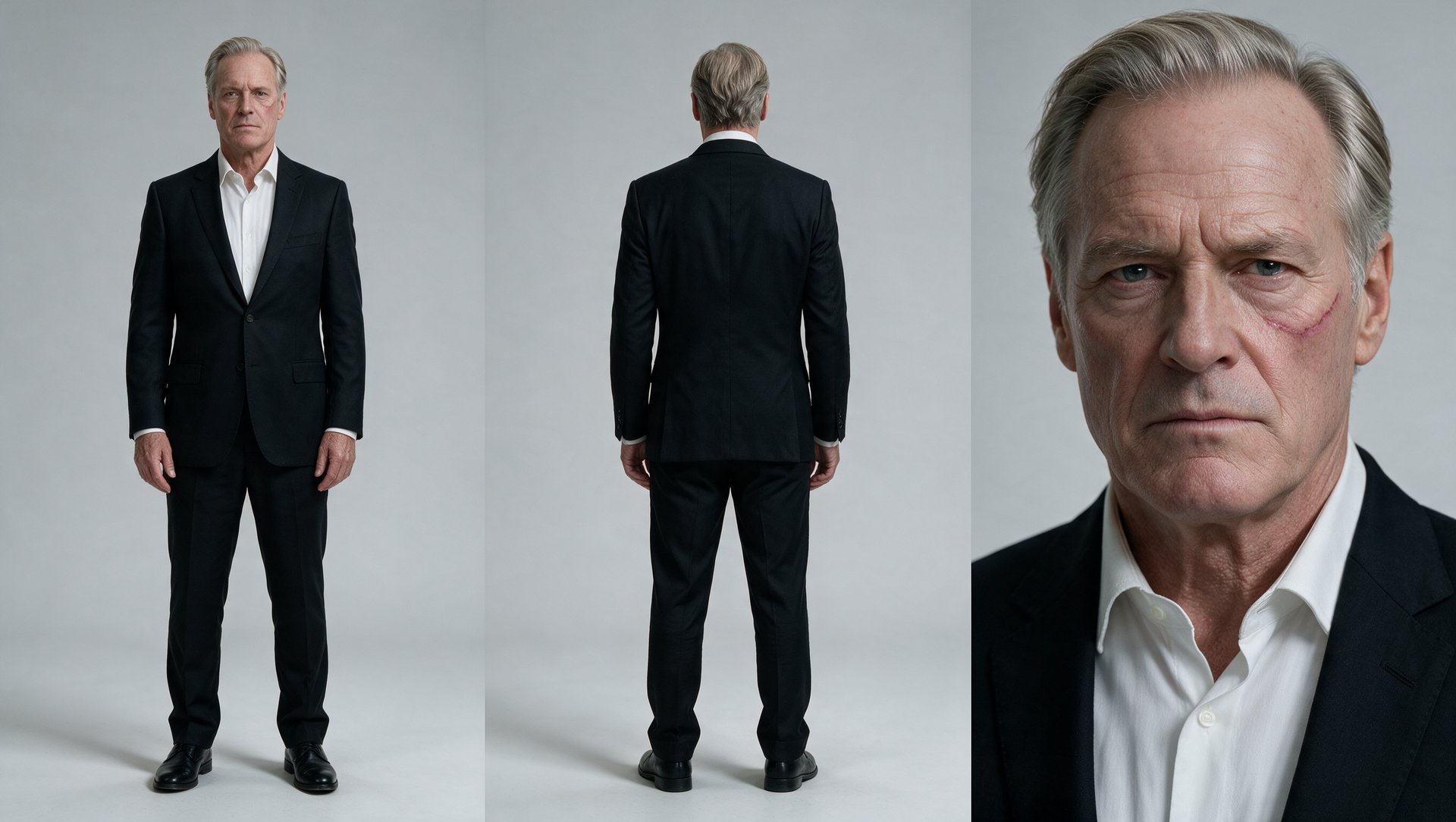
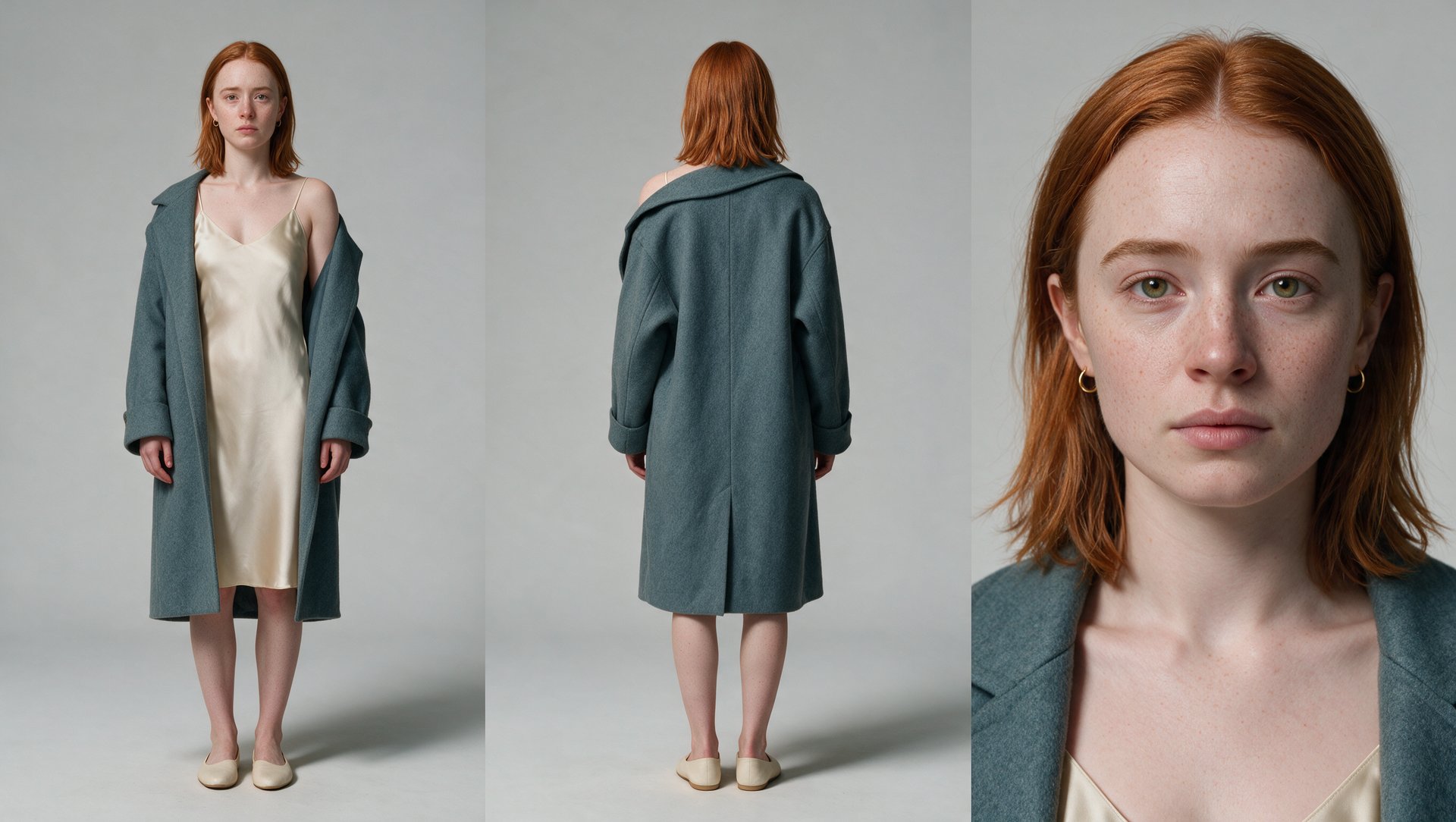
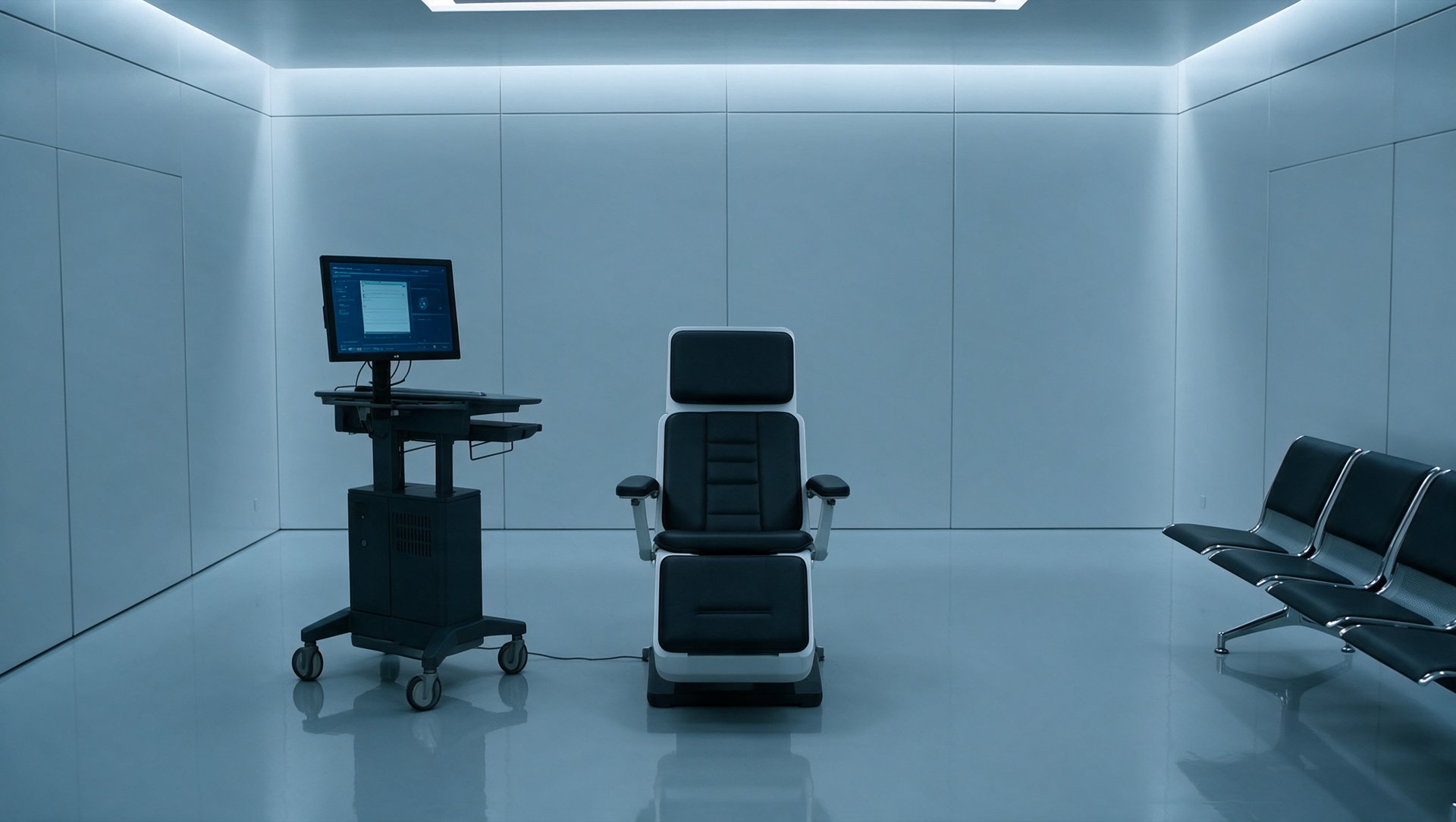
LETA is a fictional near-future detective game built around a memory-editing procedure that's licensed for therapy and quietly used for cover-ups. Kai Weil runs the procedure, clinical and unreadable by training. His current client is Leta Moren, an heiress whose husband Damen Voss ordered the extraction to erase her memory of his affair and buy time before she finds out he's after her inheritance. Partway into the extraction, Kai finds his own face inside a memory he shouldn't recognize, and the deeper he goes, the more it looks like Leta's family history hides something Damen needs buried for good.
Mapped onto the four-part arc above, LETA's trailer runs: a dark, unresolved teaser, a fast rise through Leta's warm years, a turn where the relationship and the family history both start cracking, and a climax in the clinic that ends on a standoff, not an answer.
Who are the characters in LETA?
Three main characters carry the trailer, all generated in Soul Cinema, and they expand into eight reference files: the story moves across two decades, so age variants of the same faces and one shared card for Leta's parents were generated on top of the three base sheets below. That's the rule worth remembering: identity changes like age get their own reference, while a change of clothes is just written into the scene prompt, which is why Leta wears a different outfit in every scene without a single extra asset.
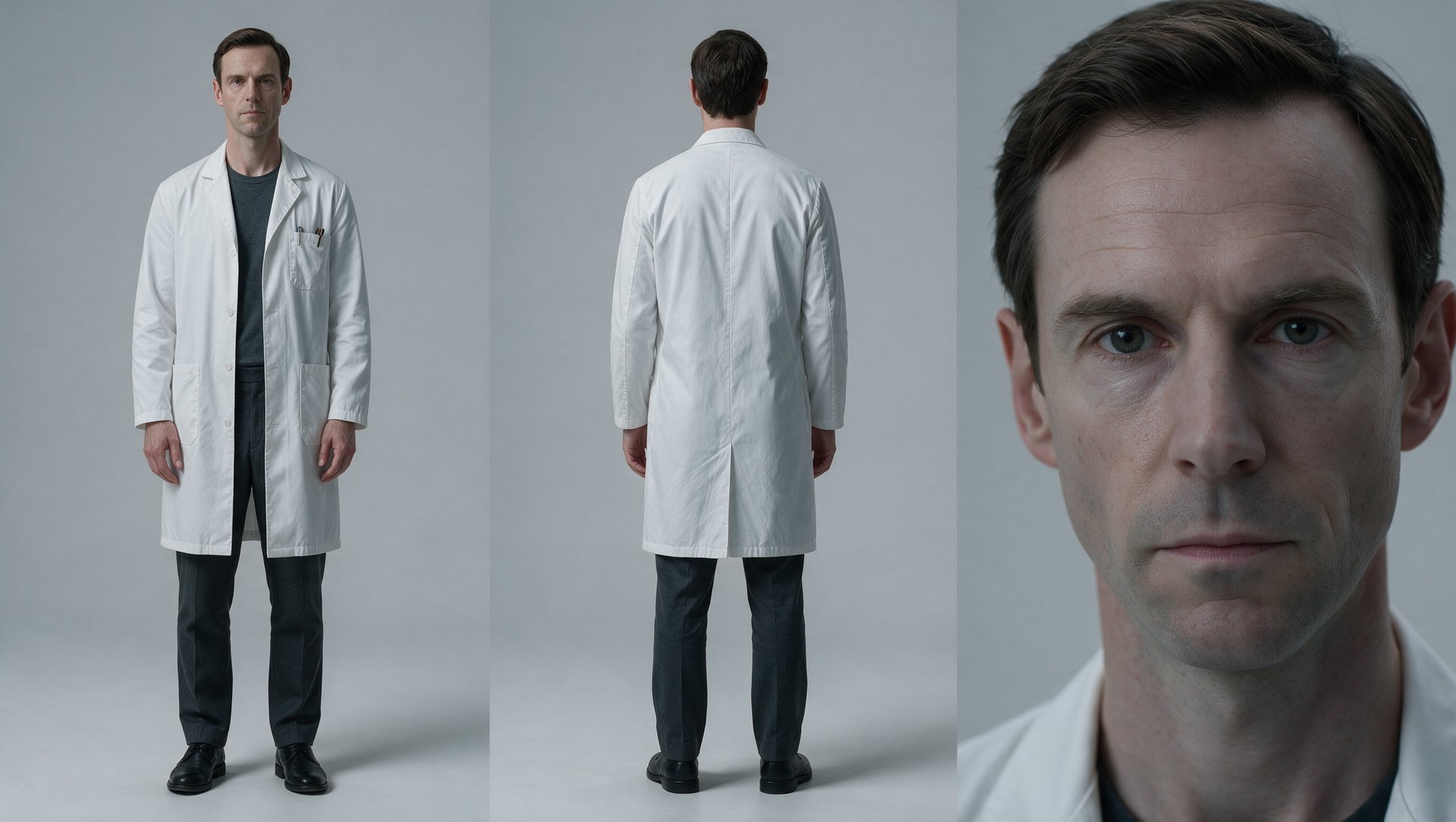
Kai Weil, the memory editor (@kai)
What it does: generates Kai's reference sheet, the version of his face used in every clinic and memory shot.