Actions Speak Louder Than Prompts
Imagine this: you have spent hours crafting the perfect AI visual. The lighting is right, the motion is smooth, the style is exactly how you envisioned it. Everything seems almost too perfect - except the audio sounds off.
And that is assuming the model you are using even has voice support! Audio is roughly half of the viewing experience, and the disconnect between AI-generated visuals and manually added or generated audio has been one of the most obvious problems in AI content creation.
And the audio that sounds completely out of place is only a part of the problem. Creators have to work across multiple platforms to patch all the content pieces together and hope that everything syncs up perfectly:
Generate an image in one tool,
Animate it in another,
Record or source the voiceover in a third.
And that is not even taking translations or prompting into consideration. Apart from making it a tedious process, it also slows down the efficiency of AI content production, bringing higher costs (golden law: time is money).
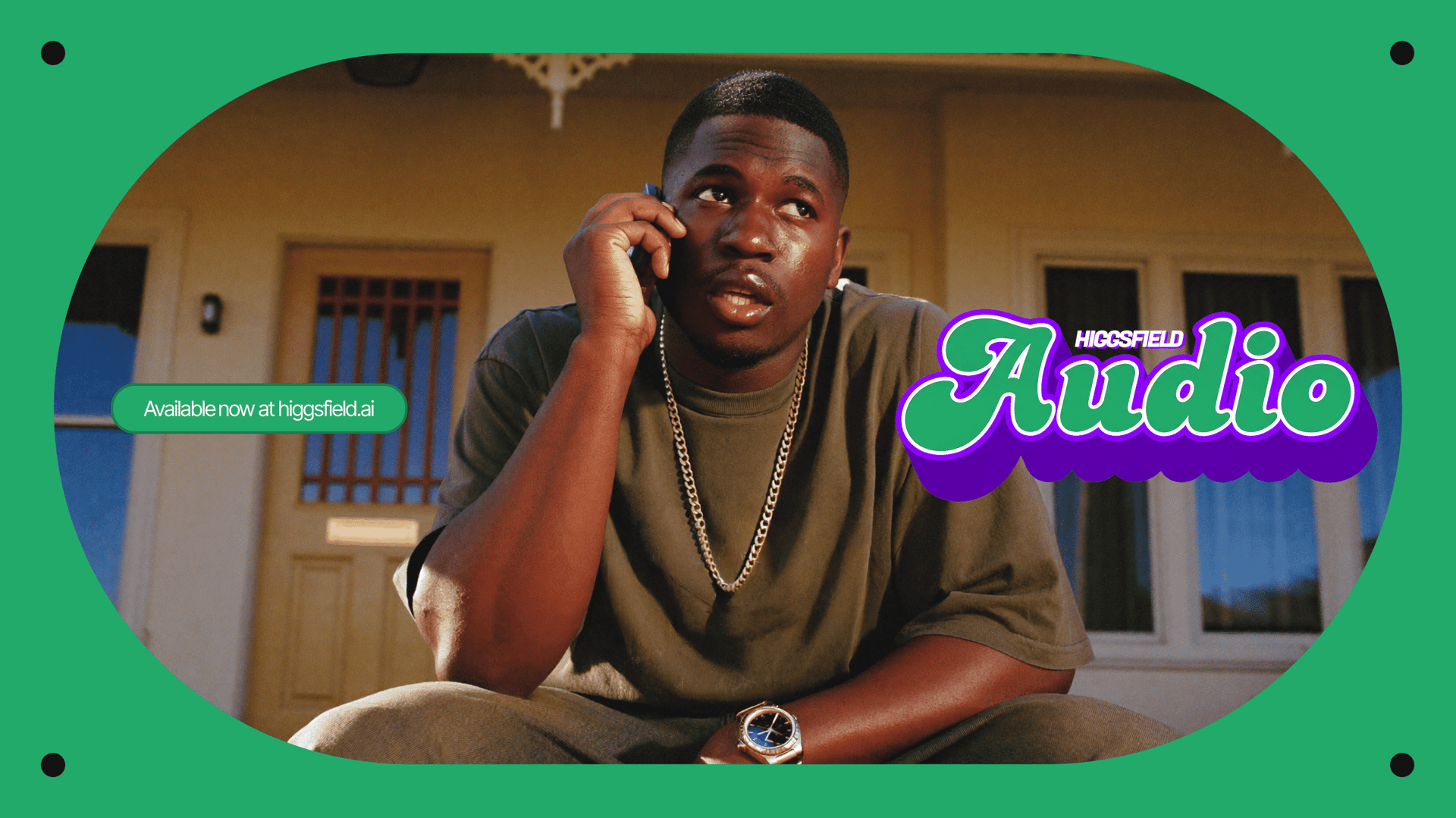
Higgsfield enters the scene. Mic drop. What used to be a multitool pipeline (generate image or/and video, add voiceover, think of prompts) is now a neat unified workflow. This monumental shift was brought with the launch of Higgsfield Audio.
Overview
Higgsfield Audio is a breakthrough release that turns Higgsfield into a full-cycle AI content production platform. With three powerful new functions, Voiceover, Change Voice, and Translate, you no longer need to leave the platform to give your content a voice.
Higgsfield Audio: AI Text-to-Speech Voiceover
This is a TTS (text-to-speech) tool that allows you to generate an audio file from written text input. This tool supports input videos in more than 70 languages through multiple AI audio models. You can either choose a custom voice or select a voice from the 21 preset male and female voices - we will describe them later in this article. You can also choose among 4 AI voice models:
Eleven v3;
MiniMax Speech 2.8 HD;
CosyVoice;
VibeVoice.
Each model supports numerous input languages so almost every creator will find their target language - borderless AI world.
Higgsfield Audio: AI Voice Change Tool
This tool allows you to replace a voice in the input video to, again, either a custom voice or 1 of the 21 preset voices.

Higgsfield Audio: AI Video Translation & Lip-Sync
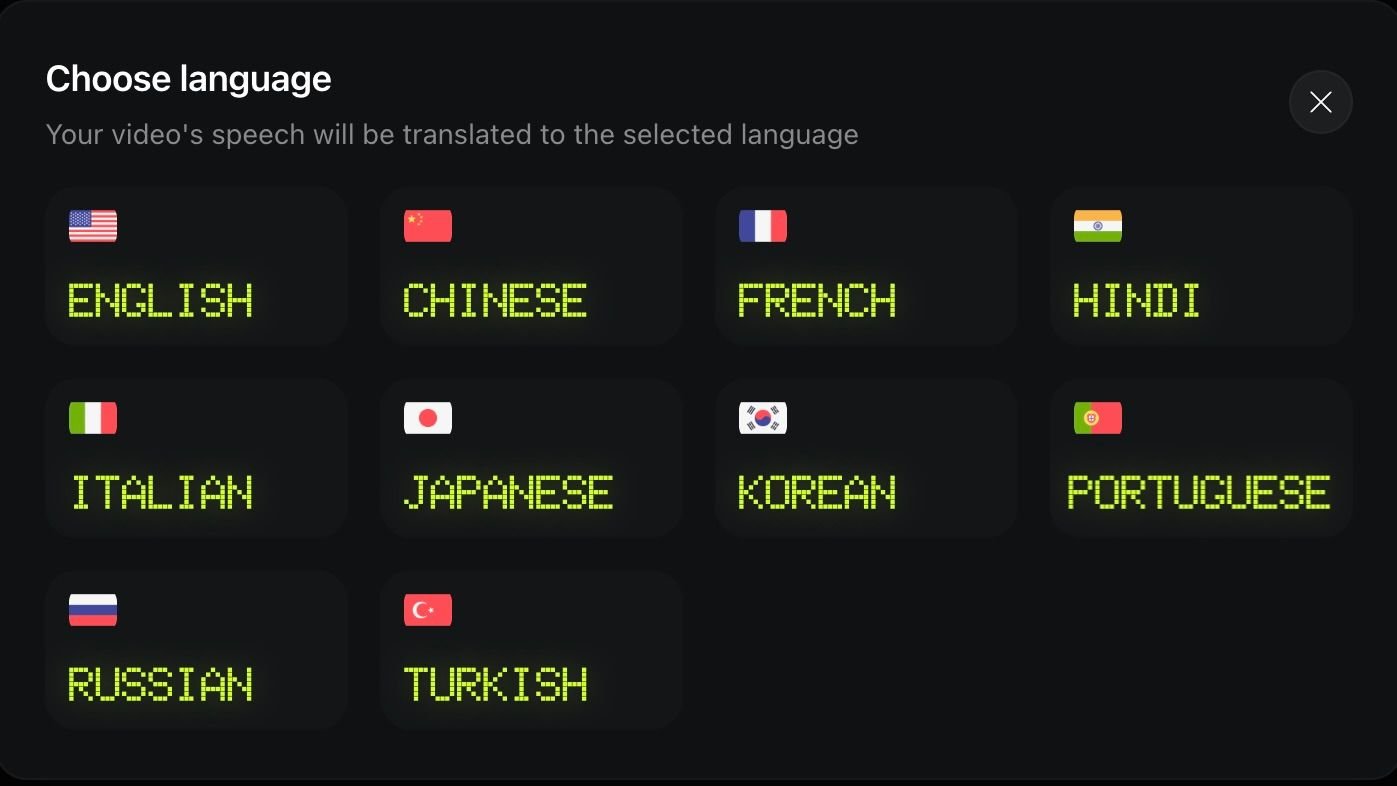
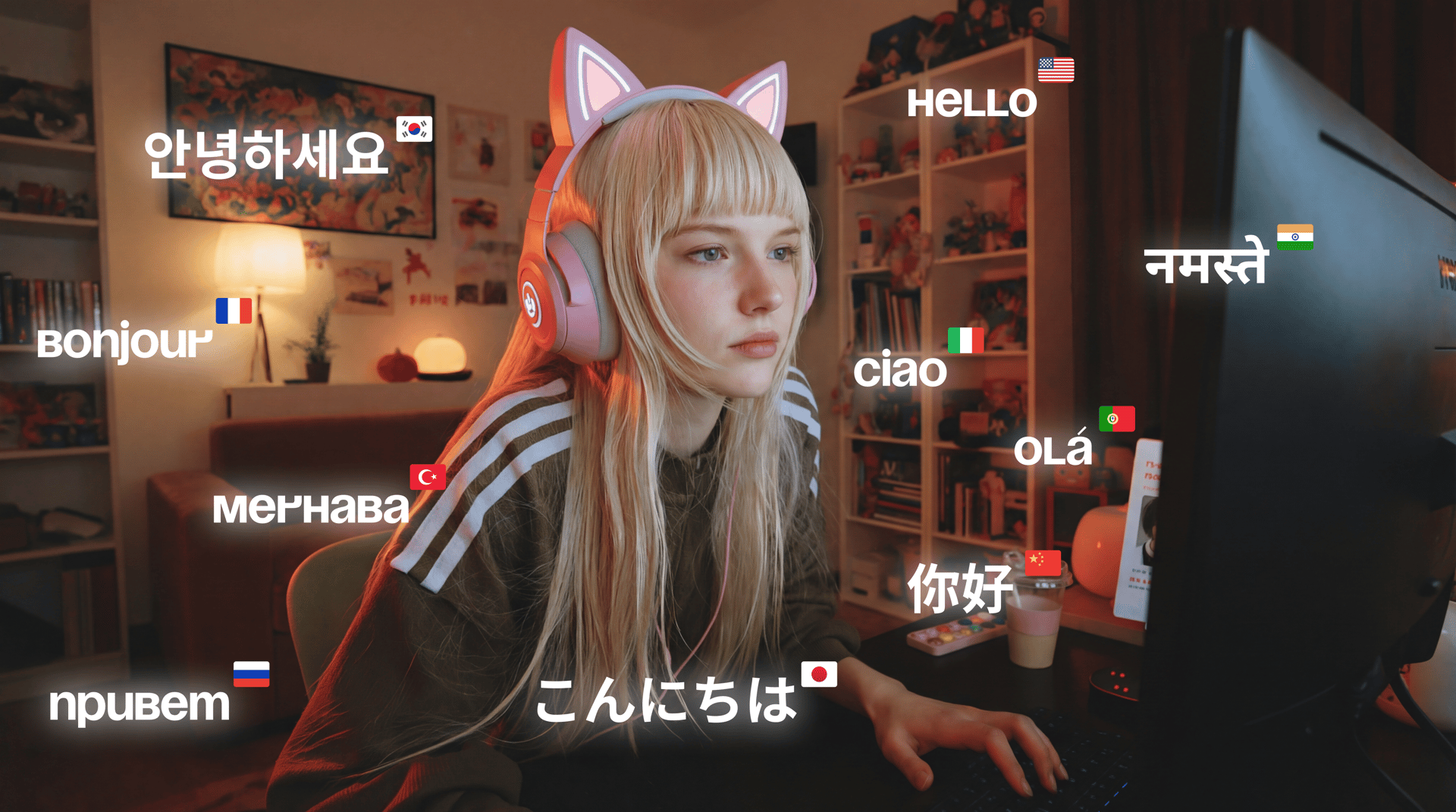
An absolute gem for those who want to broadcast to the entire world. You can localize any video by translating the voice in the video to any of the supported languages:
English;
Chinese (Mandarin);
French;
Hindi;
Italian;
Japanese;
Korean;
Portuguese;
Russian;
Turkish.
Other world languages, including Spanish, Arabic, and German, will soon be joining this amazing tool, so stay tuned! Apart from that, the output video lip-syncs the audio in the target language, making the final product seamless.
Higgsfield Audio: Voice Presets
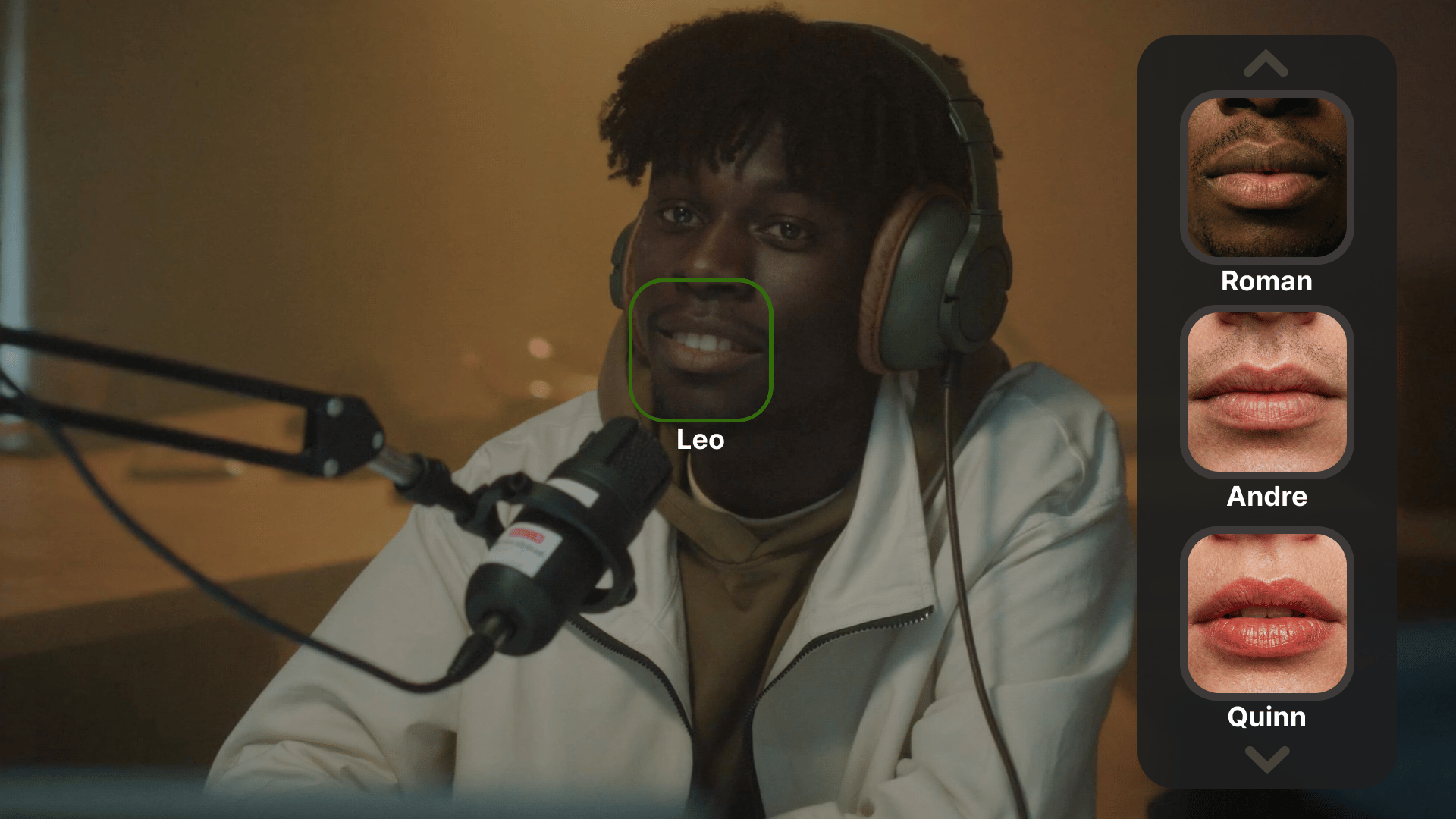
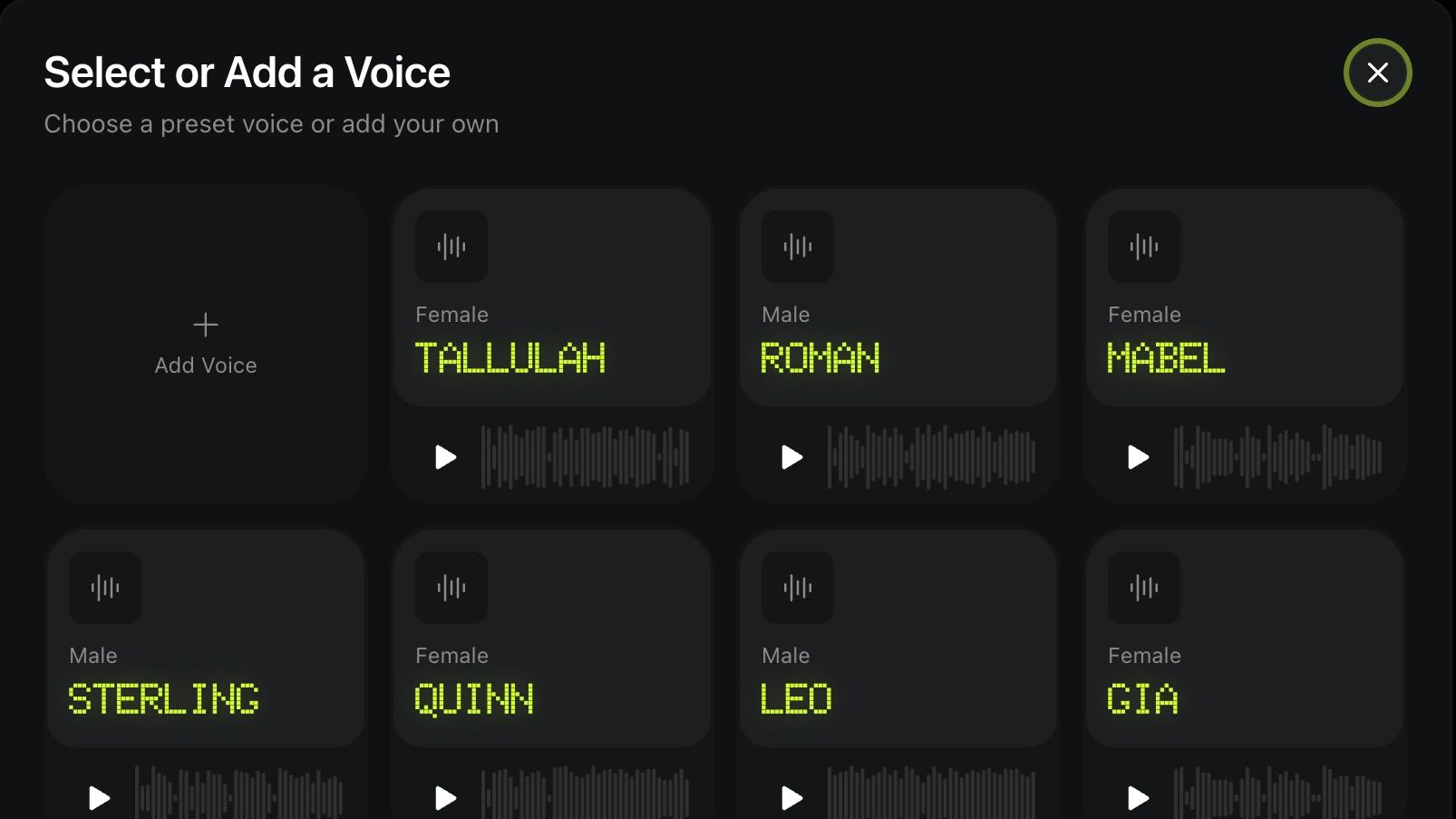
“Voiceover” and “Change Voice” functions operate with 11 female and 10 male preset voices, as well as giving you an opportunity to create and save up to 3 custom voices.
Female Voices
Voice preset | Description |
|---|---|
Tallulah | Bold, panoramic delivery. Textured, commanding, deeply emotive voice. Built for sweeping historical epics or high stakes trailers. |
Mabel | Steady, warm voice. Perfect for memoire narration or meditation guiding. Voice that brings sense of home. |
Quinn | Built for long format. Steady and thoughtful voice. Perfect fit for investigative journalism, video essays, |
Gia | Natural city rhythm. Warm & Chatty. Perfect for a podcast intro or a brand story. |
Vesper | From low, textured whisper to commanding, bold delivery. Perfect for storytelling. |
Roxie | Voice that's heat and honey. Perfect for bold lifestyle brands and provocative storytelling. |
Tasha | Voice of curated success. Highly social delivery. Perfect for high-end retail, travel, and tech. |
Hana | Crisp, energetic voice that sounds professional. Fast-paced and rhythmic delivery. Perfect for modern tutorials. |
Skye | Light, airy, polished voice. Perfect for fashion brands, UGC, and lifestyle. |
Maya | Clear, warm, and balanced delivery. Perfect for explanatory videos. |
Imogen | Bold, soulful, and sharp delivery. British accent. Perfect for projects that need to sound both prestigious and intensely human. |
Male Voices
Voice preset | Description |
|---|---|
Roman | Fast-paced, resonant, unapologetically bold delivery. Heartbeat of your story. Narration that feels raw and real. Perfect for high-end sports documentaries or luxury performance brands. |
Sterling | Warm, resonant delivery. Epic and intimate narration style. Perfect for historical documentaries. |
Leo | Casual voice. Perfect for conversation flow that feels unscripted. |
Julian | Gentle, emotive resonance. Conversational rhythm. Perfect fit for fitness apps & empathetic documentaries. |
Andre | Vibrant, engaging delivery. British accent. Energetic and authentic voice. Perfect for lifestyle brands and social media campaigns. |
Brooks | Soothing, intelligent delivery. Perfect for educational series or memoirs. |
Arthur | Gentle, intelligent delivery. Voice that is both authoritative and kind. British accent. Ideal for educational series, documentaries, and nighttime stories. |
Gideon | Textured, deep, unapologetic voice that speaks from the shadows. Perfect for projects that require a sense of mystery and danger. |
Cillian | Warm, kind, melodic Irish voice. Perfect for narrative content for kids. |
Harrison | Bold, mid-range resonance, clear yet commanding voice. Perfect for high-end brand stories and product launches. |
How To Use Higgsfield Audio?
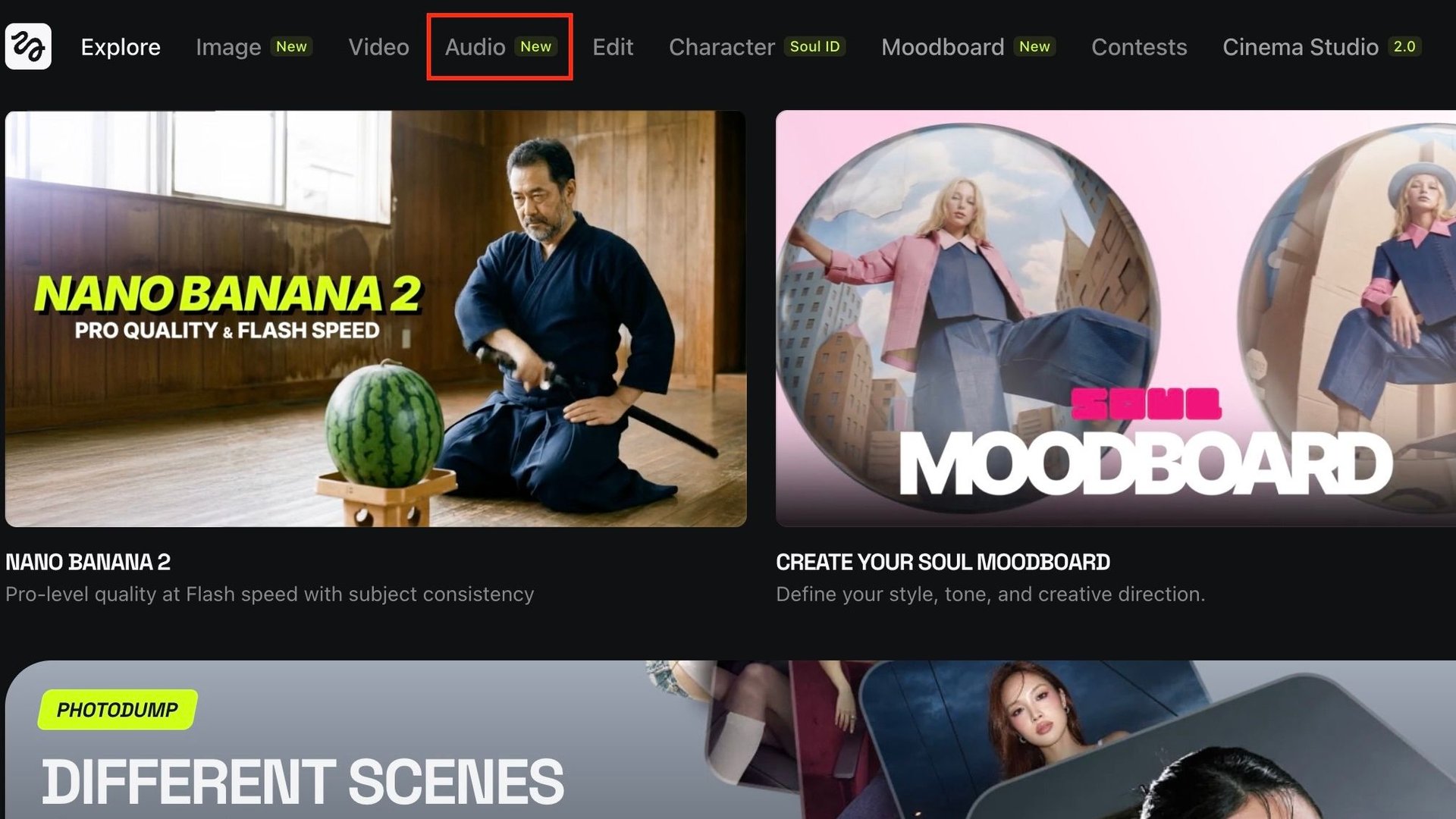
Let’s see what your Higgsfield Audio workflow would look like by walking through each of the 3 tools as well as showing you how to create your custom voice. Before we start, you first need to open the Audio Tab from the navigation bar. It will open a standard Cinema Studio 2 window (which is another amazing feature of Higgsfield on its own). From there, you can choose any of the 3 tools you need.

How To: Voiceover
Follow these simple steps:
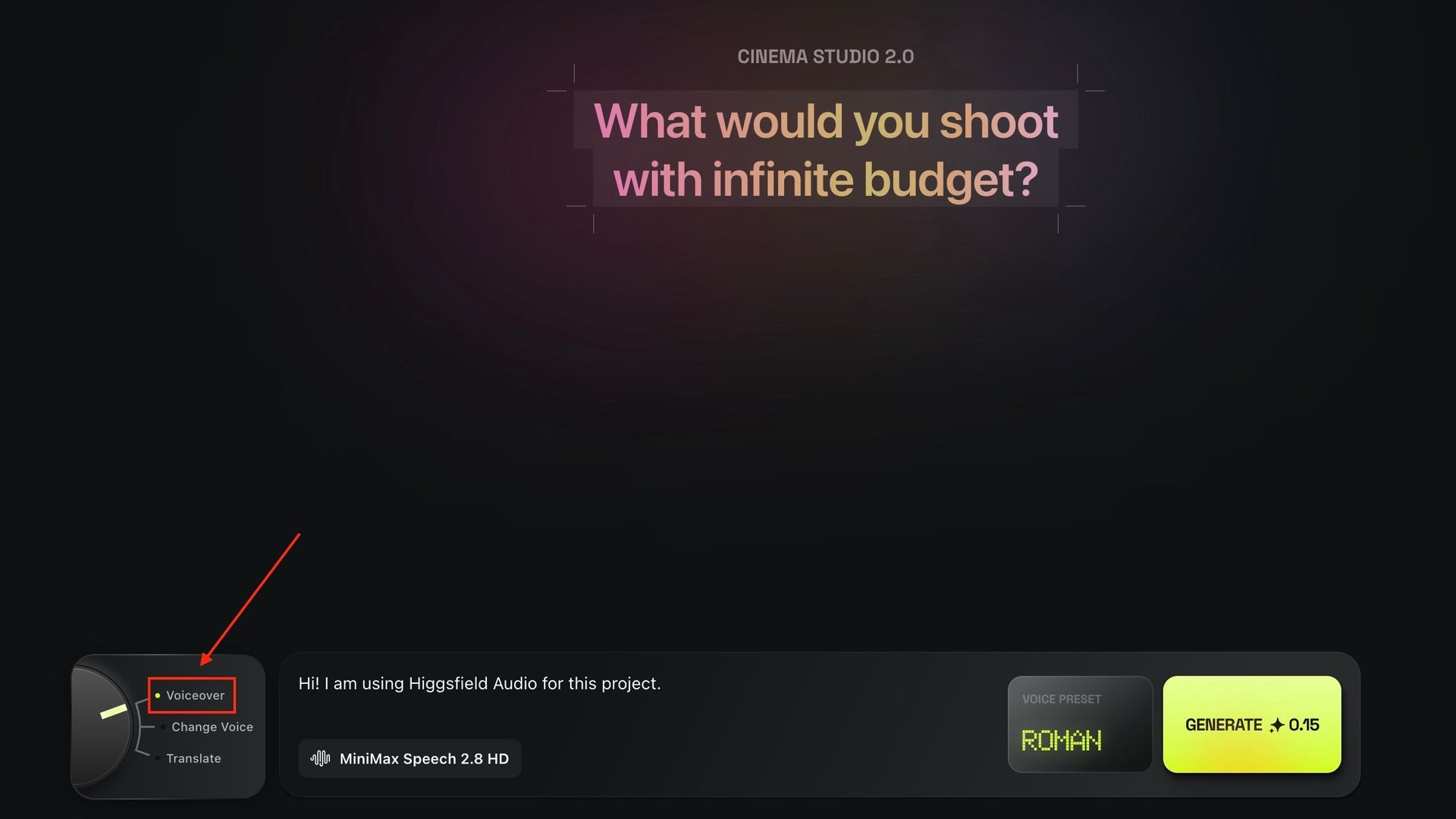
Step 1
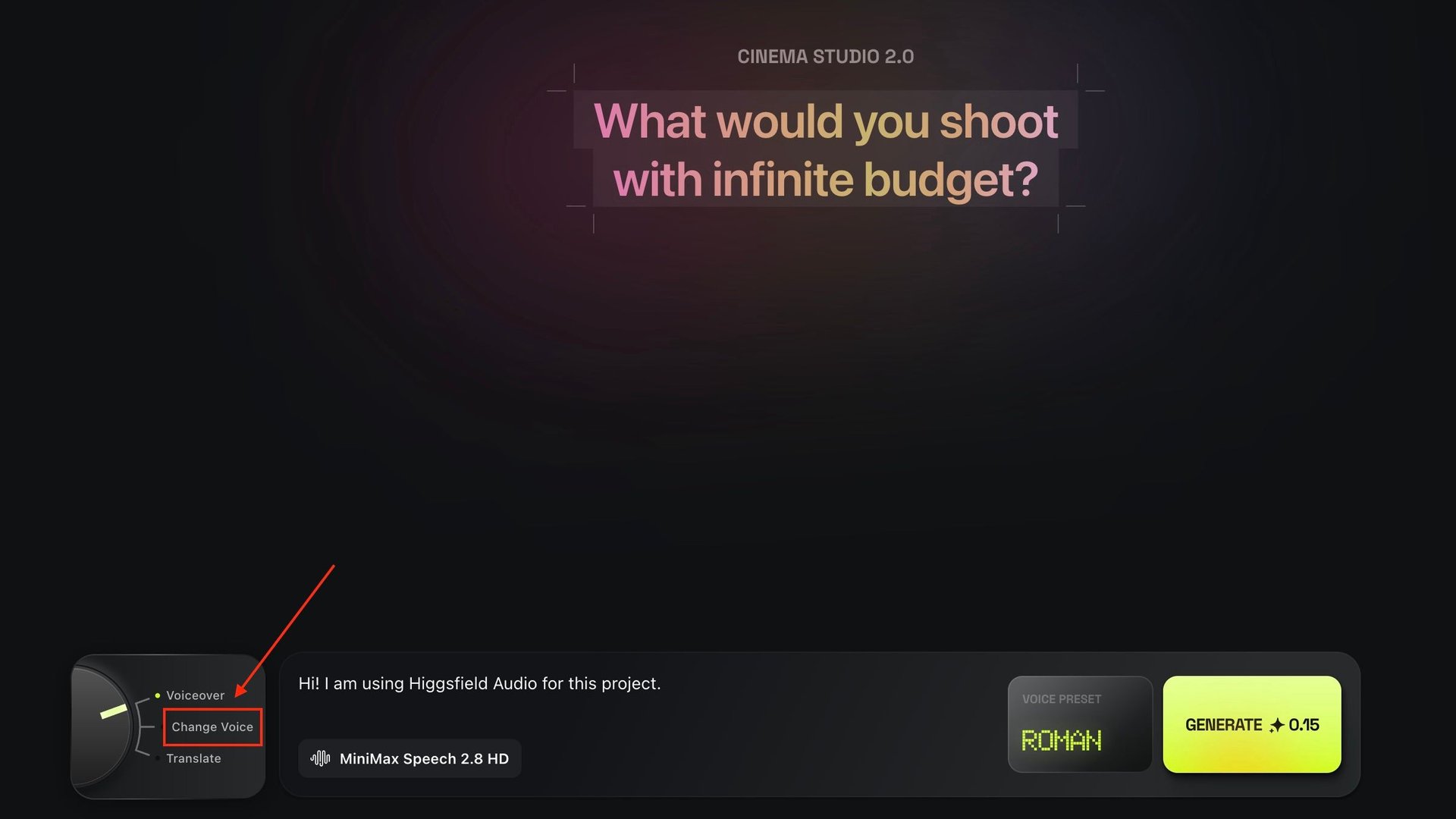
Choose the “Voiceover” option in the bottom left switch.

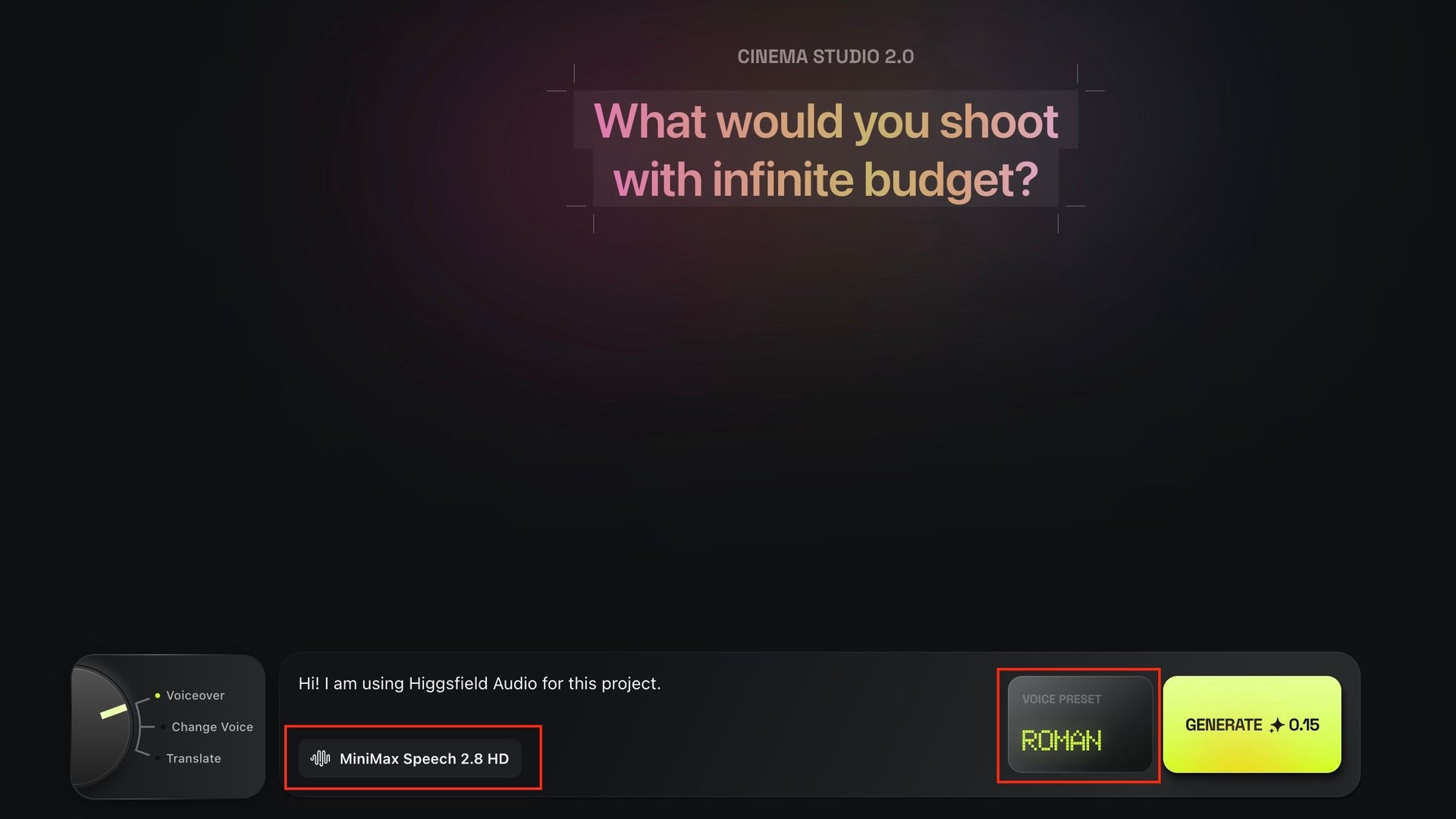
Step 2
Write the text that you want to transform into an audio and select an AI audio model.

Step 3
Select a voice preset or your custom voice and click “Generate”. It is as simple as that!

How To: Change Voice
Step 1
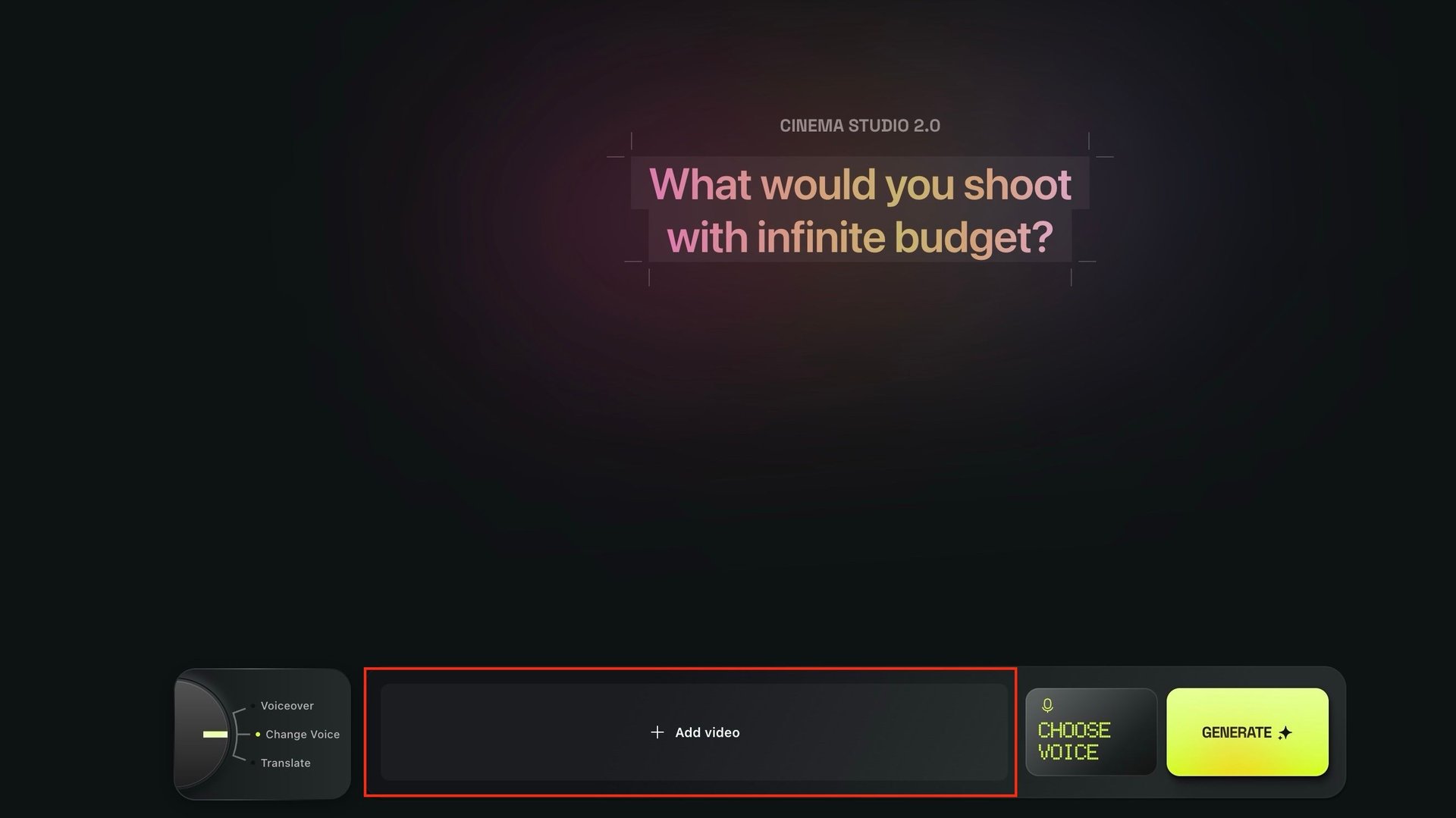
Choose the “Change Voice” option in the bottom left switch.

Step 2
Add a video that you want to transform.

Step 3
Select a voice preset or your custom voice and click “Generate”. Done.

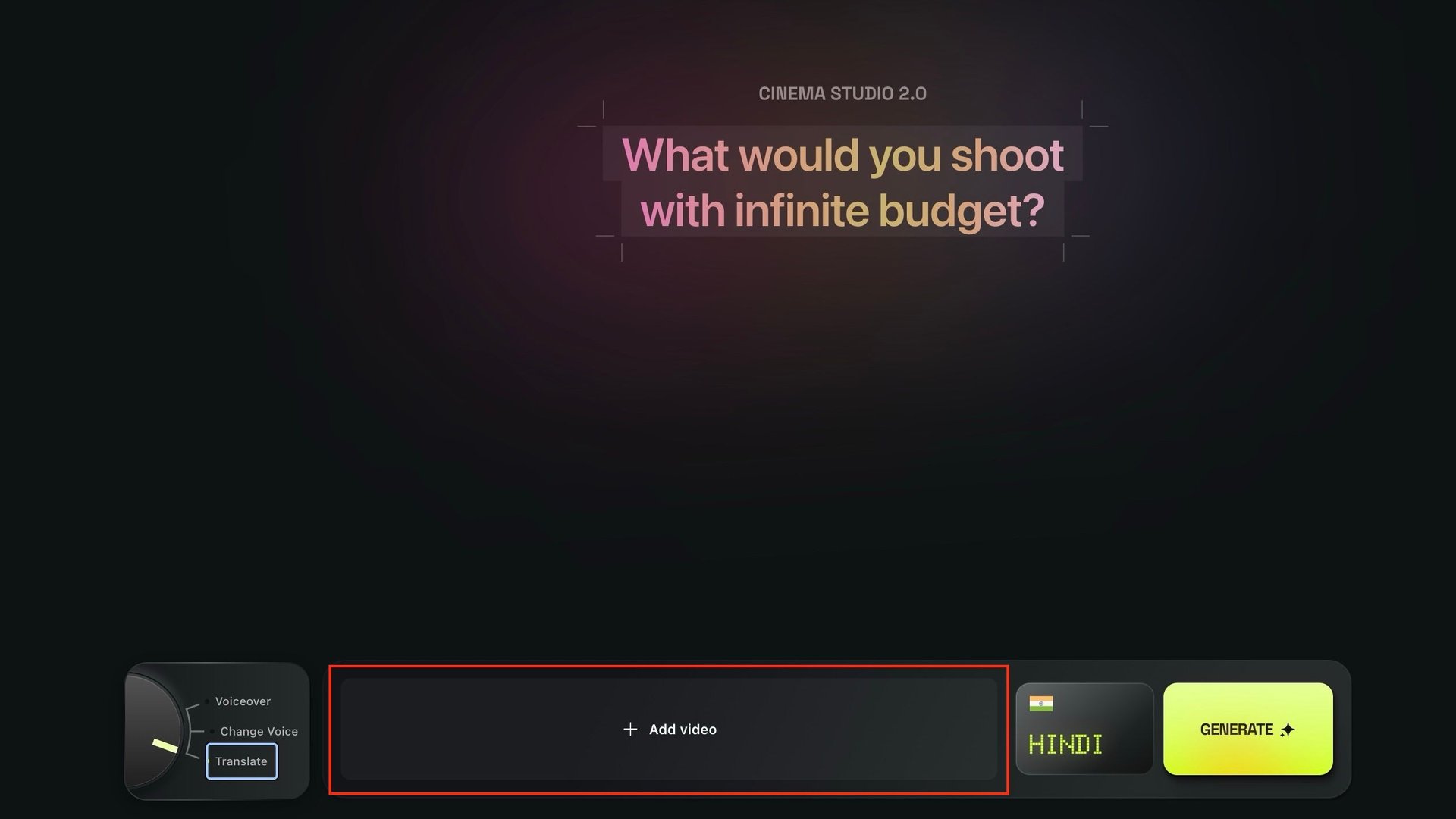
How To: Translate
Step 1
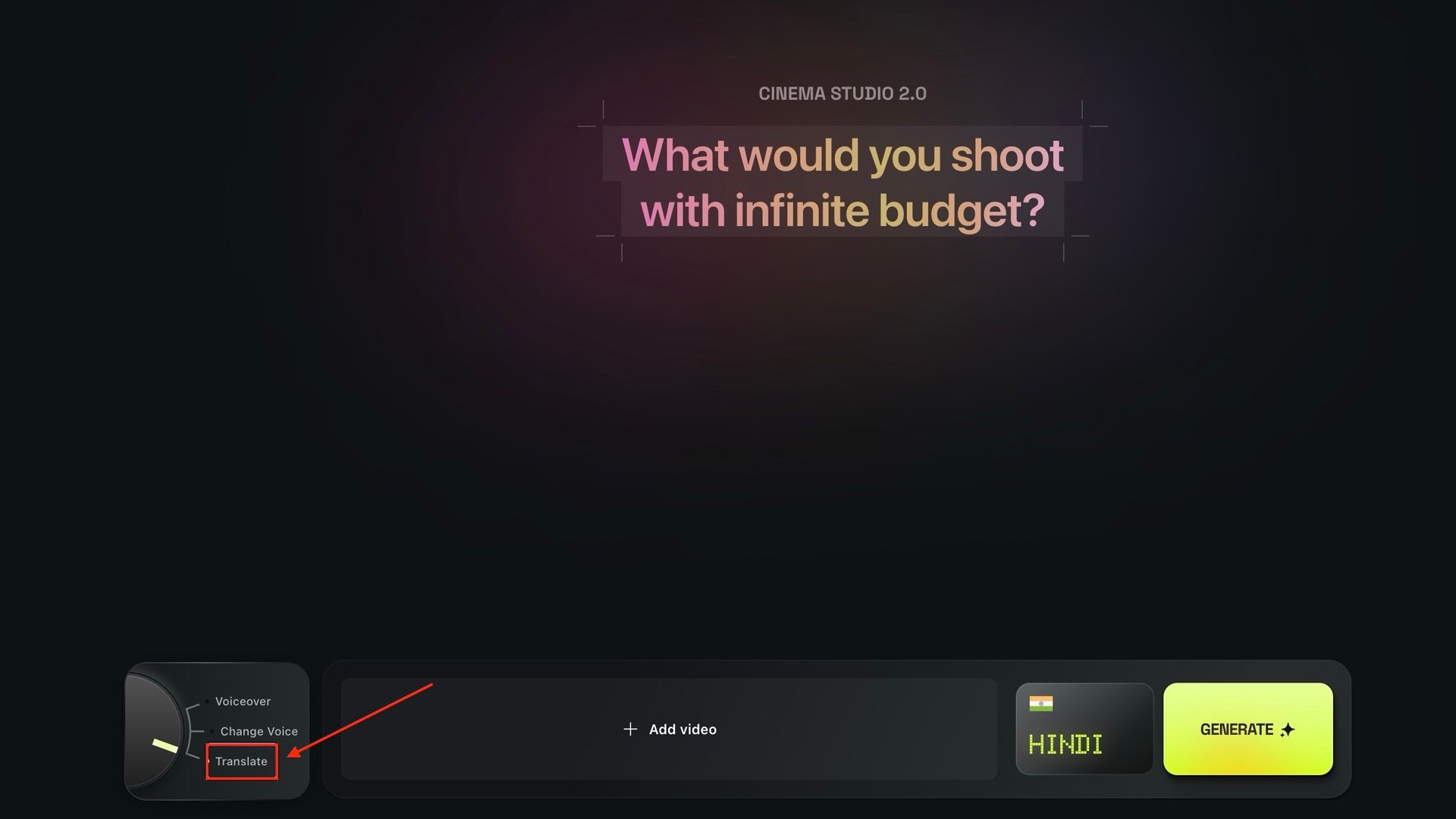
Choose the “Translate” option in the bottom left switch.

Step 2
Add a video which you want to translate to another language.

Step 3
Select your desired language and click “Generate”. Voilà!

How To: Create Your Custom Voice
Step 1
Choose either “Voiceover” or “Change Voice” options in the bottom left switch.

Step 2
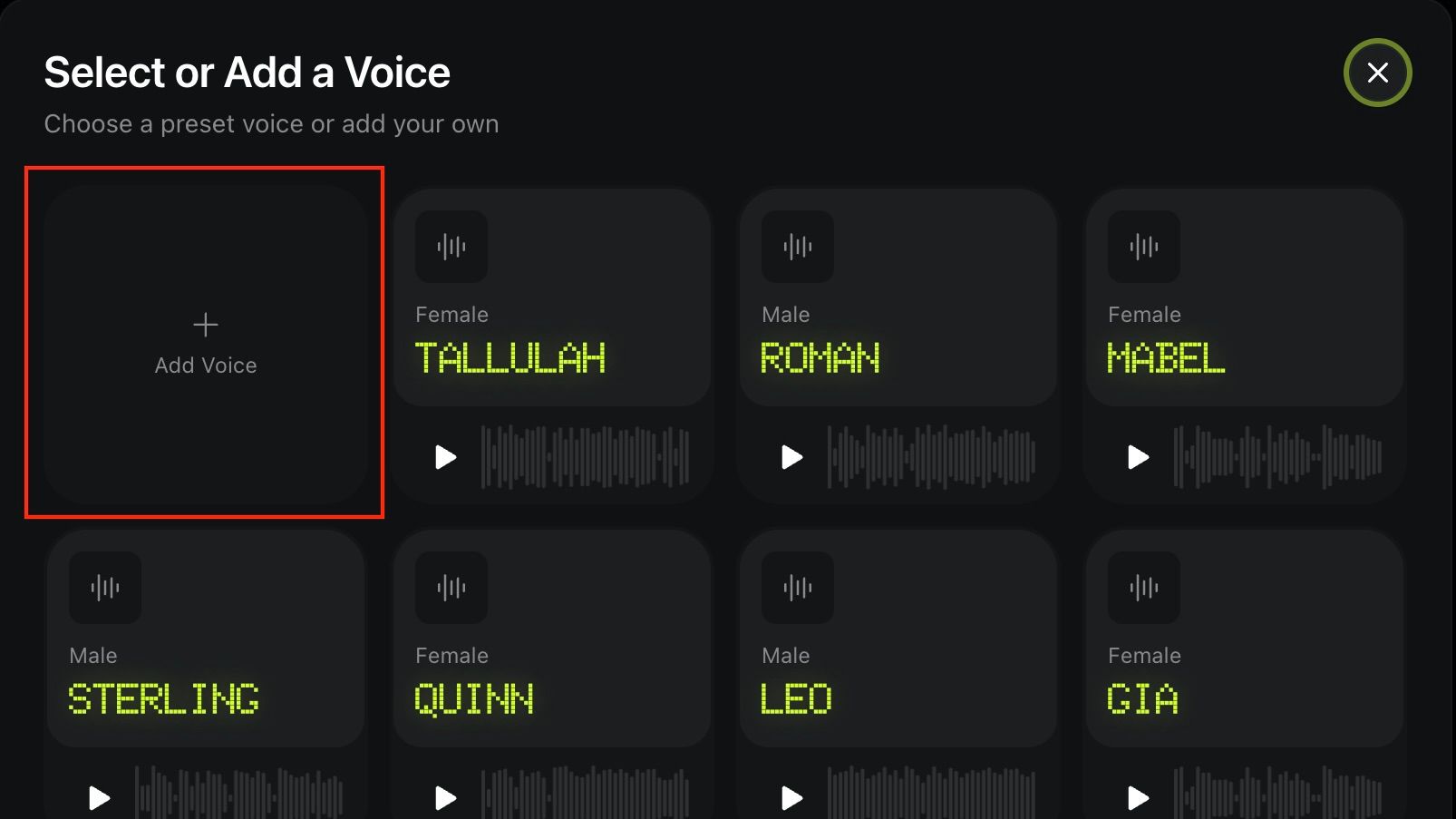
Open the “Voice Preset” section. You will see “Add Voice” as the first option in the list.

Step 3
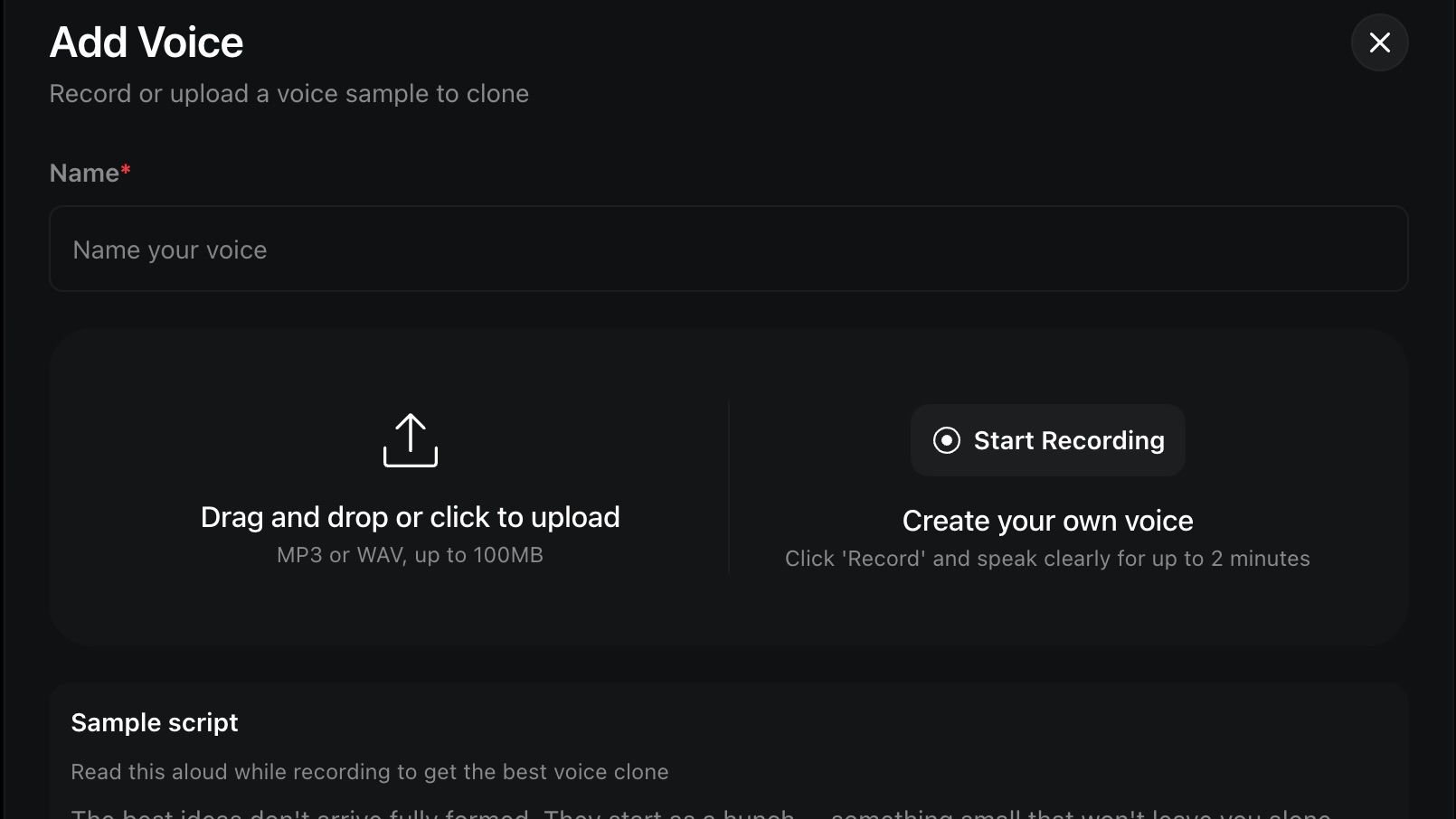
Click on “Add Voice” and either:
upload your audio file (MP3 or WAV);
record one on spot.
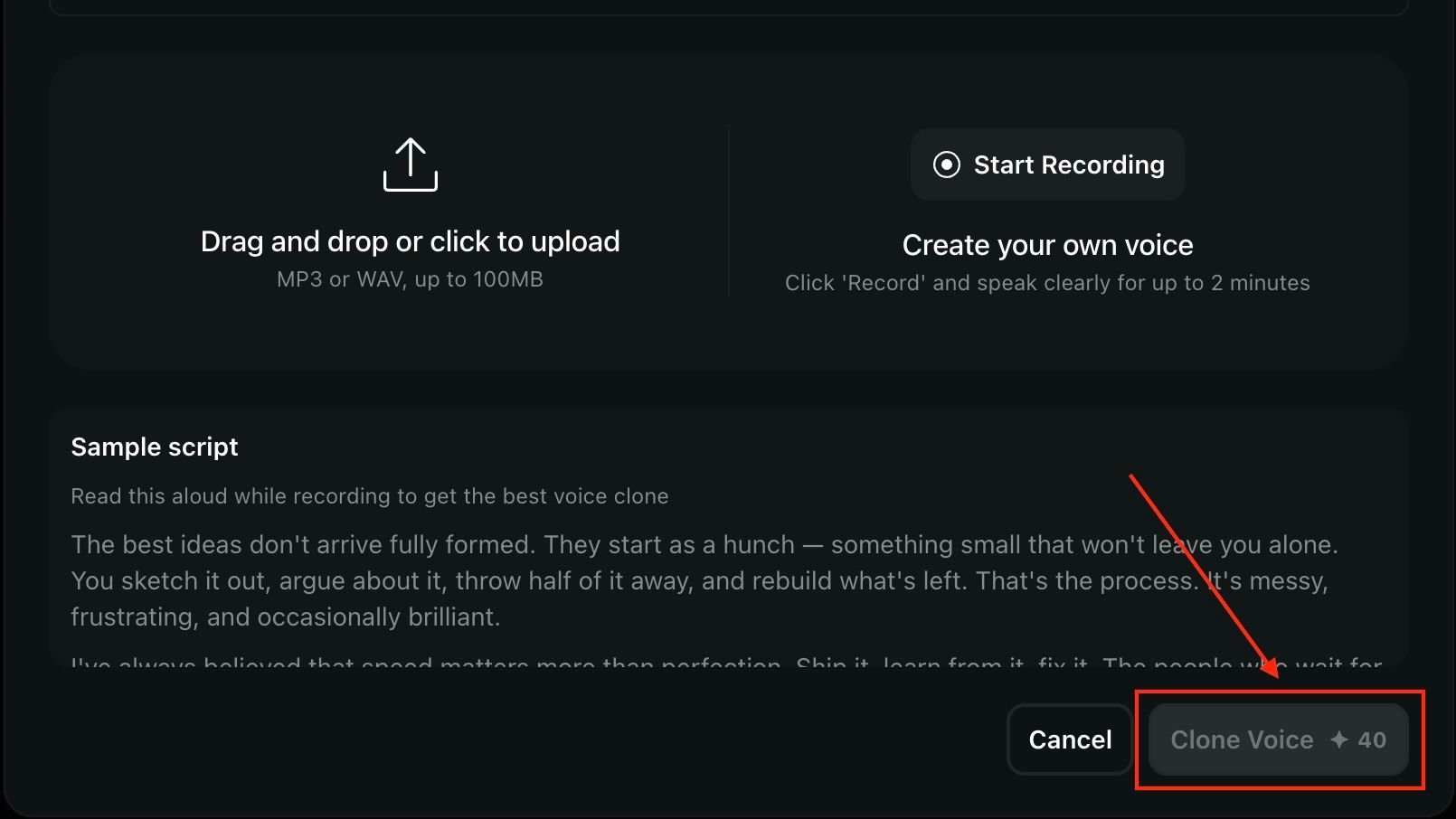
We have provided you with a sample text so it is easier for you to create your custom voice. Speak clearly for up to 2 minutes and submit your recording.

Step 4
Click “Clone voice” and wait a bit. Your custom audio is ready!

Best Use Cases for Higgsfield Audio
Now that you have a fully equipped audio studio right inside your GenAI workflow, the creative possibilities are practically endless. Here are some of the most powerful ways creators and businesses can use Higgsfield Audio to scale their content and power up their social media:
Global Content Localization
The ultimate tool for:
Long-format content creators, brands, and educators wanting to go global.
How it works: You no longer need a massive budget to reach an international audience. Take your hit English video and use the Translate tool to instantly convert it into Mandarin, Hindi, French, or Japanese. Because the output video automatically lip-syncs to the new audio, your international audience gets a seamless, native viewing experience. It is the easiest way to multiply your viewership without multiplying your workload.
Faceless Channels & Social Media Automation
The ultimate tool for:
Short-format content creators, and faceless YouTube channels.
How it works: Stop worrying about buying expensive microphones or spending hours recording the perfect take. Simply input your script into the Voiceover tool. Your generated AI visuals will finally have the professional, studio-grade narration.
AI Filmmaking & Character Dubbing
The ultimate tool for:
AI filmmakers, animators, and storytellers.
How it works: You have generated a stunning video of a rugged cyberpunk detective, but your own recorded voice does not quite fit the gritty vibe. Use the Change Voice feature to instantly swap the original audio for "Roman" or "Vesper" from the preset list. You get the perfect character + voice match - a level of acting that elevates your storytelling.
Pro Tip: Explore Higgsfield's newest Cinema Studio 2.0 - your ultimate director-level feature to create your next AI movie masterpiece.
Scalable E-Learning & Corporate Training
The ultimate tool for:
HR departments, course creators, and international businesses.
How it works: Turn heavy written manuals into engaging, easy-to-grasp video presentations using Voiceover. Then, use the Translate feature to localize your training materials for global branches in languages like Russian, Portuguese, Turkish, and more.

Some Useful Tips
When uploading an audio file for creating your custom voice, make sure the file is either WAV or MP3.
Upload high quality audio files for better results;
When recording an audio for your custom voice, make sure the voice is clear, without any background noises for better output;
Upload high quality videos for a finer aesthetic look;
When using the “Translate” tool, try to make sure the target face is seen clearly throughout the video - this will make your output look more professional.
Final notes
With the launch of Higgsfield Audio, creators no longer have to juggle multiple apps, subscriptions, and clunky workflows just to give their content a voice. When you are generating a custom voiceover from scratch, swapping character voices for your latest AI film (or any video), or translating your viral hit to reach a global audience with flawless lip-syncing, Higgsfield provides everything you need under one roof.
Make your voice go global with Higgsfield Audio.
Discover Higgsfield Audio, the ultimate AI audio tool for creators. Explore text-to-speech, voice swapping, and seamless AI video translation with lip-sync.