Higgsfield MCP for any AI

Connect Higgsfield to your workflow and generate cinematic images and videos directly from your prompts.

1

Copy the Higgsfield URL

Click the copy button next.
You'll need it in the next step.
2

Open Settings → Connectors

Add a custom connector, name it
Higgsfield and paste the URL
3

Connect and sign in

Click Add → Connect, sign in with your Higgsfield account — you're all set, now just ask Claude to generate an image.

THE ENTIRE TOOLKIT

Video analyzer

Turn any video into a prompt

Drop in a reference clip and the agent breaks down its structure, pacing, and shots - then hands you a ready-to-run prompt to recreate the look.

Analyze this video, I want to create something like that
https://www.youtube.com/watch?v=ODNzk5x2tR4

YouTube06:4634 scenes
0:00-0:03Opening hook
Medium shot

Handheld low angle. Young boy juggling a silver football on a dirt field at sunset, warm golden hour, heavy film grain.

"As a kid, I spent countless hours playing and watching football."

+31 more scenes

All scenesCopy breakdownRecreate

Marketing video generator

Turn product pages into launch videos

Paste a product URL and the agent pulls the details it needs to create a polished marketing video for launch.

Use this product URL to create a polished marketing video for launch: shop.acme.com/sneakers

Seedance 2.016:95sAudio

Here's your launch cut - a 5-second 16:9 spot with audio. Want a 9:16 version for Reels?

DownloadPredict ViralityFreeRegenerate

Soul character training

Train a reusable Soul character

Upload reference photos once, then reuse the same consistent character across campaign images, videos, and brand moments.

Train a Soul Character named "Maya" from these 8 reference photos

Upload from device
20+ photos, one cohesive style, no faces.
Approved Soul reference 1
Approved Soul reference 2
Approved Soul reference 3
Faces, mixed styles, blurry or low-quality images.
Rejected Soul reference 1
Rejected Soul reference 2
Rejected Soul reference 3
Create character

Cinematic image to video

Animate product shots with cinematic motion

Start from a still image, choose a preset like Bullet Time, and let the agent build a camera move around the product.

Animate this product photo into a 6 second cinematic shot. Use the "Bullet Time" preset with a slow 360° camera move

Seedance 2.016:9
DownloadPredict ViralityFreeRegenerate

Viral clip generator

Cut long videos into social clips

Send a YouTube interview and the agent finds short vertical moments, adds subtitles, and formats them for TikTok or Reels.

Take this 18-min YouTube interview and cut 3 vertical clips for TikTok. Add subtitles in "Bebas Neue", 9:16 aspect

Your job is queued - 3 clips at 9:16 with Bebas Neue subtitles. The widget above will update as it progresses. Clipping usually takes a few minutes; I can check the status whenever you want.

Personal Clipper9:16Bebas

Virality prediction

Score the hook before you publish

Check hook strength, retention risk, and viral potential before a video goes live so you know what to refine.

Score this video's viral potential. Tell me the hook strength and retention risk before I publish it

LowHigh
78/100
Duration0:08
Peak hook0:01
Sustain98%
Visual Cortex50%
Memory50%
Auditory Cortex50%
Default Mode50%
Language Network50%
Hook predictor

The latest models, all in one place

  • Soul 2.0
  • Kling 3.0
  • Seedance 2.0
  • Nano Banana Pro
  • GPT Image 2
  • Seedream 4.5
  • Veo 3.1
  • Cinema Studio 3.0

Higgsfield Apps. Now inside our MCP one-click AI effects, right from your workspace

Watch all Presets
Expand Image app example
Personal Clipper app example

Recast Motion Control

Recast Motion Control app example
Reframe app example
Upscale Image app example

From concept to content in one conversation. Tell your agent what you're working on. It picks the right models and delivers production-ready results

Professional content example

Professional

General content example

General

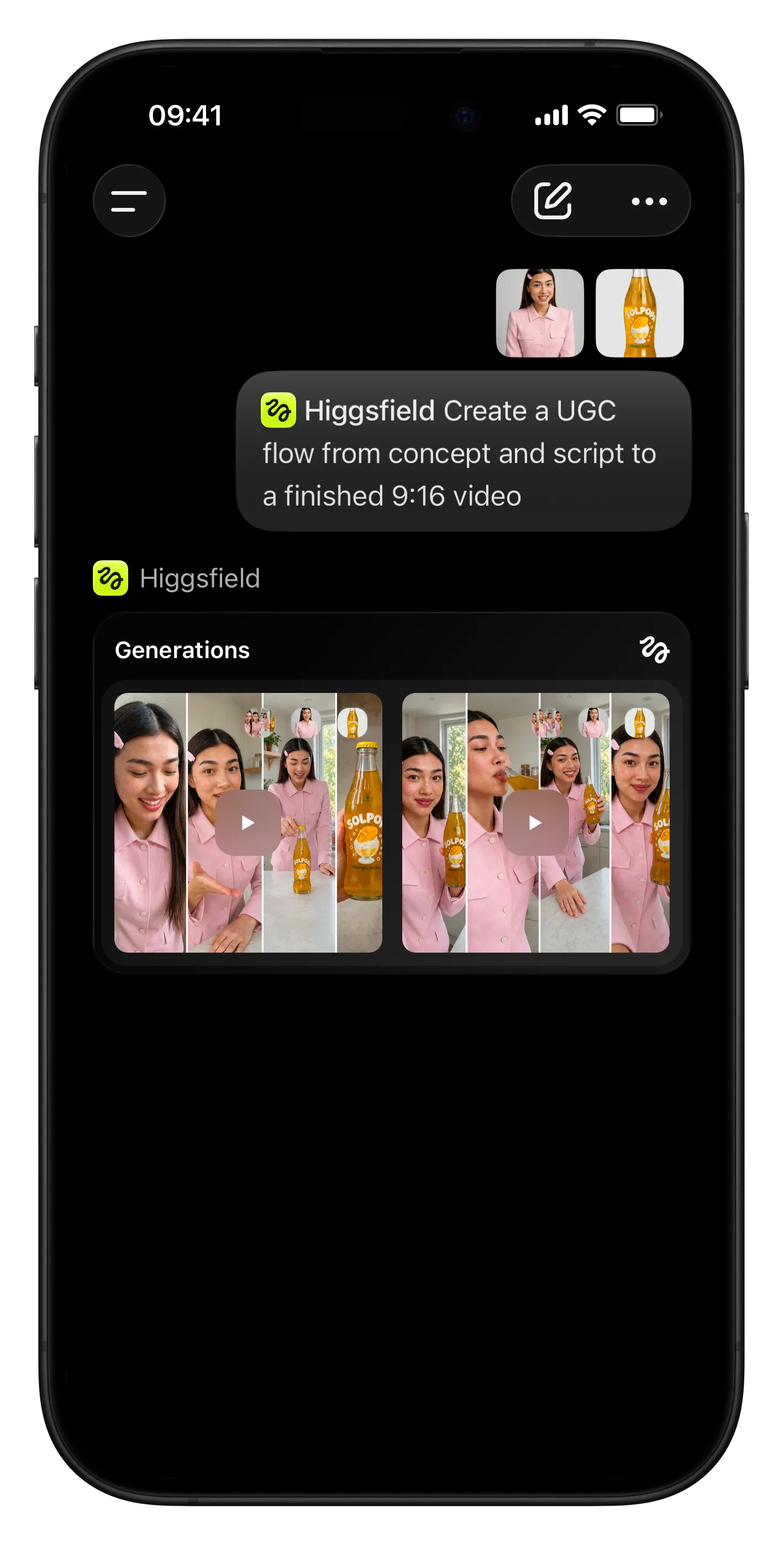
UGC content example

UGC

Filmmaking content example

Filmmaking

Infographics & Visual Data content example

Infographics & Visual Data

Got any questions left?

We’ve answered the most frequently asked questions

How does Higgsfield connect to AI agents?
Higgsfield uses MCP (Model Context Protocol), an open standard that gives AI agents access to external tools. Once connected, your agent can generate images, create videos, train characters, and browse your creation history, all within a single session.
Which agents are supported?
Higgsfield MCP works with Claude (web, Cowork, and Claude Code), OpenClaw, Hermes Agent, and NemoClaw. Any agent or client that supports MCP can connect to Higgsfield.
What models are available?
Higgsfield gives your agent access to 30+ models including Soul, Cinema Studio, Flux, Seedream, Kling, Minimax Hailuo, Veo, and more. Your agent automatically selects the best model for the task, or you can specify one yourself.
What can I create?
Images up to 4K resolution, videos up to 15 seconds across multiple cinematic styles, consistent characters using Soul training, and more. You can generate from text prompts, reference images, or a combination of both.
Do I need an API key?
No. Add the Higgsfield MCP server URL in your agent's settings and authenticate through your Higgsfield account. No API keys to manage or configure.
How does pricing work?
Higgsfield tools use the same credit system as the Higgsfield platform. Each generation costs credits based on the model and resolution. Your existing Higgsfield plan credits work seamlessly through any connected agent.
How long does generation take?
Images typically complete in a few seconds. Videos take longer depending on duration and model. All generation runs asynchronously, so your agent polls for results and delivers them as soon as they're ready.
Can I use previous generations as input?
Yes. You can browse your full generation history, reference any past image or video, and use it as a starting point for new creations. This makes iterative workflows and multi-step production easy.
Can I use Higgsfield with my own agent setup?
Yes. Any MCP-compatible client can connect. If you're running OpenClaw on a VPS, Hermes Agent on your local machine, or NemoClaw on NVIDIA hardware, just point it to the Higgsfield MCP server and you're ready to generate.

Explore more ai features

Home

Community

Generate

Library

Profile