Higgsfield
  • Explore
  • Image
  • Video
  • Audio
  • Cinema Studio
  • MCP & CLINew
  • AcademyNew
  • Supercomputer
  • Community
  • PluginsNew
  • Marketing Studio
  • Canvas
  • Originals
  • Shorts Studio
  • Explainer

THE ULTIMATE AI-POWERED CAMERA CONTROL FOR FILMMAKERS & CREATORS

Higgsfield AI

  • About
  • Trust
  • Careers
  • Contact
  • Pricing
  • Apps
  • Supercomputer
  • Cinema Studio
  • Marketing Studio
  • Higgsfield Canvas
  • Higgsfield Collab
  • Higgsfield MCP
  • Higgsfield Games
  • AI Influencer
  • Community
  • Enterprise
  • Team
  • Copilot
  • Reference Extension
  • Blog
  • Contests
  • Discord

Image

  • AI Image
  • Soul ID Character
  • Draw to Edit
  • Fashion Factory
  • Edit Image
  • Image Upscale
  • Photodump Studio
  • Higgsfield Popcorn
  • Nano Banana
  • Prompt Guide
  • Flux 2
  • Seedream 5
  • GPT Image 2
  • Inpaint
  • Soul 2.0
  • Soul Cinema
  • Soul Cast

Video

  • AI Video
  • Mixed media
  • Sora 2 Introduction
  • Veo 3.1 Introduction
  • Create Video
  • Lipsync Studio
  • Talking Avatar
  • Draw to Video
  • UGC Factory
  • Video Upscale
  • Kling 3.0
  • WAN 2.6
  • Seedance 2.0
  • Grok Imagine 1.5
  • Gemini Omni Flash

Edit

  • Banana Placement
  • Product Placement
  • Edit Image
  • Multi Reference
  • Upscale
  • Sora 2 Upscale
  • About
  • Trust
  • Careers
  • Contact
  • Pricing
  • Apps
  • Supercomputer
  • Cinema Studio
  • Marketing Studio
  • Higgsfield Canvas
  • Higgsfield Collab
  • Higgsfield MCP
  • Higgsfield Games
  • AI Influencer
  • Community
  • Enterprise
  • Team
  • Copilot
  • Reference Extension
  • Blog
  • Contests
  • Discord
  • X / Twitter
  • Youtube
  • Instagram
  • LinkedIn
  • Tiktok

535 Mission St, 14th floor, San Francisco, CA, 94105

  • X / Twitter
  • Youtube
  • Instagram
  • LinkedIn
  • Tiktok

© 2026 Higgsfield, Inc. All rights reserved.

  • Cookie Notice
  • Terms
  • Privacy
  1. Blog
  2. /
  3. Fresh Release
  4. /
  5. Why Does Your AI Character's Face Keep Changing?

Why Does Your AI Character's Face Keep Changing?

Higgsfield

·

Jun 9, 2026

·

13 minutes

Why Does Your AI Character's Face Keep Changing?

AI characters drift because diffusion models have no memory of a character. Each image starts from random noise, so facial structure, skin tone and proportions shift and accumulate across a series. The fix is an identity layer: a trained reference that locks features across generations. Midjourney's Omni Reference, Stable Diffusion LoRA and Higgsfield Soul ID each solve this differently.

If you've tried to build an AI influencer, an illustrated comic or a fashion lookbook, you've hit this wall: the face in image 5 isn't the face in image 1. Below is why that happens, how the main tools handle it, and where each falls short, including Higgsfield Soul ID, which is strong here but not perfect.
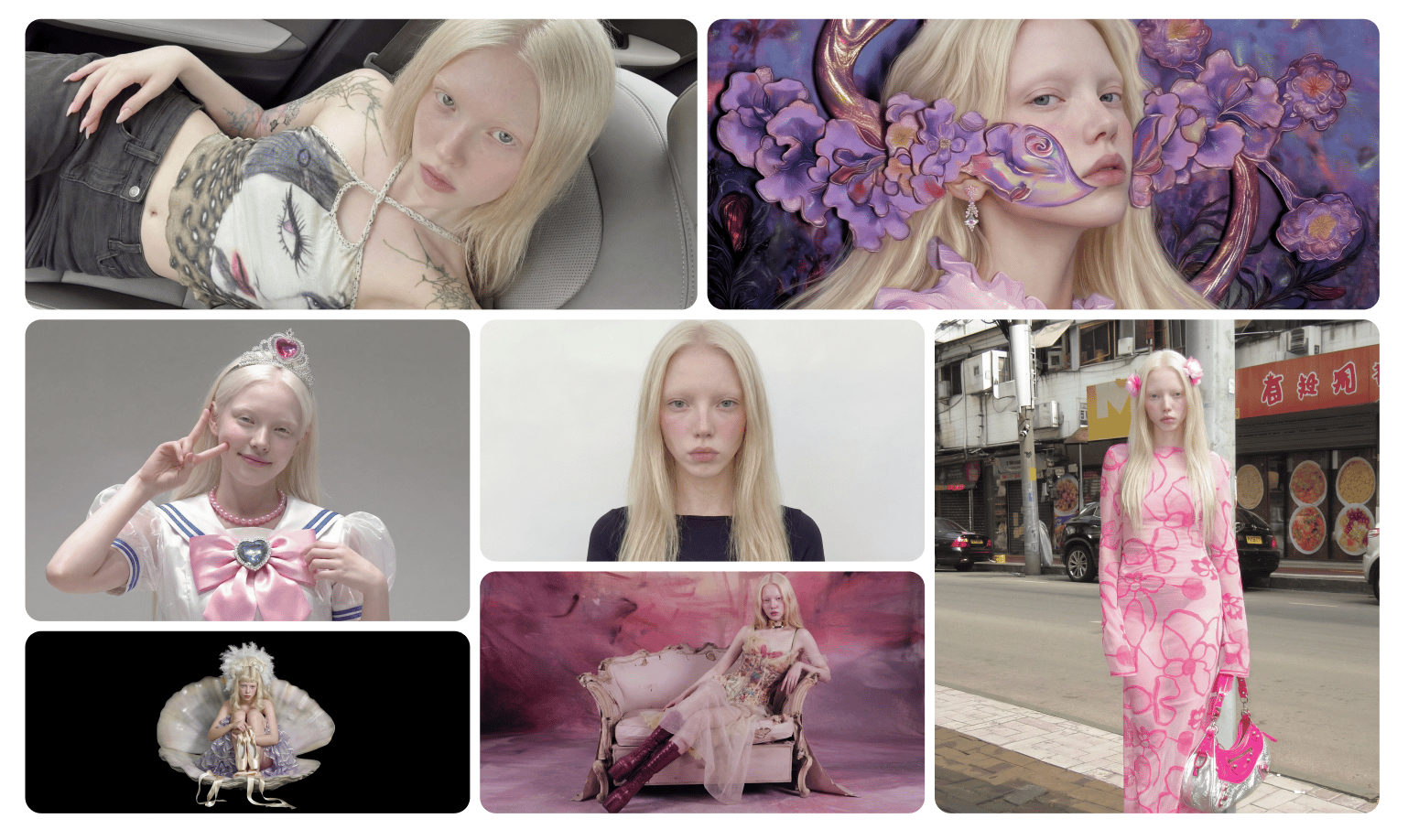
soul 2
soul 2

Why do AI characters drift between generations?

Standard diffusion models generate each image independently from random noise, guided only by your text prompt. They hold no persistent representation of one specific person, so every run samples a slightly different face. Across a series, small shifts in jawline, eye spacing and skin tone accumulate into a visibly different character.

Text alone can't fix this, because language is too coarse to pin down a face. A phrase like "a 25-year-old woman with green eyes" maps to a distribution of millions of faces, not one. You can add fifty descriptors and still get drift, because the model re-interprets them from scratch each run. Picture a 10-image set: by frame three the nose narrows, by frame six the face shape changes, and by frame ten you have a different person in the same outfit. The reliable fix is to give the model an actual identity to anchor to, a reference image or a trained identity layer, instead of asking it to re-imagine the character every time.


What are the most common causes of character drift?

In practice, drift comes from a handful of repeatable mistakes. Fixing these removes most inconsistency before you even reach for an identity tool:

  • Relying on text only. Descriptors define a type, not a person. This is the single biggest cause.

  • Changing the seed every run. A fixed seed keeps composition and identity closer between generations.

  • Low-quality or mismatched references. Sunglasses, heavy shadows, cropped faces or photos from different years confuse the model.

  • Wide shots. When a face fills less than ~20% of the frame, the model has little detail to anchor to.

  • Switching models mid-series. Each model has its own reading of your prompt, so mixing them compounds drift.


How do different tools keep a character consistent?

AI consistency tools split into two families, and 2026's consensus leaders differ by family. Reference- and edit-based tools (Google's Nano Banana Pro, Flux Kontext, Midjourney's Omni Reference) anchor to images you supply and excel at editing and propagating a look across a multi-image set. Trained-identity tools (Stable Diffusion LoRA and Higgsfield Soul ID) learn a specific person from many photos and lock that exact identity across a long series. Editing tools win for "change this image"; trained identities win for "this same person, everywhere."

How do different tools keep a character consistent?

Tool

Consistency method

Setup effort

Result

Nano Banana Pro (Google)

Reference-based editing

Low

2026's consensus leader for editing and multi-image consistency. Holds a character or product across edits without fine-tuning; less about locking one trained identity from your own photo set

Flux Kontext / FLUX.2

Reference-based (up to ~10 images)

Medium

Strong character and layout consistency from reference images; reference/edit-based rather than a trained identity, and more technical to drive

Midjourney (v7)

Omni Reference

Low

Best for style and front-facing close-ups; one reference image only, identity drifts on profile and wide shots

Stable Diffusion

LoRA training

High

Precise, controllable trained identity, but needs a dataset, technical setup and GPU time

GPT Image (1.5 / 2)

In-conversation reference

Low

Consistent within a session and improving across versions, but less specialized for locking one identity across many separate generations

Higgsfield Soul ID

Trained identity layer (20+ photos)

Low–medium (one ~3–5 min train)

Strong face and body consistency across many generations from your own photos; best on close/mid shots, needs 20+ recent photos

The practical split: for editing an existing image or propagating a look across a set, reference tools like Nano Banana Pro and Flux Kontext lead. For locking one specific person, the same face across 80 comic panels or an AI fashion model's whole Instagram feed, a trained identity (Stable Diffusion LoRA or Soul ID) holds far better. A LoRA gives the most control if you have the technical setup; Soul ID gives most of that consistency with none of the pipeline. On Higgsfield you don't have to choose a camp, since both Nano Banana Pro and Soul ID run on the platform, so you can edit with one and lock identity with the other.


How does Higgsfield Soul ID lock a character?

Soul ID is a trained identity layer inside Higgsfield's Soul 2.0 image model. You upload a minimum of 20 photos of one person, and in about 3–5 minutes it learns their facial structure, skin tone, hair texture and proportions. From then on it keeps those features fixed across generations, regardless of preset, lighting, angle or prompt. The trained character appears in the "Character" tab, ready to reuse for unlimited generations.

In practice you select the character, pick a preset, write a prompt for mood and setting, and generate. The identity stays fixed while the styling changes. There's no need to re-upload references or re-describe the face each time, which is what makes a long campaign scalable.

Where Soul ID falls short, honestly:

  • It needs 20+ recent photos (ideally from the last 4–5 months) in consistent lighting. With fewer, or images years apart, consistency drops noticeably.

  • Quality beats quantity. Sunglasses, heavy shadows, cropped faces or busy backgrounds degrade results; more poor photos don't help.

  • It's stronger on close-up and mid-range shots than on wide scenes where the face is a small part of the frame.

  • It locks identity, not direction - you still control pose, scene and styling through presets and prompts.

  • It runs on Higgsfield's credit system, so unlike a self-trained LoRA you can run locally, it's tied to a subscription.

For a VFX artist or developer who wants full local control, a Stable Diffusion LoRA may suit better. For a content creator who wants reliable identity without training pipelines, Soul ID is the lower-friction route.


What are the three Soul systems, and when do you use each?

Soul 2.0 handles identity and style through three connected systems. In short: use the core model to generate, Soul Reference to lock a look, and Soul ID to lock a person. A single Soul ID can run through any preset or reference style without losing the face.

  • Soul (the core model): text-to-image generation tuned for fashion, editorial and campaign aesthetics.

  • Soul Reference (guided mode): upload a reference image; the model reads its composition, lighting, pose and mood and produces new variations on that visual DNA. Useful for moodboards and expanding one concept into a series.

  • Soul ID (personalization): the trained identity layer above, for keeping one person consistent across generations.

soul 2
soul 2

How does Soul 2.0 handle aesthetics and "vibe"?

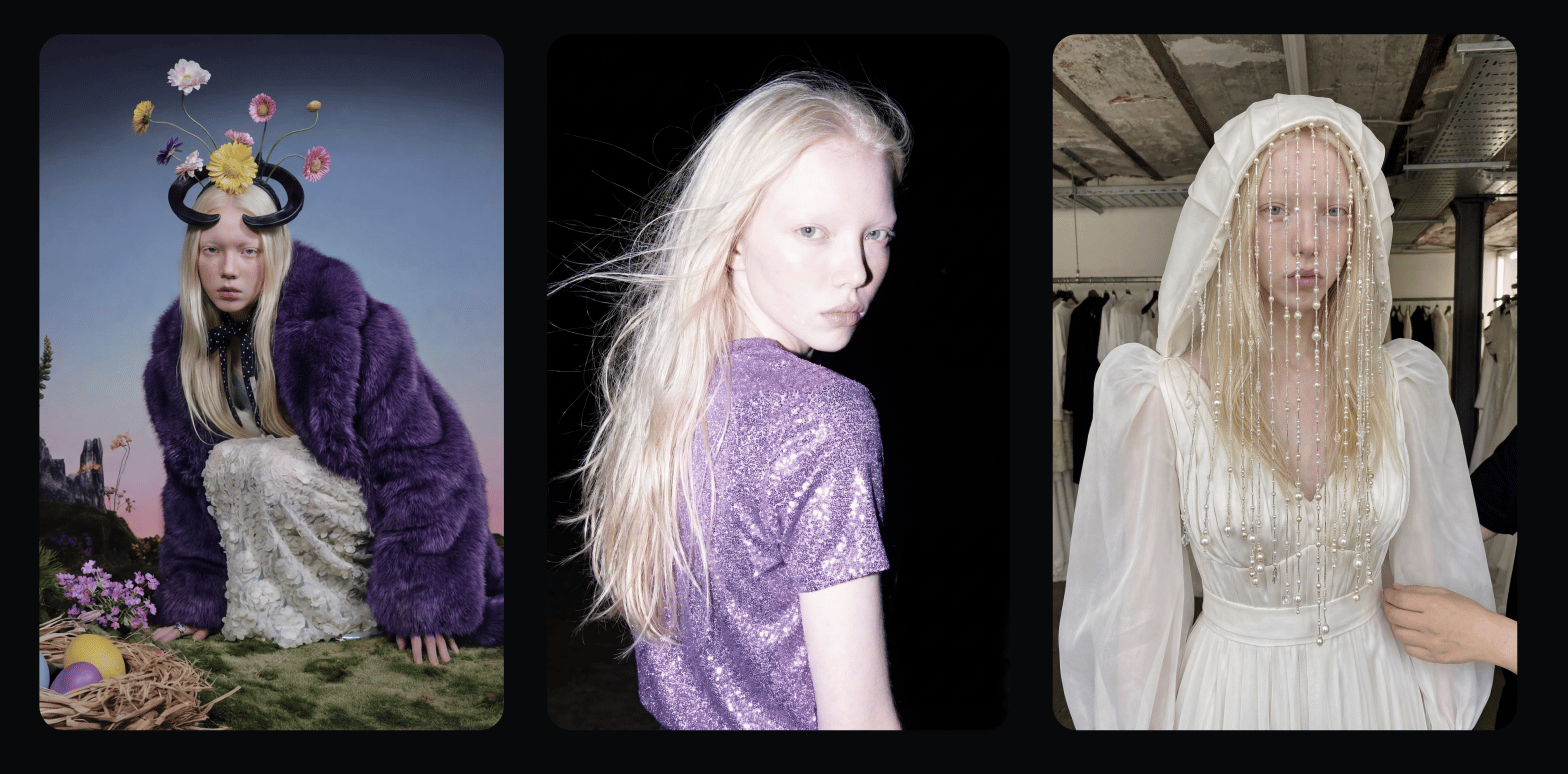
Soul 2.0 reads photographic and cultural cues directly from the prompt, so you can name a look instead of describing it technically. Reference "disposable camera flash" or a specific subculture and it returns believable grain, lighting logic and styling rather than a literal, costume-like interpretation. This matters for drift, too: a stable identity inside a coherent aesthetic reads as a real recurring character, not a model dropped into random filters.

  • Responds to camera references (phone flash, disposable cameras, digital-cinema looks) with realistic texture and grain

  • Understands subcultural and fashion micro-trend language without over-explaining

  • Pairs aesthetic control with Soul ID, so the same person stays consistent across very different styles

soul 2
soul 2

Which Soul 2.0 preset should you choose?

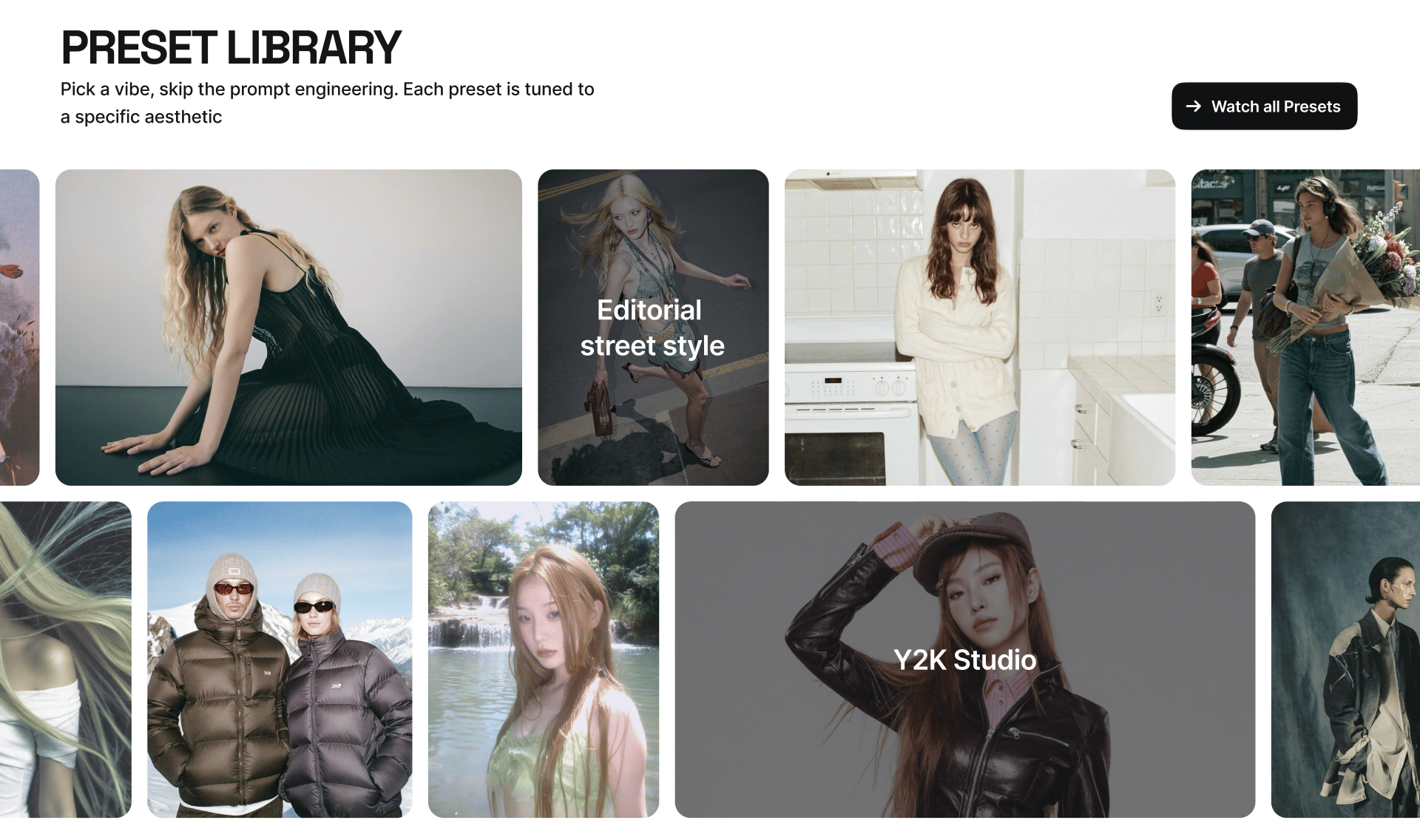
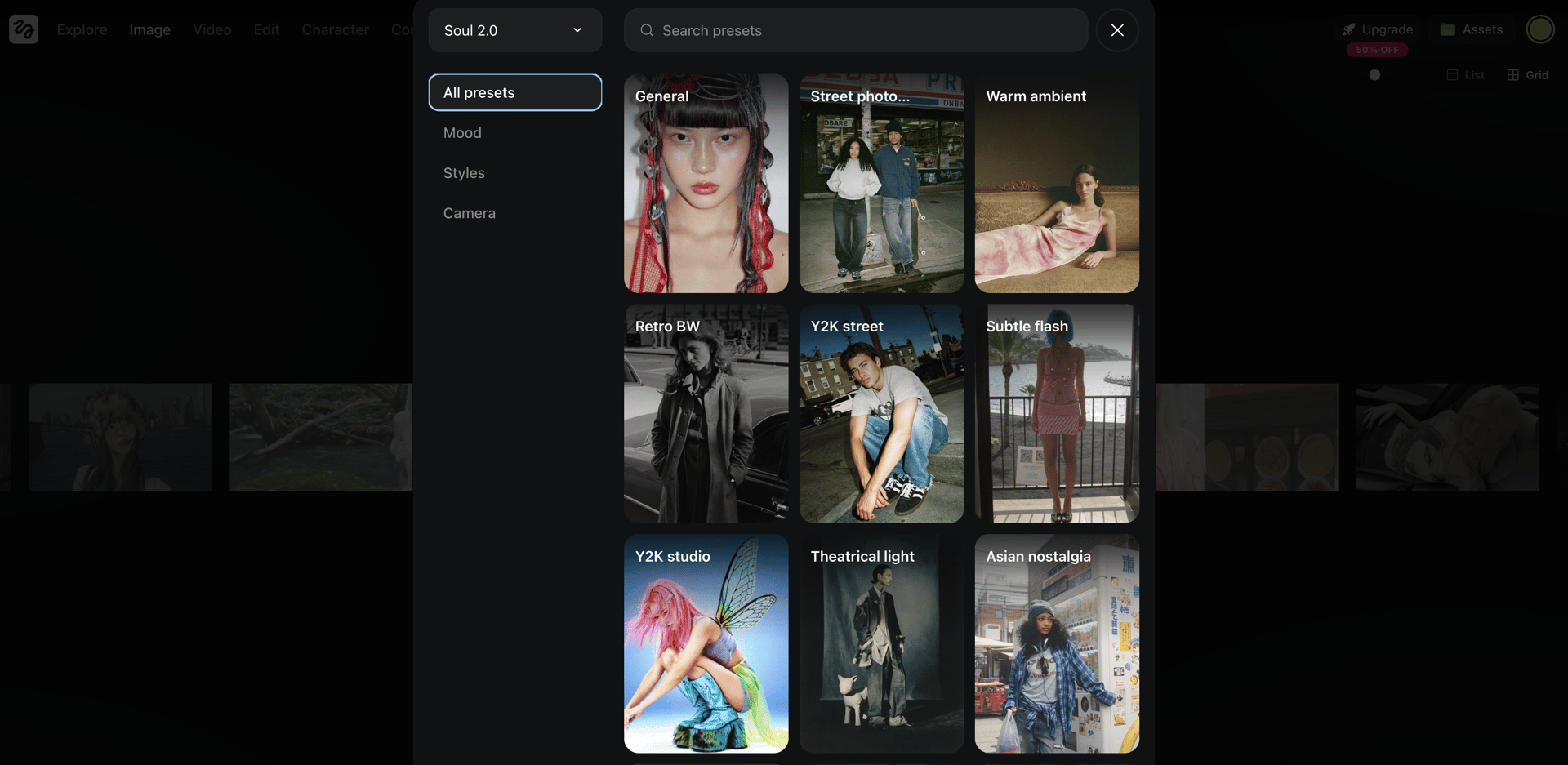
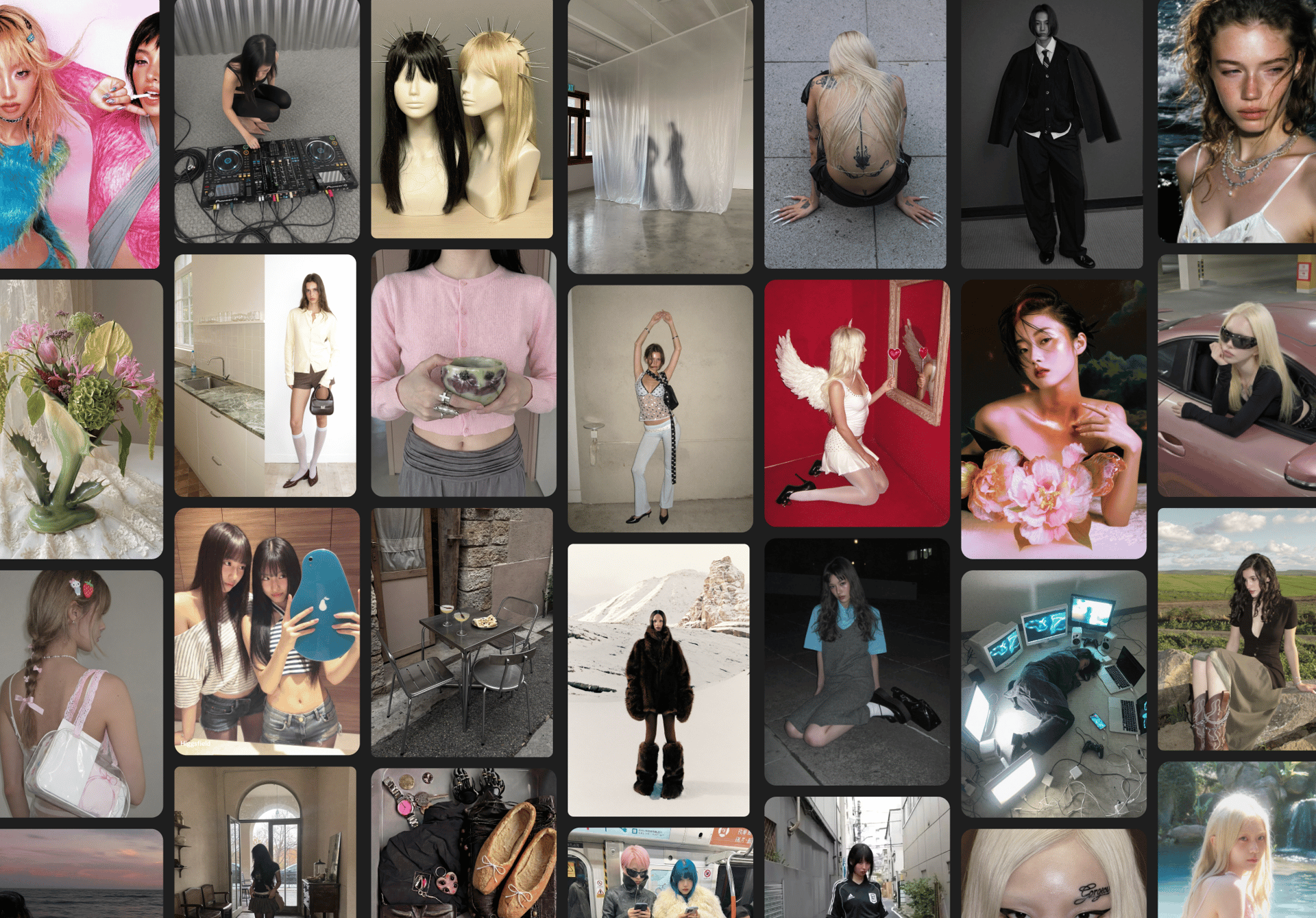
Pick the preset that matches your intended aesthetic, then refine with your prompt. Soul 2.0 ships with 20+ curated presets (now also surfaced as Moodboards) that act as visual anchors. Instead of engineering a long prompt, you start from a preset and adjust. They pair directly with a Soul ID: the preset sets the visual world while the identity stays fixed.

Which Soul 2.0 preset should you choose?

Preset

Best for

Visual style

Warm Ambient

Lifestyle, portraits

Soft warm lighting, cozy atmosphere, cinematic mood

Retro BW

Editorial, photography

High-contrast black-and-white inspired by film photography

Y2K Street

Fashion, social content

Early-2000s streetwear with bold colors and urban energy

Subtle Flash

Portraits, editorials

Natural flash with clean highlights and realistic skin tones

Y2K Studio

Fashion campaigns

Studio look inspired by early-2000s magazines

Street Photography

Documentary, lifestyle

Candid moments, natural lighting, authentic urban settings

Theatrical Light

Conceptual shoots

Dramatic lighting with strong shadows and cinematic contrast

Asian Nostalgia

Storytelling, portraits

Nostalgic East Asian references, soft colors, emotional mood

Editorial Street Style

Fashion editorials

Luxury fashion mixed with street culture

Surreal Solarization

Experimental visuals

Artistic solarization and dreamlike color treatment

Flash Editorial

Fashion magazines

High-fashion flash photography with bold contrast

Digital Camera

Everyday content

Early digital-camera look with natural imperfections

Siren

Beauty, fashion

Moody, high-glamour aesthetic

Swag Era

Streetwear content

2000s hip-hop inspired fashion and attitude

Mystique City

Urban storytelling

Atmospheric city scenes with cinematic mood

Candy Pop

Social media, branding

Bright, colorful, playful visual identity

2000s Band

Music visuals

Pop-rock and indie band photography of the 2000s

Frutiger Aero

Nostalgia content

Glossy, futuristic early-internet aesthetic

Drain

Alternative fashion

Underground digital aesthetic from internet subcultures

Old Smartphone

Retro content

Low-resolution early-smartphone photography look

soul 2
soul 2

What does the Higgsfield Soul team recommend for the most consistent results?

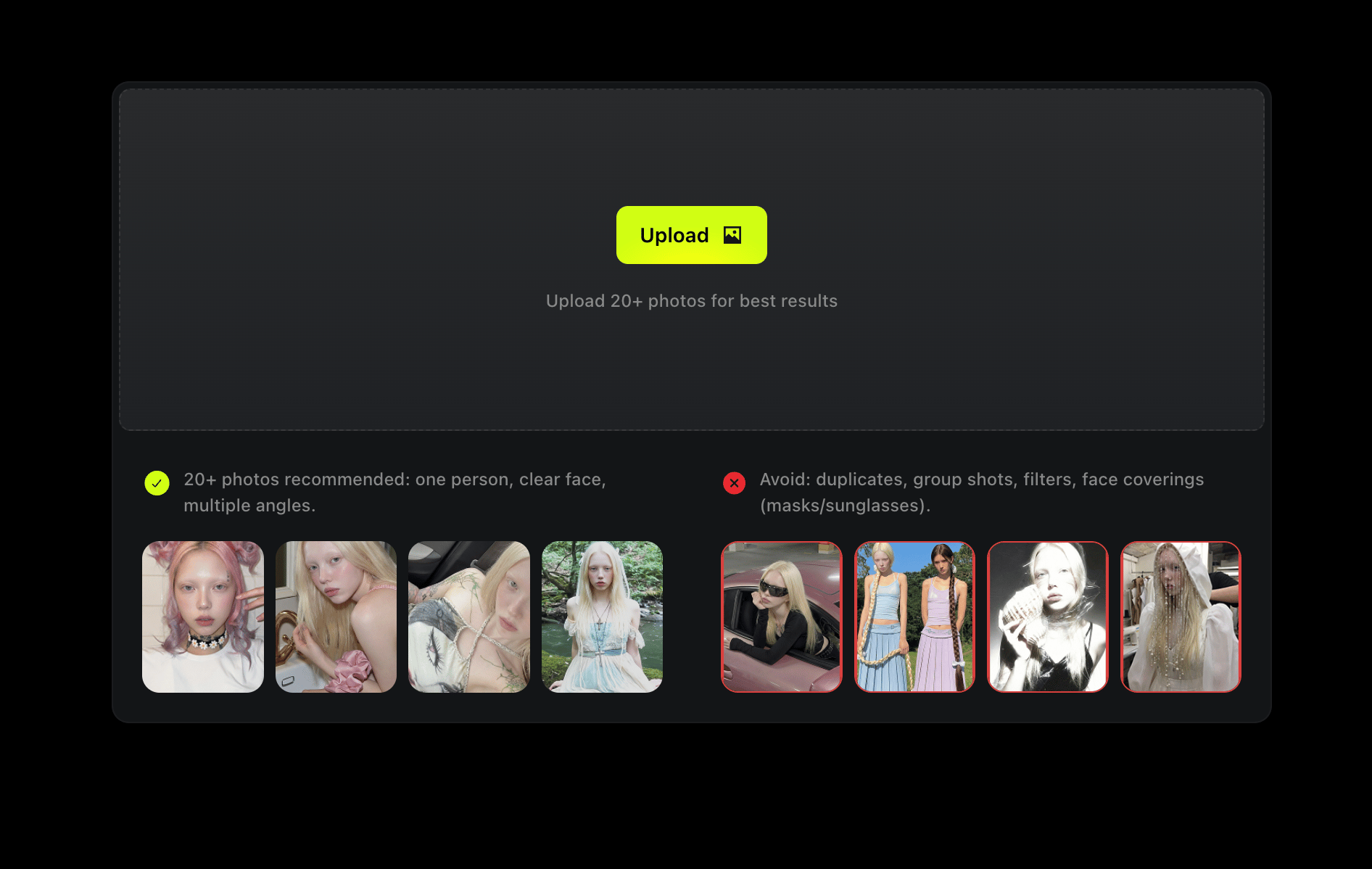
Use recent, full-body references. Soul ID analyses facial structure, proportions, body shape and identity patterns, so the training set sets the ceiling on consistency:

  • Upload recent photos from the same period so the model locks current features (hairstyle, face shape, styling) instead of blending outdated versions.

  • Include full-body images: when the model sees posture and proportions, results are far more stable across generations.

  • Keep lighting consistent and faces unobstructed. No sunglasses, heavy shadows or cropping.

soul 2
soul 2

Does character consistency carry into video?

Yes, and it's where drift hurts most, because a face that wobbles frame to frame is obvious in motion. A Soul ID trained for images carries into video: push a generated frame into a video model like Kling 3.0, Seedance 2.0 or WAN, or use Higgsfield Animate, which applies motion to a still (Animate) or swaps your character into an existing clip (Replace).

This matters because most text-to-video models drift the same way image models do, since the character subtly changes across shots. Anchoring with a trained identity before animating is the difference between a believable recurring character and one that morphs between cuts. A short-film creator building a recurring on-screen character, or a DTC brand reusing one spokesperson across ads, gets a stable face into motion without re-shooting.

soul 2
soul 2

How do you test whether your character is actually consistent?

Generate the same character across 8 to 12 varied prompts (different angles, lighting and outfits), then compare landmarks: eye spacing, nose width, jawline, hairline and skin tone. A direct test is to place the outputs side by side and ask whether a stranger would identify them as the same person.

Pay attention to the hard cases: profile shots, low and high angles, and wide framing where the face is small. These break first. If identity holds there, it will hold in easier shots. With Soul ID, weak results here usually trace back to the training set (too few photos, inconsistent lighting, or images from different periods) rather than the prompt.

soul 2
soul 2

How do you build a recurring AI persona that stays the same?

Train once, then change only the styling. A practical workflow:

  1. Train a Soul ID on 20+ recent photos from the same shoot — even lighting, varied angles, no sunglasses or cropped faces.

  2. Pick one preset as your visual anchor (e.g. Flash Editorial, Y2K Studio or Street Photography).

  3. Change only styling and setting in the prompt; leave the identity to Soul ID.

  4. Generate 8–12 variations, run the consistency test above, and keep the strongest as your reference set.

  5. Animate if needed via Kling 3.0, Seedance 2.0, WAN or Soul Cinema keyframes. The identity carries into video.

The more you generate with the same Soul ID, the more predictable the identity becomes. All of this runs in one image workspace at up to 4K (4096×4096) native resolution, alongside the 15+ other models on the platform, useful when an AI influencer or campaign needs both stills and video from the same face.

Your browser does not support the video.
soul 2

Summary: how to stop character drift

Character drift isn't a prompt problem. It's a memory problem, and the fix is anchoring identity instead of re-describing it. In 2026 the choice comes down to two routes:

  • Editing or propagating a look across images → reference tools, led by Nano Banana Pro and Flux Kontext.

  • Locking one specific person across a long series → a trained identity: a Stable Diffusion LoRA if you want local control and have the technical setup, or Higgsfield Soul ID if you want the same result without a training pipeline.

For most creators building a recurring character (an AI influencer, a comic lead, a brand face), train a Soul ID on 20+ recent, well-lit photos, anchor it with one preset, and test consistency across 8 to 12 varied shots before scaling. Soul ID and Nano Banana Pro both live on Higgsfield, so you can lock identity and edit in one place. The tool matters less than the principle: give the model a fixed identity, and the face stops changing.


Lock Your Character with Soul ID

Create!

Got any questions left?

Standard diffusion models have no memory of a character. Each image is generated from scratch off your text prompt, so the face samples a slightly different result every time. Those small shifts in structure, tone and proportion accumulate across a series. The fix is an identity anchor: a reference image or a trained identity layer like Soul ID, Midjourney Omni Reference or a Stable Diffusion LoRA.

You need a minimum of 20 photos of the same person, ideally taken within the last 4 to 5 months under consistent lighting and from varied angles. Training takes about 3 to 5 minutes. Quality matters more than quantity. Clear faces without sunglasses, heavy shadows or cropping produce far better consistency than a larger set of poor references.

Use Soul ID. Upload 20+ photos including full-body shots, and the model trains a reusable identity that holds facial features and proportions while you change locations, poses and presets. It maintains a consistent identity across generations rather than guaranteeing a perfect match every time. Results are strongest on close and mid-range shots.

Midjourney v7's Omni Reference is strong on style and front-facing shots but anchors to a single reference image, so identity drifts on profiles and wide framing. Soul 2.0 trains a persistent identity from 20+ photos via Soul ID and ships 20+ presets tuned to fashion aesthetics, which makes it more reliable for multi-shot lookbooks where the same face must repeat.

Both train a reusable identity, so both beat reference-flag methods for long series. A LoRA gives more granular control and runs locally, but needs a dataset, technical setup and GPU time. Soul ID trades some control for a no-code workflow, a ~3 to 5 minute train and reuse inside Higgsfield, which is faster for creators who don't want a training pipeline.

Yes. Push any generated frame into a video model such as Kling 3.0, Seedance 2.0 or WAN, or use Higgsfield Animate, which applies motion to a still or swaps your character into an existing clip. A saved Soul ID carries into video, keeping the likeness consistent on the timeline rather than morphing between cuts.

For a recurring AI influencer, a trained identity beats reference flags. Soul ID and Stable Diffusion LoRA hold a face across hundreds of generations; reference and edit tools like Nano Banana Pro and Flux Kontext are quicker to start but are built for editing rather than locking one identity. Choose a trained approach when the same person must appear reliably across a long content series.

by Higgsfield

Share article

Discover more

post preview

How to Create a Consistent AI Influencer in 2026: Full Guide

post preview

Kling 3.0 on Higgsfield: A Guide to the Next Era of AI Video Generation

post preview

Grok Imagine: Best Use Cases for AI Video Generation