Nano Banana Pro Inpaint is a next-generation AI editing model built on top of Nano Banana Pro’s powerful reasoning engine. But unlike standard generative models, this tool is designed for one specific purpose:
You paint over any object - and the model transforms only what you highlighted, with absolute precision.
You can:
remove objects
replace objects
restyle clothing
rewrite text
fix faces
clean backgrounds
add new elements
change materials, lighting, or shapes
correct errors
All by simply brushing (masking) exactly the part of the image you want to change.
Nano Banana Pro Inpaint is a smart, structure-preserving editing engine capable of interpreting context, geometry, and logic inside your image - so your edits blend seamlessly into the original photograph.
This guide explains exactly how it works, how to get the cleanest results, and why the “paint-to-edit” workflow powered by Nano Banana Pro has become one of the most accurate AI editing systems in 2025.
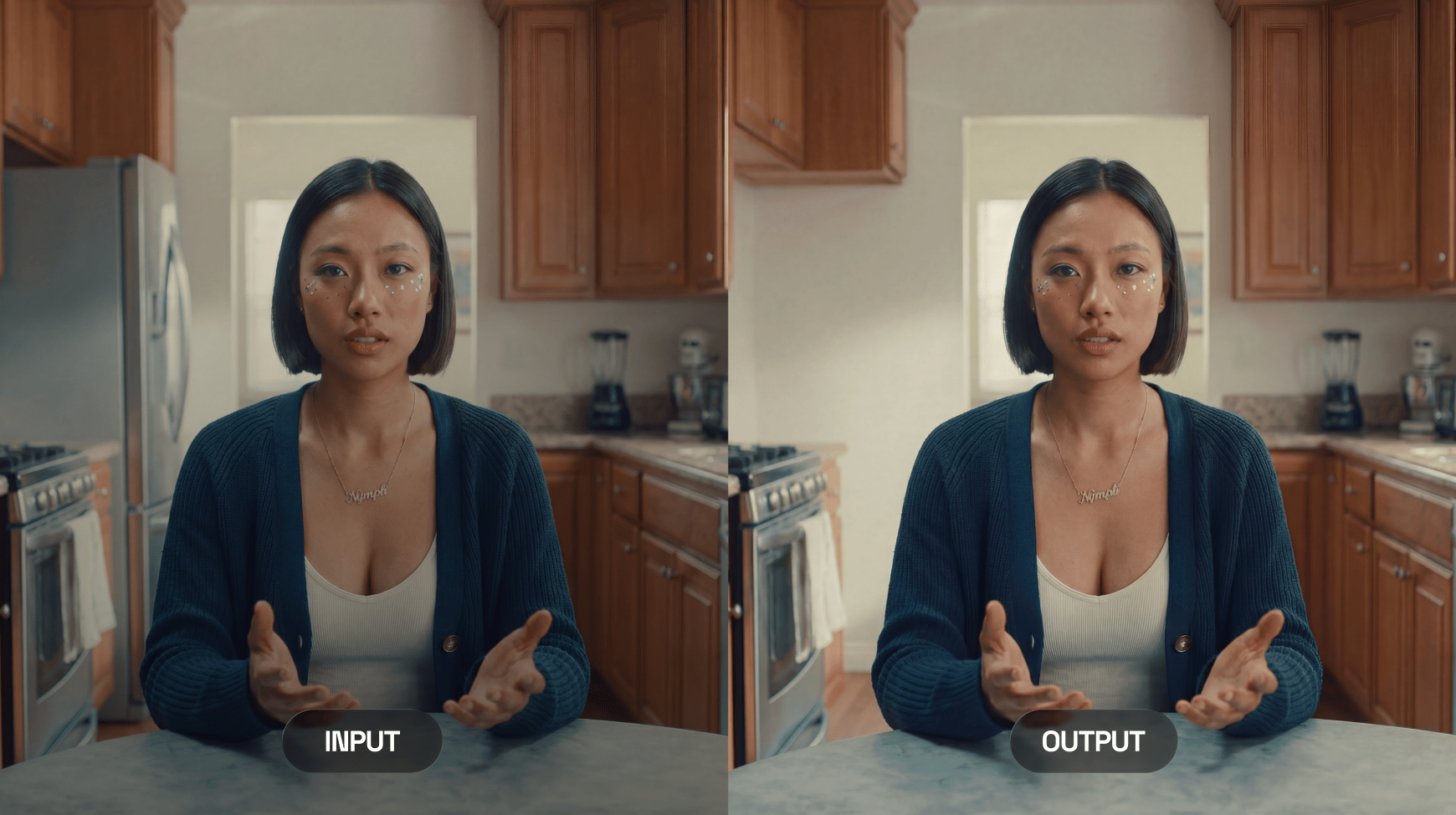
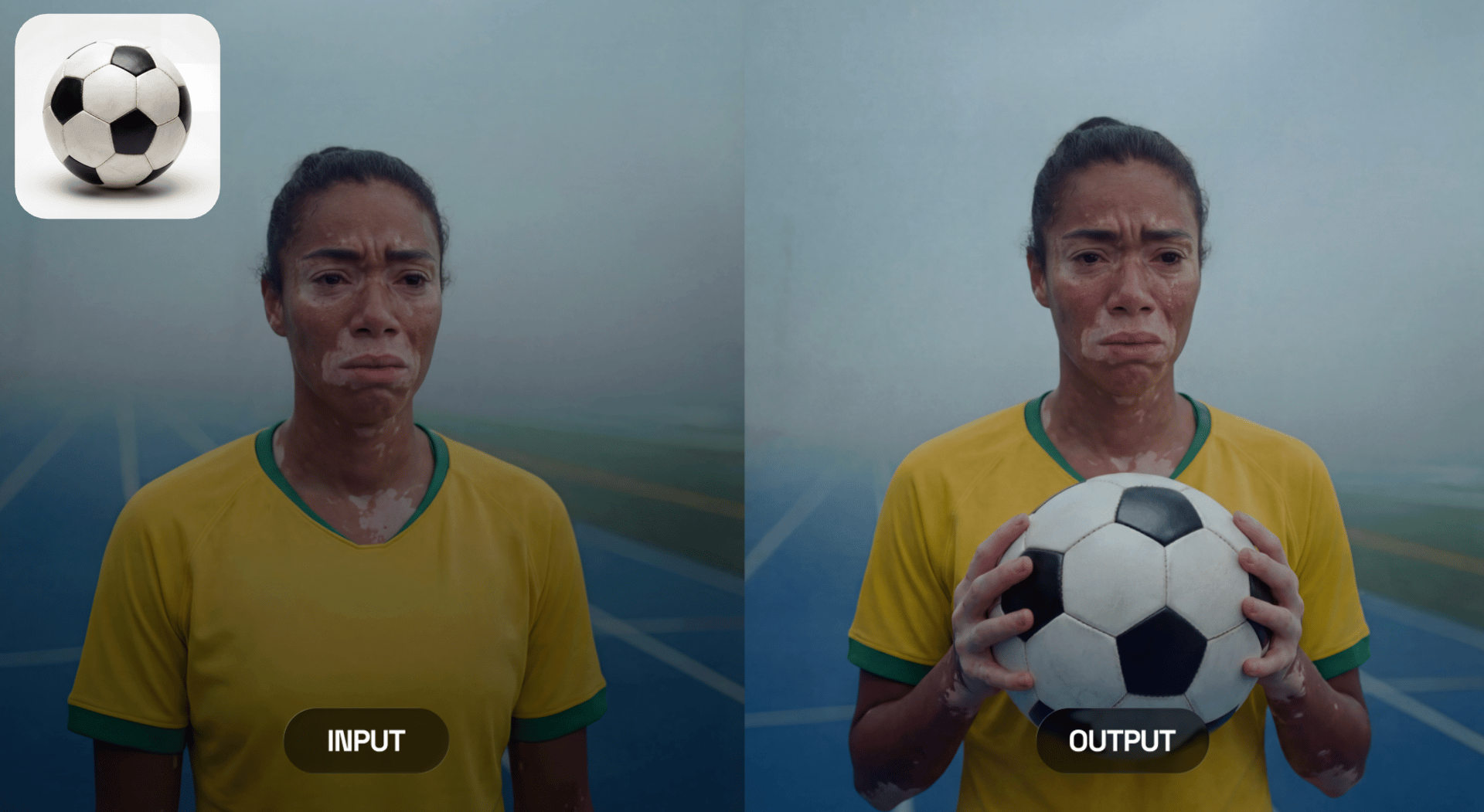
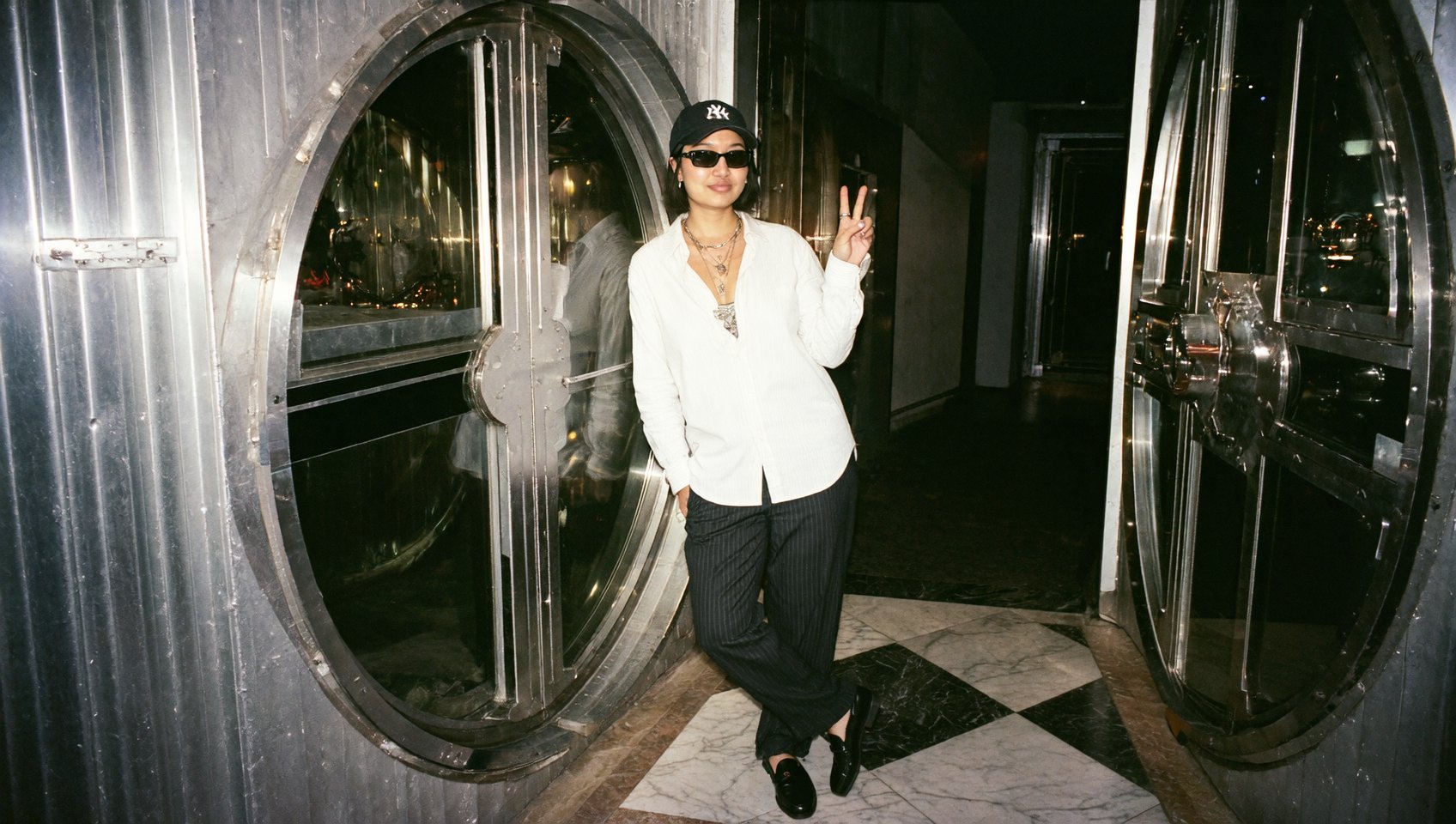
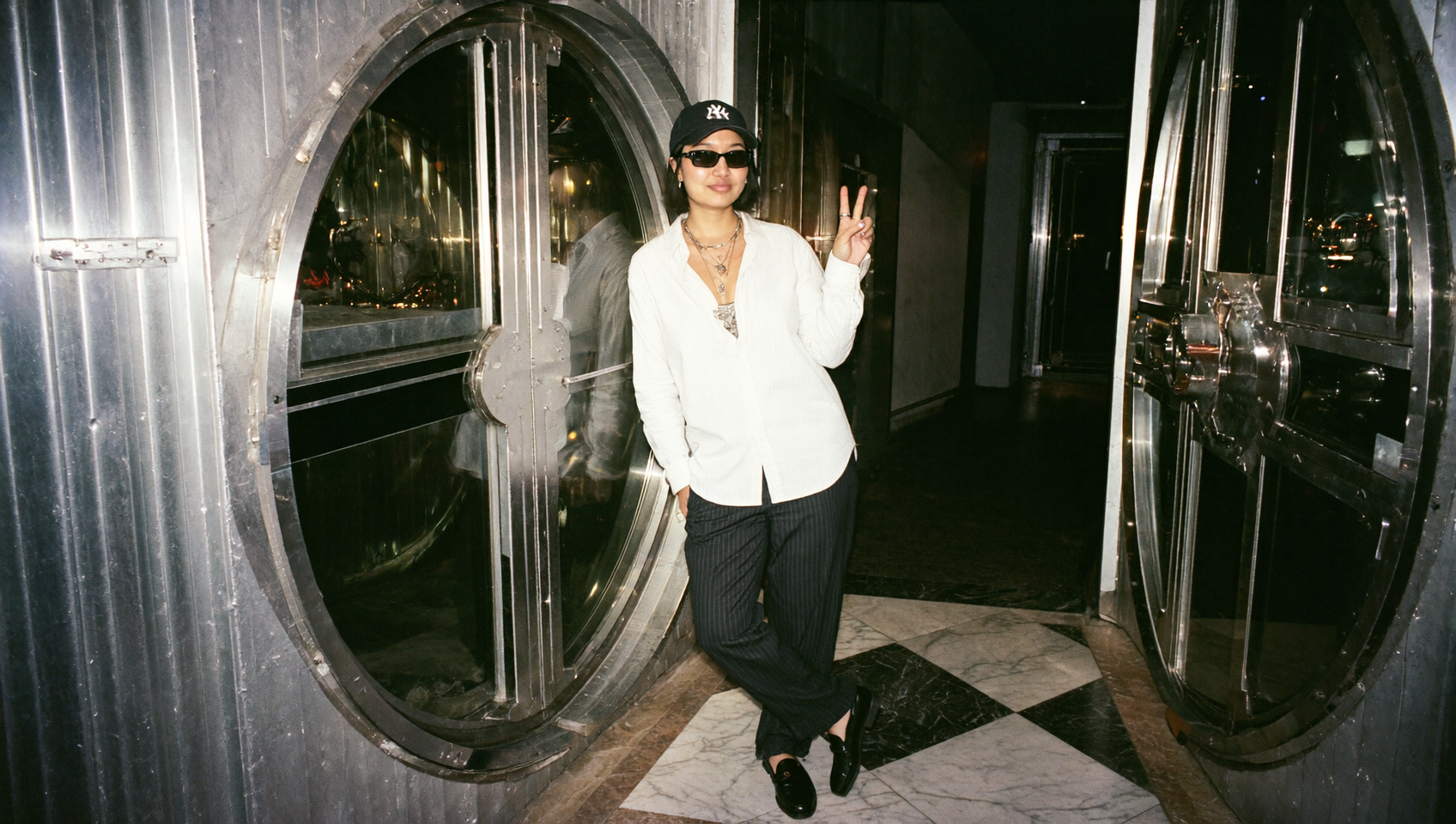
Notice what was removed here?
What Makes Nano Banana Pro Inpaint Special?
At its core, the model does one thing better than anyone else:
You paint & The model understands what should change
The moment you apply a mask in Higgsfield, Nano Banana Pro Inpaint treats it as a logical editing zone.
It can:
remove what’s inside
rebuild the background
replace the object entirely
modify it according to your prompt
preserve all unmasked areas with zero distortions
This creates a surgical editing workflow - you control where and the model handles how.
Powered by Nano Banana Pro’s reasoning engine
Because it runs on Nano Banana Pro’s logic core, the model understands:
structure
proportions
lighting
materials
text
identity
perspective
continuity
This is why edits feel real, natural, and seamlessly integrated.

What You Can Do With Nano Banana Pro Inpaint?
A. Object Removal
Paint over anything unwanted and the model intelligently reconstructs the missing area.
B. Object Replacement
Replace masked content with anything you describe.
C. Clothing Restyle
Highlight a jacket → transform it into leather, denim, or a new color.
D. Text Editing & Label Fixing
Mask a sign or label → rewrite it cleanly and in perspective.
E. Lighting Corrections
Paint an area → instruct the model to “add warm light,” “soften shadows,” etc.
F. Facial Fixing
Mask blemishes, artifacts, distortions → model repairs them naturally.
G. Background Repair
Fix broken textures, rebuild walls, or extend patterns.
H. Add New Objects
Mask an empty area → “add a red apple,” “add a neon sign,” etc.
It is the most flexible inpainting model on Higgsfield.
How the “Paint-to-Edit” Mechanism Works?
When you brush over an area, Nano Banana Pro Inpaint performs a 4-step reasoning sequence:
1. Identify what is inside the masked region
Shape, edges, geometry, texture.
2. Understand what should remain untouched
Everything outside the mask is protected with pixel-level precision.
3. Interpret your prompt
Replace, remove, alter, stylize - instruct the model.
4. Rebuild the masked region
The model fills it with new content that:
matches lighting
matches color palette
matches camera optics
preserves perspective
blends smoothly
Subtle or major professional changes are now made within on tools for any ideas.
Full Step-by-Step Guide: How to Edit With Nano Banana Pro Inpaint
Step 1 - Upload Your Image
Go to Higgsfield → Edit → Nano Banana Pro Inpaint Upload any image, portrait, product shot, or scene.
Step 2 - Paint the Area You Want to Change
Use the mask brush to highlight the exact object or region.
Tips:
keep edges clean
avoid masking unnecessary areas
expand the mask slightly if replacing objects
The mask defines the editing zone.
Step 3 - Write Your Prompt
Examples:
Removal: “Remove the person and reconstruct the wall behind them.”
Replacement: “Turn the T-shirt into a black leather jacket.”
Object addition: “Add a golden watch to the wrist.”
Face fix: “Smooth skin naturally, remove blemishes, keep identity.”
Lighting change: “Add warm sunset lighting on the masked area.”
Nano Banana Pro Inpaint understands these instructions extremely well.
Step 4 - Choose Output Quality
Low → quick draft
Medium → general use
High → final polished edit
For commercial content, always choose High.
Step 5 - Generate
The model processes your mask + prompt and returns:
perfectly blended textures
correct lighting
natural shadows
clean reconstruction
no distortions outside the mask
The result is typically so seamless that it's impossible to tell something was edited.
5. Best Practices for Flawless Results
1. Mask only what matters
More precision = better control.
2. Use clear instructions
The model obeys structured prompts extremely well.
3. Match lighting
Include notes like: “Same lighting,” “Match original shadows.”
4. Iterate in small steps
Complex edits work best in layers.
5. Avoid over-masking faces
Mask only the area needing correction.
Why Nano Banana Pro Inpaint Is the Best Inpainting Tool Nowadays
Here’s why users prefer it over older or simpler models:
Superior reasoning
It understands:
what object you masked
how it relates to the environment
what the output should logically look like
Seamless blending
No visible boundaries & mismatched colors.
Precise structural memory
Walls stay straight, patterns stay aligned, fingers stay anatomically correct.
Text accuracy
Signs, labels, UI mockups - the model rewrites text cleanly.
Identity preservation
Faces remain the same unless instructed otherwise.
Zero hallucination
NBP Inpaint sticks to your instructions - nothing extra appears.
Nano Banana Pro Inpaint Is Perfect For:
Photographers
Retouching, object cleanup, background fixing.
E-commerce sellers
Label edits, product cleanup, color changes.
Designers
Mockups, packaging edits, print-ready fixes.
Marketing teams
Perfect visuals for ads and campaigns.
Influencers
Photo polishing without losing natural look.
Content creators
Creative transformations, prop additions, stylized edits.
Nano Banana Pro Inpaint turns tedious Photoshop tasks into fast, AI-powered precision edits.
Why Nano Banana Pro Inpaint Is One of The Best Image Editing Tools in 2025
The inpainting field used to be unreliable - blurry fills, strange textures, warped anatomy.
Nano Banana Pro Inpaint finally fixes this by combining:
mask-based control
logical reasoning
high-fidelity visual reconstruction
For many creators, it becomes the default editing engine on Higgsfield - fast, predictable, and shockingly accurate.
Edit with Nano Banana Pro Inpaint
Transform editing into fast tasks with high precision, AI-powered reasoning, and seamless image retouching.