Step 1: Shoot your raw footage
Grab your camera and record a clean, stable video reference. The best part is you don't need green screens, tracking markers, or fancy setups, just a natural performance with clear lighting.
 Mariam Barova4 min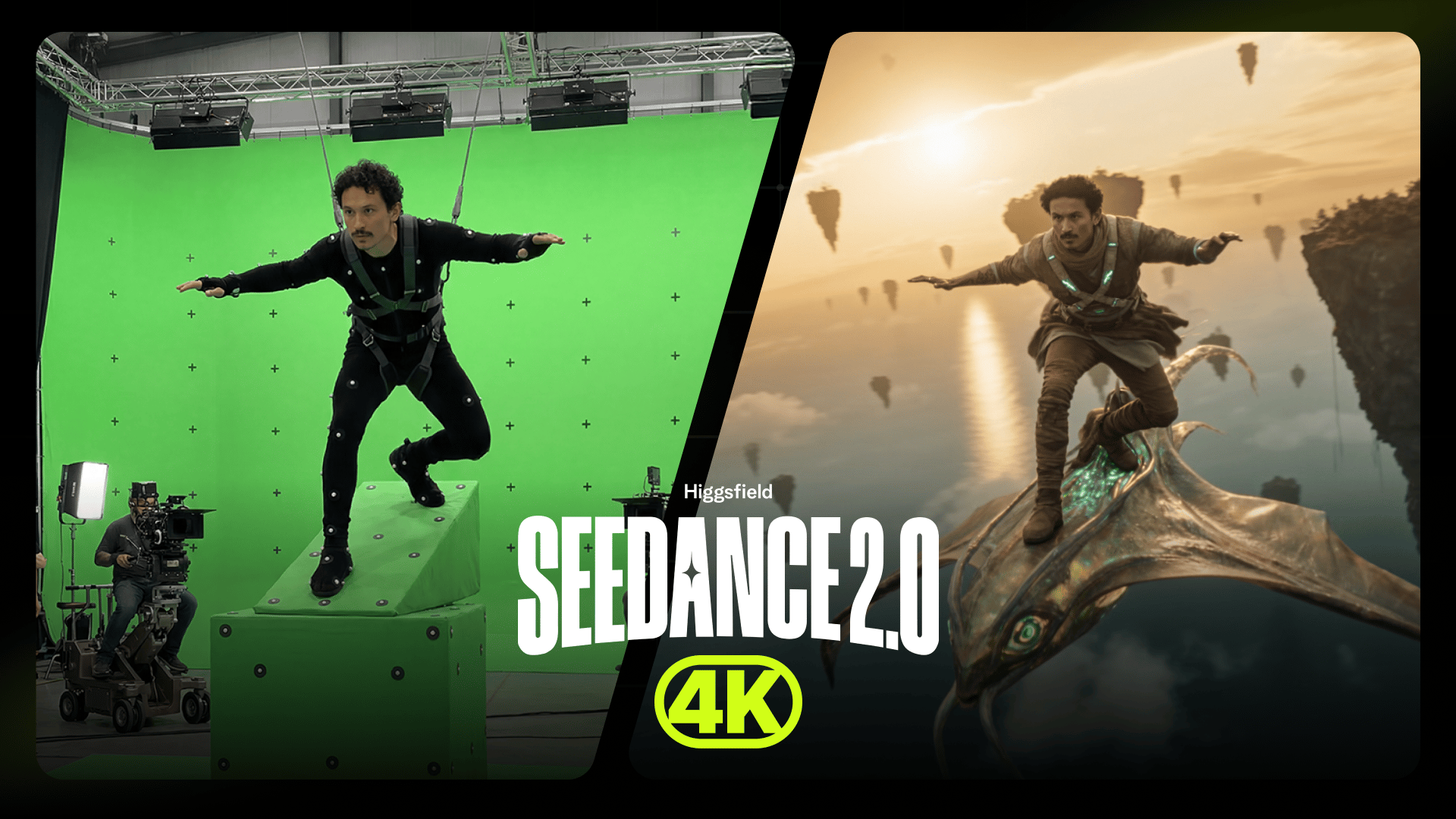
Grab your camera and record a clean, stable video reference. The best part is you don't need green screens, tracking markers, or fancy setups, just a natural performance with clear lighting.
We filmed Adil like he was flying, leaning forward with his arms out. The camera move was the main thing. Seedance 4k keeps the motion from your footage, so we shot it the way we wanted the final shot to look, with the camera pulling back and rushing past him. The model just follows the move we already filmed.
Next, send your clip to Claude and let it study the video first: the subject and identity, the exact motion and performance, the camera move and framing, the lens, the lighting, the timing, and the aspect ratio plus fps. This breakdown becomes the backbone of your prompt.
Now tell Claude the scene or effect you want. Our idea was to put Adil on a giant manta-ray creature, flying through a world of floating islands.
Claude takes that idea and writes an optimized prompt that locks the subject, the camera move, and the performance from the source, then layers only the new world and creature on top.
Paste Claude's custom prompt back into Seedance 4K right over your uploaded footage, hit generate, and watch the system deliver flawless, cinema-ready output in native 4K.
Here’s our result:
We didn't stop at one. Same workflow every time: shoot the move, let Claude read it, lock it, swap the world. Here are a few more shots we got off our own footage, with the prompts ready to go.