Higgsfield
  • Explore
  • Image
  • Video
  • Audio
  • SupercomputerNew
  • MCP & CLINew
  • Cinema Studio
  • Marketing Studio
  • Shorts StudioNew
  • ExplainerNew
  • Originals
  • Canvas
  • AI Influencer
  • Apps

THE ULTIMATE AI-POWERED CAMERA CONTROL FOR FILMMAKERS & CREATORS

Higgsfield AI

  • About
  • Trust
  • Careers
  • Contact
  • Pricing
  • Apps
  • Supercomputer
  • Cinema Studio
  • Marketing Studio
  • Higgsfield Canvas
  • Higgsfield Collab
  • Higgsfield MCP
  • Higgsfield Games
  • AI Influencer
  • Community
  • Enterprise
  • Team
  • Copilot
  • Reference Extension
  • Blog
  • Contests
  • Discord

Image

  • AI Image
  • Soul ID Character
  • Draw to Edit
  • Fashion Factory
  • Edit Image
  • Image Upscale
  • Photodump Studio
  • Higgsfield Popcorn
  • Nano Banana
  • Prompt Guide
  • Flux 2
  • Seedream 5
  • GPT Image 2
  • Inpaint
  • Soul 2.0
  • Soul Cinema
  • Soul Cast

Video

  • AI Video
  • Mixed media
  • Sora 2 Introduction
  • Veo 3.1 Introduction
  • Create Video
  • Lipsync Studio
  • Talking Avatar
  • Draw to Video
  • UGC Factory
  • Video Upscale
  • Kling 3.0
  • WAN 2.6
  • Seedance 2.0
  • Grok Imagine 1.5
  • Gemini Omni Flash

Edit

  • Banana Placement
  • Product Placement
  • Edit Image
  • Multi Reference
  • Upscale
  • Sora 2 Upscale
  • About
  • Trust
  • Careers
  • Contact
  • Pricing
  • Apps
  • Supercomputer
  • Cinema Studio
  • Marketing Studio
  • Higgsfield Canvas
  • Higgsfield Collab
  • Higgsfield MCP
  • Higgsfield Games
  • AI Influencer
  • Community
  • Enterprise
  • Team
  • Copilot
  • Reference Extension
  • Blog
  • Contests
  • Discord
  • X / Twitter
  • Youtube
  • Instagram
  • LinkedIn
  • Tiktok

535 Mission St, 14th floor, San Francisco, CA, 94105

  • X / Twitter
  • Youtube
  • Instagram
  • LinkedIn
  • Tiktok

© 2026 Higgsfield AI™. All rights reserved.

  • Press
  • Privacy
  • Terms
  • Cookie Notice
  1. Blog
  2. /
  3. Fresh Release
  4. /
  5. Image Editing of The Future

Image Editing of the Future. Meet Higgsfield Banana Placement

Mariam Barova

Mariam Barova

·

Sep 8, 2025

·

7 minutes

Image Editing of the Future. Meet Higgsfield Banana Placement

Edit Literally Anything with Banana Placement

Forget complex Photoshop workflows and prompt walls. Banana Placement lets you paint the area to change and transform it with references or a simple instruction. Powered by our state-of-the-art image editing model for super-consistent, photoreal results.


Part 1. How to Ace Brush-to-Edit with Banana Placement

1. Go to AI Image Editor


2. Upload Your Base Image This is your main frame - the “canvas” for editing. Use the highest-quality image you have.


3. Brush the Edit Zone Use the brush to roughly highlight the area you want to change.

  • Precise masks aren’t required - the model understands schematic selections well.

  • You can paint multiple zones in one pass.


4. Choose Your Edit Method

  • A. Brush + Text Prompt

    • Describe the change (e.g., “replace text with ‘Citrus Clean’ in bold sans-serif”, “turn jacket to matte black leather”).

  • B. Brush + Reference Images (1-2)

    • Upload one or more reference images (e.g., a product pack, a chair, a hat). Works with or without a prompt.

    • Optional prompt can specify style or placement (“place on table, 45° angle, soft shadow”).

  • C. Reference Images only No prompt - just cleanly change and replace objects, texts, logos, etc.


5. Generate

  • Hit Generate to get 2 fast results.

  • Pick your favorite, or Regenerate for more options (glitches happen occasionally - with Unlimited, simply rerun).


Example

Input Image:
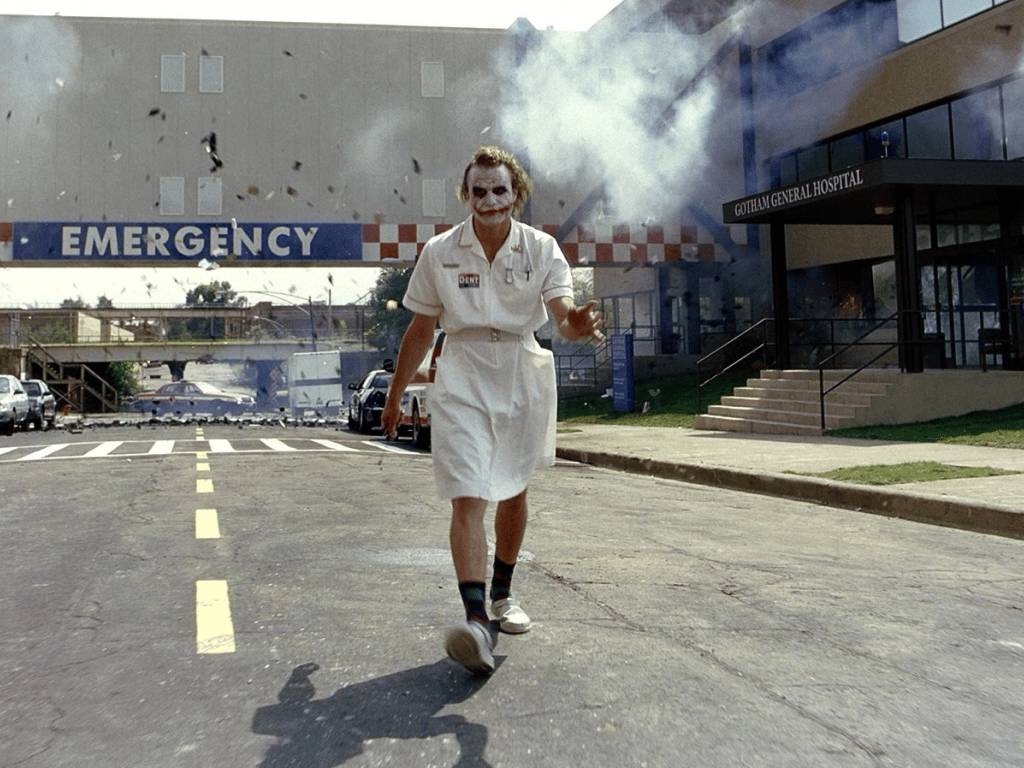
Joker Base
Joker Base

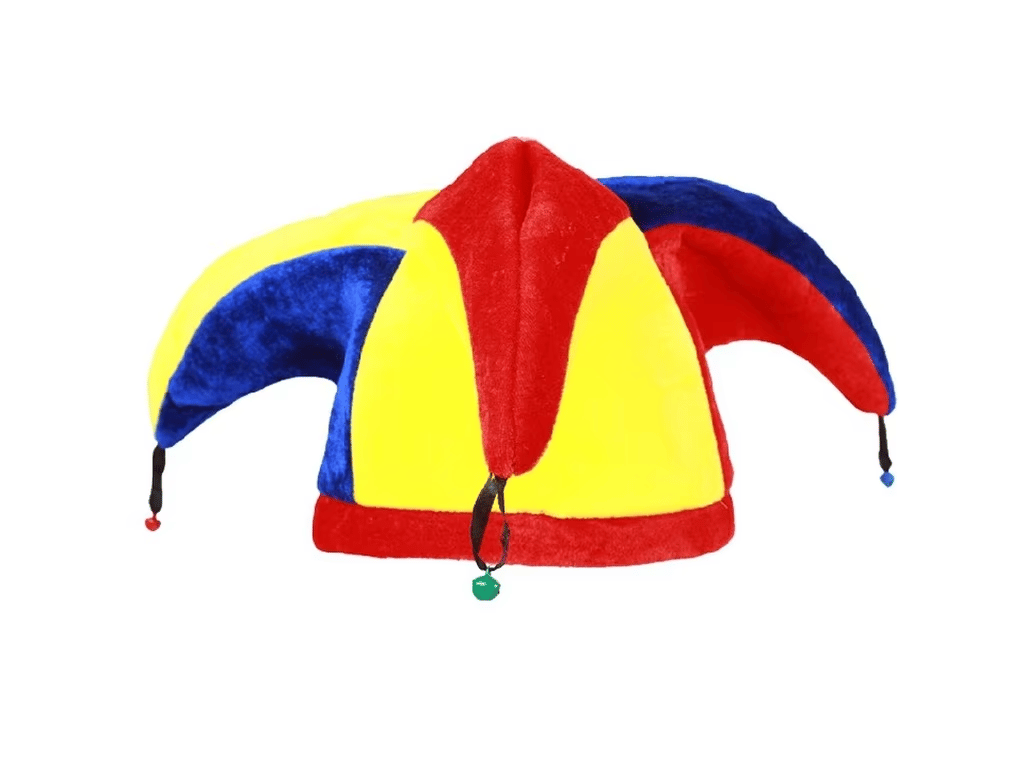
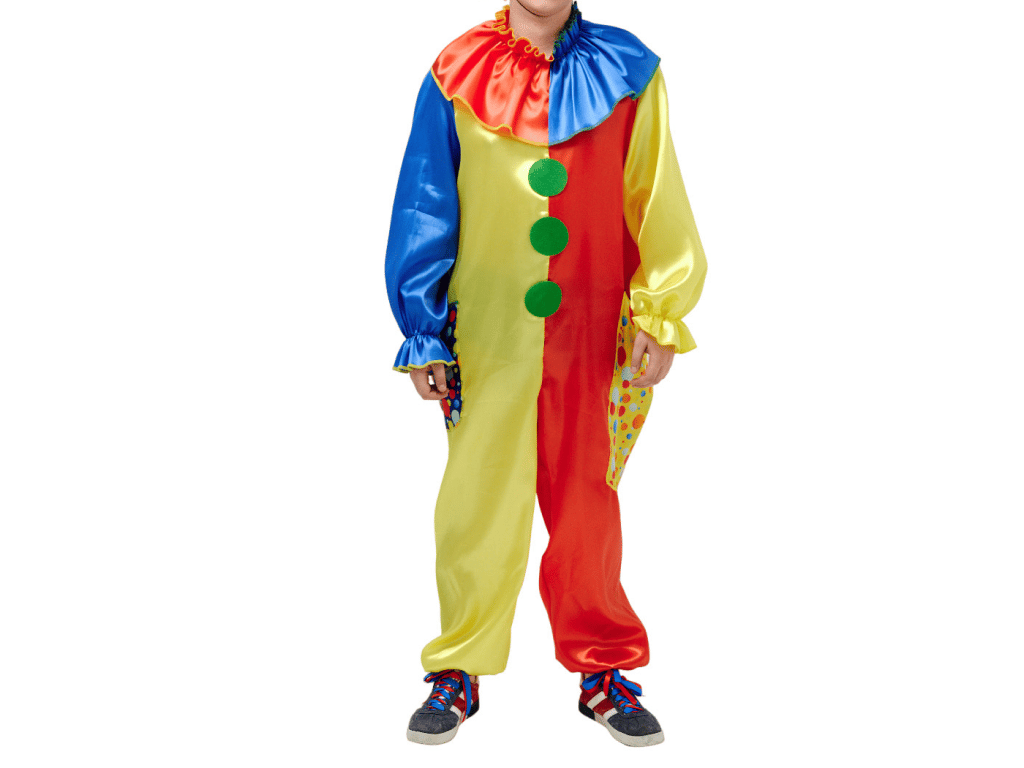
Reference Images:

Joker Hat
Joker Hat
Joker Costume
Joker Costume

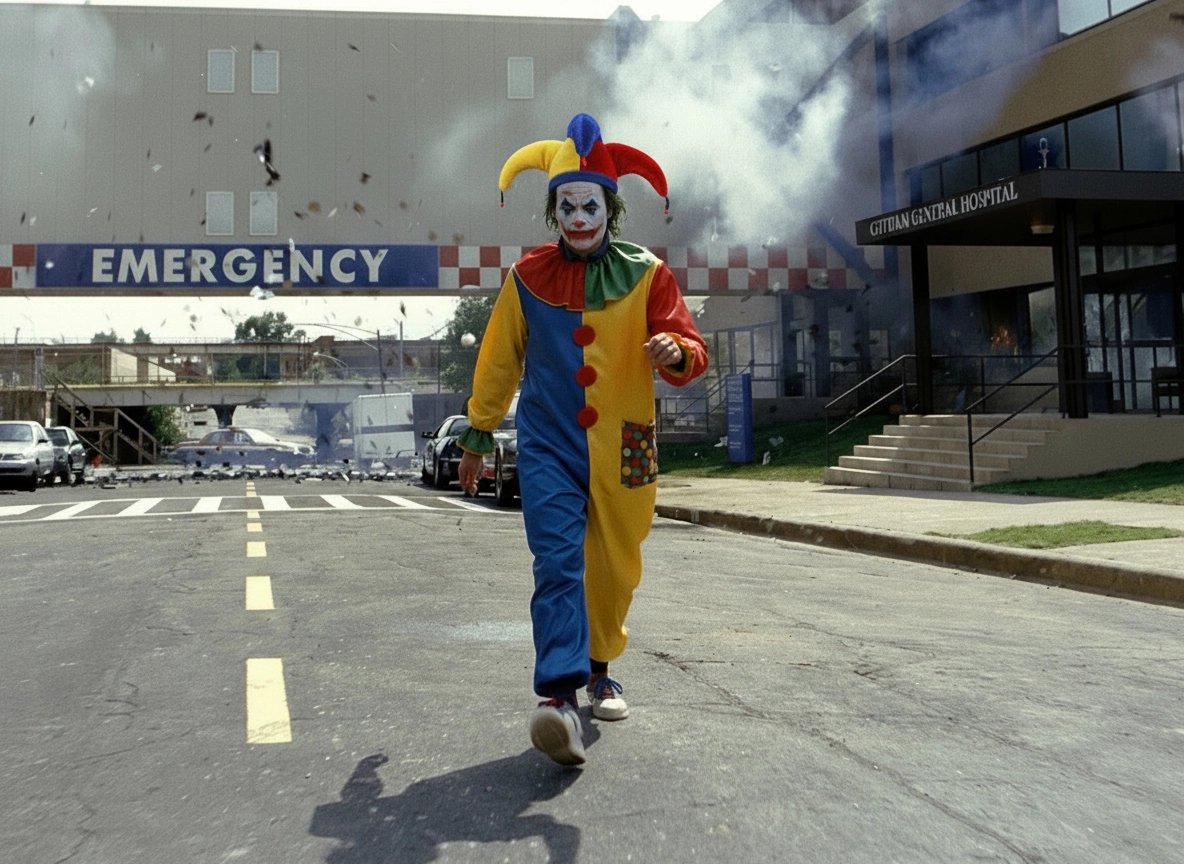
Output:

Joker Base 2
Joker Base 2

Using this image as the next input.

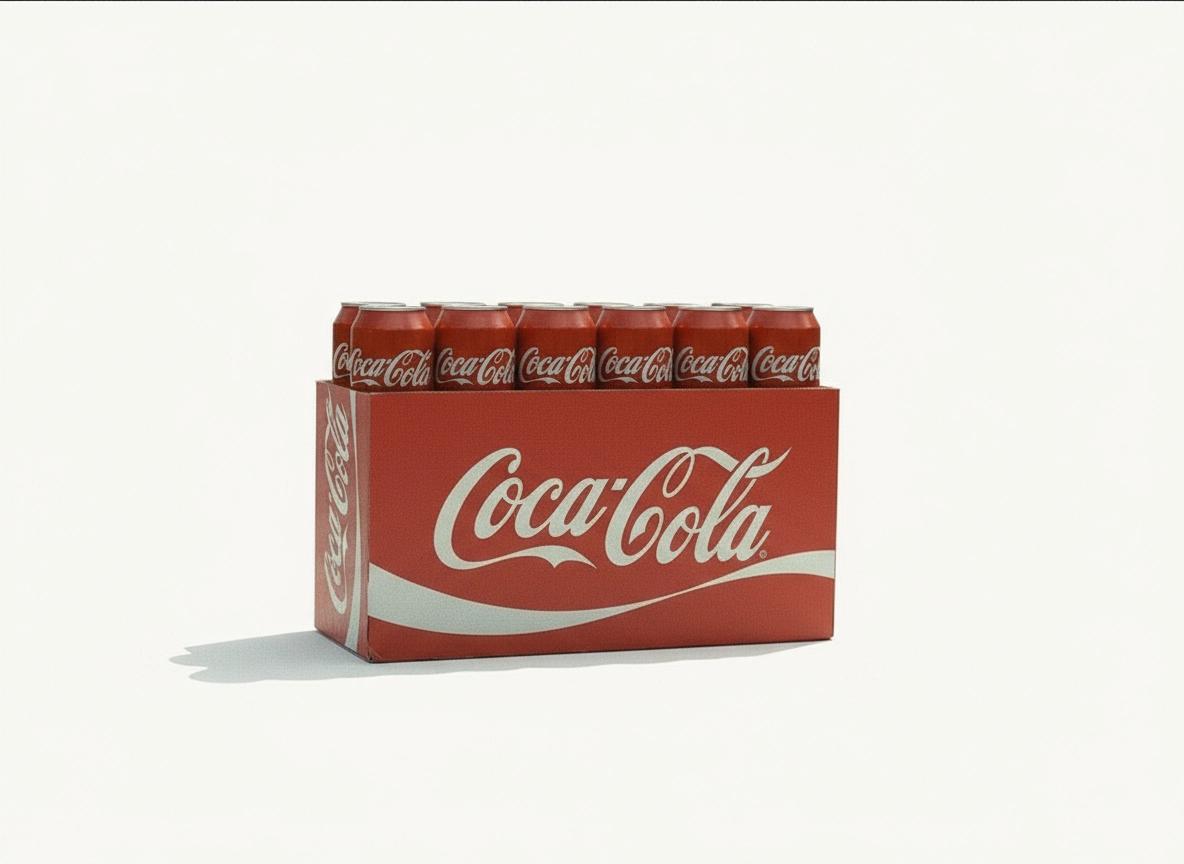
Reference image:

Coke
Coke

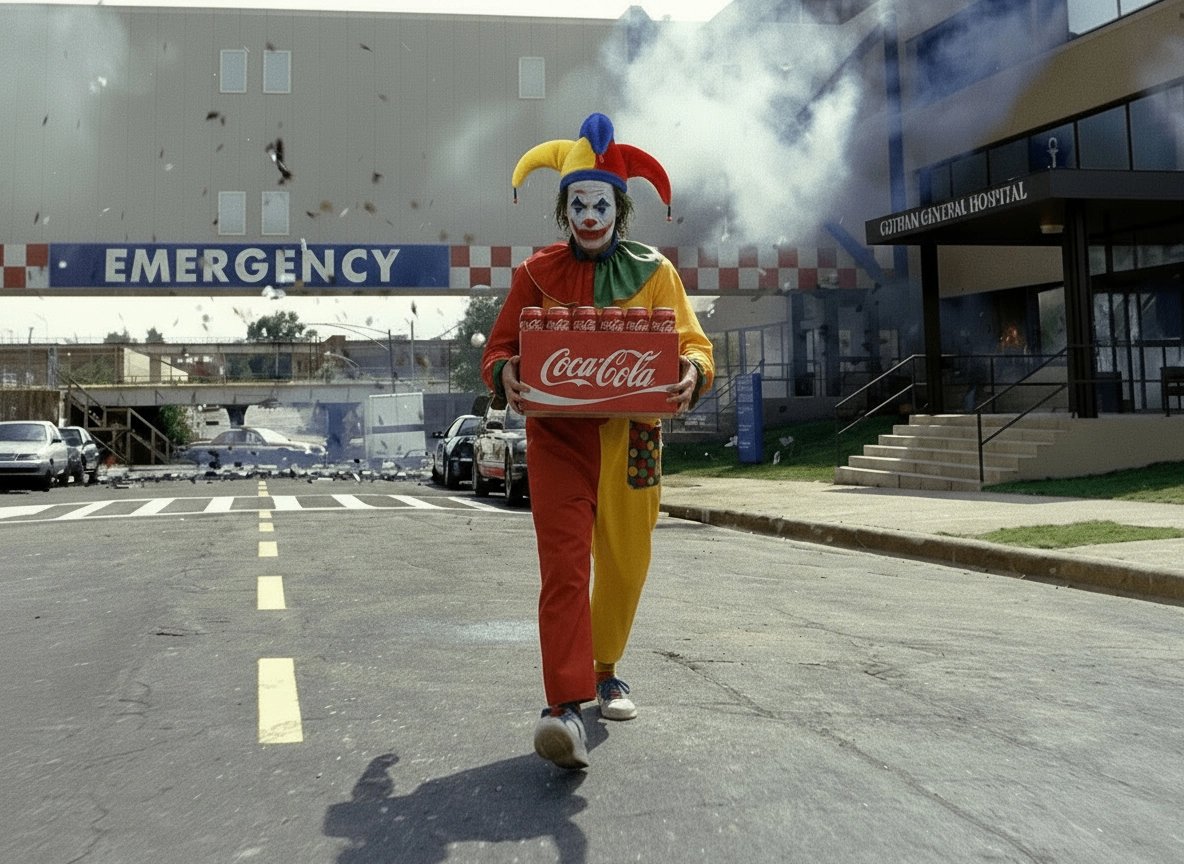
Output:

Joker Output Image
Joker Output Image

Animated Output:

Your browser does not support the video.
Joker Video

What Banana Placement Does Best

  • Add, remove, or replace: objects, text, patterns, signage, props

  • Colorway & material swaps: clothes, furniture, packaging, hair color

  • Accessory edits: glasses, hats, jewelry, bags

  • Interior refreshes: swap sofas, add plants/lamps, change wall textures

  • Product placement: insert your product in hand/on table/in scene

  • Brand & packaging updates: new label, localized text, seasonal variants

  • Cleanup: remove clutter, cables, reflections, unwanted logos

Note: Full face/person replacement is not Banana Placement’s strength - for that, use Draw-to-Edit for better fidelity.


Pro Tips for Flawless Results

  • Match scale & perspective of references (e.g., make the bottle hand-sized).

  • Keep lighting consistent between base and references (direction, softness, color temperature).

  • For text changes, use short, clear lines; specify font vibe (e.g., “bold condensed sans, high contrast”).

  • When adding objects, mention surface & shadow (“on marble counter, soft contact shadow”).

  • Use multiple references to guide style/material (e.g., wood tone, fabric texture).

  • If an edit looks off, widen the mask slightly and regenerate.


Sample Micro-Prompts

  • “Change hoodie to deep forest green fleece, matte, no logo.”

  • “Replace wall art with framed abstract, brass frame, muted palette.”

  • “Swap label to ‘Citrus Clean’ in bold sans-serif, centered.”

  • “Add ceramic vase (see reference), place on console, soft shadow.”

  • “Remove cables and reflections on the desk.”

  • “Make hair copper auburn, natural sheen.”


Why Banana Placement Changes the Game

  • SOTA realism & consistency — edits look native to your photo

  • Prompt-optional workflow — references alone can drive perfect replacements

  • Mask intelligence — rough selections are enough

  • Fast iteration — two results by default; regenerate freely

Start editing now: https://higgsfield.ai/image/nano_banana?image-inpaint=true

Stop Trying. With Banana Placement you simply create.

Try now
Mariam Barova

by Mariam Barova

Share article

Discover more

post preview

Introducing Higgsfield Ads 2.0: The Future of Ads is Here

post preview

AI Went Full Bananas: Everything you should know about Draw-to-Edit

post preview

Upgrade your creativity with Nano Banana. 30+ new presets.