For a short film in 2026, build shots with Higgsfield, Runway or Luma, plan with LTX Studio and set the look in Midjourney, and add voices and sound with ElevenLabs. Cut and grade in Premiere Pro or DaVinci Resolve Studio, then clean up final shots in Topaz Video.
Tool | Film stage | Best for | Price from |
|---|---|---|---|
LTX Studio | Pre-production | Script-to-storyboard planning | $15/mo |
Midjourney | Pre-production | Look and reference frames | $10/mo |
Higgsfield AI | Characters, shots, sound, edit handoff | Consistent characters and camera control | $15/mo |
Runway | Shots | Generating and editing video | $15/mo |
Luma | Shots | HDR and EXR for grading | $30/mo |
ElevenLabs | Sound | Dialogue, voices, music and effects | $6/mo |
Premiere Pro | Edit | AI search, speech and extend | $22.99/mo (annual plan) |
DaVinci Resolve Studio | Edit, color, finishing | Edit, grade and mix in one app | $295 one-time |
Topaz Video | Enhancement | Upscaling and denoising | $59/mo |
Pricing checked on October 30, 2026. Prices and plan details may change.
What Matters When You Pick AI Tools for a Short Film?
Pick tools that keep the same faces, places and look from shot to shot, because a short film is a sequence of shots that has to hold together.
Six things to check:
- Reference input: how many images, videos or audio files you can feed in, and what they control (face, wardrobe, location, style).
- Character and location consistency: whether the tool saves characters, locations and props for reuse across shots.
- Camera and motion control: lens, framing and camera moves set as controls, not only described in a prompt.
- Fixing single shots: extending a shot or changing one detail without generating the whole clip again.
- Sound: dialogue, effects and music, generated with the shot or separately.
- Handoff to the edit: export formats, editor plugins and how footage reaches your timeline.
Each tool below is judged on its own job. An editor is not marked down for not generating video, and an upscaler is not marked down for having no sound.
Tool | Characters and references | Camera and shot fixes | Sound and handoff |
|---|---|---|---|
LTX Studio | Elements, visual references | Camera controls, keyframes | Sound design, timeline editor |
Midjourney | Style references, Omni Reference | Image edit model | Image and video files |
Higgsfield AI | AI Cast, Elements, up to 50 references | Director’s Panel, Extend, Edit Video | Native audio, Premiere and Resolve plugins |
Runway | Image and video references | Aleph 2.0 editing | Seed Audio, ElevenLabs V4, ProRes on Max |
Luma | Character reference, 16 keyframes | Video-to-video, Reframe | No sound, 16-bit EXR and HDR |
ElevenLabs | Cloned voices | n/a | Voice, music, effects, WAV |
Premiere Pro | n/a | Generative Extend | Enhance Speech, native editor |
DaVinci Resolve Studio | n/a | Magic Mask, object removal | Voice Isolation, edit and grade |
Topaz Video | n/a | Stabilization, enhancement | Resolve and After Effects plugins |
Real Example: A Two-Shot AI Scene With Dialogue and Sound
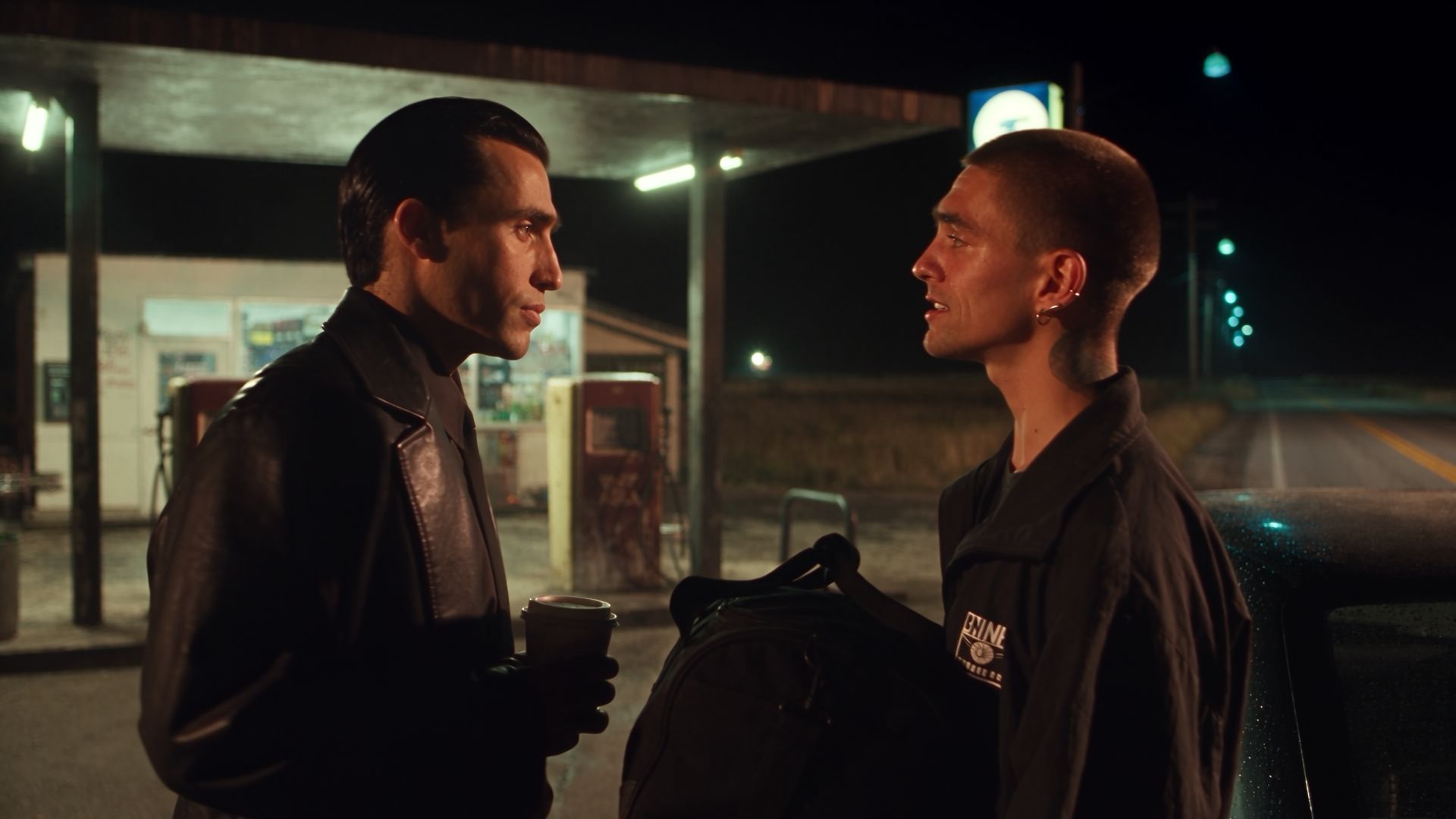
The scene below was made on Higgsfield from a single keyframe. One image held both actors’ faces, their wardrobe, the car and the gas station, while the prompt set the camera move, the focus pull, the dialogue and the sound. Picture and sound came out of one generation.