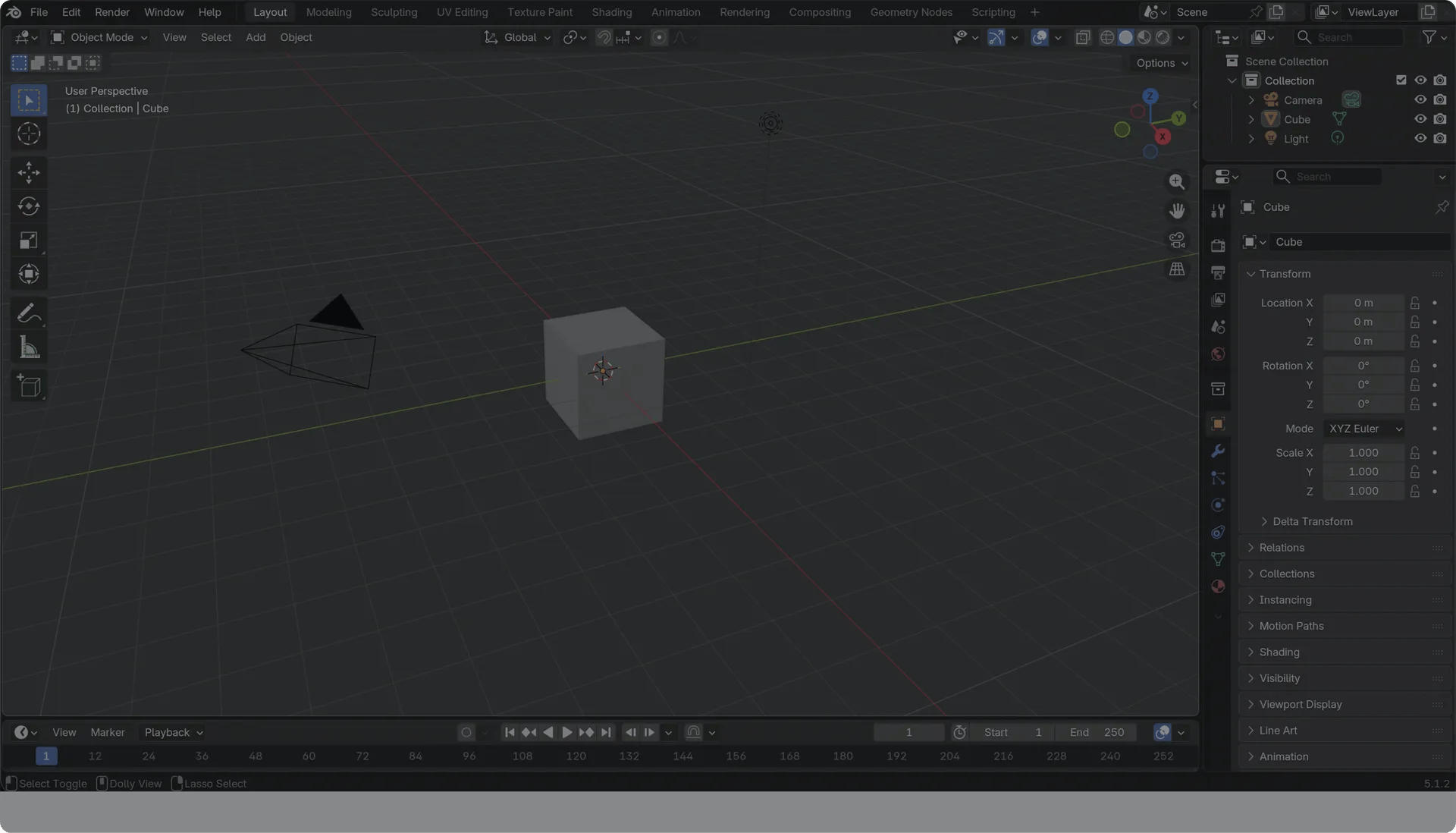
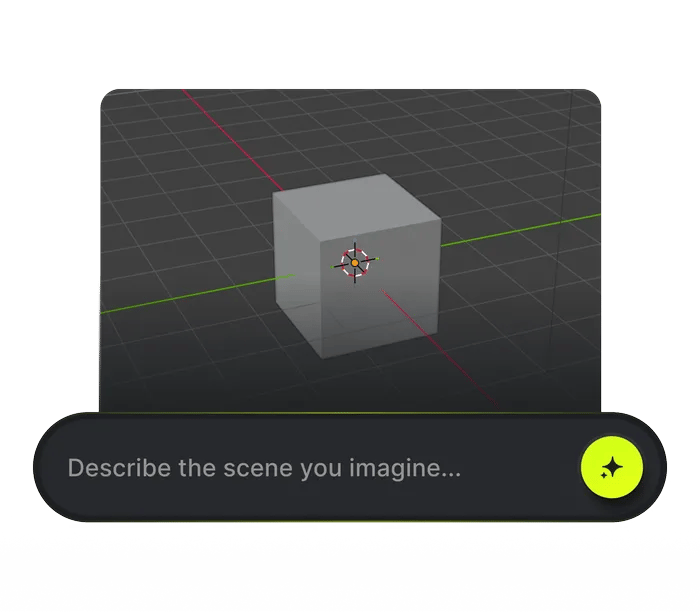
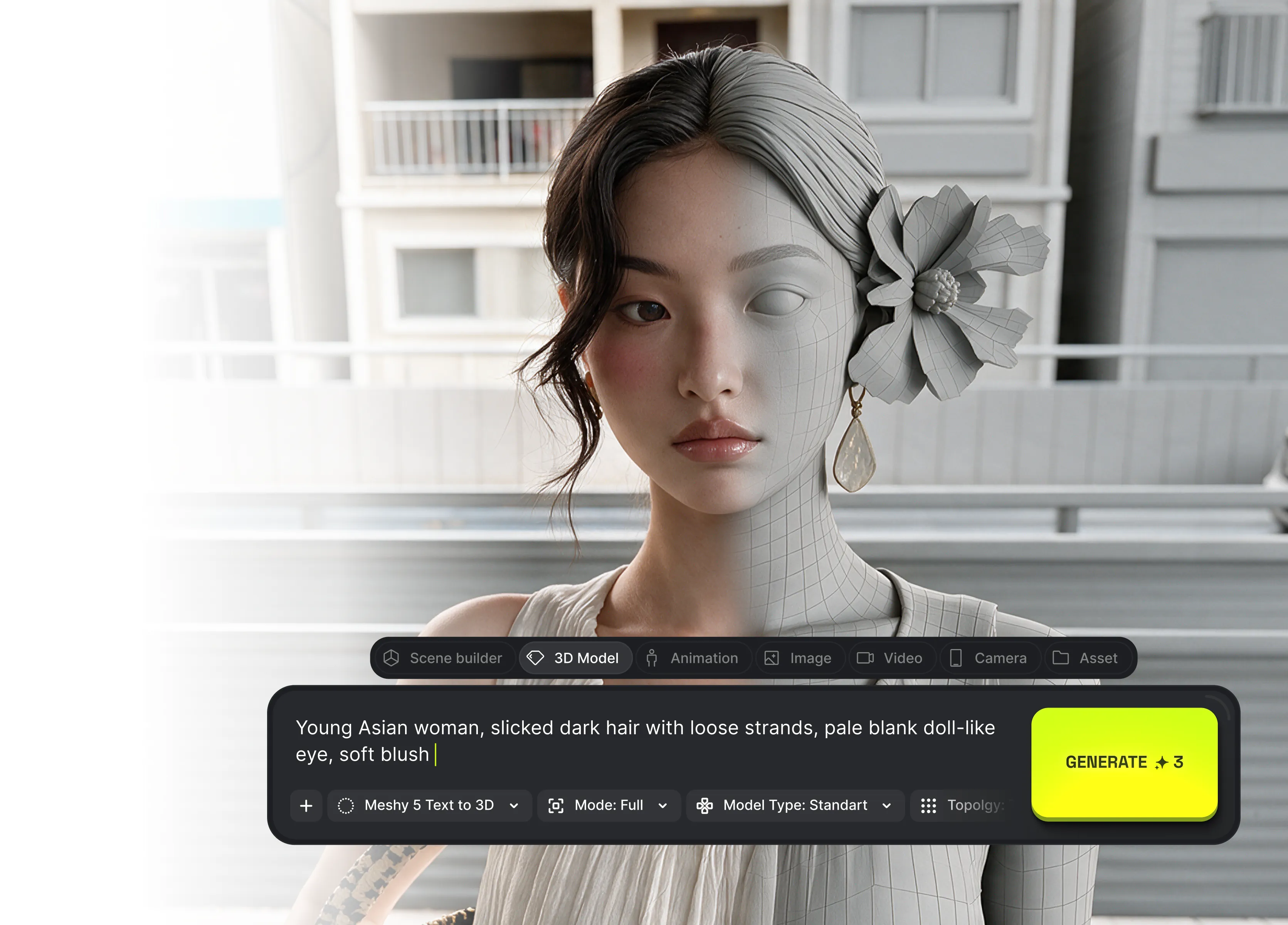
The prompt bar sits at the bottom of the 3D view. Pick a tab and a model, set resolution and fps - the cost is on the Generate button
TYPE IT IN THE VIEWPORT
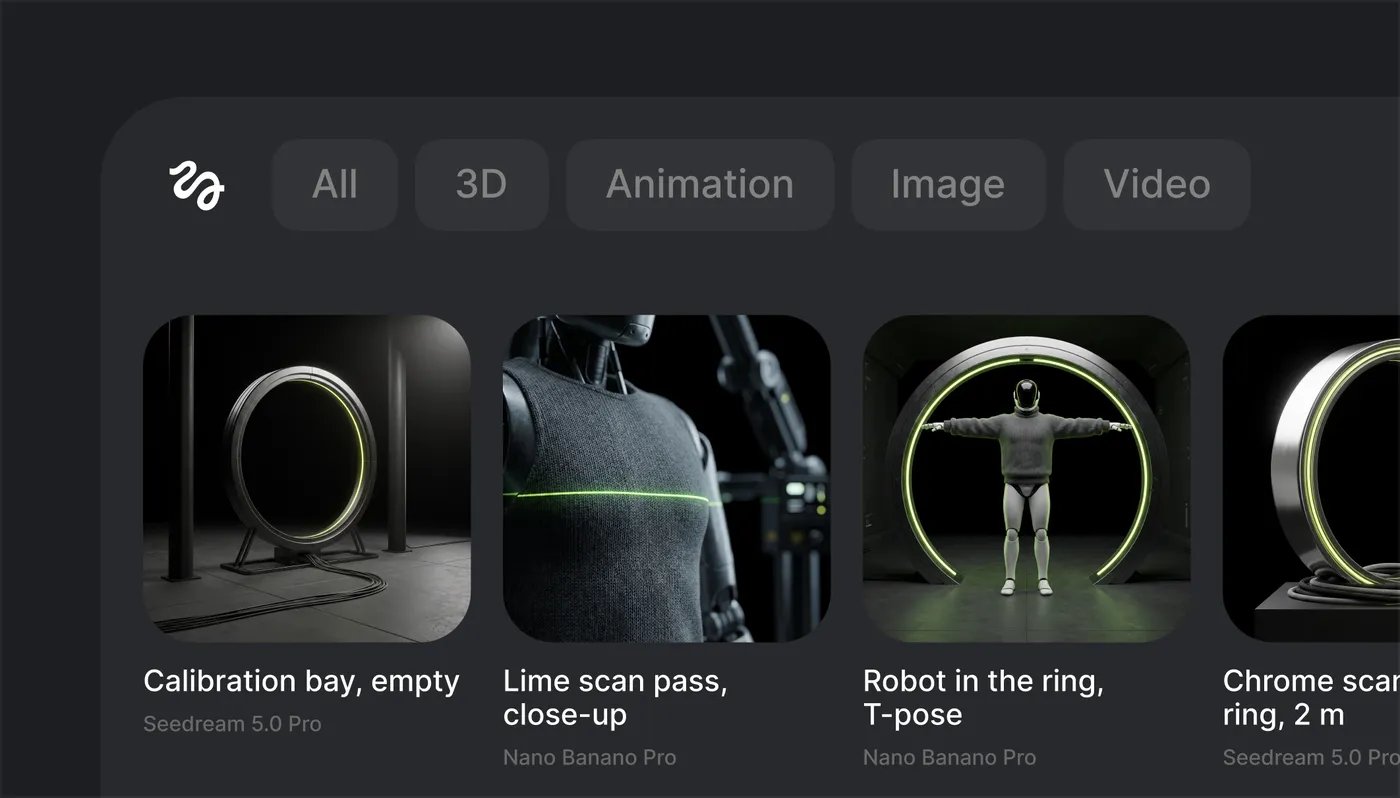
EVERY RESULT IN ONE PLACE
Recent results sit above the viewport, the full library underneath - filtered by 3D, Images or Video, with a folder shortcut to disk
EVERY RESULT IN ONE PLACE
DROP IT INTO THE SCENE
Any result goes straight into the scene - an image lands as a plane or wires into a material, right from the result card
DROP IT INTO THE SCENE before
DROP IT INTO THE SCENE after
The toolkit
Every tool, up close
How to generate
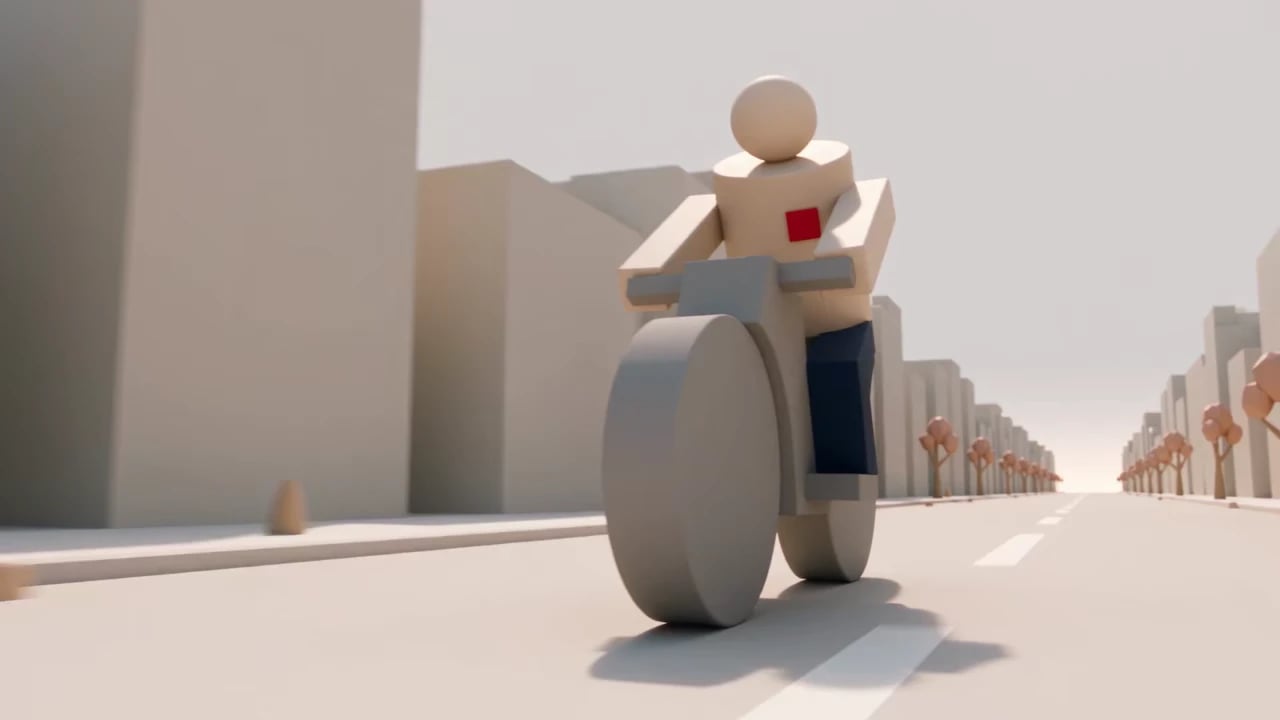
Generate using the most advanced video model
1
Download the .zip
One signed file, no installer to run. Keep it zipped as downloaded
2
Drag it into Blender
Drop it on any open Blender window - it installs and enables itself
3
Start generating
The Higgsfield bar floats over your viewport. Sign in and type
An agent in your scene
1
Copy the bridge URL
2
Settings → Connectors
Add a custom connector, name it Higgsfield Bridge, paste the URL
3
Ask for a scene
Sign in when prompted, then: “Build me a calibration bay blockout in Blender”
Everything Higgsfield knows, inside Blender
Every Higgsfield model in the viewport - one download, one sign-in, your credits already there
Community over 25 MILLION USERS
Join a global creative network where people generate AI images, share ideas, and inspire each other every day.
A
Alexandre
I've been using Higgsfield for my creative work for a while now and, honestly, it's one of the best platforms out there - the tools are powerful and the results speak for themselves. But what made me write this was the support. I had a question about my credits, and Tim handled everything with a transparency and care you rarely see.
S
Spock
Im a new customer of Higgsfield and enjoying it! I'm making some cool videos. I look forward to the advances on the platform! Oh, the support service is excellent!
R
Rha
Higgsfield A.I. has been the best and most exciting tool I've used since I first started editing back in 2008! I still can't believe we live in a time where we can type a sentence; prompt, on one end and get a blockbuster video that comes out on the other end! The site can feel overwhelming at times, but in a good way.
AS
Akun Suliman
I am an Indonesian content creator based on my experience, I feel helped by the presence of this AI Agent higgsfield I say honestly and swear also thank you.. Because AI Agent Higgsfield has helped a lot, especially for creators in the form of our full support to create. In addition to this support, there are many other supports that are very helpful, especially the Higgsfield team
SJ
Shatanu Jachak
What Higgsfield is doing really well is making high-quality AI creation feel smooth, fast, and inspiring. I also appreciate how the company supports its creative community and gives artists the freedom to experiment, grow, and push visual storytelling to the next level.
FM
Freissy Mediaart
The user interface (UI) is highly intuitive and beginner-friendly. Additionally, the cloud rendering speed for generating both images and videos is exceptionally fast, and the AI tools menu is very well-organized. I have completed numerous projects using Higgsfield, and every single one of them turned out perfectly.
LE
Ls estúdios
For a long time, I have seen it as a useful and well-optimized tool, designed to help creators in the best possible way. I like that it constantly introduces updates and interesting features that improve the experience. That is why it has always been a platform that has caught my attention and that I have enjoyed using compared to others.
RR
Rian Rizky Ananta
Honestly one of the best AI creative platforms out there. The credit pricing is surprisingly affordable compared to similar platforms, and what impresses me most is how consistently they keep shipping new features. You can tell the team actually listens and keeps pushing the product forward.
DD
Deyo D
The Most Powerful AI Creative Platform for Creators. What impressed me the most is the level of support around the creator program. The team is helpful, professional, and always there when you need assistance or have questions. It really feels like they care about creators and want to help them grow.
A
Alexandre
I've been using Higgsfield for my creative work for a while now and, honestly, it's one of the best platforms out there - the tools are powerful and the results speak for themselves. But what made me write this was the support. I had a question about my credits, and Tim handled everything with a transparency and care you rarely see.
S
Spock
Im a new customer of Higgsfield and enjoying it! I'm making some cool videos. I look forward to the advances on the platform! Oh, the support service is excellent!
R
Rha
Higgsfield A.I. has been the best and most exciting tool I've used since I first started editing back in 2008! I still can't believe we live in a time where we can type a sentence; prompt, on one end and get a blockbuster video that comes out on the other end! The site can feel overwhelming at times, but in a good way.
AS
Akun Suliman
I am an Indonesian content creator based on my experience, I feel helped by the presence of this AI Agent higgsfield I say honestly and swear also thank you.. Because AI Agent Higgsfield has helped a lot, especially for creators in the form of our full support to create. In addition to this support, there are many other supports that are very helpful, especially the Higgsfield team
SJ
Shatanu Jachak
What Higgsfield is doing really well is making high-quality AI creation feel smooth, fast, and inspiring. I also appreciate how the company supports its creative community and gives artists the freedom to experiment, grow, and push visual storytelling to the next level.
FM
Freissy Mediaart
The user interface (UI) is highly intuitive and beginner-friendly. Additionally, the cloud rendering speed for generating both images and videos is exceptionally fast, and the AI tools menu is very well-organized. I have completed numerous projects using Higgsfield, and every single one of them turned out perfectly.
LE
Ls estúdios
For a long time, I have seen it as a useful and well-optimized tool, designed to help creators in the best possible way. I like that it constantly introduces updates and interesting features that improve the experience. That is why it has always been a platform that has caught my attention and that I have enjoyed using compared to others.
RR
Rian Rizky Ananta
Honestly one of the best AI creative platforms out there. The credit pricing is surprisingly affordable compared to similar platforms, and what impresses me most is how consistently they keep shipping new features. You can tell the team actually listens and keeps pushing the product forward.
DD
Deyo D
The Most Powerful AI Creative Platform for Creators. What impressed me the most is the level of support around the creator program. The team is helpful, professional, and always there when you need assistance or have questions. It really feels like they care about creators and want to help them grow.
A
Alexandre
I've been using Higgsfield for my creative work for a while now and, honestly, it's one of the best platforms out there - the tools are powerful and the results speak for themselves. But what made me write this was the support. I had a question about my credits, and Tim handled everything with a transparency and care you rarely see.
S
Spock
Im a new customer of Higgsfield and enjoying it! I'm making some cool videos. I look forward to the advances on the platform! Oh, the support service is excellent!
R
Rha
Higgsfield A.I. has been the best and most exciting tool I've used since I first started editing back in 2008! I still can't believe we live in a time where we can type a sentence; prompt, on one end and get a blockbuster video that comes out on the other end! The site can feel overwhelming at times, but in a good way.
AS
Akun Suliman
I am an Indonesian content creator based on my experience, I feel helped by the presence of this AI Agent higgsfield I say honestly and swear also thank you.. Because AI Agent Higgsfield has helped a lot, especially for creators in the form of our full support to create. In addition to this support, there are many other supports that are very helpful, especially the Higgsfield team
SJ
Shatanu Jachak
What Higgsfield is doing really well is making high-quality AI creation feel smooth, fast, and inspiring. I also appreciate how the company supports its creative community and gives artists the freedom to experiment, grow, and push visual storytelling to the next level.
FM
Freissy Mediaart
The user interface (UI) is highly intuitive and beginner-friendly. Additionally, the cloud rendering speed for generating both images and videos is exceptionally fast, and the AI tools menu is very well-organized. I have completed numerous projects using Higgsfield, and every single one of them turned out perfectly.
LE
Ls estúdios
For a long time, I have seen it as a useful and well-optimized tool, designed to help creators in the best possible way. I like that it constantly introduces updates and interesting features that improve the experience. That is why it has always been a platform that has caught my attention and that I have enjoyed using compared to others.
RR
Rian Rizky Ananta
Honestly one of the best AI creative platforms out there. The credit pricing is surprisingly affordable compared to similar platforms, and what impresses me most is how consistently they keep shipping new features. You can tell the team actually listens and keeps pushing the product forward.
DD
Deyo D
The Most Powerful AI Creative Platform for Creators. What impressed me the most is the level of support around the creator program. The team is helpful, professional, and always there when you need assistance or have questions. It really feels like they care about creators and want to help them grow.
Trusted by 5.000+ people worldwide
Still have questions?
We’ve answered the most frequently asked questions
Which Blender versions are supported?
Blender from version 5.1. Drag the .zip onto any open Blender window and it installs itself; Edit ▸ Preferences ▸ Add-ons ▸ Install works too. Keep the file zipped — Blender wants the archive.
Where does the plugin live in Blender?
It's a floating bar over the 3D viewport — not a separate window, not a sidebar. Seven tabs: Scene builder, 3D Model, Character animation, Image, Video, Camera and Asset. Type a prompt, pick the settings, press Generate.
Which models can I use?
The full Higgsfield catalogue, picked per generation: Nano Banana 2, GPT Image, Seedream 5.0 Pro and Z Image for images, Seedance 2.5 for video, Meshy 5 for 3D, plus the upscalers. Switching models between shots is one dropdown.
How do I know what a generation will cost?
The number on the Generate button is the credit price — you see it before you press, and the variants counter multiplies it. Your balance and plan are one click away in the bar.
Do I need a powerful GPU?
No. Generation runs on Higgsfield's servers, so any machine that can open your scene can run every tab. Your GPU still matters for your own Cycles and EEVEE renders, exactly as before.
Where do results land in my file?
In the Asset tab: recent results sit above the viewport, the full library underneath, filtered by 3D, Images or Video. 3D results come in as editable objects, images insert as a plane or wire into a material, and there's a folder shortcut to the files on disk.
Does it work offline?
No — the bar needs an internet connection and a signed-in Higgsfield account, because inference happens in the cloud. Everything already generated stays in your .blend and on disk, available offline like any other data.
What exactly does Scene builder make?
Real scene data, not a picture. Objects, layout and light arrive as editable geometry in the open .blend — move it, rescale it, delete half of it, then feed the blockout to Video for the finished shot.
What do I get from Character animation?
A fitted, weighted rig plus keyframes on the timeline — standard Blender bones and actions, so you tweak the curves like any mocap instead of starting over.
What is the Higgsfield Bridge?
The regular MCP endpoint generates assets. The bridge at bridge.higgsfield.ai/mcp connects an agent to the add-on itself — so Claude can build in your open scene: blockouts, meshes at the cursor, Seedance renders.
Add a connector named Higgsfield Bridge in your agent's settings, sign in, then ask: "Build me a calibration bay blockout in Blender."
Do I need a separate subscription?
No. The add-on runs on the same credits as higgsfield.ai and the other plugins — Photoshop, After Effects, Premiere, DaVinci, Figma. Sign in once; personal and team workspaces both work.
Can I use the output commercially?
Yes. Generations made through the Blender add-on carry the same usage rights as the web platform, including commercial use on paid plans. Full detail lives in the Higgsfield Terms of Service.
Get insights from experts blog
Get the insights you need. Our experts share actionable hacks, break down the hottest topics, and provide essential how-to guides to help you build, optimize, and scale.