Creator Hub
Back

10 Best Text-to-Video AI Generators in 2026

Higgsfield
15 min

The 10 best text-to-video AI generators in 2026 each fit a different job: Seedance 2.5 (on Higgsfield or in Dreamina) for a complex shot from text, Google Flow for scene sound, InVideo AI for exact titles, and LTX Studio, InVideo AI, or Synthesia for a full script.

Key Takeaways

  • We ran one 8-second text-only prompt once each through Veo 3.1, Kling 4.0, Seedance 2.5, MiniMax H3, and Cinema Studio 4.0 on Higgsfield on November 20, 2026, and published the prompt and all five outputs.
  • In our test, Seedance 2.5 kept the helmet-camera view, the three-arch bridge, and the final sunlight and rainbow.
  • In our test, MiniMax H3 kept the helmet-camera view, festival setting, and final rainbow in a more stylized look.
  • Three of the five options missed a key part of the shot, such as the aircraft type, the light change, or the bridge timing.
  • Google Flow gives 50 free credits a day without a subscription, and its Veo 3.1 model generates picture and sound from one prompt.
  • LTX Studio, InVideo AI, and Synthesia turn a whole script into a storyboard, a narrated edit, or a presenter video, rather than one generated shot.

What Is the Best Text-to-Video AI Generator in 2026?

Each text-to-video generator here fits a different job. For a complex, text-only scene, Seedance 2.5, available on Higgsfield or in Dreamina, kept our prompt’s camera view, bridge, and light change; for sound, titles, and scripts, other tools fit better. The picks below separate tested results from documented features.

What Is the Best Text-to-Video AI Generator in 2026?

If you need

Choose

Why

A complex camera move from text

Seedance 2.5 (Higgsfield or Dreamina)

Closest to our prompt’s viewpoint, bridge, and light change

Dialogue and scene sound

Google Flow

Veo 3.1 generates picture and sound from one prompt

Exact on-screen wording

InVideo AI

Editable titles with set font, position, and timing

A free start

Google Flow

50 credits a day without a subscription

A video from a script

LTX Studio, InVideo AI, or Synthesia

Storyboard, narrated edit, or presenter video

The tool sections are not a quality ranking: the seven generators come first, then the three script tools. For a broader choice of platform, see Best AI Video Generators.

How Do Text-to-Video Generators Compare?

The 10 tools split into seven generators that create an original shot from a prompt and three tools that turn a script into a finished video. We tested five generation options inside Higgsfield. We did not run the prompt in the other nine platforms’ original apps.

How Do Text-to-Video Generators Compare?

Tool

Best For

Prompt Adherence

Audio

Free Access

Google Flow

Dialogue and scene sound

Not tested in original app

Generated with Veo 3.1

50 credits a day

Kling AI

Connected action shots

Not tested in original app

Voiceovers and sound effects

Free plan

Dreamina

Seedance scenes from text

Not tested in original app

Generated with Seedance

Trial credits

Runway

Sequenced camera direction

Not in test

Gen-4.5: separate audio; partner models: native audio

Gen-4.5 on paid plans

Higgsfield AI

Comparing models on one prompt

Tested: five options, see results below

Generated on all five tested models

Free plan

Hailuo AI

MiniMax scenes from text

Not tested in original app

Native stereo with H3

Trial credits

Luma

Revising a generated shot

Not in test

Through partner models and tools

No free plan

LTX Studio

Script to storyboard

Not in test

Sound design tools

Trial credits

InVideo AI

Script to narrated edit

Not in test

Voiceover and music

No free plan listed

Synthesia

Script to presenter video

Not in test

Presenter speech

Free plan

Capabilities checked on November 21, 2026. Free access does not always include every model or feature.

How Did We Test These Text-to-Video Generators?

We ran one text-only prompt once through five generation options on Higgsfield on November 20, 2026, with no uploaded images or references. Each clip is 8 seconds at 16:9 with an audio track, at 1080p (MiniMax H3 at 2K). Each option ran with its default settings, so the results show prompt-only output. Options with extra controls, such as Cinema Studio 4.0’s camera and lighting settings, were not set up with them. We kept the first result and checked it against nine checkpoints from the prompt.

The five options were four models, Veo 3.1 (Google), Kling 4.0 (Kuaishou), Seedance 2.5 (ByteDance), and MiniMax H3 (MiniMax), plus Higgsfield’s Cinema Studio 4.0. The same four models also power Google Flow, Kling AI, Dreamina, and Hailuo AI, so a result on Higgsfield is not a result for those apps. Runway, Luma, LTX Studio, InVideo AI, and Synthesia were not tested.

We reviewed frames sampled at half-second intervals. The review was not blind. All five clips have a soundtrack, but we did not score the spoken line. One attempt per generation option shows one result, not how often a model succeeds.

What Was the Exact Test Prompt?

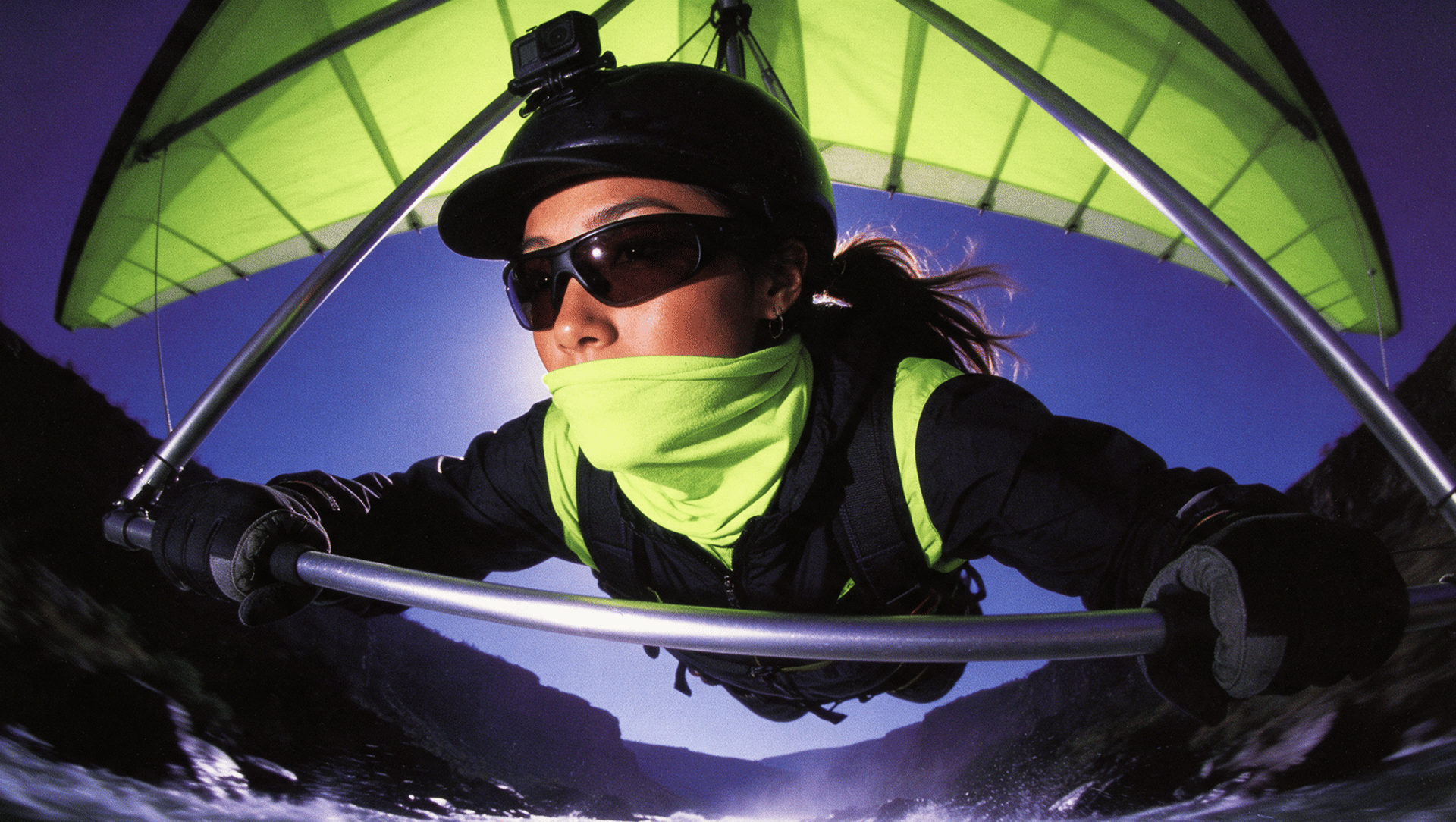
The test prompt describes an 8-second helmet-camera shot from a hang glider following another pilot through a festive canyon. It asks for one continuous take, a timed bridge passage, a change of light, and one spoken line. We used the same prompt for all five generation options.

SCENE: real helmet-cam footage from a hang glider in flight, photorealistic, magical and festive. Multicolored, balanced palette, no single dominant hue: blue, yellow, emerald, violet, orange, white, pink; turquoise water, cool shadows, slightly moody light. One continuous take through the eyes of ONE pilot, no cuts. PILOT AHEAD: a woman flying a hang glider, prone under an orange-and-white delta wing, white helmet. LOCATION: a deep canyon; 30 m below, a raging turquoise river; rafts with paddling crews bounce through white rapids; silver fish leap out of the water. Cherry trees in bloom, waterfalls on the right, a few wooden houses on the cliffs, a slim stone watchtower on the left ridge. Garlands of fabric triangle flags in every color criss-cross the canyon at different heights. Kites with long ribbon tails fly on strings from the banks. Glowing sky lanterns drift high up toward the clouds. Eight other hang gliders in different colors fly freely, not in formation: level with us, high near the clouds, low over the river, crossing in all directions. Big flocks of swallows dart past. People cheer on the banks. Ahead, an ancient mossy stone bridge with three tall arches; children run across it. Heavy clouds overhead. The pilot ahead and the bridge stay the clear focus; the rest are accents, not clutter. CAMERA: POV from the helmet of the pilot 12 m behind her, 25-30 m above the river; ultra-wide action-cam lens with barrel distortion, filling the frame edge to edge, no black corners. At the bottom of every frame: the thin silver base bar of his hang glider gripped by his gloved hands. Alive, never mechanical: turbulence bumps, micro-shake, horizon rolling 15° in banks, quick head glances. 0.0s to 2.0s: both glide down the canyon; another hang glider crosses above; rafts and leaping fish far below. 2.0s to 3.5s: she banks hard left, then right; he glances at the left bank, then the waterfall on the right, then back to her. 3.5s to 4.5s: she shoots through the central arch; a half-second flash of shade, never a tunnel. 4.5s to 8.0s: the sun breaks through and floods the canyon with golden light, rainbows in the spray; she glances back and shouts: "Keep up!"; the canyon opens wide, no other bridge. AUDIO: wind roar on the mic, roaring rapids, crowd cheers, swallows, her shout clear; no music. LOCKS: same orange-and-white wing for her throughout; no text or logos.

Which Model Followed the Test Prompt Most Closely?

Seedance 2.5 followed the test prompt most closely: it kept the helmet-camera view, the three-arch bridge, and the final sunlight and rainbow. MiniMax H3 also retained the helmet-camera view, festival setting, and final rainbow, but in our visual assessment it looked more stylized than photorealistic. Veo 3.1, Kling 4.0, and Cinema Studio 4.0 each missed a key part of the shot.

Which Model Followed the Test Prompt Most Closely?

Checkpoint

Veo 3.1

Kling 4.0

Seedance 2.5

MiniMax H3

Cinema Studio 4.0

Hang glider, not a paraglider

No: paraglider

Yes

Yes

Yes

Yes

View from the pilot behind her, with bar and gloved hands

No: selfie pole facing the pilot

Partly: no separate lead glider

Yes

Yes

Yes

Orange-and-white wing color

Yes

Yes

Partly: orange panel looked salmon

Yes

Partly: red and white

Photorealistic look

Yes

Yes

Yes

No: more stylized than photorealistic

Yes

Three-arch bridge and passage timing

Partly: more than three arches, passage about 4.0 to 4.5 s

Partly: 5+ arches, passage about 6.5 s

Yes, passage about 5.0 s, slightly late

Partly: passage about 6.0 to 6.5 s

Partly: one arch visible

Short shade, not a tunnel

Yes

Yes

Yes

Yes

No: dark for about 1.5 s

Sun break, golden light, rainbow

Yes

No: overcast to the end

Yes

Yes

Partly: golden light, no rainbow

Banking and camera shake

Yes

Yes

Yes

Yes

Partly: horizon mostly level

Balanced multicolored palette as requested

Yes

Yes

Yes

Yes

No: muted palette before the final light

Each clip appears in its tool section below. For the bridge, “Yes” means three arches and a passage within about half a second of the 3.5 to 4.5 second window. “Partly” means a different arch count or a passage 1.5 seconds or more late. Times are approximate, from half-second samples. Small details, such as fish and the number of other gliders, were not checked.

The biggest misses changed the shot itself, not small details. Veo 3.1 produced a festive canyon but moved the camera. Cinema Studio 4.0 produced a cinematic shot but stretched the arch shade into a tunnel and used a more muted palette before the final lighting change.

When Should You Choose Google Flow for Text-to-Video?

Google Flow is a practical start when one prompt needs both picture and sound. It runs Google’s Veo 3.1, which generates video with audio, and gives 50 credits a day without a subscription. Google will retire Veo 3.1 Fast and Veo 3.1 Quality in Google Flow on December 5, 2026, and recommends Veo 3.1 Lite or Omni Flash 1.2 for new projects.

Veo 3.1 on Higgsfield, first attempt with our test prompt: a festive canyon, but a paraglider and a selfie view instead of the helmet-camera view.

Best for: a short scene where a character speaks over location sound, such as a vendor calling out in a busy market.

Beyond generation, Scenebuilder arranges generated clips into a sequence, so one shot can become part of a longer edit.

Veo 3.1 clips run up to 8 seconds. In our test, Veo 3.1 on Higgsfield replaced the helmet-camera view with a selfie view, so check the camera position before you generate more versions.

When Is Kling AI Useful for Action From a Text Prompt?

Kling AI fits a written scene built from several connected actions. Kling AI’s text-to-video tool turns scene, character, and action instructions into video with native voiceovers and sound effects. Kling AI documents a multi-shot mode for Kling 3.0 that organizes one prompt into up to five connected shots.

Kling 4.0 on Higgsfield, first attempt with our test prompt: strong banking and river rafts, but overcast to the end.

Best for: a marketer describing a short sequence of events, such as a product launch shown in three moments.

Kling AI gives monthly credits on its free tier and generates in 720p from sign-up. Kling 4.0 runs 3 to 30 seconds per clip.

Multi-shot mode cuts between shots, so turn it off when a scene needs one continuous shot, as ours did. In our test, Kling 4.0 kept strong banking and the rafts but stayed overcast to the end and placed the arch passage at about 6.5 seconds.

When Should You Use Dreamina for a Text-Only Scene?

Use Dreamina when you want Seedance 2.5, the model that followed our test prompt most closely, in ByteDance’s own app. Dreamina offers Seedance 2.5 for videos of up to 30 seconds and accepts text prompts.

Seedance 2.5 on Higgsfield, first attempt with our test prompt: the helmet-camera view, the three-arch bridge, and the final sunlight and rainbow.

Best for: a creator trying out a story scene with complex camera direction without preparing a photo or character sheet.

Dreamina offers free trial credits to eligible users, and exact amounts can vary. Seedance 2.5 also has a draft mode that renders a 480p preview before the final version.

Our Seedance 2.5 clip was generated on Higgsfield, not in Dreamina, so settings and results in Dreamina may differ. In our visual assessment, the orange panel of the lead wing appeared salmon.

What Makes Runway Relevant for Complex Camera Direction?

Runway is relevant when a prompt describes camera movement step by step. Its Gen-4.5 model creates video from a text prompt alone, with clips of 2 to 10 seconds at 720p, on the Standard plan and higher.

Best for: a filmmaker preparing one shot with a planned camera move, such as tracking a runner before the camera rises to reveal the city.

Beyond Gen-4.5, Runway hosts partner models such as Kling 4.0 and Seedance 2.5, and Aleph 2.0 for editing generated footage.

Gen-4.5 clips run up to 10 seconds at 720p. Gen-4.5 does not generate embedded audio; its clips go to Runway’s audio tools for voice, effects, and music. Runway was not part of our test.

Why Use Higgsfield to Compare Text-to-Video Models?

Higgsfield runs Veo 3.1, Kling 4.0, Seedance 2.5, MiniMax H3, and Cinema Studio 4.0 in one place, so all five options in our test ran there from one prompt. Higgsfield is a generative platform for creative production, with 35+ frontier models for generating images and turning them into video scenes.

Cinema Studio 4.0 on Higgsfield, first attempt with our test prompt: the helmet-camera view, but a long dark arch passage and a muted palette.

Best for: a creative team choosing which model follows one specific shot before spending credits on more versions.

On Higgsfield, the exact credit cost of each clip shows on the Generate button before you run it. Credits for most failed generations return automatically; completed generations are charged as usual.

Beyond generation, Cinema Studio 4.0 lets you set camera body, lens, aperture, lighting, genre, and color palette, with clips of up to 30 seconds. In our test, Cinema Studio 4.0 kept the helmet-camera view but stretched the arch shade to about 1.5 seconds and used a more muted palette.

When Should You Consider Hailuo AI for a Generated Scene?

Hailuo AI is MiniMax’s own app for MiniMax H3, which creates 2K video with native stereo sound from text. MiniMax says H3 renders text and brand names accurately.

MiniMax H3 on Higgsfield, first attempt with our test prompt: the helmet-camera view, festival setting, and final rainbow in a more stylized look.

Best for: a creator who wants generated signage or a product name inside a scene and plans to check the lettering.

Hailuo AI gives one-time trial credits to new users. H3 clips run up to 15 seconds, and H3 also accepts reference images, video, and audio.

Our prompt banned text, so it does not test MiniMax’s lettering claim. In our visual assessment, the MiniMax H3 output retained the helmet-camera view, festival setting, and final rainbow, but looked more stylized than photorealistic.

What Does Luma Offer After the First Generated Shot?

Luma suits a scene that starts as text and keeps changing after the first generation. Its Ray3.2 model, released in June 2026, creates 5- or 10-second clips from text, and Luma Agents works with several models in the same project.

Best for: a filmmaker developing one shot into a finished sequence through several rounds of revision.

Beyond Ray3.2, Luma offers Veo 3.1, Kling, Seedance, and MiniMax H3 with sound, plus ElevenLabs tools for voice, effects, and music.

Ray3.2 text-to-video does not generate native audio, so sound requires a separate step or an audio-capable partner model. Luma has no free plan; Plus, Pro, and Ultra include monthly credits. Luma was not part of our test.

Which Tools Turn a Script Into a Finished Video?

LTX Studio, InVideo AI, and Synthesia turn a whole script into a multi-scene video rather than one generated shot. LTX Studio builds a storyboard, InVideo AI assembles a narrated edit, and Synthesia produces a presenter video. None of the three was part of our test.

When Should You Choose LTX Studio for a Script?

LTX Studio suits a filmmaker who wants to approve the order of scenes and the list of shots before final assembly. It breaks a written script into scenes and shots on an editable storyboard, so each shot can be regenerated without starting over.

Best for: a short-film or commercial concept that needs a director’s approval of the pacing first.

Some new LTX Studio accounts receive 800 one-time credits to test a few generations, and most LTX Studio creative features require a subscription.

The storyboard is the first thing to review in LTX Studio. The Free plan has Blank Storyboards, AI Storyboards start on the Standard plan, and each shot spends credits when it is generated. LTX Studio was not part of our test.

When Is InVideo AI the Right Choice for a Narrated Video?

InVideo AI suits a marketer turning a script into a narrated, edited video with readable titles. It combines scripting, visuals, voiceover, subtitles, and music, and its text controls set exact wording, font, position, and timing.

Best for: an explainer or social video where the words on screen must be spelled exactly.

On every InVideo AI plan, edits and exports are free, while generation and transcripts cost credits.

InVideo AI mixes stock and generated footage, so review every scene’s visuals, copy, and voice before export. Its titles are editable text layers, not lettering generated inside the footage. InVideo AI was not part of our test.

When Should You Use Synthesia for a Presenter Video?

Synthesia suits a training or onboarding script that needs a presenter and a voice. Its Syren assistant builds a video from a description, and a stock avatar replaces filming a speaker.

Best for: a narrated lesson or internal update where a speaker explains the topic.

Synthesia’s free Basic plan includes 10 minutes of Studio video a month and 9 avatars. Syren has its own credits, and Syren videos on Basic run up to 3 minutes.

Synthesia’s presenter videos suit training and explainers. We did not test Synthesia’s cinematic scene generation.

Higgsfield’s Short Drama Studio also turns a script file into a short series: it splits the script into episodes, keeps one cast across them, and does not require your own photos. For adding speech to a generated clip, see Lipsync Studio.

Which Text-to-Video Generator Is Right for You?

Choose Seedance 2.5 for a complex shot, Google Flow for a free start with sound, and a script tool for a full video. If you already have a photo or first frame, image-to-video gives more control over the opening shot; see Best Image-to-Video AI Generators.

Which Text-to-Video Generator Is Right for You?

Your situation

Start with

One complex shot, only a prompt

Seedance 2.5 on Higgsfield or in Dreamina

Several models on one prompt

Higgsfield

Camera body, lens, and lighting set as controls, not prompt text

Cinema Studio 4.0 on Higgsfield

Speech and location sound in one clip

Google Flow

Generated signage

MiniMax H3 in Hailuo AI, then check the lettering

A shot you will keep revising

Luma

A full script

LTX Studio, InVideo AI, or Synthesia

What Is the Final Recommendation?

Pick by the job: start with Seedance 2.5 for a complex shot from text, Cinema Studio 4.0 on Higgsfield when you want to set camera, lens, and lighting as controls, Google Flow for scene sound, and LTX Studio, InVideo AI, or Synthesia for a full script. Our test showed that models differ most in where the camera sits and when events happen, so run your own prompt through more than one model before you choose.

10 Best Text-to-Video AI Generators in 2026

Try it on Higgsfield

Got any questions left?

by Higgsfield