The best AI video upscaler depends on your source. For AI clips and fast 4K exports, use Higgsfield, Adobe Firefly or Runway. For old or noisy footage, use Topaz Video; to upscale inside an edit, DaVinci Resolve Studio. For quick social edits, use CapCut; for home restoration on a desktop, HitPaw VikPea. No upscaler turns 480p into true 4K detail.
Key Takeaways
- Higgsfield gives four video upscale models in one place: FLUX.3 Upscale, Topaz Starlight Precise, ByteDance Upscale (up to 8K) and Topaz Video.
- Topaz Video and Adobe Firefly both offer a Precise mode that restores the original footage and a Creative mode that adds new detail, so check faces and on-screen text after a Creative run.
- Adobe Firefly upscales uploaded MP4 clips of 5 to 20 seconds, and Runway’s Upscale Video app takes uploaded videos of up to 40 seconds.
- A 480p frame has about 0.4 megapixels and a 4K frame has about 8.3 megapixels, so roughly 95% of every upscaled 4K frame is new pixels made by the model.
AI Video Upscalers Compared
Tool | Best for (source) | Max resolution and fps | Precise or generative | Price from |
|---|---|---|---|---|
Higgsfield AI | AI clips, phone video, old footage in one workspace | Up to 8K (ByteDance Upscale); up to 120 fps (Topaz Starlight Precise, Topaz Video) | Both: FLUX.3 Precise or Creative (tested by us), Topaz Starlight Precise | $15 a month, 200 credits |
Adobe Firefly | Short clips already in an Adobe workflow | 1080p or 4K; fps not specified | Both: Precise and Creative modes | $9.99 a month, 2,000 credits |
Runway | Runway generations and short uploaded clips | 4K; keeps the source frame rate | Not specified in the app | $15 a month, 625 credits |
Topaz Video | Old, noisy or compressed footage, AI clips | Up to 16K with cloud rendering; separate frame interpolation models | Both: Precise Upscale and Creative Upscale | $29 a month, 200 cloud video credits |
DaVinci Resolve Studio | Editors finishing inside a timeline | 4K and 8K from HD sources; timelines up to 120 fps | Not specified | $295, no subscription |
CapCut | Quick social edits on desktop | HD, UHD or 4K; fps not specified | Uses the Seedance 2.5 model; mode not specified | Pro, $19.99 a month |
HitPaw VikPea | Desktop restoration on Windows or Mac | Up to 8K; frame interpolation up to 60 fps | Restoration models plus a generative model | $53.99 a month |
Prices checked on November 11, 2026. Prices and plan details may change. “Precise or generative” is taken from each vendor’s documentation; we tested only Higgsfield’s upscaler.
Tools are grouped by task: first the platforms for AI clips and fast 4K exports, then professional post-production tools, then apps for quick social edits and home restoration.
How Do You Choose an AI Video Upscaler?
The right AI video upscaler depends on three factors: how faithful the result must be, whether you need more frames per second, and how low your source resolution is. A precise upscaler keeps the original look, a creative one adds detail, and frame rate is a separate step. Start from your source resolution, not from the highest resolution the tool offers.
Should You Use a Precise or a Generative Upscaler?
Use a precise mode when faces, logos and on-screen text must stay as they were; use a creative mode only when a sharper look matters more than accuracy. Adobe describes the difference directly: “Precise mode focuses on accurate restoration of original footage,” while “Creative mode can add richer detail for more visual impact.”
Mode | What it does | Where you find it |
|---|---|---|
Precise | Restores what is already in the frame | Higgsfield (FLUX.3 Precise, Topaz Starlight Precise), Adobe Firefly (Precise), Topaz Video (Precise Upscale) |
Creative | Adds detail the model generates | Higgsfield (FLUX.3 Creative), Adobe Firefly (Creative), Topaz Video (Creative Upscale, Starlight) |
Because a creative mode adds detail that was not in the source, check faces and text after every run: the face should still look like the same person, and every word on screen should match the source.
When Do You Need 60 fps?
You need 60 fps only when a client or platform asks for it or when you plan to slow the clip down; otherwise keep the source frame rate. Raising the frame rate means the tool creates new in-between frames, which is a separate task from upscaling.
- Topaz Video handles it with separate frame interpolation models (Apollo, Chronos, Aion) and a Slow Motion mode.
- Runway has a separate Enhance Frame Rate tool beneath any generation in Tool mode, and the Runway API offers it too.
- On Higgsfield, ByteDance Upscale exports at 30 or 60 fps, and anything above 30 fps doubles the cost. Topaz Starlight Precise and Topaz Video export at the original frame rate or at 24, 30, 60 or 120 fps.
- HitPaw VikPea lists frame interpolation up to 60 fps.
Why Won’t 480p Become True 4K?
A 480p video does not hold enough detail for real 4K, so the upscaler has to invent most of it. An 854 × 480 frame has about 0.4 megapixels; a 3840 × 2160 frame has about 8.3 megapixels, roughly 20 times more. About 95% of each 4K frame is new pixels.
Higgsfield’s Help Center also warns that “extremely low resolution or heavily compressed source videos may not upscale successfully.” For a 480p source, compare a 4K upscale with a 1080p or 2K one on a short piece before you pay for the full clip.
What We Tested
We upscaled one 480p AI-generated clip on Higgsfield four times, with two ByteDance Upscale presets and both FLUX.3 settings, Precise and Creative, and compared crops of the face and the on-screen text. ByteDance Upscale went to 4K; FLUX.3 Upscale went to 2K, its highest option for a 480p source. We did not run this test in the other six tools; their sections are based on each vendor’s documentation.
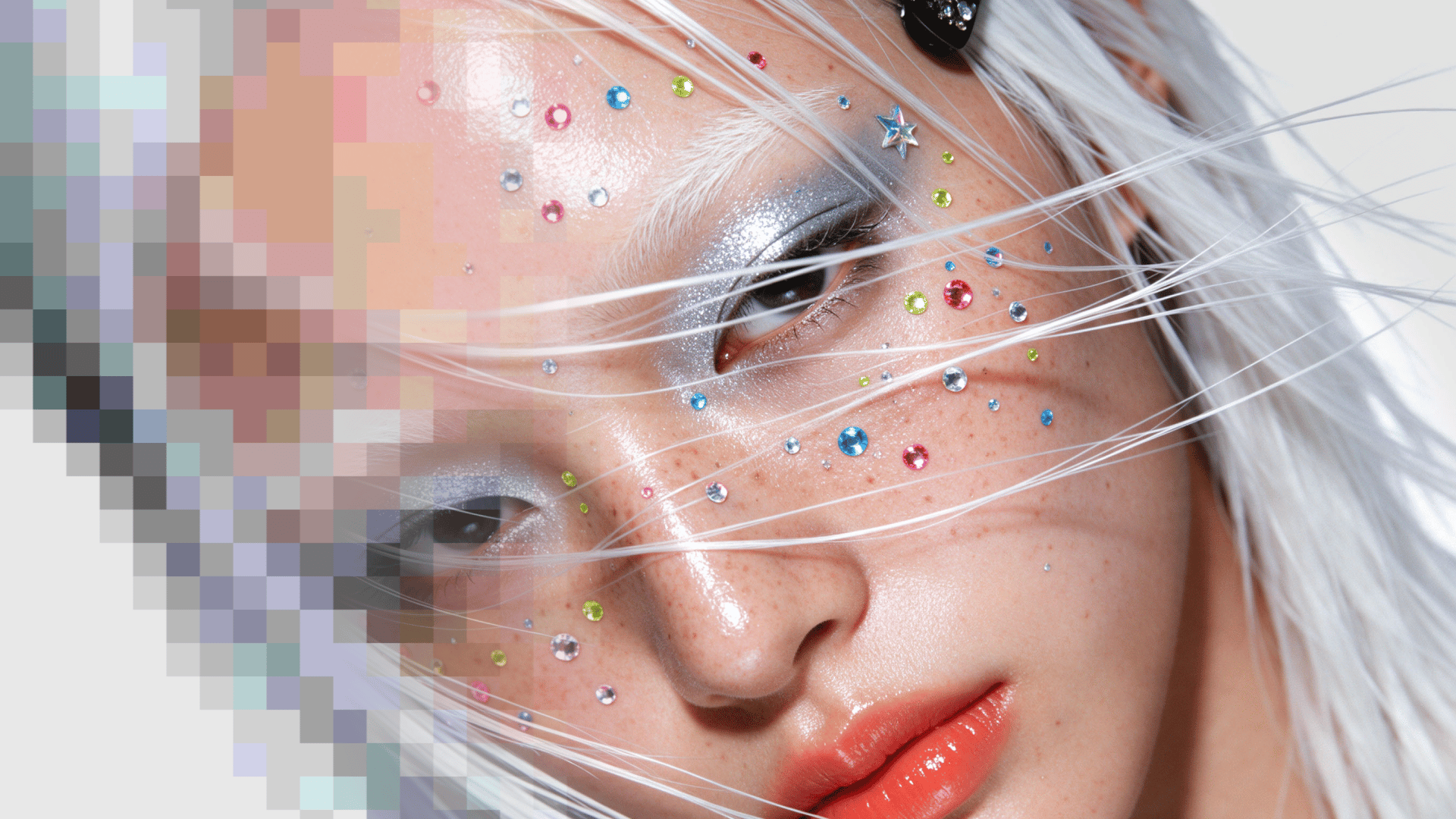
All four runs kept the letters on the truck unchanged. The difference was in the face: both ByteDance Upscale presets stayed closest to the source, FLUX.3 Precise turned soft dots of face glitter into sharp colored gems, and FLUX.3 Creative added lashes, skin texture and loose hair strands that the 480p frame did not show.
Run | Model and preset | Faces | Text | Credits |
|---|---|---|---|---|
1 | ByteDance Upscale, AIGC preset | Same face; smoother skin, sharper hair clip | Letters unchanged; edges a little cleaner | 6.43 ($0.48) |
2 | ByteDance Upscale, Common preset | Same face; more texture in the hair | Letters unchanged; outlines slightly doubled | 6.43 ($0.48) |
3 | FLUX.3 Upscale, Precise | Same face; blurry glitter became sharp colored gems | Letters unchanged; clean edges | 56.3 ($4.22) |
4 | FLUX.3 Upscale, Creative | Same person; adds lashes, skin texture and stray hairs | Letters unchanged | 80.42 ($6.03) |
Source: an 8-second 854 × 480 clip at 24 fps, generated with Seedance 2.5 on Higgsfield. Both ByteDance Upscale outputs checked with ffprobe: 3840 × 2160 at 30 fps, the lowest frame rate ByteDance Upscale offers. Both FLUX.3 Upscale outputs: 2562 × 1440 at 24 fps, the source frame rate. Credits are the regular price shown on the Generate button; your account may show a lower price. Dollar costs use $15 for 200 credits ($0.075 a credit). Test run on November 11, 2026.