 Higgsfield Instantnow inside
 Google Chrome
Recreate with Soul or Face Swap
Make any reference your own
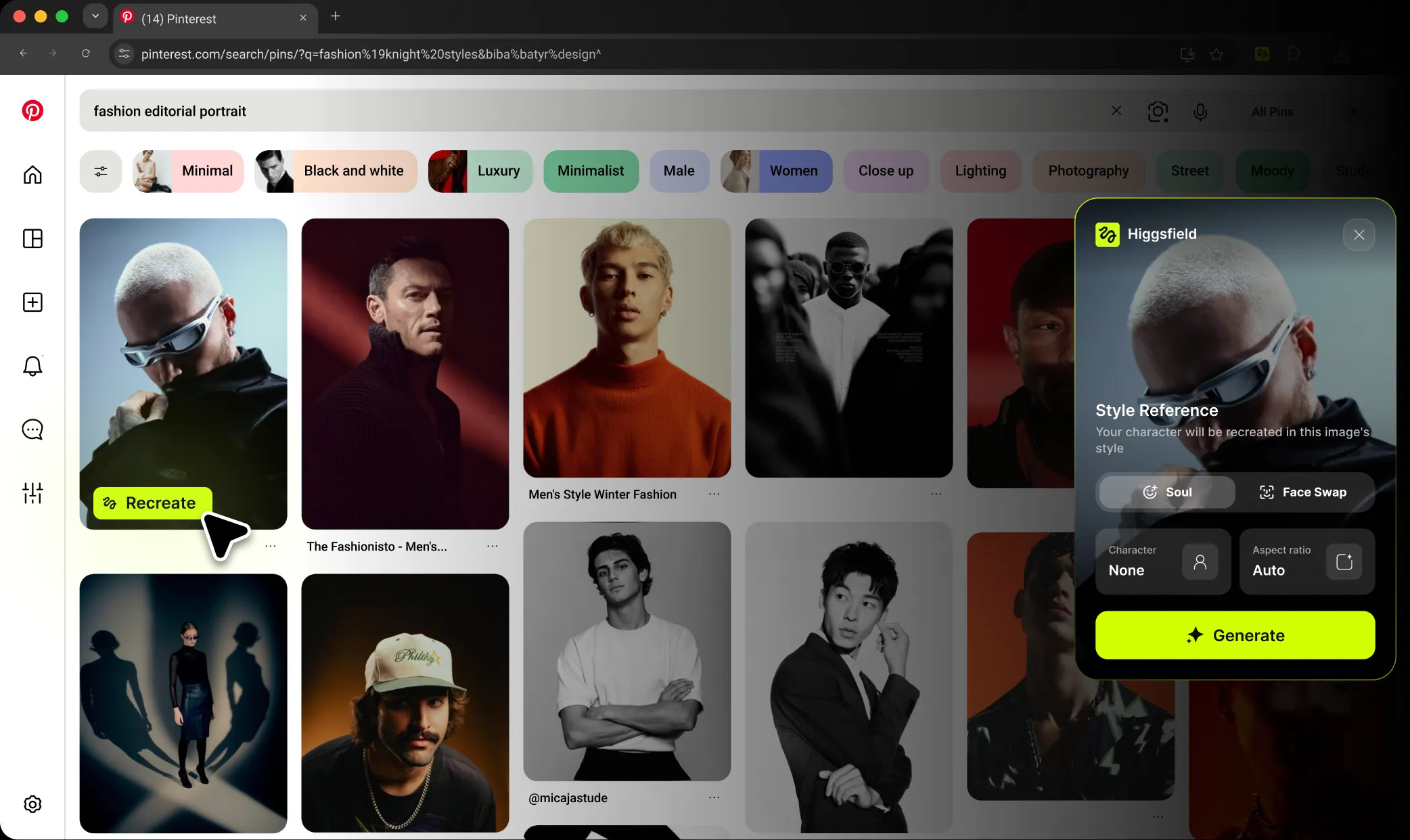










Hover to Recreate on these sites. Right-click an image anywhere else.
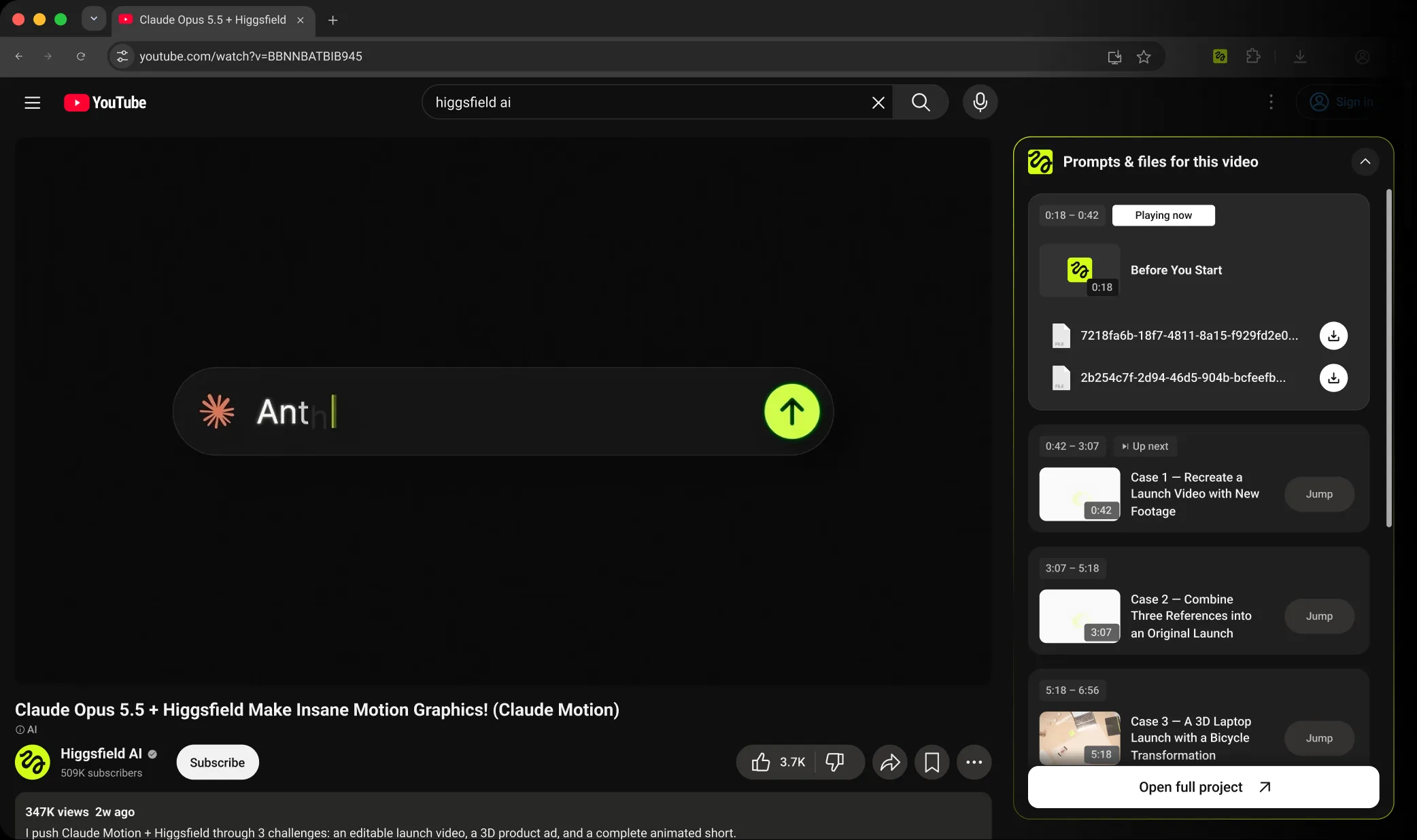
Prompts, files, and timestamps on YouTube
Watch a tutorial. Make it yours.
How to install
Install Higgsfield Instant
Add it to Chrome in three simple steps.
 1
Add Instant to Chrome
Open the Chrome Web Store and click
Add to Chrome.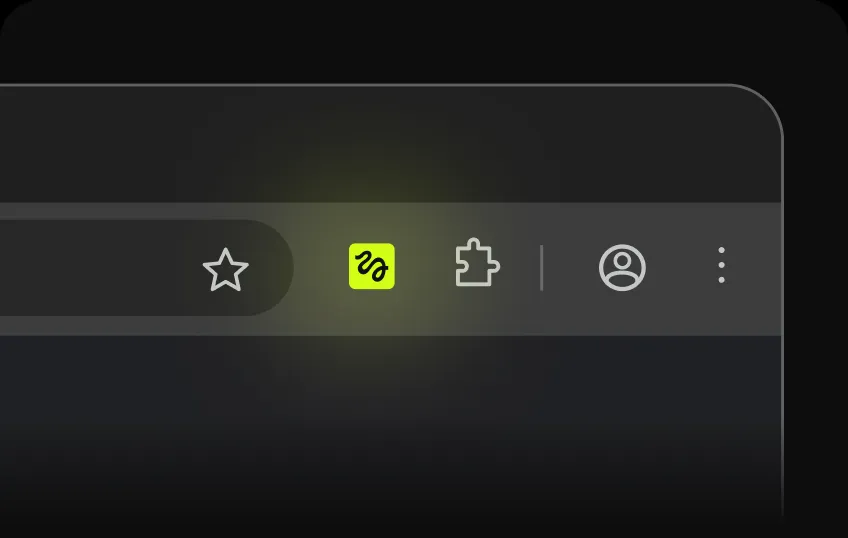 2
Confirm installation
Review the permissions, then click
Add extension in the Chrome pop-up.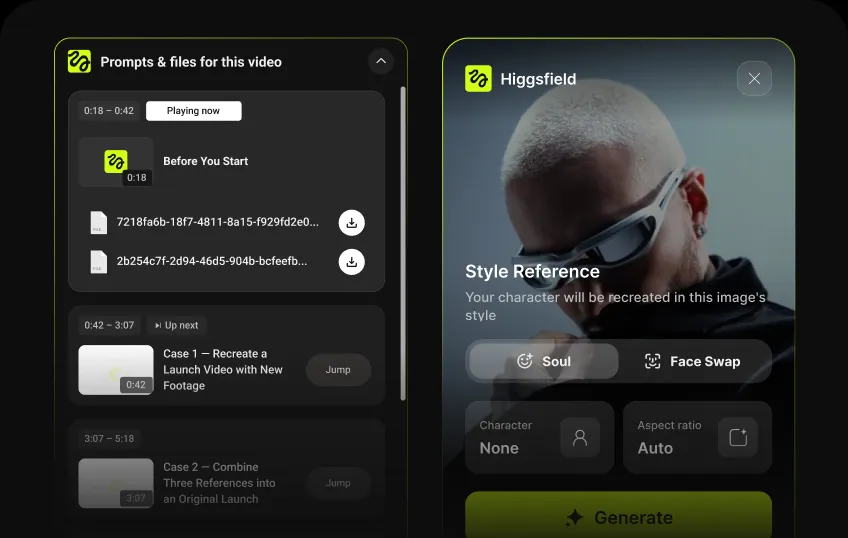 3
You’re ready to create
Enjoy Higgsfield Instant across your favorite websites and on YouTube.
Frequently asked questions
We’ve answered the most frequently asked questions
What is Higgsfield Instant?
Higgsfield Instant is a Chrome extension that brings Higgsfield to the sites you browse. Recreate images with Soul or Face Swap, and access prompts and files on supported YouTube tutorials.
How do I recreate an image?
On supported sites, hover over an image and click Recreate. On other sites, right-click the image and select Recreate with Higgsfield. Choose your mode and aspect ratio, then click Generate.
What’s the difference between Soul and Face Swap?
Soul recreates your character in the reference image’s style. Choose an existing Soul character or create a new one. Face Swap replaces a face in the image with one from a photo you upload.
Do I need a Higgsfield account?
Yes. Instant works with your existing Higgsfield account. If you’re not signed in, the extension will prompt you to log in.
Does generating use credits?
Yes. Generations use credits from your Higgsfield account. Instant will let you know if you need more credits, a different plan, or have reached your limit for simultaneous generations.
How does Instant work on YouTube?
On videos with a Higgsfield guide, a panel beside the player shows timestamped steps, prompts, and downloadable files. Copy a prompt, jump to a step, or click Recreate to open Higgsfield with the prompt and model already selected.
Where can I see my results?
After starting a generation, click View in Higgsfield in the confirmation notification. Your results will appear in your Higgsfield account.