Gaming Console Gift Card
Terms & Guidelines
Starting November 19, 2026, the first 10,000 new annual Ultra plan subscribers will be eligible to receive a console gift card. This guide explains who qualifies, where the card works, where to find your code, how to redeem it on PlayStation or Xbox and how it affects refunds. These terms are part of our Terms of Use.
About Your Gift Card
Who qualifies. You are eligible if, on or after November 19, 2026, you purchase an annual Ultra plan with 3,000, 6,000 or 9,000 credits, or upgrade to one of these plans from any other plan, including from a lower annual Ultra plan. Renewal of an existing plan does not make you eligible. The offer is available only to customers in the supported countries listed below. PlayStation and Xbox accept only codes that match the country of your console account, so choose the country in which your account is registered.
What you get. One PlayStation or Xbox gift card (your choice) worth $100 USD, or the closest available gift card value in your local currency. Gift cards are issued for the PlayStation Store or Xbox Store country of your choosing from the list of supported countries, work only in the region where they’re issued, and are subject to the gift card issuer’s terms.
Limit one per person. The gift card is issued once per person and once per account. After a gift card has been issued, no subsequent purchase, upgrade or renewal will result in an additional gift card.
How refunds work. The gift card is a promotional benefit conditioned on your eligible annual Ultra subscription. If the gift card has already been claimed, we may reduce any otherwise available refund by up to the face value of the gift card actually issued, but not by more than the maximum amount permitted by applicable law.
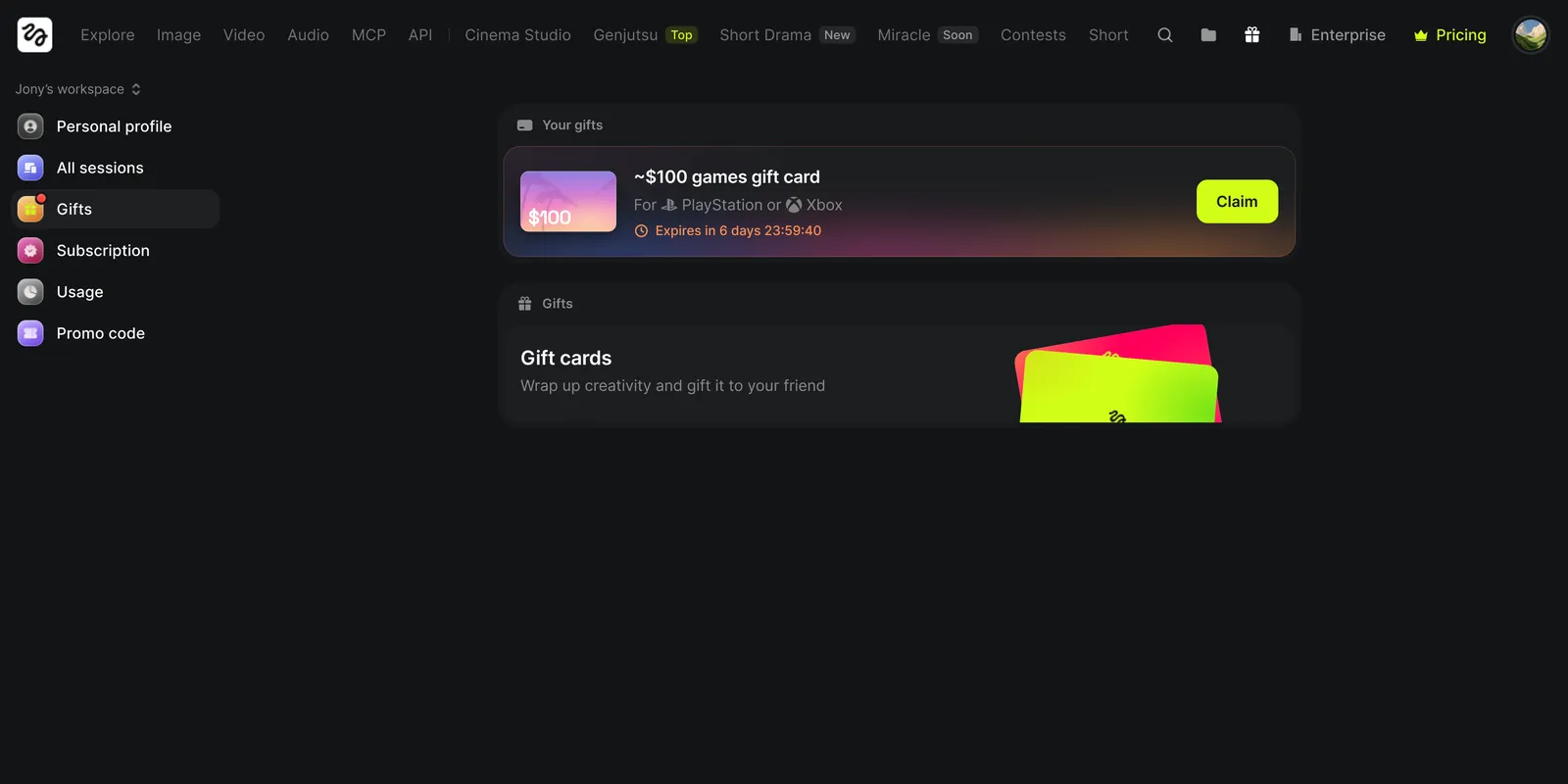
Where to find your gift card. Once it’s delivered, your gift card is stored in your Higgsfield account. Open Manage account → Gifts to see it at any time. Depending on your country, you’ll get it in one of two ways:
- A code. Your code is shown right in Gifts. Copy it and redeem it on your console’s store, following the steps for your platform below.
- A link. Open it to get your code on the gift card provider’s page, then redeem that code on your console’s store the same way.
Either way, the card works only in the store for your country, and your console account has to be set to the same country.
Claim it within 7 days. After an eligible purchase, your gift card will appear in Manage account → Gifts. Claiming starts delivery of your code or link. If you don’t claim it within 7 days of purchase, the offer ends and the gift card won’t be issued. The 7 days are for claiming. Delivery time does not count against them.
Delivery can take up to 24 hours. After you claim, we prepare your gift card. Your code or link appears in Manage account → Gifts within 24 hours, and we notify you by email when it is ready.
All payments are verified. We may cancel a gift card or recover its value if a payment fails or is charged back, or if we suspect fraud or more than one account per person. Gift cards can’t be transferred or resold. We will not replace a code that someone else uses after you claim it.
While supplies last. The promotion ends once 10,000 eligible purchases have been made. We may update these terms or modify or end the promotion early by posting changes on this page.
Not affiliated. This promotion isn’t sponsored or endorsed by Sony Interactive Entertainment or Microsoft. Void where prohibited.
Supported Countries
Gift cards are available in the countries below. The card is issued in the local currency of the country you choose.
Your console account must be from the same country. You can only redeem a code if your PlayStation or Xbox account is registered in the same country or region as the gift card. Check your account’s country before you claim your gift card.
Card values are the closest available amount to $100 USD. In some countries the value is delivered as several codes that add up to the amount shown; redeem each code the same way. A dash means the card is not available for that platform in that country.
PlayStation
First, check your account’s country
Your code only works if it matches the country of your PlayStation account.
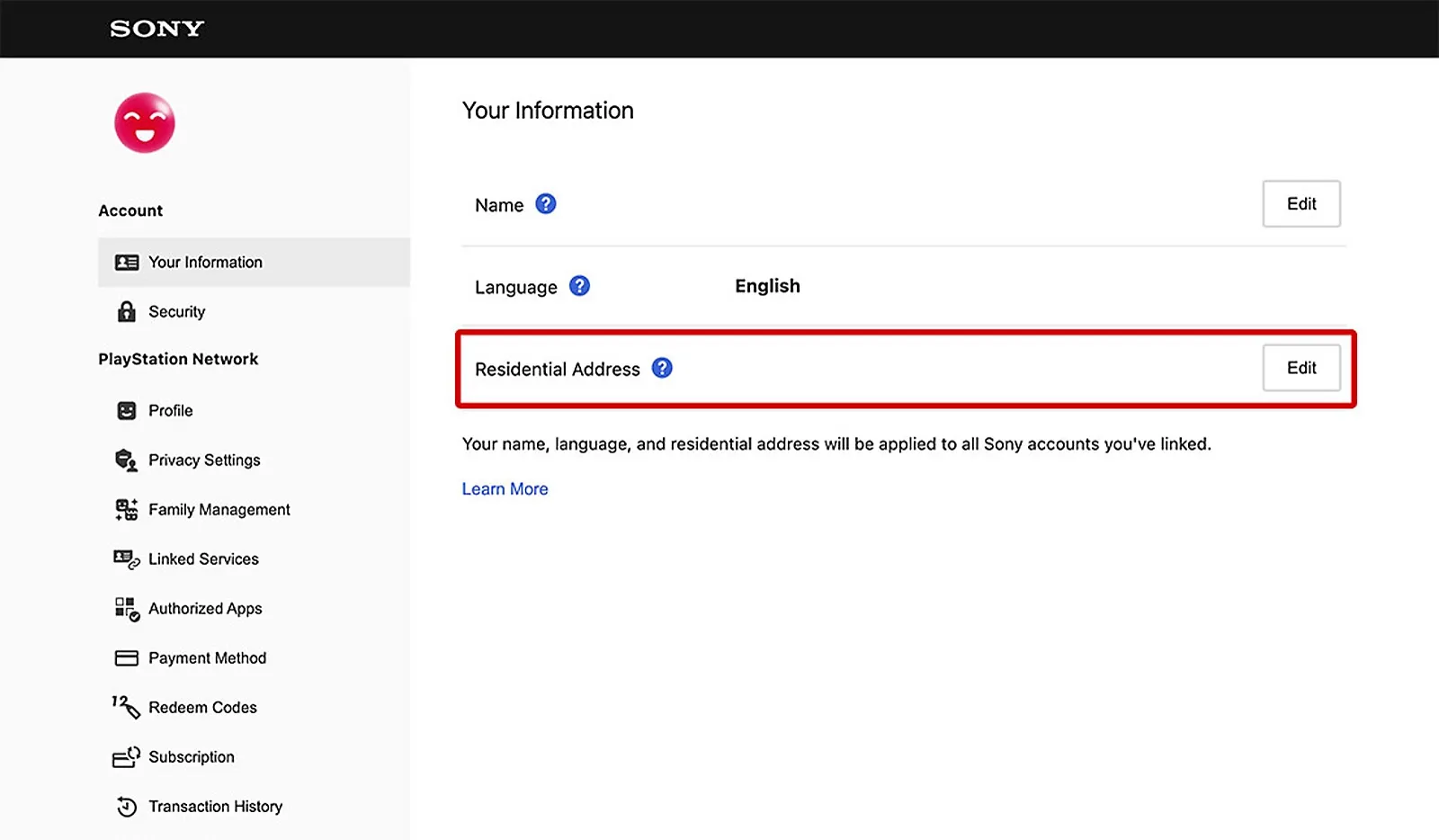
- Sign in to Account Management.
- Open Your Information and select Edit next to Residential Address.
- Your country is shown at the bottom of the page.
Redeem your code
- Go to PlayStation Store and select your profile icon at the top of the page.
- Choose Redeem Code.
- Enter your 12-digit code and select Continue.
Your PlayStation wallet is topped up right away.
For more details, see PlayStation’s guide: How to redeem a PlayStation Store voucher code.
Xbox
First, check your account’s country
Your code only works if it matches the country of your Microsoft account.
- Sign in to your Microsoft account.
- Open Your info.
- Your country is shown under Profile info.
- If you play on Windows or an Xbox console, check that its region matches: Settings → Time & Language → Language & Region on Windows, Settings → System → Language & location on Xbox.
Before you redeem
- Make sure you’re signed in to the right Microsoft account. Once redeemed, the code can’t be moved to another account.
- You may be asked to add a payment method before redeeming. You won’t be charged.
- Codes can’t be redeemed if your account is suspended or has an unpaid balance.
Redeem your code
- Go to xbox.com/redeem and sign in to your Microsoft account.
- Enter your 25-character code.
- Select Next and follow the prompts.
Your Microsoft account balance is topped up right away.
For more details, see Xbox’s guide: Redeem Xbox codes or gift cards.
Need Help?
Having trouble redeeming your code or didn’t receive it? Contact Higgsfield support and let us know your platform (PlayStation or Xbox) and your console account’s country.