For commercial product work, product identity should be solved before video generation.
01
Lock the product. Let the liquid move.
HIGGS Chocolate / Seedance 2.5
A practical workflow for premium chocolate advertising: build a stable product reference, assign references correctly, and prompt liquid chocolate as a moving physical system rather than a fixed shape.
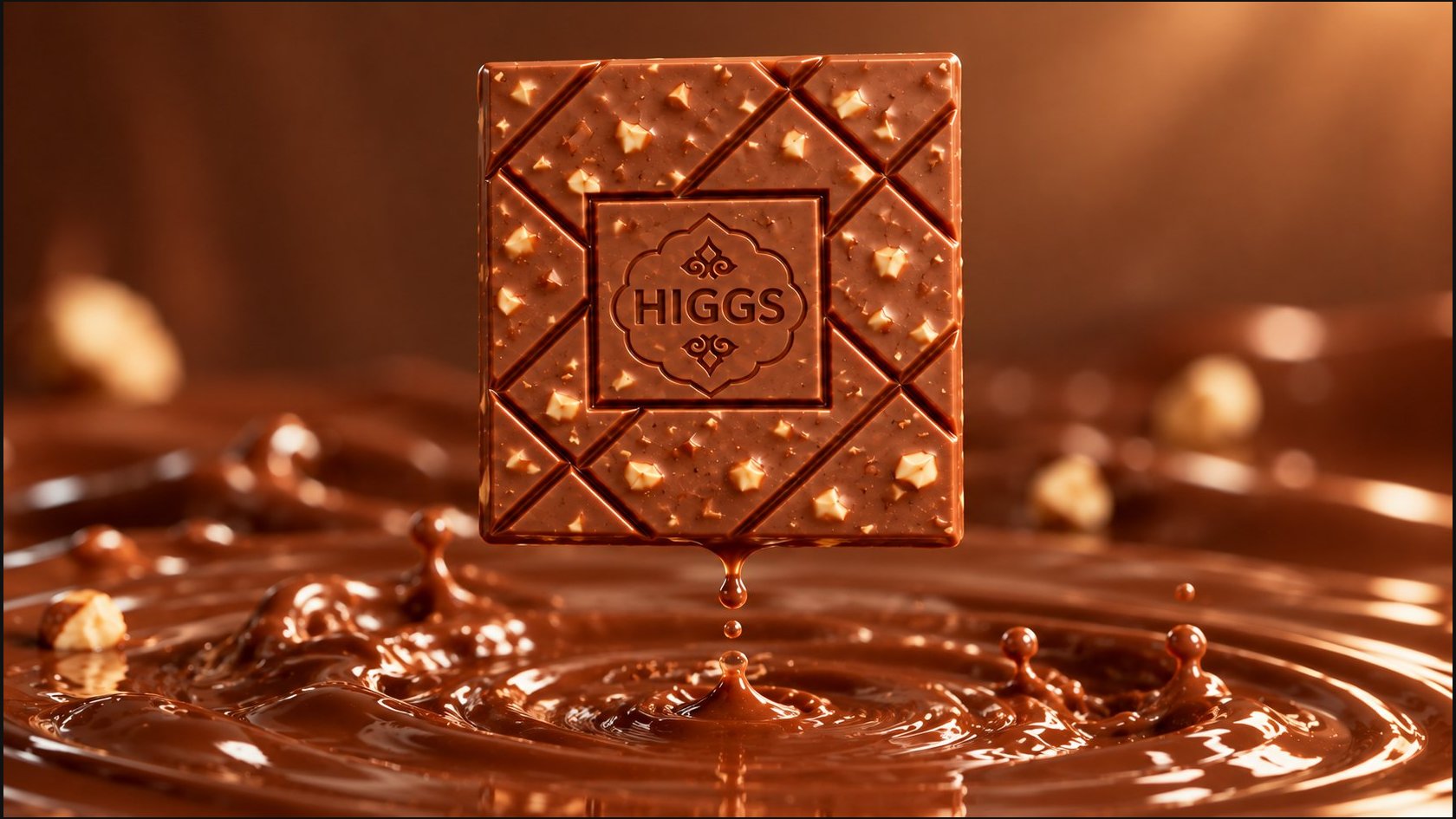
Key visual
The HIGGS chocolate bar suspended above molten chocolate.
Core rule
Reference
defines what the product is.
Start Frame
defines the visual world.
Prompt
defines the motion.
02
Why lock the product first
Product identity should be solved before video generation.
For commercial product work, product identity should be solved before video generation. The video model should not be asked to redesign the chocolate bar while also simulating liquid physics and camera motion.
Product identity
Shape, thickness, segmentation, embossing, inclusions, edges and material finish live in the product reference.
Shot design
Composition, lighting world and the starting state live in the Start Frame.
Motion logic
The prompt describes transformation, flow, deformation, interaction and camera behavior.
Working principle
Lock the object, move the camera, and let only the material behavior change.
03
Create the product reference sheet
One canonical sheet, one physical product, four controlled viewpoints.
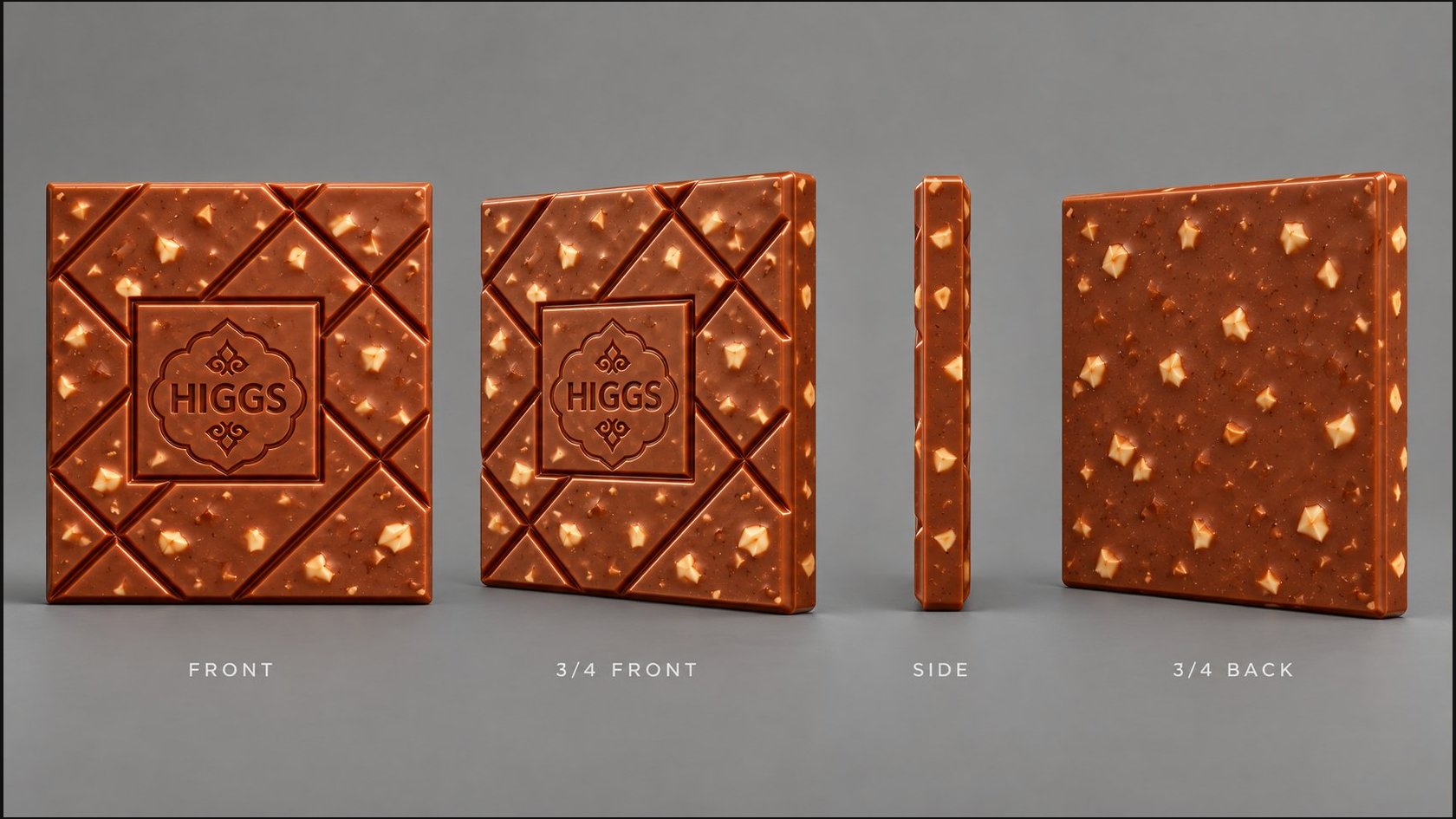
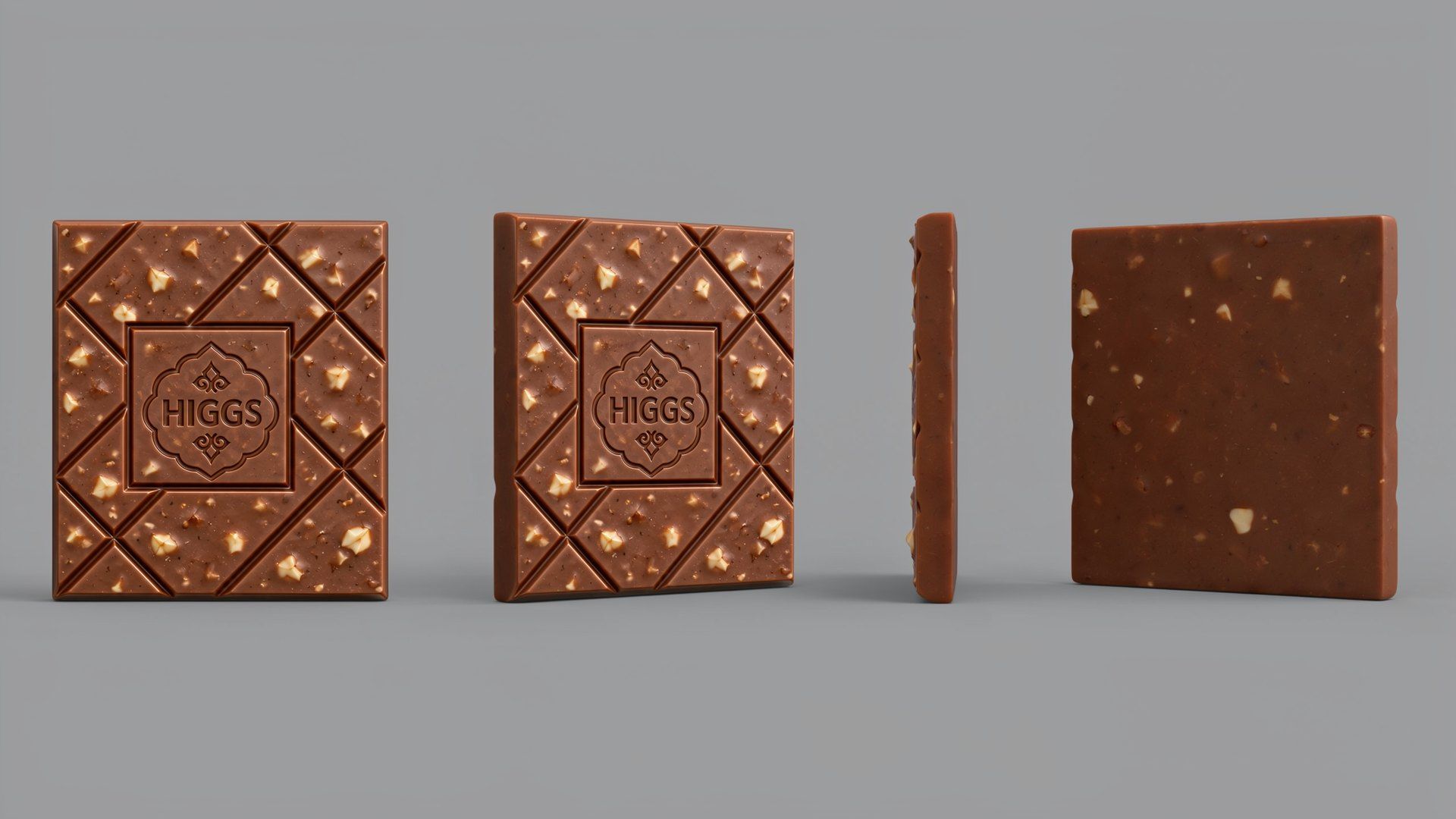
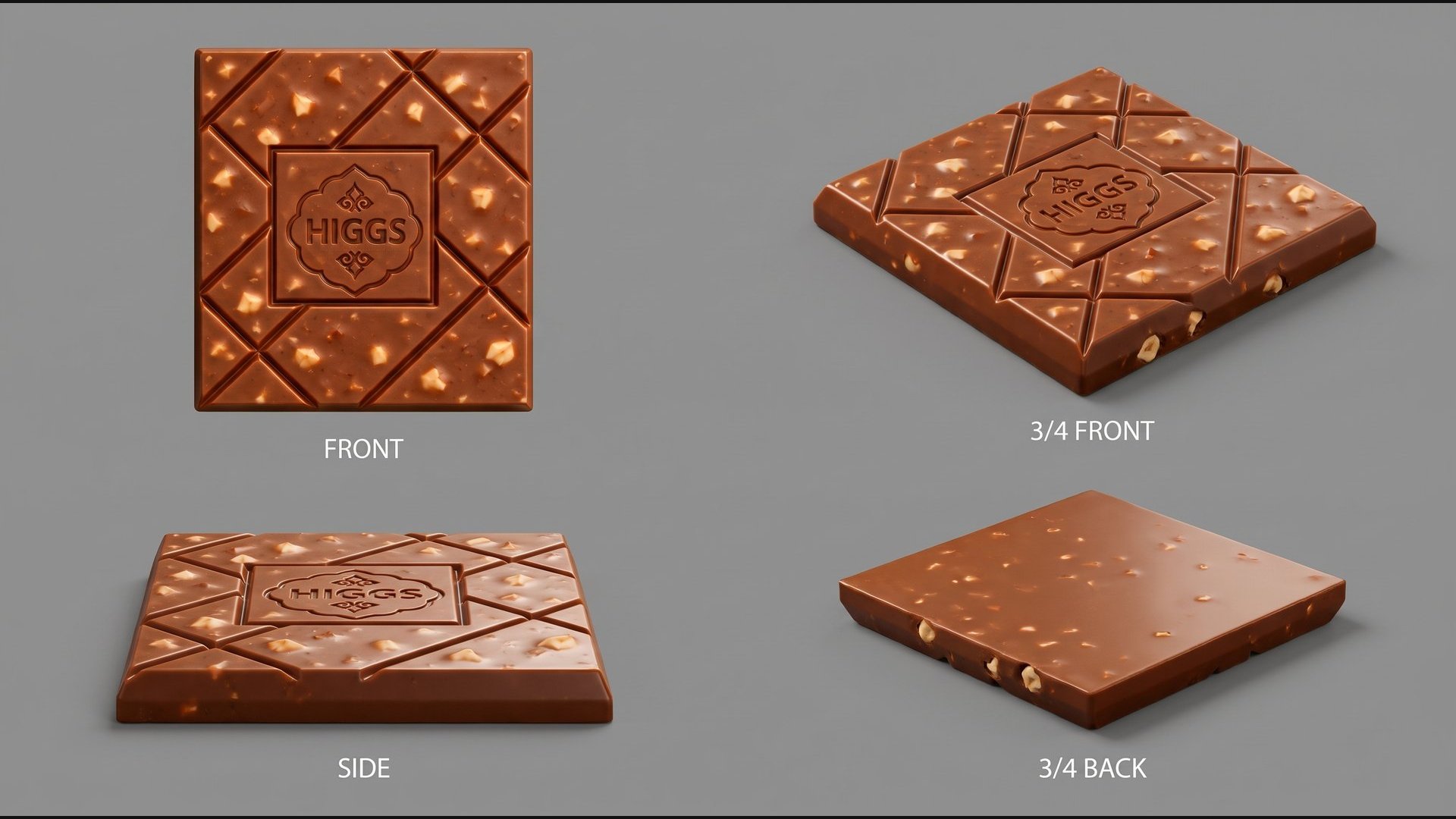
Use one canonical sheet to teach the model a single physical product from controlled viewpoints. The same object should be shown from FRONT / 3/4 FRONT / SIDE / 3/4 BACK.
Image
HIGGS canonical product sheet — FRONT / 3/4 FRONT / SIDE / 3/4 BACK
Universal reference-sheet prompt
Universal reference-sheet prompt
Universal reference-sheet prompt
Model
What it showed
Use in workflow
Ideogram 4.5
Very disciplined camera geometry and useful technical view separation.
Strong benchmark for reference-sheet precision.
Nano Banana Pro
Excellent material realism and product volume, with slightly freer camera interpretation.
Strong benchmark for material fidelity.
Ideogram 4.5 · Quality High · 2560×1440
Nano Banana Pro · Quality 2K · 2752×1536
04
Assign references correctly in Seedance 2.5
The reference role matters.
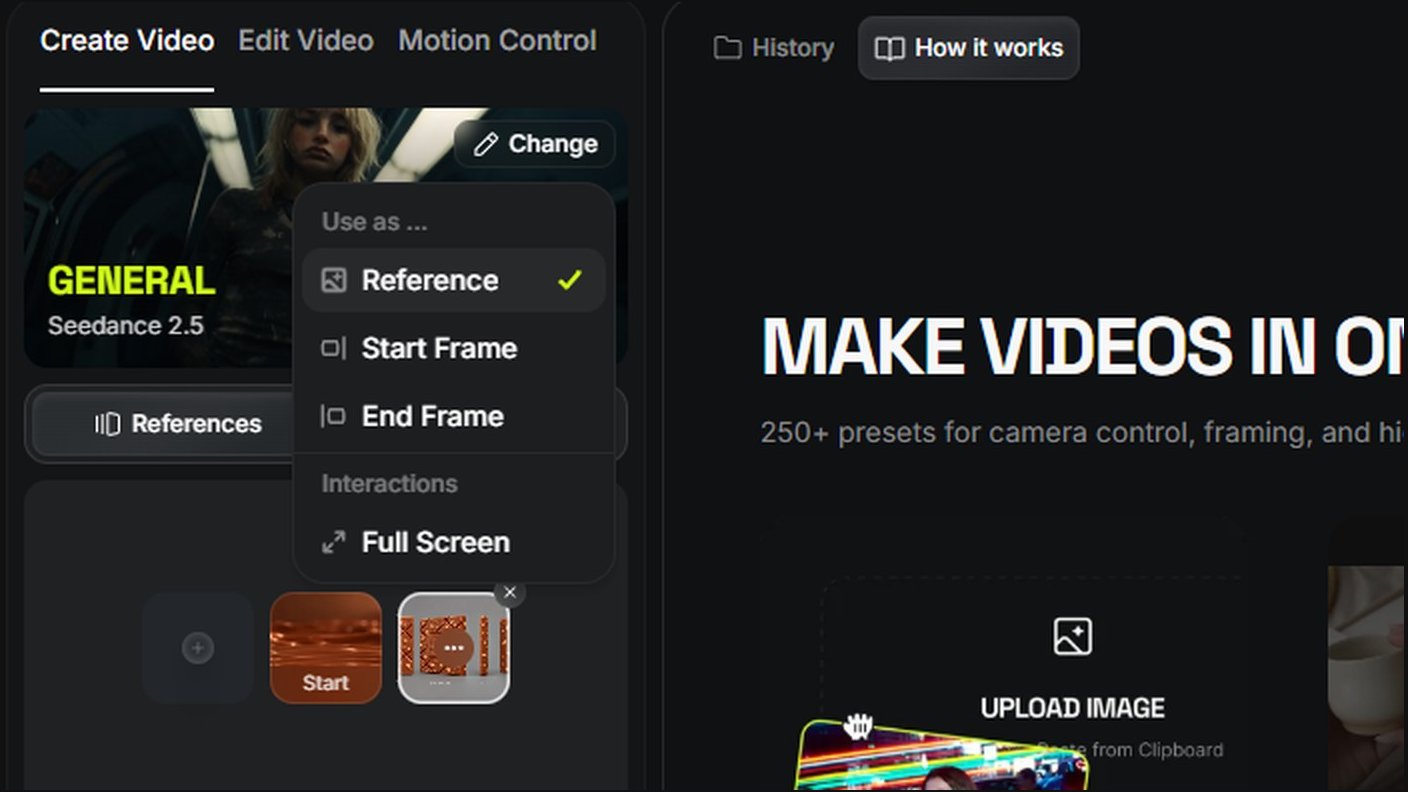
The reference role matters. Use the image menu after upload: hover the image, open the three-dot menu, then choose the correct role.
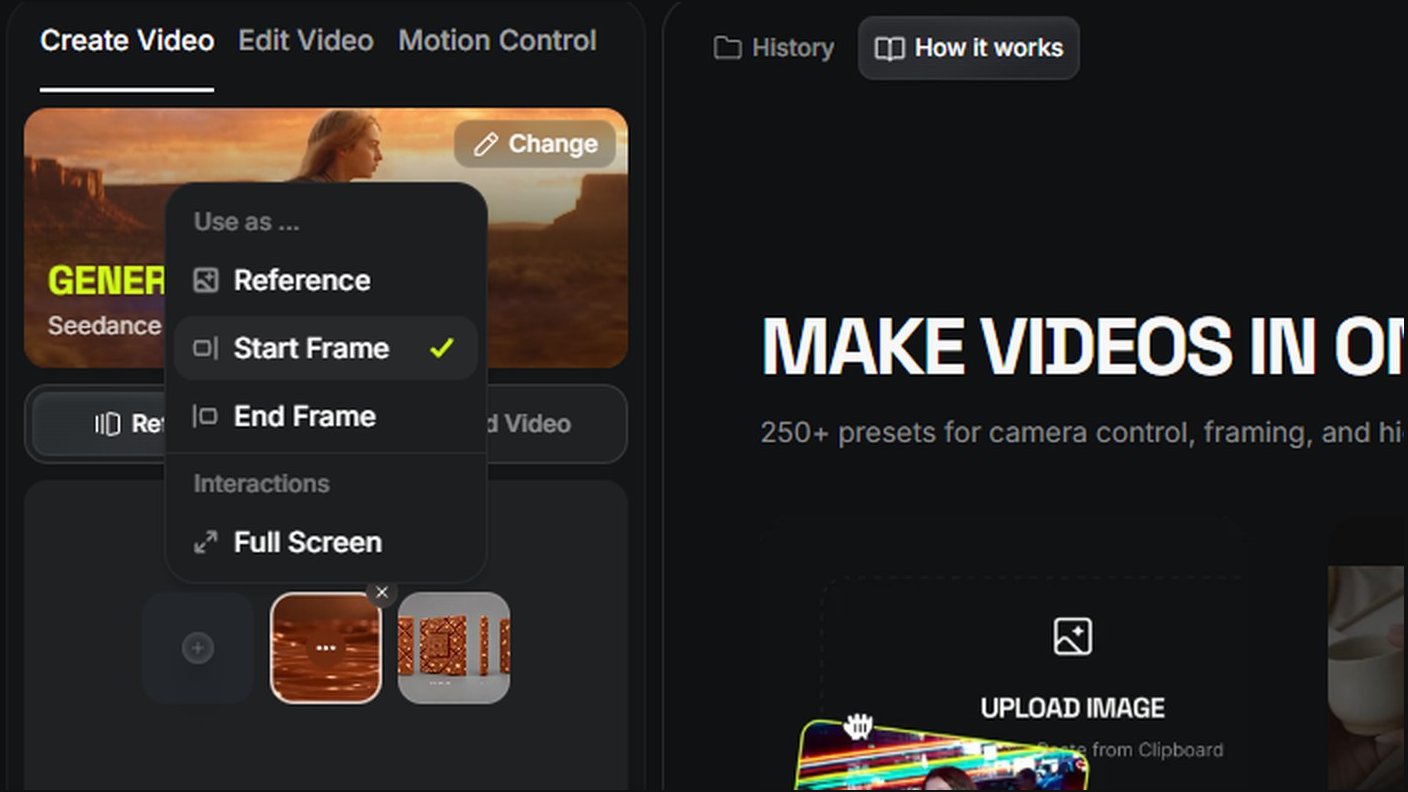
Screen
Choose Start Frame for the image that defines the beginning of the shot.
Screen
Choose Reference for the canonical product sheet.
Start Frame
Defines the visual world: camera angle, composition, lighting mood, liquid environment and starting state.
End Frame is optional. For generative material transformations, giving the model a stable product reference and a strong starting environment often preserves more freedom and produces more natural motion.
05
Choose the right reference strategy for the shot
Different shots need different reference setups.
Choose the right reference strategy for the shot
Shot
References
Use when
Product formation
Start Frame + Product Reference
Liquid transforms into the final branded product.
Commercial macro formation
Start Frame + Product Reference
Camera cuts examine material, grooves, bevels and branding.
Ingredient-flow shot
Start Frame only
The scene itself already contains the liquid ribbon and ingredients.
06
Prompt liquid behavior correctly
Describe how the shape keeps changing over time.
Do not describe liquid only by appearance. Describe how its shape keeps changing over time.
Appearance
dense / glossy / cohesive
Motion
bends / rolls / folds / narrows / widens
Forces
gravity / viscosity / cohesion / surface tension
Interaction
yields / wraps / parts / reconnects
Recovery
reshapes / settles / rejoins the flow
Rule
Don’t prompt a special effect. Prompt a moving physical system.
07
Workflow A — Form the product from chocolate
Molten chocolate gathers, rises, organizes and stabilizes into the exact HIGGS chocolate bar.
This version prioritizes the transformation itself: molten chocolate gathers, rises, organizes and stabilizes into the exact HIGGS chocolate bar.
Why the Start Frame is an empty scene
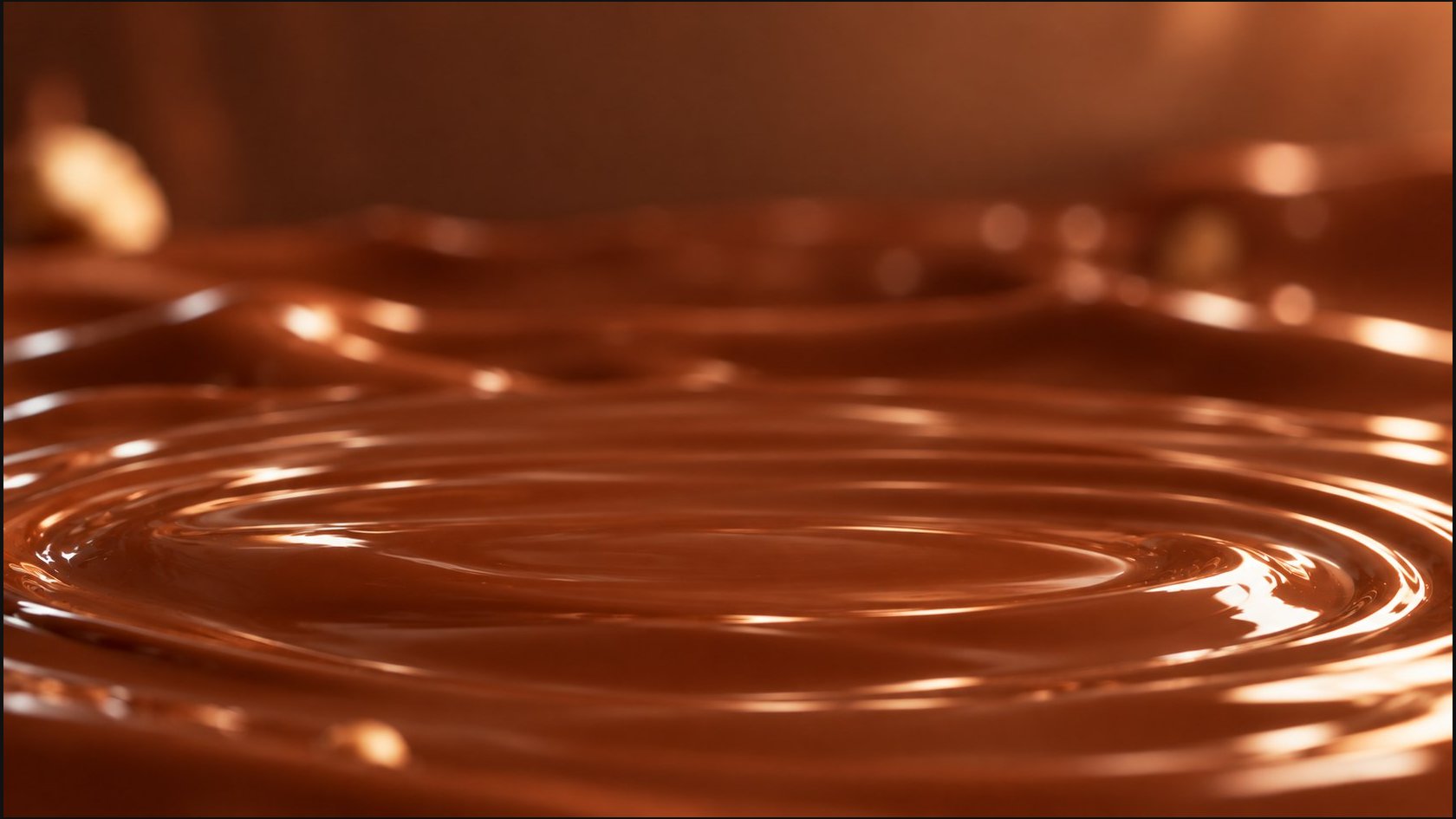
Frozen objects and a frozen space happen because the model takes the Start Frame as the scene it has to preserve. Whatever is already in the frame is treated as truth. If the frame contains a frozen chocolate splash, the model reads it as an element that is meant to stay frozen, and it stays that way.
So give the model the scene where everything will happen, not the action itself, and describe everything that happens in the prompt. Here the Start Frame is only a calm chocolate surface: the model has more freedom and builds more correct motion logic and physics on top of it.
Why the product reference
The product template is there so the video model does not have to guess what the product looks like or what happens to it. The reference carries the shape, grooves, plaque, inclusions and finish, which removes the need to describe the object in the prompt every time. The prompt stays free for the transformation, the liquid and the camera.
The same reference logic, with the camera of a luxury food commercial.
This version uses the same reference logic, but the camera treats the transformation like a luxury food commercial: liquid surface, edge formation, grooves, HIGGS plaque, hazelnut detail and final reveal.
The start frame is the complete visual world. The prompt describes a moving physical system.
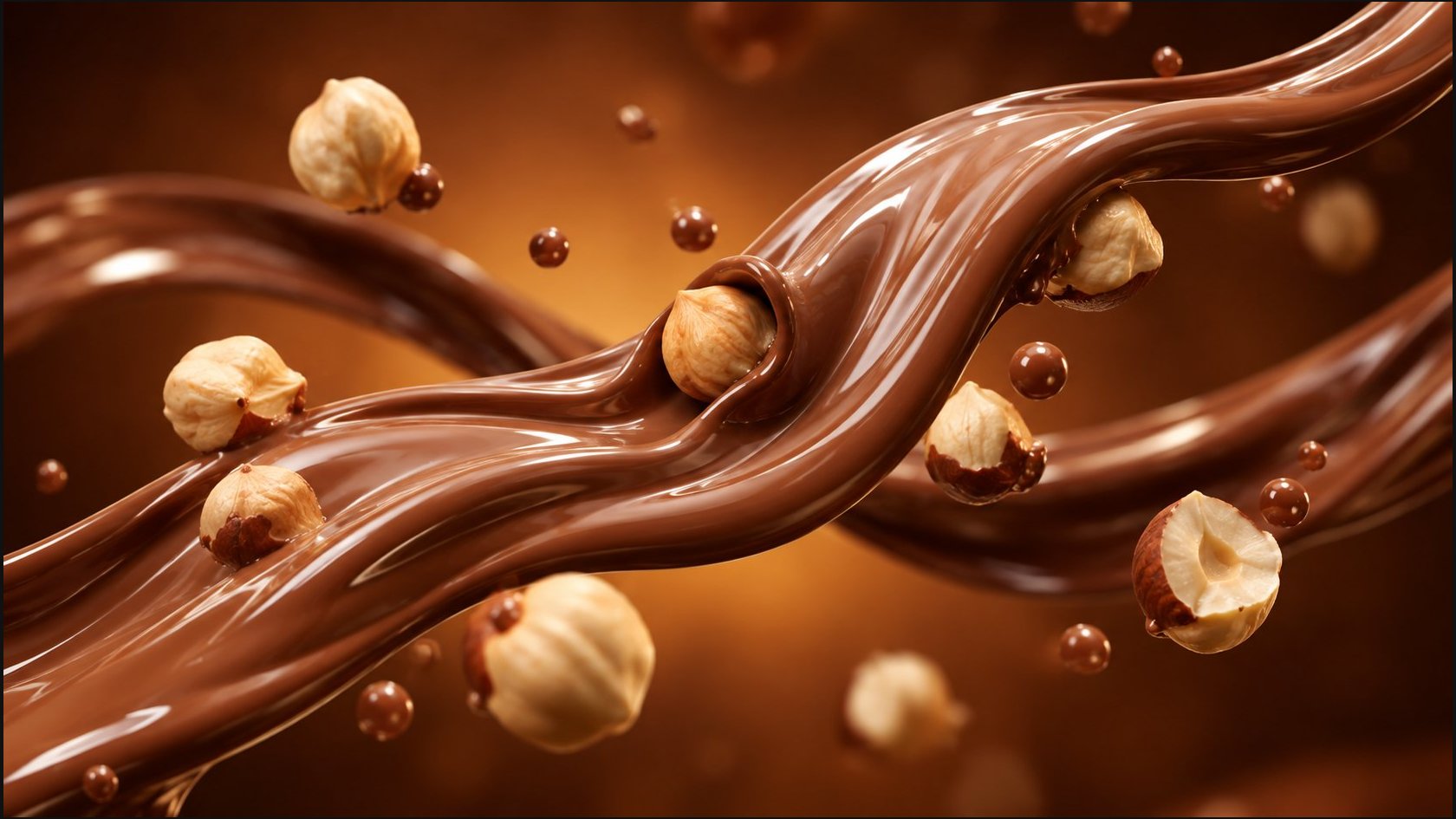
For ingredient-flow shots, use the start frame as the complete visual world and describe a moving physical system. The strongest result came from a 6-second duration.
Image
@image1 — Start Frame: chocolate ribbon with hazelnuts already present in the scene
Why this setup works
The frame already establishes ingredient scale, depth, lighting and interaction context. The prompt can focus entirely on continuous flow and physical response.
Seedance 2.5→General→6s→16:9→720p→High bitrate
6-second ribbon + hazelnut result
Tested prompt
Confirmed finding
Reducing this shot from 8 to 6 seconds gave the motion a natural speed. When a single shot has too many seconds, the model slows the movement down just to fill the time, and the ribbon starts to settle into a static shape. A shorter duration lets one physical action play out at its real pace.
10
Summary
Lock the product, assign roles, prompt behavior.
Lock product identity
Use a canonical multi-angle product sheet before video generation.
Assign reference roles
Start Frame defines the world. Reference defines the product. End Frame is optional.
Prompt behavior, not appearance
Describe how liquid continuously changes, interacts and recovers over time.